---
title: "AI for Rental Property Management: Automate Maintenance, Renewals, and Tenant Communication"
url: "https://managemyclaw.com/blog/ai-rental-property-management/"
date: "2026-03-27T19:56:36-04:00"
modified: "2026-03-27T22:27:34-04:00"
author:
name: "Rakesh Patel"
url: "https://www.rakeshpatel.co"
categories:
- "Real Estate AI"
tags:
- "Admin Automation"
- "AI Real Estate"
- "Property Management"
- "Tenant Screening"
word_count: 3703
reading_time: "19 min read"
summary: ""A burst pipe at 2 AM. A lease expiring in 29 days that nobody flagged. 6 tenants asking the same question about trash pickup. Rental property management isn't hard because any single task is compl..."
description: "AI automates rental property management tasks: maintenance requests, lease renewals, and tenant communication handled in seconds."
keywords: "ai rental property management, Admin Automation, AI Real Estate, Property Management, Tenant Screening"
language: "en"
schema_type: "Article"
related_posts:
- title: "Connect AI Agents to Zillow and Realtor.com: Automate Lead Response from Property Portals"
url: "https://managemyclaw.com/blog/ai-agents-zillow-realtor-com-leads/"
- title: "The AI-First Real Estate Brokerage: What the Top Agencies Will Look Like in 2027"
url: "https://managemyclaw.com/blog/ai-first-real-estate-brokerage-2027/"
- title: "AI Receptionist for Real Estate: CallBird vs Smith.ai vs OpenClaw"
url: "https://managemyclaw.com/blog/ai-receptionist-real-estate-comparison/"
---
# AI for Rental Property Management: Automate Maintenance, Renewals, and Tenant Communication
_Published: March 27, 2026_
_Author: Rakesh Patel_
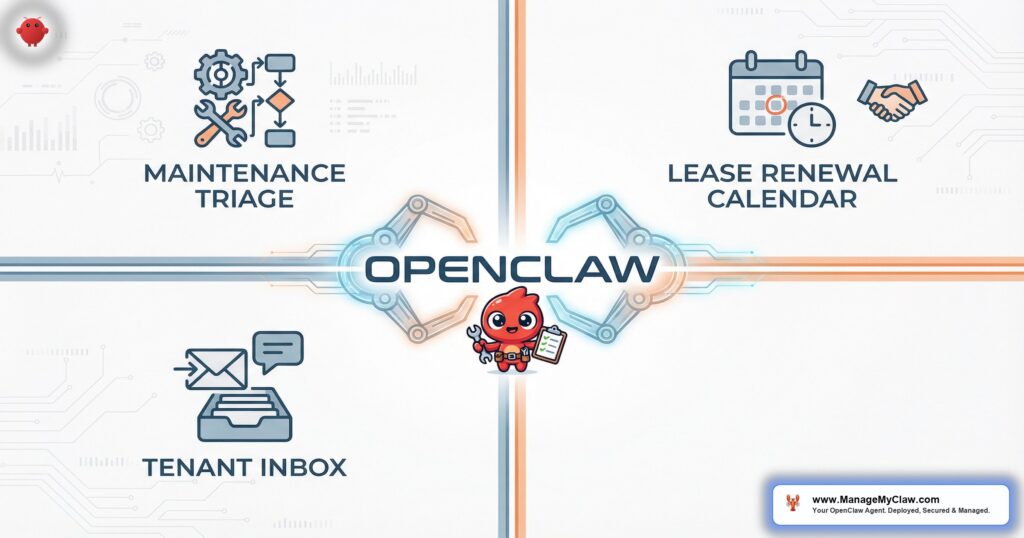
“A burst pipe at 2 AM. A lease expiring in 29 days that nobody flagged. 6 tenants asking the same question about trash pickup. Rental property management isn’t hard because any single task is complicated — it’s hard because 47 small tasks hit your inbox at the same time.”
If you manage 20+ rental units, you already know: the day doesn’t start with strategy. It starts with a maintenance request from Unit 4B, a rent reminder that should’ve gone out yesterday, and a vendor invoice you forgot to forward. Multiply that by every unit in your portfolio, and you’re spending 60% of your working hours on repetitive communication that follows the same patterns every single month.
OpenClaw is an open-source AI agent framework — 250,000+ GitHub stars, bare-metal deployment on your own server — that connects to your Gmail and calendar through Gog OAuth to handle ai rental property management workflows autonomously. It reads your actual inbox, triages maintenance requests by severity, tracks lease renewal timelines, sends tenant communications on schedule, and routes work orders to the right vendors — all running on a $12/month VPS you control.
*It’s not a chatbot sitting on a tenant portal. It’s an operations layer embedded in the email system you already use, making the same decisions you’d make — just faster, and without forgetting that Unit 7A’s lease expires in 31 days.*
This post walks through exactly how OpenClaw handles 4 core property management workflows: maintenance request triage, lease renewal tracking, tenant communication, and vendor coordination. If you’ve read the [pillar guide on OpenClaw for real estate](/blog/openclaw-for-real-estate/), this is the deep dive into the rental operations layer. And if you manage short-term rentals too, the [Airbnb host guide](/blog/openclaw-for-airbnb-hosts/) covers the STR-specific workflows.
4.2 hrs average daily time property managers spend on routine communication (Buildium 2025) $499 one-time managed deployment — no monthly platform fees Workflow 1 • Maintenance Triage
## How OpenClaw Triages Maintenance Requests: Emergency vs. Routine
Every maintenance request hits your inbox looking the same — subject line says “issue in my apartment,” body could be anything from a dripping faucet to a gas leak. The difference between those 2 scenarios is the difference between “schedule a plumber next Tuesday” and “call the fire department now.” Your inbox doesn’t know that. OpenClaw does.
The agent reads every inbound maintenance email and classifies it into 1 of 3 tiers using the same 4-label triage system described in the [email agent deep dive](/blog/ai-email-agents-real-estate/), adapted for property management context:
| Tier | Trigger Keywords & Signals | Agent Action | Response Time |
|---|---|---|---|
| **Emergency** | Flood, burst pipe, gas smell, no heat (winter), fire, electrical sparking, sewage backup, lock-out (safety concern) | Immediate notification to your phone + emergency vendor contacted + tenant receives acknowledgment within 2 minutes | Under 2 min |
| **Urgent** | No hot water, broken AC (summer), appliance failure (fridge, oven), plumbing leak (contained), pest sighting | Flagged for same-day review + vendor availability checked + tenant receives “we’ve logged this” confirmation | Under 30 min |
| **Routine** | Dripping faucet, paint touch-up, squeaky door, light fixture replacement, weatherstripping, caulking, general wear | Logged in maintenance queue + scheduled for next available vendor window + tenant receives timeline estimate | Within 4 hrs |
The classification isn’t keyword matching alone. OpenClaw reads the full email body, evaluates severity signals (water + ceiling = emergency; water + faucet drip = routine), cross-references the unit’s maintenance history, and factors in external context like weather. A “no heat” email in January gets classified as emergency. The same email in July gets classified as routine.
*Think of it as a triage nurse in an emergency room. The nurse doesn’t treat anyone — but the nurse decides who sees the doctor first. OpenClaw is doing that for your maintenance inbox, 24 hours a day, including the 2 AM burst pipe emails that used to sit unread until you woke up.*
Why triage speed matters legallyIn most US jurisdictions, landlords must address habitability issues (no heat, no water, sewage) within 24–72 hours or face rent withholding, lease termination, or code enforcement action. A maintenance request sitting unread in your inbox for 48 hours isn’t just a tenant relations problem — it’s a legal exposure. OpenClaw’s emergency tier ensures those requests never sit unread, even on weekends or holidays.
### What the Emergency Response Looks Like
When a tenant emails about a burst pipe at 2:14 AM, here’s the sequence that fires within 120 seconds:
- 1**Classification.** OpenClaw reads the email, identifies “burst pipe” + “water everywhere” + “ceiling” as emergency-tier. Labels the email URGENT.- 2**Tenant acknowledgment.** A draft response (or auto-send if you’ve approved the emergency template) goes to the tenant: “We’ve received your emergency maintenance request. A plumber has been contacted. In the meantime, please shut off the water valve under the sink or at the main shutoff near your water heater.”- 3**Vendor notification.** OpenClaw drafts (or auto-sends) an email to your emergency plumber with the unit address, tenant contact info, and issue description. The vendor’s email is pulled from your configured vendor list.- 4**Manager notification.** You get a push notification via Telegram or Slack — “Emergency: Unit 4B, burst pipe, tenant notified, plumber contacted.” You’re informed, but the critical first-response already happened.
You didn’t have to wake up, read the email, figure out it was an emergency, find the plumber’s number, write the tenant back, and then text the plumber. The agent handled 4 steps in 2 minutes. Your involvement is optional for the initial response — required only for follow-up decisions the next morning.
Workflow 2 • Lease Renewals
## Lease Renewal Tracking: The 90/60/30-Day Sequence
Missed lease renewals cost property managers an average of $3,500 per unit in turnover expenses — cleaning, painting, marketing, vacancy days, tenant screening for the replacement. The National Apartment Association puts the total cost of turning a unit at 3–5x the monthly rent. And the most common reason for missed renewals isn’t tenant dissatisfaction. It’s that nobody sent the reminder on time.
$3,500 average turnover cost per unit — cleaning, vacancy, re-leasing (NAA 2025)OpenClaw tracks lease expiration dates from your system prompt configuration (or from lease-related emails the agent has processed) and triggers a 3-stage renewal sequence:
| Day | Action | Email Content | Mode |
|---|---|---|---|
| **90 days out** | Initial renewal notice | Friendly heads-up that the lease expires on [DATE]. Asks the tenant if they plan to renew. Includes any rent adjustment if applicable. Links to your renewal form or asks them to reply with intent. | Draft for review |
| **60 days out** | Follow-up if no response | Reminder that the renewal deadline is approaching. Reiterates terms. Notes that if no response is received by [30-day mark], the unit will be listed for new tenants. Professional, not threatening. | Auto-send (tested) |
| **30 days out** | Final notice | Last reminder. Confirms whether the tenant is renewing or vacating. If vacating, includes move-out checklist and security deposit return process. If renewing, confirms new lease terms and next steps. | Auto-send (tested) |
The 90-day notice defaults to draft-for-review because it’s the first touchpoint and may include a rent adjustment you want to verify. The 60-day and 30-day follow-ups are auto-sent after you’ve reviewed and approved the templates — the same progressive trust model described in the [email agent workflow](/blog/ai-email-agents-real-estate/).
*It’s a calendar that sends its own reminders, writes its own emails, and escalates its own deadlines. Except instead of reminding you to do the work, it does the work and reminds you to check the result.*
Handling rent adjustmentsIf you’re increasing rent for the renewal period, you enter the new amount in the system prompt configuration for that unit. OpenClaw includes the adjustment in the 90-day notice with the exact language you’ve approved — “Your monthly rent for the renewal term will be $1,650, reflecting a 3% adjustment from the current $1,600.” The agent doesn’t decide rent amounts. You set the number; the agent communicates it.
### What Happens When a Tenant Replies
When a tenant responds to any renewal notice, the sequence pauses and the reply gets classified through the normal triage flow:
- **“Yes, I’d like to renew”** — OpenClaw drafts a confirmation email with the new lease terms and any documents you need signed. Flags it for your review so you can attach the actual lease agreement.
- **“I’m moving out”** — OpenClaw sends the move-out checklist (pre-approved template), starts the vacancy marketing timeline in your morning briefing, and creates a reminder to schedule the move-out inspection. Once the unit is listed, OpenClaw’s [tenant screening workflows](/blog/ai-tenant-screening-property-managers/) handle the inbound applications.
- **“Can we negotiate the rent?”** — OpenClaw flags this for your personal response. The agent doesn’t negotiate. It drafts a holding reply (“Thanks for reaching out — I’ll review and get back to you within 48 hours”) and surfaces the negotiation request in your morning briefing with the tenant’s history.
- **No response after 30-day notice** — OpenClaw flags the unit for vacancy prep in your briefing and, if you’ve configured it, begins drafting the listing description for the unit based on prior listing data.
Workflow 3 • Tenant Communication
## Tenant Communication: Rent Reminders, Move-In Checklists, Policy Updates
Property management communication falls into 3 categories: scheduled (rent reminders, lease renewals), event-triggered (move-in/move-out, maintenance updates), and broadcast (policy changes, community announcements). Most property managers handle all 3 manually, which means the scheduled emails go out late, the event-triggered ones get forgotten, and the broadcasts get sent to the wrong distribution list.
OpenClaw handles all 3 through your Gmail — no tenant portal required, no new software for tenants to install, no login credentials for them to lose.
### Rent Reminders
Configurable rent reminder cadence — most managers use a 3-touch sequence:
- 1**5 days before due date.** Friendly reminder with the amount, due date, and payment instructions. “Hi Sarah — your rent of $1,600 is due on April 1st. [Payment link/instructions].” Auto-sent from approved template.- 2**Due date (if unpaid).** Same-day reminder. “This is a reminder that rent of $1,600 is due today, April 1st.” Auto-sent.- 3**3 days past due.** Late notice with any applicable late fee. “Your rent of $1,600 was due April 1st and has not been received. A late fee of $50 applies after April 5th per your lease agreement.” Draft for your review, because late notices may require specific legal language depending on your jurisdiction.
The agent tracks payment status through your email — if a tenant’s payment confirmation email arrives (from Zelle, Venmo, your bank, or your property management software), OpenClaw recognizes the payment and suppresses the remaining reminders for that month. No double-reminding tenants who already paid.
*The 5-day-before reminder alone reduces late payments by 15–20% in most portfolios. Not because tenants are forgetful. Because they’re human. And humans respond to reminders that arrive at the right time, in the inbox they actually check.*
### Move-In and Move-Out Checklists
When a new tenant’s move-in date approaches, OpenClaw sends a pre-configured checklist 7 days before the move-in date:
Move-in checklist template- **Key pickup:** Date, time, and location
- **Utilities:** Transfer instructions for electric, gas, water, internet
- **Renter’s insurance:** Proof of coverage needed before key handoff
- **Walk-through:** Scheduled date for condition documentation
- **Parking:** Assigned spot number and permit details
- **Building rules:** Quiet hours, trash schedule, laundry room hours, pet policy
The move-out process works the same way in reverse — 30 days before the scheduled move-out, the tenant receives a checklist covering cleaning expectations, key return, forwarding address for the security deposit, utility transfer deadlines, and the move-out inspection schedule.
### Policy Updates and Community Announcements
When you need to send the same message to all tenants — trash pickup schedule changed, parking lot resurfacing next week, holiday office hours — you draft 1 email and tell OpenClaw to distribute it. The agent personalizes each email with the tenant’s name, their unit number, and any unit-specific details (assigned parking spots, for example), then sends them from your Gmail as individual messages. Not a BCC blast. Not a tenant portal notification that nobody checks.
“The best tenant communication system is the one tenants don’t have to learn. They already check their email. Meet them there.”
— National Apartment Association, 2025 Technology Report Workflow 4 • Vendor Coordination
## Vendor Coordination: Route Maintenance to the Right Contractor
You have a plumber, an electrician, an HVAC tech, a general handyman, and maybe a pest control company. When a maintenance request comes in, the routing decision is usually obvious — leaking pipe goes to the plumber, flickering lights go to the electrician. But “obvious” still requires you to read the request, identify the trade, look up the vendor’s email, write the work order, and CC the tenant. That’s 5–8 minutes per request. At 15 requests per week across a 50-unit portfolio, that’s 75–120 minutes of manual routing.
OpenClaw automates the routing. When a maintenance request is classified and triaged, the agent:
- 1**Identifies the trade.** Plumbing, electrical, HVAC, general, pest, appliance. The classification is based on the issue description, not just keywords — “water coming from the ceiling” routes to plumbing even though the word “plumbing” doesn’t appear.- 2**Selects the vendor.** From your configured vendor list, the agent picks the appropriate contractor. If you have 2 plumbers (1 for emergencies, 1 for routine), the tier classification determines which one gets the job.- 3**Drafts the work order email.** Property address, unit number, tenant contact info, issue description, photos (if the tenant attached any), and access instructions. Formatted consistently every time — your vendors stop getting incomplete work orders.- 4**Notifies the tenant.** “Your maintenance request has been forwarded to [Vendor Name]. They’ll contact you within [timeframe] to schedule access.” The tenant knows the request was received, routed, and in progress — without you writing a single email.- 5**Tracks completion.** If the vendor replies with a completion confirmation, OpenClaw sends a follow-up to the tenant asking them to confirm the issue is resolved. If no vendor reply arrives within your configured SLA (24 hours for urgent, 72 for routine), the agent escalates to your morning briefing.
5–8 min saved per maintenance request — that’s 6–10 hours/month on a 50-unit portfolio*You’re not replacing vendor relationships. You’re replacing the 8 minutes of copy-paste-forward that sits between the tenant’s request and the vendor’s inbox. The agent is a dispatcher, not a contractor.*
Vendor list configurationYour vendor list lives in the system prompt — trade category, vendor name, email, phone, emergency availability (yes/no), and hourly rate cap if you want the agent to flag invoices that exceed it. Adding or removing vendors is a system prompt edit, not a software migration. For the broader setup process, see [how it works](/how-it-works/).
Workflow 5 • Morning Briefing
## The Property Manager’s Morning Briefing
Every morning at your configured time, OpenClaw compiles a briefing for your portfolio. For a property manager with 30–50 units, the briefing typically includes:
- **Open maintenance requests.** New requests received overnight, status of in-progress requests, vendor SLA violations (anything past the response deadline).
- **Lease renewal pipeline.** Which units are in the 90/60/30-day renewal window. Which tenants have responded. Which haven’t. Any negotiation flags.
- **Rent collection status.** Who’s paid, who hasn’t, who’s in the grace period, who’s past due. Late notices sent or pending.
- **Upcoming move-ins/move-outs.** Checklists sent, walk-throughs scheduled, keys prepared.
- **Vendor invoices received.** Any invoices that arrived via email, flagged if they exceed your configured rate cap.
- **Vacancy status.** Units currently listed, inquiries received, showing requests pending.
The briefing replaces the first 30–45 minutes of your day where you’d normally be checking email, updating spreadsheets, and building your own mental to-do list. OpenClaw does that overnight and delivers it before you open your laptop.
“Property management is 80% communication and 20% problem-solving. If you automate the communication, you get to spend your entire day on the 20% that actually requires your judgment.”
— Institute of Real Estate Management (IREM), 2025 Operations Benchmarks Security • Tenant Data Protection
## Security: Tenant Data on Your Server, Not Someone Else’s Cloud
Property management email contains Social Security numbers (from applications), bank account details (from payment confirmations), income verification documents, references, and personal identifying information for every tenant in your portfolio. If your AI tool processes that data on a third-party cloud with ambiguous data retention policies, you’re creating a [compliance](https://managemyclaw.com/blog/ai-compliance-real-estate-fair-housing/) liability that no amount of convenience justifies.
OpenClaw’s security model for rental property management:
- **Your server, your data.** OpenClaw runs bare-metal with systemd on a VPS you control. Tenant emails, maintenance logs, lease data, and payment confirmations never leave your hardware except through API calls you’ve explicitly configured.
- **Gog OAuth for Gmail.** Scoped permissions: read inbox, create drafts. The agent can’t delete emails, forward to external addresses, or modify account settings. You revoke access from Google settings in 3 clicks.
- **9/9 security hardening.** UFW firewall, fail2ban, non-root process, tool permission allowlists, kill switch, Tailscale VPN for remote access, system prompt safety constraints, and rate limiting on outbound API calls.
- **No tenant portal exposure.** Because OpenClaw operates through your existing email, there’s no new web application for attackers to target. No tenant login page to brute-force. No database of tenant credentials to steal.
Fair Housing Act compliance noteOpenClaw’s email templates and responses follow the exact language you configure. The agent doesn’t generate original language about tenant qualifications, screening criteria, or lease terms — it uses your pre-approved templates. This matters for Fair Housing compliance because template-based communication is auditable and consistent, reducing the risk of discriminatory language appearing in individual communications.
The security model isn’t a feature you can skip. When you’re handling SSNs, bank accounts, and lease agreements through an AI agent, the question isn’t whether you need the hardening — it’s whether you can afford the liability of operating without it.
Comparison • Cost Analysis
## AI Rental Property Management: OpenClaw vs. Traditional PM Software
Most property management platforms (Buildium, AppFolio, Rent Manager) charge per-unit monthly fees and include basic automation — scheduled emails, maintenance ticket tracking, tenant portals. Here’s how OpenClaw compares:
| Feature | Traditional PM Software | OpenClaw + ManageMyClaw |
|---|---|---|
| **Maintenance triage** | Tenant submits ticket; you read and route manually | AI reads email, classifies severity, routes to vendor, notifies tenant — all automatic |
| **Lease renewal tracking** | Calendar reminders; you write the emails | 90/60/30-day sequence with personalized emails, auto-sent from tested templates |
| **Rent reminders** | Scheduled email blast (same message to all) | Personalized per-tenant, suppressed when payment detected, late notices drafted for review |
| **Vendor coordination** | Manual forwarding + phone calls | Auto-routed work orders with SLA tracking and completion follow-up |
| **Data location** | Vendor’s cloud (shared infrastructure) | Your VPS (bare-metal, you control it) |
| **Monthly cost (50 units)** | $75–$150/month ($1.50–$3/unit) | $37–$52/month total (VPS + API fees) |
| **Setup** | Self-serve (import data, configure settings) | [$499 one-time](/pricing/) managed deployment — configured, hardened, tested |
The tradeoff is clear: traditional PM software is easier to set up but costs more per month, runs on someone else’s infrastructure, and offers template-based automation without contextual intelligence. OpenClaw requires a technical deployment (which is why the managed service exists) but costs less monthly, runs on your hardware, and uses AI-driven triage that actually reads and understands the content of each email.
*You’re not choosing between “AI” and “no AI.” You’re choosing between AI that runs on your server and AI that runs on AppFolio’s server. Same capability. Different ownership model. Different price point.*
Setup • What Gets Configured
## The Setup Process for Rental Property Management
A managed deployment for rental property management includes all 4 workflows configured, tested, and up and running on your server:
- 1**VPS provisioned and hardened.** Bare-metal server with systemd, UFW, fail2ban, non-root user. 9/9 security score configured before any tenant data enters the system.- 2**Gog OAuth connected to your Gmail.** Scoped read + draft permissions. Kill switch tested and verified.- 3**Maintenance triage configured.** Emergency/urgent/routine classification rules tuned for your property types (residential, commercial, mixed-use). Vendor list populated with your contractors.- 4**Lease renewal tracking activated.** Expiration dates loaded for all units. 90/60/30-day templates customized with your lease terms and rent adjustments.- 5**Tenant communication templates loaded.** Rent reminders (5-day, due-date, past-due), move-in checklists, move-out checklists, policy update broadcasts. All personalized with your property details.- 6**Vendor routing rules configured.** Trade categories mapped to specific contractors. Emergency vs. routine vendor assignments. SLA timers set for completion tracking.- 7**Morning briefing scheduled.** Daily portfolio summary covering maintenance, renewals, rent collection, move-ins/outs, vendor invoices, and vacancy status.- 8**Progressive trust model activated.** All templates start in draft-for-review mode. You test each one with real scenarios before enabling auto-send. Emergency responses are the first to go auto — because 2 AM burst pipes can’t wait for your approval.
Total setup: 3–5 business days. Ongoing cost: $12/month VPS + $25–$40/month API fees. No per-unit charges. No annual contracts. For the full breakdown, see the [pricing page](/pricing/).
FAQ
## Frequently Asked Questions
Does OpenClaw replace my property management software?
No. OpenClaw sits between your inbox and your existing tools. It reads emails from Buildium, AppFolio, or whatever PM software you use, and acts on the information. You don’t need to replace your current system — you’re adding an AI triage layer on top of it.
Can OpenClaw handle commercial and residential properties in the same deployment?
Yes. The system prompt configuration supports multiple property types with different triage rules, vendor lists, and communication templates. A commercial tenant’s HVAC request routes to your commercial HVAC contractor; a residential tenant’s routes to the residential one. Same agent, different rules per property type.
What if a maintenance request doesn’t fit neatly into emergency, urgent, or routine?
The agent defaults to the higher severity tier when uncertain and flags the request for your review. A “mold in the bathroom” email might be urgent (active moisture issue) or routine (cosmetic mildew) — the agent classifies it as urgent, notifies you, and you make the final call. The system errs on the side of caution, not convenience.
How many units can 1 OpenClaw deployment handle?
A single deployment on a $12/month VPS comfortably handles 50–100 units. The bottleneck isn’t processing power — it’s API costs for the LLM calls. At 15–20 maintenance requests and 50+ tenant communications per week, you’re looking at $25–$40/month in API fees. For portfolios above 100 units, a second deployment on a larger VPS is the standard approach. See the [pricing page](/pricing/) for tier details.
Is tenant data safe with an AI reading my email?
OpenClaw runs on your server — tenant data never leaves your hardware. Gog OAuth provides scoped read + draft access to Gmail, revocable in 3 clicks from your Google settings. The 9-point security hardening includes firewall, fail2ban, non-root process, and a tested kill switch. For the full security architecture, see the [real estate security section](/blog/openclaw-for-real-estate/).
Explore our complete [AI for real estate agents](https://managemyclaw.com/ai-for-real-estate-agents/) solution.
Stop losing hours to maintenance emails and missed renewals ManageMyClaw deploys OpenClaw’s maintenance triage, lease renewal tracking, and tenant communication on your own server — hardened, configured, and up and running in 3–5 days. [See Pricing — $499 One-Time](/pricing/)
---
_View the original post at: [https://managemyclaw.com/blog/ai-rental-property-management/](https://managemyclaw.com/blog/ai-rental-property-management/)_
_Served as markdown by [Third Audience](https://github.com/third-audience) v3.5.3_
_Generated: 2026-03-28 02:27:34 UTC_