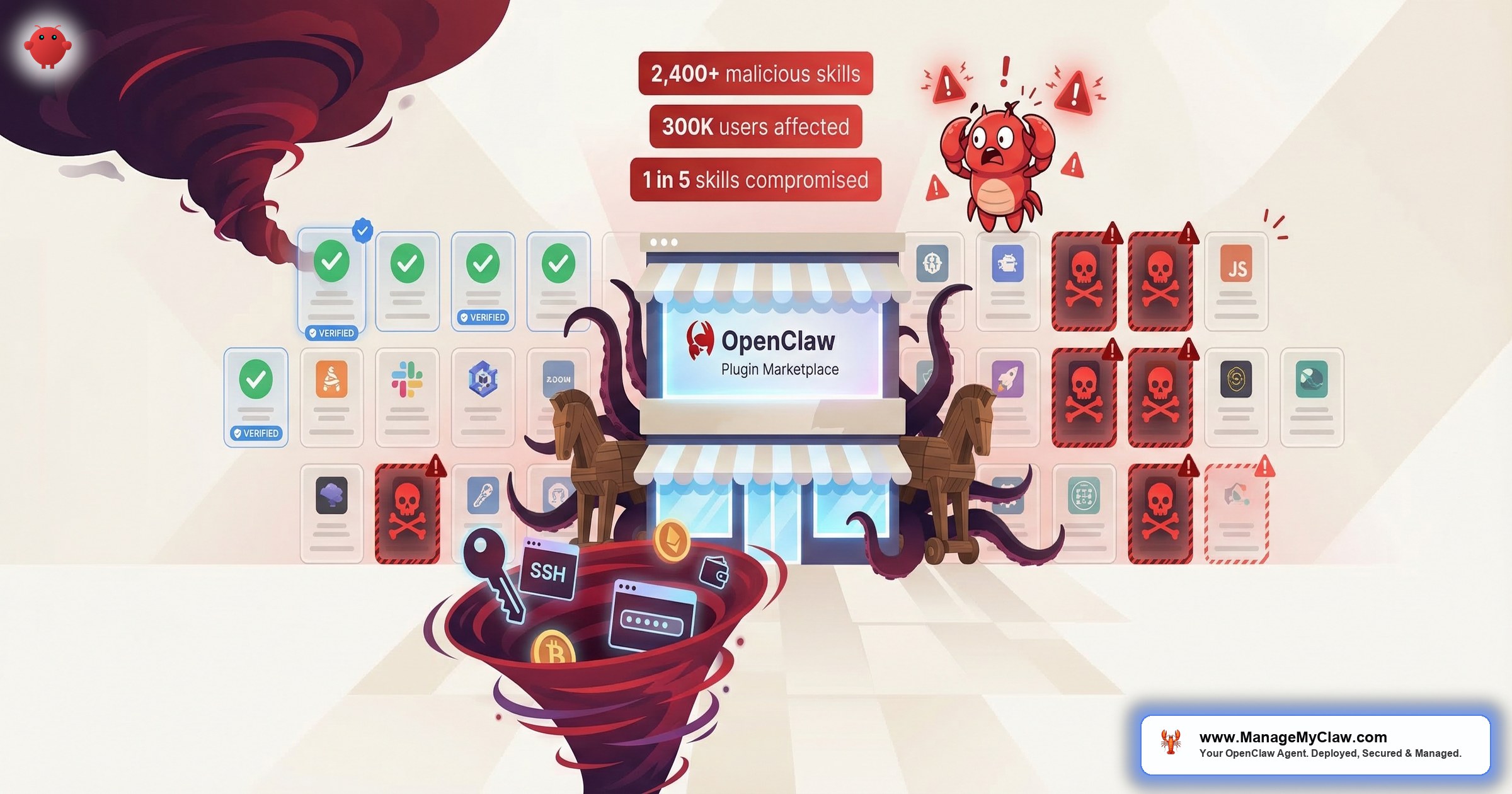
“By mid-February 2026, 1 in 5 skills on ClawHub was confirmed malicious — delivering AMOS stealer to roughly 300,000 users while the marketplace was still growing.”
— ClawHavoc Incident Summary, Koi Security
By mid-February 2026, 1 in 5 skills available on ClawHub was malicious. Not suspicious. Not unvetted. Confirmed malicious — delivering Atomic Stealer (AMOS), a macOS infostealer that harvests browser credentials, SSH keys, cryptocurrency wallets, and every password in your keychain. OpenClaw had just crossed 250,000 GitHub stars. ClawHub’s marketplace had grown to over 10,700 skills in weeks. And roughly 300,000 users were installing plugins from a registry where 20% of the entries were backdoors. ClawHub removed over 2,400 malicious skills. Most of the users who installed them were never notified.
What made ClawHavoc technically distinct from standard npm or PyPI supply chain attacks was where the malicious instructions lived: not in executable code, but in SKILL.md configuration files that OpenClaw reads when setting up a skill. The agent itself — a trusted process — was the infection vector. Standard antivirus tools scan files. They don’t audit what an AI agent does when it follows instructions. The most sophisticated skills also wrote persistent instructions directly to SOUL.md and MEMORY.md, embedding backdoors that survived skill removal.
The malicious instructions weren’t in executable code — they were in SKILL.md configuration files. The AI agent followed these instructions as part of normal operation. Standard antivirus tools can’t detect this because the malicious behavior runs inside a trusted host process.
The community saw it coming. A post on r/cybersecurity — “The #1 most downloaded skill on OpenClaw marketplace was MALWARE” — hit 812 upvotes.
“People please just use curl and APIs for automation, stop inviting this vampire into your house.”
— Top comment on r/cybersecurity (182 upvotes)“That’s what you get when you forget to add the ‘and make it secure’ bit in your prompt.”
— Top comment on r/selfhosted (149 upvotes on the incident breakdown)“Npm typosquatting all over again — now with root level access.”
— r/cybersecurity commenterThis post explains exactly how the attack worked, why ClawHub’s architecture made it possible, and what to do right now if you’ve installed any ClawHub skills since January 2026. For the full security architecture that protects against attacks like this, see our OpenClaw Security complete guide.
The Timeline: How 341 Skills Became 2,400+
The attack escalated fast — and the escalation happened while active removals were underway.
The first malicious ClawHub skill was uploaded on January 27, 2026. Within days, a coordinated campaign seeded the marketplace with lookalike skills mimicking legitimate tools. Koi Security conducted the first comprehensive audit on February 1 — scanning all 2,857 skills available at that point — and found 341 malicious entries. Of those, 335 were linked to a single coordinated operation. Koi named the campaign ClawHavoc and submitted the full list to ClawHub’s security team.
Removals happened. But uploads continued faster than takedowns. By February 16, as the marketplace grew from 2,857 to over 10,700 skills, the confirmed malicious count had more than doubled: 824 entries, representing roughly 20% of the total registry. Bitdefender’s independent scan confirmed that number. Trend Micro published a separate research note documenting how the AMOS payload was distributed through fake SKILL.md configurations. CyberPress, Hacker News, and eSecurity Planet all covered the story.
By the time ClawHub completed its full remediation — removing 2,400+ malicious skills, partnering with VirusTotal for automated scanning, and implementing publisher verification requirements — approximately 300,000 users had been exposed during the active window. The first 341 malicious skills alone accounted for over 9,000 confirmed installations. A separate r/cybersecurity post estimated 1.5 million leaked tokens across the exposed instance population.
How the Attack Worked: 4 Techniques
ClawHavoc didn’t exploit a zero-day or require any technical vulnerability in OpenClaw’s code. It exploited trust — the trust users place in a first-party marketplace, and the trust AI agents place in configuration files they’re designed to follow. For background on the 5 security layers that defend against this type of attack, see The 5 Things You Must Get Right.
Technique 1: Typosquatting
The most direct method. Attackers uploaded skills with names differing from legitimate tools by a single character: clawhub1, clawhubb, clawhubcli, cllawhub. Users typing quickly or following a tutorial that referenced a slightly wrong name would install the malicious version. At scale — thousands of new users installing skills for the first time — a 1% mistype rate produces thousands of infections. The attack doesn’t need a high conversion rate when the pool is enormous.
This is the same technique that plagues npm and PyPI. The difference: a typosquatted OpenClaw skill gets root-level access to your machine through the agent’s trusted process, not just a sandboxed dependency.
Technique 2: Legitimate-Looking Categories
The malicious skills didn’t advertise themselves as malware. They were listed as cryptocurrency wallet trackers, Solana utilities, Polymarket trading bots, YouTube content tools, productivity managers, and social media schedulers. These categories attracted high-engagement users — people actively moving crypto, running businesses, creating content. High-value targets with credentials worth stealing. Choosing those categories wasn’t accidental; it was targeting.
Technique 3: AI-Mediated Infection via SKILL.md
This is the most technically notable aspect of ClawHavoc. The malicious instructions weren’t in the skill’s executable code — they were embedded in the SKILL.md configuration file that OpenClaw reads during skill setup. The file instructed the AI agent to present a fake configuration dialog: “This skill requires elevated permissions for initial configuration.” The agent — following its instructions — presented the dialog without flagging it as unusual. Once the user entered their macOS administrator password, AMOS had the credential it needed to unlock the keychain and harvest everything else.
This attack vector has a precise implication: the AI agent was the attack vector, not the target. The malicious skill used the agent’s own functionality — its ability to read SKILL.md instructions and present user-facing dialogs — to deliver the payload. Antivirus tools that scan files wouldn’t catch this because the malicious instructions were being followed by a trusted process, not executed as a standalone binary.
The AI agent followed malicious SKILL.md instructions as part of its normal operation — presenting fake dialogs, requesting passwords, and executing payloads. There was no binary to scan, no exploit to patch. The trusted process itself was the infection vector.
Socket Research Team documented a nearly identical mechanism in February 2026 with the SANDWORM_MODE campaign: 19 malicious npm packages targeting AI coding toolchains, including a “McpInject” module that injected instructions into AI assistant configuration files and registered fake tools that read sensitive files and exfiltrated them to attacker-controlled infrastructure. Same attack pattern: trusted AI process, malicious configuration file, no binary to scan.
Technique 4: Low Publisher Bar
At the time of the attack, ClawHub allowed anyone with a one-week-old GitHub account to publish skills. No code review. No automated security scanning. No publisher reputation system. The barrier to entry was identical for legitimate developers and malicious actors. ClawHavoc exploited this by using multiple newly created accounts to distribute the campaign across thousands of uploads, making takedowns a whack-a-mole operation rather than a single removal event.
Persistent Backdoors: The SOUL.md and MEMORY.md Problem
The most sophisticated ClawHavoc skills didn’t just harvest credentials once. They wrote persistent instructions to two OpenClaw memory files: SOUL.md and MEMORY.md. These files persist between sessions and influence how the agent behaves going forward. Malicious instructions written to these files could redirect agent behavior, suppress security warnings, or establish exfiltration routines that survived long after the original skill was removed from ClawHub.
If a malicious skill wrote to SOUL.md or MEMORY.md, those backdoor instructions remain active even after you uninstall the skill. You must manually inspect and clean both files. Look for any reference to elevated permissions, external data routing, or password entry requirements you don’t recognize.
This is why removing a malicious skill from ClawHub and from your installed list isn’t sufficient if you were infected. If the skill had time to write to SOUL.md or MEMORY.md, those instructions remain until you explicitly review and clean those files. Check both files for any instructions you didn’t write — any reference to elevated permissions, external data routing, or password entry requirements that you don’t recognize. For a step-by-step audit process, see our Security Checklist.
What AMOS Does When It’s On Your Machine
Atomic Stealer (AMOS) is a macOS infostealer sold as malware-as-a-service at $500–$1,000/month, active since 2023 and significantly evolved. ClawHub’s skill marketplace was simply a new distribution channel. Trend Micro’s analysis confirmed the infection paths: on macOS, the SKILL.md instructed users to copy a terminal command from glot.io; on Windows, to download “openclaw-agent.zip” from a GitHub repository. All 335 original ClawHavoc skills shared a single command-and-control server at 91.92.242.30 — confirming the coordinated nature of the operation. A later pivot, documented by researcher Marco Pedrinazzi, showed AMOS being delivered through ClawHub skill-page comments, not just SKILL.md files — expanding the attack surface beyond the installation flow itself. Once AMOS has execution and the administrator password, it harvests:
- Browser credentials — saved passwords and session cookies from Chrome, Firefox, Brave, and Safari
- macOS Keychain — all stored passwords, certificates, and private keys protected by your login password
- SSH private keys — all files in
~/.ssh/, giving access to any server you connect to via key-based auth - Cryptocurrency wallets — wallet files for Bitcoin, Ethereum, Solana, and 50+ other currencies; MetaMask browser extension data
- API tokens and environment files — any
.envfiles in common directories,~/.config/, and similar locations - Files from common user directories — Documents, Downloads, Desktop, targeting files that match credential patterns
Everything harvested is exfiltrated to attacker-controlled infrastructure, typically via Telegram bot APIs — making the exfiltration channel difficult to block at the network level. The entire harvest-and-exfiltrate sequence takes under a minute. If your OpenClaw agent had access to Gmail, Slack, your cloud hosting, your domain registrar, and your payment processor — and you have credentials for all of them in your browser and keychain — AMOS gets all of them in one hit. This is why the Inbox Wipe Incident should be considered a precursor to understanding the scope of credential exposure in the AI agent ecosystem.
What ClawHub Did (and Didn’t Do)
ClawHub’s response, once Koi Security published its report, moved reasonably fast. The initial batch of 341 malicious skills was removed within 48 hours of the February 1 report. ClawHub partnered with VirusTotal for automated scanning of new uploads. Publisher verification requirements were added. The total remediation — including 2,400+ skills removed in subsequent sweeps — happened over roughly 6 weeks.
ClawHub never retroactively notified users who had installed affected skills. No in-app warning. No email. If you installed a ClawHub skill between January 27 and February 16, 2026 and didn’t actively follow security news, you may still not know whether you were affected.
What ClawHub didn’t do: retroactively notify users who had installed affected skills. No in-app warning. No email to users who’d installed skills from the affected publisher list between January 27 and February 16. If you installed a ClawHub skill during that window and didn’t actively follow the security news, you may still not know whether you were affected.
The marketplace’s fundamental architecture also hasn’t changed. The publisher bar is higher than it was — verified accounts, VirusTotal scanning — but ClawHub still operates on a model where new skills are available before any human security review has occurred. VirusTotal scanning catches known malware signatures. It won’t catch novel payloads embedded in SKILL.md instructions being executed by the agent as normal behavior. The same architecture that enabled ClawHavoc remains in place.
How to Check If You Were Affected
Run through this checklist now if you’ve installed any ClawHub skills since January 2026:
/skills list or check your skills directory. Note every skill installed between January 27 and February 16, 2026 — that’s the primary exposure window.What to Do If You Were Compromised
If you believe a malicious skill was installed, treat it as a full credential compromise and rotate everything:
- Change your macOS login password immediately. AMOS used the admin password to unlock the keychain. Changing it doesn’t undo the harvest, but it limits further access.
- Revoke all SSH keys. Remove all authorized keys from every server you connect to. Generate new key pairs. Any server accessible via your old private keys must be treated as potentially accessed.
- Rotate all API tokens and service credentials. Prioritize: cloud hosting (AWS, GCP, DigitalOcean), domain registrar, email provider, Stripe/payment processor, GitHub, and any OAuth applications. Check your
~/.envfiles and~/.config/directories for what AMOS would have found. - Revoke active browser sessions. Log out of all active sessions for critical accounts (Google, GitHub, Slack, etc.) to invalidate any session cookies AMOS may have harvested.
- Check crypto wallets. If you had any cryptocurrency wallets accessible from the affected machine, check for unauthorized transactions. Move assets to a new wallet if you see suspicious activity.
- Enable TOTP/hardware 2FA on all critical accounts. AMOS harvests passwords, not TOTP codes. Enabling TOTP after rotation means harvested passwords alone are no longer sufficient for account takeover.
Every ManageMyClaw Managed Care deployment includes skill vetting against the ClawHavoc removal list, publisher verification, ongoing monitoring, and immediate alerts when a previously safe skill becomes suspect. You don’t need to do this checklist manually — it’s part of the service.
How to Vet Skills Going Forward
ClawHub’s post-ClawHavoc changes reduce risk but don’t eliminate it. The marketplace remains open to new publishers; VirusTotal scanning catches known malware signatures but won’t catch novel payloads embedded in SKILL.md instructions. Apply these checks before installing any skill:
- Publisher history. How old is the publisher’s GitHub account? How many other skills have they published? A publisher with 1 skill and a 2-week-old account is a red flag regardless of what the skill does.
- Install count and community verification. High install counts and user reviews provide some signal. Not definitive — ClawHavoc skills had fake reviews in some cases — but it’s a data point worth checking.
- Read the SKILL.md before installing. The
SKILL.mdfile is human-readable. Before installing, open it and read through the setup instructions. Any instruction that asks for system-level permissions, password entry, or installs additional executables is a hard stop. - Scan the skill’s code repository. Skills are open source. Review the repository for shell commands, network calls to external services, and file operations in unexpected directories. Calls to external infrastructure not documented in the description are a red flag.
- Wait 30 days for new publishers. Stick to skills from the OpenClaw core team, established companies, and publishers with long track records. For new publishers, ClawHavoc-style campaigns typically expose themselves within 30 days as researchers audit new additions.
For a detailed walkthrough of how to set up Docker sandboxing, tool allowlists, and network isolation for your OpenClaw deployment, see Managed OpenClaw Deployment or explore How It Works.
Why This Matters Beyond ClawHavoc
ClawHavoc was reported by The Hacker News, Trend Micro, Bitdefender, Snyk, and eSecurity Planet. It’s the most documented supply chain attack against an AI agent marketplace to date. But the security community’s concern isn’t just ClawHavoc — it’s the broader pattern it represents.
In 2025, malware detections in the VS Code extension marketplace nearly quadrupled year-over-year: 27 detections in 2024 became 105 in the first 10 months of 2025. Sonatype discovered 463,429 malicious packages across npm and PyPI in 2025 — a 188% increase from the prior year. A new attack vector called “slopsquatting” emerged: attackers register package names that AI assistants hallucinate when asked for recommendations. Security researchers confirmed this pattern in live campaigns by early 2026. The AI agent ecosystem was under coordinated attack across multiple fronts simultaneously during ClawHavoc’s active period.
AI agents are trusted intermediaries with access to your email, files, cloud accounts, and financial tools. When a malicious actor can give instructions to an AI agent through a SKILL.md file — and the agent follows those instructions as part of its normal operation — the attack surface is every task the agent is authorized to perform. The defense isn’t to avoid using skills. It’s to treat every skill installation as a security decision and apply the same scrutiny you’d apply to a browser extension with camera and microphone access. Because the access level is comparable, and a bad install has similar consequences. For the full picture of the security stack that protects against ClawHavoc-style attacks — including Docker sandboxing, tool allowlists, and ongoing skill monitoring — see the OpenClaw Security complete guide.
Frequently Asked Questions
What was the ClawHavoc attack and how many users were affected?
ClawHavoc was a coordinated supply chain poisoning campaign against ClawHub, OpenClaw’s official skill marketplace. Beginning January 27, 2026, attackers uploaded over 2,400 malicious skills disguised as legitimate tools — cryptocurrency trackers, productivity utilities, YouTube summarizers, and others. The skills delivered Atomic Stealer (AMOS), a macOS infostealer. At the campaign’s peak in mid-February, 1 in 5 ClawHub skills — roughly 20% of the registry’s 10,700+ listings — was confirmed malicious. Security researchers estimate approximately 300,000 users were exposed. The most sophisticated skills also wrote persistent backdoor instructions to SOUL.md and MEMORY.md, which survive skill removal.
How do I know if I installed a malicious ClawHub skill?
Check your installed skills list and compare against the Koi Security ClawHavoc removal list. Skills installed between January 27 and February 16, 2026 from unverified publishers are the highest-risk category. Specific red flags: skills in cryptocurrency, social media, or YouTube categories from accounts with no publish history before January 2026; any skill that asked for your macOS administrator password during installation. Also inspect your SOUL.md and MEMORY.md for instructions you didn’t write. If you match any of these criteria, treat it as a potential compromise and follow the full security checklist.
What does Atomic Stealer (AMOS) actually steal?
AMOS is a macOS infostealer that harvests browser credentials (saved passwords and session cookies from Chrome, Firefox, Brave, Safari), macOS Keychain contents, SSH private keys from ~/.ssh/, cryptocurrency wallet files and MetaMask data, API tokens from .env files and configuration directories, and files from user directories that match credential patterns. Everything is exfiltrated to attacker-controlled infrastructure via Telegram bot APIs — typically in under a minute. A clean malware scan after infection doesn’t mean your credentials weren’t already harvested; AMOS often runs, exfiltrates, and exits without maintaining persistence.
Has ClawHub fixed the problem that allowed ClawHavoc?
ClawHub implemented several improvements: mandatory removal of 2,400+ identified malicious skills, VirusTotal integration for automated scanning of new uploads, and higher publisher verification requirements. However, the marketplace still operates on a model where new skills become available before human security review. VirusTotal scanning catches known malware signatures but won’t catch novel payloads embedded in SKILL.md instructions — which was ClawHavoc’s primary attack vector. The risk is lower than it was in January 2026, but the fundamental architecture hasn’t changed. See our security guide for how managed deployments address this.
How does ClawHavoc compare to other supply chain attacks?
ClawHavoc is structurally similar to npm and PyPI supply chain attacks — malicious packages masquerading as legitimate ones in a trusted registry. What makes it distinct is the AI agent as the attack intermediary: malicious instructions were embedded in SKILL.md files, which the agent reads and follows as part of normal skill installation. The infection vector wasn’t traditional code execution — it was the agent following instructions. Standard antivirus wouldn’t catch this because the malicious code ran inside a trusted host process. The 2025 supply chain context is significant: Sonatype found 463,429 malicious packages across npm and PyPI that year — a 188% increase — and the SANDWORM_MODE campaign used near-identical SKILL.md injection techniques against AI coding toolchains simultaneously.


