What’s a Workflow?
And How Many Do You Need?
A workflow is a complete automation system — not a single task. One workflow can include email triage, calendar management, morning briefings, meeting reminders, and EOD digests. That’s 6 capabilities in 1 workflow.
Stop counting tasks. Start counting systems. And if our predefined workflows don’t fit — we’ll build yours instead.
A Workflow = A Complete System, Not a Single Task
This is the single most important thing to understand before you buy. Here’s what’s inside just ONE workflow.
We handle the entire OAuth setup — scopes, tokens, refresh, permissions. You just click “Allow” once.
Why does this matter?
When you buy the Starter plan ($499), you get one workflow. But that one workflow isn’t just “email triage” — it’s the entire Google Workspace Assistant with all 6 capabilities listed here, connected to 6 Google services via secure OAuth.
Think of a workflow like a job description. “Executive Assistant” is one role — but that role handles email, scheduling, reminders, and daily reports. Similarly, one workflow handles an entire operational domain. And because we set up full Google OAuth during deployment, your agent can read Gmail, check Calendar, write to Sheets, access Drive, pull Contacts, and edit Docs — all out of the box.
“I want email triage, calendar management, morning briefings, meeting reminders, LinkedIn monitoring, client onboarding, and KPI reporting. That’s 7 things — does Starter cover it?”
No. Items 1–6 (email, calendar, briefings, reminders, digests, cross-platform triggers) are all part of ONE workflow: Google Workspace Assistant. LinkedIn monitoring, client onboarding, and KPI reporting are SEPARATE workflows requiring Pro ($1,499) or Business ($2,999).
These are our most-requested workflows, not a rigid menu. Don’t need Social Media Pipeline? Swap it for a custom workflow — like invoice processing, document review, or lead scoring. Your plan gives you workflow slots, and you choose what fills them. We’ll scope any custom workflow for free and give you an honest estimate before you commit.
What’s Inside the Google Workspace Workflow v/s What’s Not
Find Your Tier
Different businesses need different levels of automation. Here’s how our plans map to real operations.
Freelancer / Solopreneur
Starter — $499You spend 3+ hours a day on email and scheduling. Client messages pile up. Calendar conflicts slip through. You miss follow-ups because there’s no system — just willpower.
Agency / Consultancy
Pro — $1,499You onboard 5–15 clients per month. You publish content across 3+ platforms. Your team needs daily briefings. Client onboarding is manual and inconsistent — things fall through the cracks.
Growing Company
Business — $2,999You have customer support tickets, multiple team members who need agents, and leadership wants automated KPI dashboards. Manual reporting eats 2 days per month. Support tickets pile up overnight.
Choose Your Workflows
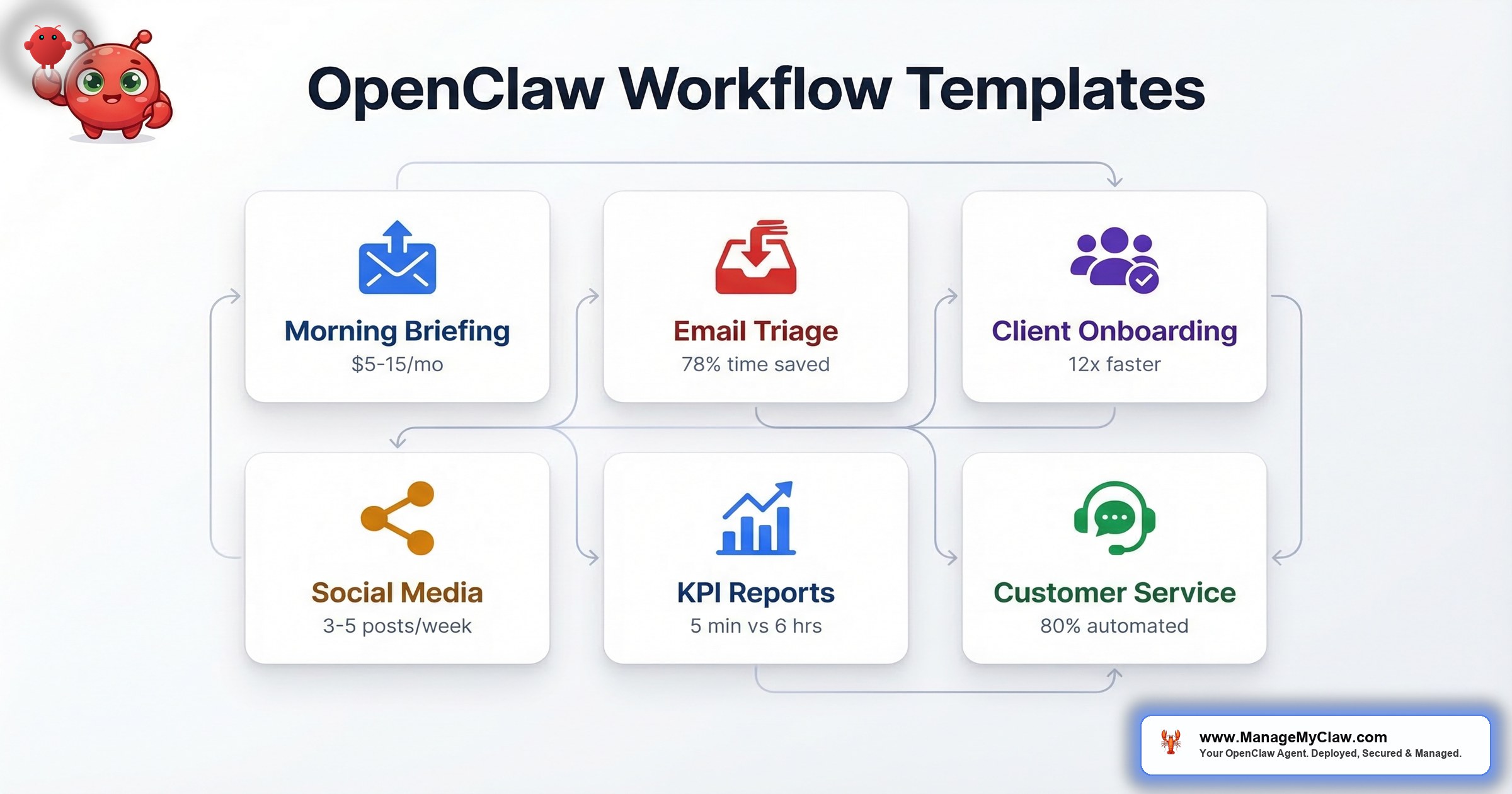
Each card is one workflow. Pick the ones you need — your plan determines how many you can run. Don’t see what you need? Swap any workflow for a custom one. We’ll scope it and give you a real estimate.
Google Workspace Assistant
Starter ($499) and above
Your inbox assistant handles the entire email-to-calendar pipeline. Triages every email, drafts context-aware replies in your language, catches calendar conflicts before they happen, and delivers structured briefings morning and evening. Includes full Google OAuth integration — Gmail, Calendar, Sheets, Drive, Contacts, and Docs connected and working from day one. Most founders save 5+ hours per week within the first 7 days.
Client Onboarding Automation
Pro ($1,499) and above
New client pays on Stripe? The onboarding starts automatically. Welcome email, project folder in Google Drive, kickoff call scheduling, and a drip sequence — all without you touching anything. Your team gets notified in Slack or Telegram. Perfect for agencies handling 5–15 new clients per month.
Social Media Pipeline
Pro ($1,499) and above
Publish your blog post once — the agent adapts it for X, LinkedIn, and any other platform with the right tone, length, and hashtags. Everything goes into a review queue first. You approve, it posts. No more copy-pasting between platforms or forgetting to share new content.
KPI Reporting & Dashboards
Pro ($1,499) and above
Stop building reports manually. The agent pulls data from Stripe (revenue, churn, MRR), Google Analytics (traffic, conversions), and your CRM — then delivers a formatted report to your inbox or Slack every Monday morning. Includes anomaly detection so you’re alerted when metrics deviate from baseline.
Customer Service Bot
Business ($2,999) only
Handle support across email, chat, and Telegram simultaneously. The bot answers FAQs from your knowledge base, qualifies leads, and escalates complex issues to your team with full context. Every interaction is logged and categorized. Tickets don’t pile up overnight anymore.
Custom Workflow
Swap into any plan slot or add-on ($199–$449)
You’re not locked into the workflows above. If you need something different — swap any predefined workflow for a custom one within your plan. Or add it on top. Tell us what you need, and we’ll give you an honest estimate within 24 hours. No scoping fee. No commitment until you approve.
How Different Businesses Use These Workflows
The same workflow catalog applies across industries. Here’s what the automation looks like for your business type.
Real Estate Agents
Lead inquiries from Zillow, Realtor.com, and email pile up. Showing schedules conflict. Follow-ups slip. Your agent triages every inquiry within minutes, flags hot leads via Telegram, detects calendar conflicts before double-booking showings, and sends EOD summaries of new leads and pending follow-ups.
Law Firms & Legal Ops
Court deadlines, client retainer emails, and opposing counsel communications need different urgency levels. Your agent categorizes legal correspondence (court filings as URGENT, client updates as ACTION), tracks filing deadlines on calendar, and drafts acknowledgment replies — in your firm’s tone. Nothing sends without your review.
Healthcare & Clinics
Appointment no-shows cost $200+ each. Insurance pre-auth emails need same-day responses. Your agent flags insurance correspondence as URGENT, sends appointment reminders via Telegram, detects scheduling conflicts when patients reschedule, and generates daily briefings with pending authorizations and follow-up calls needed.
E-commerce & DTC Brands
Order issues, refund requests, and supplier emails mixed with marketing noise. Your agent triages order-related emails as URGENT (refund requests, shipping failures), drafts customer replies, and delivers a daily digest with order volume, open support tickets, and supplier delays. Add KPI Reporting for automated Shopify/Stripe revenue dashboards every Monday.
Accounting & Bookkeeping
Tax season means hundreds of client documents arriving via email. Your agent categorizes incoming docs (W-2s, 1099s, receipts), flags missing documents from clients, tracks filing deadlines on calendar, and sends Telegram alerts when a client hasn’t submitted required materials. Morning briefings show which clients are on track and who needs a nudge.
SaaS & Startups
Investor emails, user feedback, support tickets, and team standups compete for your attention. Your agent triages investor communications as URGENT, routes user feedback to the right team channel, generates weekly KPI reports (MRR, churn, NPS) from Stripe and analytics, and runs customer onboarding sequences after each signup — welcome email, product tour link, Day 3/7 check-ins.
Don’t see your industry? These workflows adapt to any business that runs on email, calendar, and structured processes. Tell us what you need — we’ll scope it for free.
What a Deployment Looks Like
This is an anonymized timeline from a recent Starter plan deployment. The client was a freelance consultant in Europe who needed email triage, calendar management, and daily briefings. 48 hours from payment to production.
Client purchases Starter ($499) via Stripe. Receives welcome email with intake form. Fills out form same evening: Gmail account, timezone (CET), notification preference (Telegram), language (French + English).
VPS provisioned (Ubuntu 24.04, 6 vCPU, 12 GB RAM). OpenClaw installed. Gog OAuth connected for 6 Google services. SOUL.md configured with bilingual rules. 3 cron jobs created: 8 AM briefing, 15-min meeting reminders, 6 PM digest. Email triage tested end-to-end. Security hardened (UFW + Fail2ban). Telegram bot connected.
30-minute Zoom handoff call. Walk through every feature, test email categorization live, verify Telegram notifications arrive. Client confirmed all working. Agent goes live. 3-day hypercare period starts — we monitor and fix anything.
Hypercare complete. Agent handles 30+ emails per day, creates 5–8 draft replies, catches 2 calendar conflicts that week. Client reports saving 5+ hours already. Documentation handed off.
Actual deployment output from a production Starter setup
Free SOUL.md Templates — Use These Even Without ManageMyClaw
Copy-paste these into your OpenClaw setup right now. They work on any installation. We use them in every deployment.
These templates are the same ones we deploy on production systems. Try them yourself — and when you want a fully configured, tested, and monitored version, we’re here.
Which Plan Gets Which Workflows?
Simple breakdown. No hidden fees. Upgrade anytime.
All plans include 9-point security hardening, Gog OAuth, Telegram/WhatsApp notifications, and 3-day hypercare support.
Pro gives you 3 workflow slots — you could fill them with Google Workspace + Client Onboarding + Social Media, or swap Social Media for an invoice automation workflow instead. Your plan, your choice. We’ll scope any custom workflow for free and give you a real time and cost estimate before you commit. Talk to us →
Frequently Asked Questions
What’s the difference between a workflow and a skill?
A workflow is the complete automation system — for example, Google Workspace Assistant handles email triage, calendar management, briefings, reminders, and digests. A skill is a specific capability within that workflow — like email categorization rules or calendar conflict detection logic. The Starter plan includes 1 workflow with up to 3 integrated skills. Think of a workflow as the job title and skills as the competencies within that role.
Can I get LinkedIn monitoring in the Starter plan?
No. LinkedIn monitoring is a separate workflow that requires the Pro plan ($1,499) or higher. However, there’s a practical workaround: enable LinkedIn email notifications in your LinkedIn settings. Your Google Workspace agent will automatically triage those notifications alongside your regular emails — flagging connection requests, messages, and job alerts as URGENT or ACTION items. It’s not full monitoring, but it covers 80% of what most founders need.
What if I want only email triage, not the full Google Workspace workflow?
Email triage IS part of the Google Workspace workflow — you can’t buy it separately. But here’s the thing: you get calendar conflict detection, morning briefings, meeting reminders, and EOD digests included at no extra cost. They all run on the same agent, using the same infrastructure. There’s no reason to leave those capabilities off. Most clients discover that the briefings and reminders save them more time than the email triage alone.
Can I add workflows later?
Yes. Two options: Upgrade your plan — move from Starter to Pro anytime and pay only the difference ($1,000). You instantly unlock 2 more workflow slots. Or add individual workflows as standalone add-ons for $199–$449 each, depending on complexity. The add-on route works well if you only need one extra workflow and don’t want the full Pro package.
Can I swap a predefined workflow for something custom?
Absolutely. Your plan gives you workflow slots, not fixed assignments. If you have Pro (3 slots) but don’t need Social Media Pipeline, you can replace it with an invoice automation workflow, a document processing workflow, or anything else we can build. Tell us what you need — we’ll scope it within 24 hours and give you an honest estimate of time, cost, and feasibility. No scoping fee. If the custom workflow fits within your plan’s slot count, there’s no extra charge beyond the plan price. If it’s more complex, we’ll quote it as an add-on ($199–$449) before you commit to anything.
How do you estimate custom workflows?
We start with a 15-minute call or async chat to understand what you need automated. Within 24 hours, you get a written scope document with: what the workflow does, which integrations are required, estimated build time (usually 1–3 days), and cost. If it fits in a plan slot, it’s included. If it’s an add-on, pricing ranges from $199 (simple integrations like Notion sync) to $449 (complex multi-step workflows with custom logic). You see the estimate before spending a dollar. We’ll also tell you upfront if something isn’t feasible — we’d rather be honest than over-promise.
Is the agent fully autonomous? Will it send emails on my behalf?
No. Every workflow is deployed in draft-only mode. The agent creates draft replies, never sends them. It detects calendar conflicts, never books meetings autonomously. It can never delete emails, events, or files. These safety rules are hardcoded into the SOUL.md configuration and cannot be overridden — not even by the agent itself. You review and approve every action. See our full security framework.
How long does deployment take?
Starter deployments (1 workflow) are live within 24–48 hours of receiving your intake form. Pro (3 workflows) typically takes 3–5 business days. Business (5 workflows) takes 5–7 business days. Every deployment includes a handoff call where we walk through everything, plus a 3-day hypercare period where we monitor and fix any issues.
Start with One Workflow.
Add More When You’re Ready.
The Google Workspace Assistant alone saves most founders 5+ hours per week. When you need more — client onboarding, social media, KPI dashboards, or anything custom — we deploy additional workflows on the same server — your data stays in your network. No migration. No downtime. Don’t see your workflow? We’ll scope and estimate it for free.