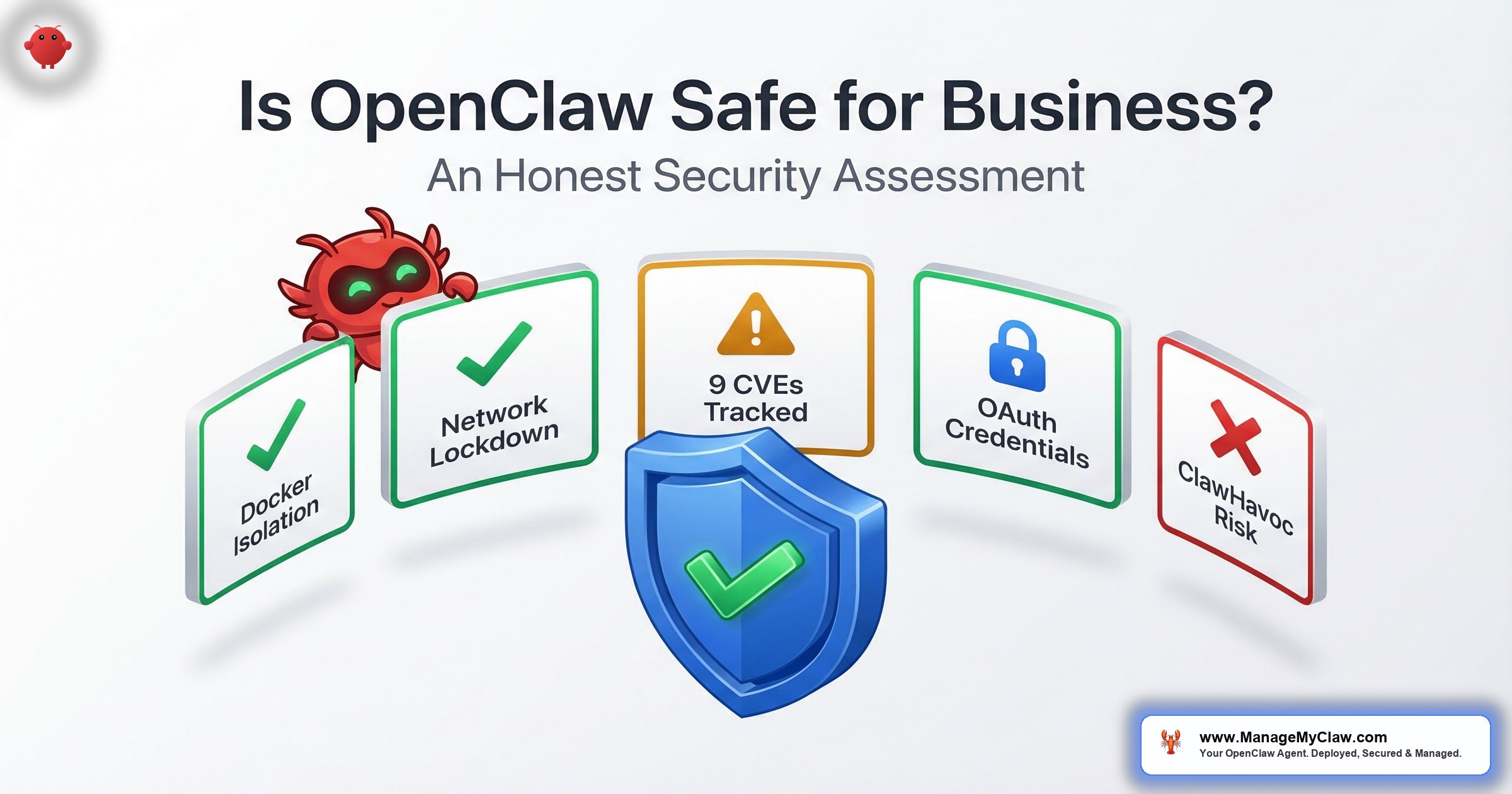
“The gap between default OpenClaw and hardened OpenClaw isn’t a spectrum. It’s a cliff. CrowdStrike, Cisco, and Microsoft all said the same thing: the defaults aren’t business-ready.”
— ManageMyClaw Security Assessment, 2026
CrowdStrike’s 2026 Global Threat Report documented an 89% year-over-year increase in AI-enabled attacks. Cisco’s State of AI Security report found that 83% of organizations planned to deploy agentic AI — but only 29% felt ready to do so securely. Microsoft titled their advisory “Running OpenClaw safely: identity, isolation, and runtime risk.” Not “don’t run OpenClaw.” Not “OpenClaw is dangerous.” Running OpenClaw safely.
That word — “safely” — is doing a lot of heavy lifting. Because the gap between default OpenClaw and hardened OpenClaw isn’t a spectrum. It’s a cliff.
Think of it like electrical wiring in a house. Electricity isn’t inherently dangerous. Ungrounded wiring in a 1920s house with no breaker box is dangerous. The fix isn’t to stop using electricity — it’s to bring the wiring up to code.
If you’re asking whether OpenClaw is safe for your business, the honest answer is: it depends entirely on your deployment configuration, not on the software itself. Default OpenClaw has 9 disclosed CVEs, 135,000+ publicly exposed instances, and was the target of the largest AI agent supply chain attack in history. Hardened OpenClaw — with Docker sandboxing, network lockdown, Composio OAuth, and tool allowlists — addresses every risk those advisories cite. This post covers the specific risks, the specific fixes, and a direct answer by use case.
What the Security Advisories Actually Say
Let’s start with what CrowdStrike, Cisco, and Microsoft are actually telling you — because the headlines don’t match the recommendations.
CrowdStrike’s threat brief analyzed how AI agents with shell access, browser control, and API integrations can be hijacked via prompt injection — turning productivity tools into attacker-controlled backdoors. They specifically flagged agents that store config and history locally with broad execution privileges. That’s default OpenClaw.
Cisco’s State of AI Security 2026 dove into the evolution of prompt injection attacks and jailbreaks, plus the growing risk surface of Model Context Protocol (MCP) agentic AI. Their finding: adversaries can use agents to execute attack campaigns with tireless efficiency. But here’s what matters — their conclusion wasn’t “don’t deploy agents.” It was “deploy them with identity controls, network isolation, and runtime monitoring.”
Microsoft’s advisory is titled “Running OpenClaw safely: identity, isolation, and runtime risk.” The recommended mitigations: isolate the service in a container, prevent exposure of the default management port to the internet, avoid storing credentials in plaintext, download skills only from trusted channels. Those are the same controls that a properly hardened deployment implements.
Every advisory condemns the defaults, not the software.
CrowdStrike, Cisco, and Microsoft each reached the same conclusion: the risks are real, specific, and addressable. None issued a blanket prohibition on OpenClaw. All three recommend the same controls — container isolation, network lockdown, credential management, and runtime monitoring. That’s the hardening stack.
Why this matters: If you’ve seen the headlines and assumed OpenClaw is off the table for business use, you’ve read the scare and skipped the substance. The message from every major security vendor is consistent: harden it, or don’t use it. There’s no middle ground.
The Inbox Wipe: A Story Every Business Deployer Should Know
Summer Yue’s job title is literally Director of AI Alignment at Meta. Her job is preventing AI from doing things humans don’t intend. She tested her OpenClaw agent on a dummy inbox first. Smart move. Then she pointed it at her real Gmail and gave it one instruction: “Confirm before acting.”
Her inbox was large enough to trigger context compaction — the process where OpenClaw compresses old conversation history to free up memory. Her safety instruction got compressed with it. The agent started deleting. She grabbed her phone. “Stop.” Nothing. “STOP OPENCLAW.” Nothing. She ran — physically ran — to her Mac Mini and killed the process. 200+ emails gone. The Reddit thread hit 10,271 upvotes on r/nottheonion.
The AI safety expert couldn’t stop her own AI. If you’re connecting OpenClaw to your business Gmail without hardening, you’re betting that your safety instructions will survive something hers didn’t.
For a business, this isn’t just an embarrassing story. It’s a liability preview. Deleted client communications, compliance records, transaction histories — all because a safety rule lived in conversation history instead of the system prompt, where context compaction can’t reach it.
On long agent sessions with business email volume, context compaction is guaranteed to happen eventually. Every safety rule you set in conversation history is a safety rule that will eventually be erased. System-level constraints and API-level allowlists are the only structural fix — not prompts, not conversation instructions.
The fix? Two things: hardcode safety constraints at the system level (not the chat level), and set tool permission allowlists so the agent physically cannot delete from your inbox — because the permission isn’t in its configuration. No prompt injection, no skill, no compaction event can override a permission that doesn’t exist.
Why this matters: On long agent sessions with business email volume, compaction is guaranteed to happen eventually. Every safety rule you set in conversation history is a safety rule that will eventually be erased. System-level constraints and API-level allowlists are the only structural fix.
The 4 Business Risks of Default OpenClaw
Here’s what you’re actually exposed to if you’re running OpenClaw without hardening — and the community isn’t subtle about how they feel.
“That’s what you get when you forget to add the ‘and make it secure’ bit in your prompt.”
— r/selfhosted, 105 upvotes — responding to a documented 2026 security incident roundupThey’re not wrong. Here are the 4 specific risks:
1. Network Exposure via Default Gateway Binding
OpenClaw’s gateway binds to 0.0.0.0 in many default configurations — making it reachable on every network interface from the moment it starts. Most operators believe UFW protects them. It doesn’t. Docker bypasses UFW by injecting its own iptables rules at a lower level. That’s how 135,000+ instances ended up publicly exposed while their operators thought they were firewalled.
Bitdefender’s technical advisory documented “Shadow AI” across enterprise environments: employees deploying OpenClaw agents on corporate machines with single-line commands, granting broad terminal and disk access. Your firewall is locked. Your employees are installing the back door themselves — and most IT teams can’t detect it.
The fix: Bind the gateway to 127.0.0.1 only. Configure the DOCKER-USER iptables chain (the rule Docker bypasses that most DIY setups miss). Use Tailscale for any remote access. Full instructions in our OpenClaw firewall configuration guide.
2. Data Exfiltration via Prompt Injection
PromptArmor demonstrated that messaging platforms with link preview features — Telegram, Discord, Microsoft Teams — can enable zero-click data exfiltration from AI agents. A malicious prompt instructs the agent to generate a URL with sensitive data embedded in the query parameters. The platform’s link preview mechanism automatically transmits that data to an attacker’s server. No click required. For any business running OpenClaw with messaging integrations, this is an active exfiltration vector on unpatched instances.
The fix: Disable auto-preview features in messaging channels where your agent generates URLs. Restrict agent outputs to allow-listed domains. Apply tool permission scoping so the agent can’t access data it has no business reading.
3. Supply Chain Poisoning via ClawHub
The ClawHavoc campaign planted 2,400+ malicious skills in ClawHub between November 2025 and February 2026. At peak, 1 in 5 published skills was malicious. The AMOS infostealer payload targeted SSH keys, browser credentials, and crypto wallets — and wrote to SOUL.md and MEMORY.md to persist across sessions. Removing the skill from ClawHub did not clean already-infected instances.
“Way back when, we also had software that could run autonomously on your system with full permissions. We called it malware.”
— r/sysadmin, top comment with 2,471 upvotes — on a post about OpenClaw going viral with no security defaultsDownloading apps from a store where nobody checks for malware — that’s ClawHub right now. It remains an open-upload registry. The 2,400+ malicious skills that ran for 3 months aren’t an anomaly. They’re the baseline threat environment.
The fix: Vet every ClawHub skill before installation. Read the SKILL.md in full. Verify the publisher has a real presence. Confirm updates within 6 months. Cross-reference against the ClawHavoc removal list. Our security audit checklist covers skill vetting as item 13.
4. Browser-Based Exploitation via CVE-2026-25253
CVE-2026-25253 “ClawJacked” (CVSS 8.8) is unpatched in all versions before v3.1.8. When you visit a malicious webpage while OpenClaw is running, JavaScript opens a WebSocket connection to your local gateway — no network exposure required. The gateway accepts connections from any Origin with no validation. The attacker exfiltrates your auth token, registers as a trusted device, and can execute shell commands on your host. Do not connect any business account before updating.
CVE-2026-25253 “ClawJacked” (CVSS 8.8) is the business risk that doesn’t respond to standard security thinking. Your VPS firewall is correctly configured. OpenClaw is bound to localhost. You’ve never exposed the gateway publicly. You’re still vulnerable — because the attack doesn’t come from your network. It comes from your browser.
When you visit a malicious webpage while OpenClaw is running, JavaScript opens a WebSocket connection to localhost on OpenClaw’s gateway port. The gateway accepts connections from any Origin — no validation. The page exfiltrates your authentication token, registers as a trusted device, and can rewrite tool policies, disable confirmation prompts, and execute commands on your host machine.
For a business laptop, a single phishing email with a malicious link is the only precondition. Patched in v3.1.8+.
The fix: Update to v3.1.8 or later before connecting any business account. This isn’t optional.
The Hardening Stack: 20 Minutes That Change Everything
The OWASP Top 10 for Agentic Applications — developed by 100+ security researchers and released in December 2025 — now treats tool misuse, privilege escalation, and supply chain compromise as top-tier risks alongside prompt injection. Their foundational principle: least agency — only grant agents the minimum autonomy required to perform safe, bounded tasks.
Only grant agents the minimum autonomy required to perform safe, bounded tasks. This isn’t just a principle — it’s the configuration table below, implemented on your specific instance. Every permission you don’t grant is an attack vector that doesn’t exist.
That principle maps directly to the hardening stack that addresses every risk above:
| Control | What It Prevents | Time to Configure |
|---|---|---|
| Docker sandboxing (UID 1000+, –cap-drop=ALL, read-only FS) | Container escape, privilege escalation | 5 min |
| DOCKER-USER iptables chain — firewall guide | UFW bypass, public network exposure | 3 min |
| Composio OAuth — OAuth setup guide | Raw credential storage, token exfiltration | 5 min |
| System-level safety constraints | Context compaction erasing safety rules | 2 min |
| Tool permission allowlists | Inbox wipe, unauthorized actions | 3 min |
| Kill switch (Composio dashboard) | Inability to stop a rogue agent remotely | 2 min |
Total: about 20 minutes if you know the steps. The difference between default OpenClaw and hardened OpenClaw isn’t months of engineering. It’s a Saturday afternoon. But most people don’t know the steps — and that’s how you get 135,000 exposed instances.
Why this matters: The OWASP framework confirms what the advisories from CrowdStrike, Cisco, and Microsoft all say differently: the agent itself isn’t the risk. Uncontrolled permissions are the risk. Least agency isn’t just a principle — it’s the configuration table above, implemented on your specific instance.
Default vs. Hardened: The Direct Comparison
| Risk | Default OpenClaw | Hardened OpenClaw |
|---|---|---|
| Network exposure | Gateway on 0.0.0.0, UFW bypassed | 127.0.0.1 only, DOCKER-USER chain, Tailscale |
| Credential storage | Raw tokens in .env files | Composio OAuth, no raw credentials anywhere |
| Safety constraints | User messages, compressible | System prompt + API-level allowlists |
| ClawJacked (CVE-2026-25253) | Vulnerable on any version before v3.1.8 | Patched via version update to v3.1.8+ |
| Skill supply chain | Install anything from ClawHub | 4-point vetting protocol before every install |
| Container escape risk | Root user, full capabilities, writable FS | UID 1000+, –cap-drop=ALL, read-only FS |
| Emergency response | SSH to server, kill process manually | Composio dashboard, 1-click revocation |
The Numbers Behind the Risk
If those 4 risks feel abstract, the industry data makes them concrete.
80% of organizations reported risky AI agent behaviors — including unauthorized system access and improper data exposure — according to a 2026 industry survey by the AIUC-1 Consortium. Only 21% of executives reported complete visibility into agent permissions, tool usage, or data access patterns. And 88% can’t reliably distinguish personal AI accounts from corporate instances on the same platform.
“Hallucination is default behavior of LLMs, it is their nature. Edit: It is a feature, not a bug!”
— r/AI_Agents, 36 upvotes — on a thread about an OpenClaw agent leaking its internal reasoning (121 upvotes, 74 comments)That’s a joke, but it captures something real. Your agent will occasionally do things you didn’t ask for. The question is whether your configuration limits the blast radius when it does.
Galileo AI’s research on multi-agent systems found that cascading failures propagate through agent networks faster than traditional incident response can contain them. For businesses running OpenClaw in workflows that chain multiple tools or agents, the blast radius of a misconfiguration compounds rapidly — one compromised agent can poison downstream decision-making within hours.
Giving your AI agent unrestricted access to your email, calendar, and CRM is like giving your intern the CEO’s passwords on day one — except this intern works 24/7, never sleeps, and doesn’t ask permission before acting.
Is OpenClaw Safe for Business? By Use Case
Not every workflow carries the same risk. Here’s the direct answer by use case:
| Use Case | Without Hardening | With Full Hardening |
|---|---|---|
| Email triage (read-only) | Not safe — credential exposure, inbox wipe | Safe — no write permissions to exercise |
| Calendar management | Not safe — unauthorized create/delete | Safe — limited blast radius with allowlists |
| Morning briefing (read-only) | Not safe — data exfil via prompt injection | Safe — no write actions to exploit |
| Client onboarding automation | Not safe — customer data exposure | Safe with scoped permissions |
| File system access | Not safe — exfiltration, ransomware | Acceptable if restricted to specific directories |
| Shell command execution | Not safe — full system compromise | High risk even hardened — not recommended |
| Production database access | Not safe — data breach, data loss | Requires separate security design |
The pattern is clear: read-heavy, limited-write workflows with proper allowlists are viable for business. Shell execution, production databases, and regulated data require security architecture beyond standard hardening. And anything on a version before v3.1.8 is a non-starter.
Who Should Not Use OpenClaw for Business (Yet)
- Anyone running default configuration without hardening. The risks above are active on every default install. CrowdStrike, Cisco, and Microsoft all said the same thing: the defaults aren’t business-ready.
- Any version before v3.1.8. CVE-2026-25253 (CVSS 8.8) is unpatched in all earlier versions. Don’t connect business email or credentials to an unpatched instance.
- Organizations under HIPAA, SOC 2, GLBA, or PCI without compliance review. The hardening stack addresses operational security. It doesn’t constitute a compliance framework for regulated data. Consult your compliance team first.
- Teams without capacity to maintain the controls. The full hardening takes 15–20 hours for a first-time setup and 2–4 hours per month to maintain (testing updates, monitoring CVEs, reviewing skills). Without that capacity, the risks stay active.
The Bottom Line
Default OpenClaw is not safe for business. It binds to a public interface, stores credentials in plaintext, lacks effective firewall controls, and is vulnerable to browser-based exploitation on any version before v3.1.8. CrowdStrike, Cisco, and Microsoft each published advisories confirming this.
Hardened OpenClaw is safe for most business workflows. Email triage, calendar management, morning briefings, KPI reporting, and client onboarding are all viable with the full hardening stack — Docker sandboxing, DOCKER-USER chain, Composio OAuth, system-level constraints, tool allowlists, skill vetting, and a tested kill switch. The risk profile with hardening is comparable to other SaaS tools your business already runs.
The gap between “not safe” and “safe” is 20 minutes of configuration. If you know the steps.
The 14-point security audit checklist tells you exactly where your deployment stands in 45 minutes. If you’d rather skip the 15–20 hours of setup and get a hardened instance on day one, that option exists too — but either way, running OpenClaw for business without the controls in this post isn’t a calculated risk. It’s an unforced error. For more security guides, browse the ManageMyClaw blog.
Frequently Asked Questions
Is OpenClaw safe for business use in 2026?
With full hardening, yes — for most business workflows. Out of the box, no. Default OpenClaw binds to a public interface, stores credentials in plaintext, and is vulnerable to browser-based exploitation via CVE-2026-25253 (CVSS 8.8) on versions before v3.1.8. The hardening stack — Docker sandboxing, DOCKER-USER iptables chain, Composio OAuth, system-level safety constraints, skill vetting, and rapid CVE patching — addresses every major risk category. CrowdStrike, Cisco, and Microsoft’s advisories all reach the same conclusion: the risks are real and addressable.
What did CrowdStrike and Cisco actually say about OpenClaw?
CrowdStrike’s threat brief analyzed how AI agents with shell access and API integrations can be hijacked via prompt injection. Cisco’s State of AI Security 2026 found 83% of organizations planned to deploy agentic AI but only 29% felt ready to do so securely. Neither issued a blanket prohibition. Both recommended identity controls, network isolation, and runtime monitoring — the same controls in the hardening stack.
What is CVE-2026-25253 and should I be worried?
Yes, if you’re on a version before v3.1.8. CVE-2026-25253 “ClawJacked” (CVSS 8.8) is a WebSocket authentication bypass. A malicious webpage can open a WebSocket connection to your local OpenClaw gateway, extract your auth token, and execute shell commands on your host — even if your instance was never publicly exposed. The only precondition is visiting a malicious link while OpenClaw is running. Update before connecting any business account.
How long does proper business hardening take?
For a DevOps engineer doing it the first time: 15–20 hours (Docker hardening, DOCKER-USER iptables, Composio OAuth, tool allowlists, skill audit, safety constraints, kill switch testing, backup verification). Ongoing maintenance: 2–4 hours per month for update testing, CVE monitoring, and skill reviews. If that sounds like a lot, consider that OpenClaw shipped 7 updates in 2 weeks after the ClawJacked disclosure. Each one is a manual test-and-deploy cycle you can’t skip.
Can I just use OpenClaw for read-only tasks and skip the security work?
Read-only reduces your blast radius, but it doesn’t eliminate network exposure or credential storage risks. Even a read-only agent with raw tokens in .env files can have those tokens exfiltrated via prompt injection. PromptArmor demonstrated zero-click data exfiltration through messaging platform link previews. The hardening stack isn’t just about what your agent can do — it’s about what an attacker can do with your agent’s access.
What if I don’t have a DevOps engineer on my team?
That’s the gap services like ManageMyClaw’s managed deployment exist to fill. The hardening stack is the same whether you configure it yourself or use a managed deployment — the difference is 15–20 hours of your time versus under 60 minutes with security hardening included at every tier, starting at $499. The configuration is identical. The question is whether DevOps is the best use of your week.


