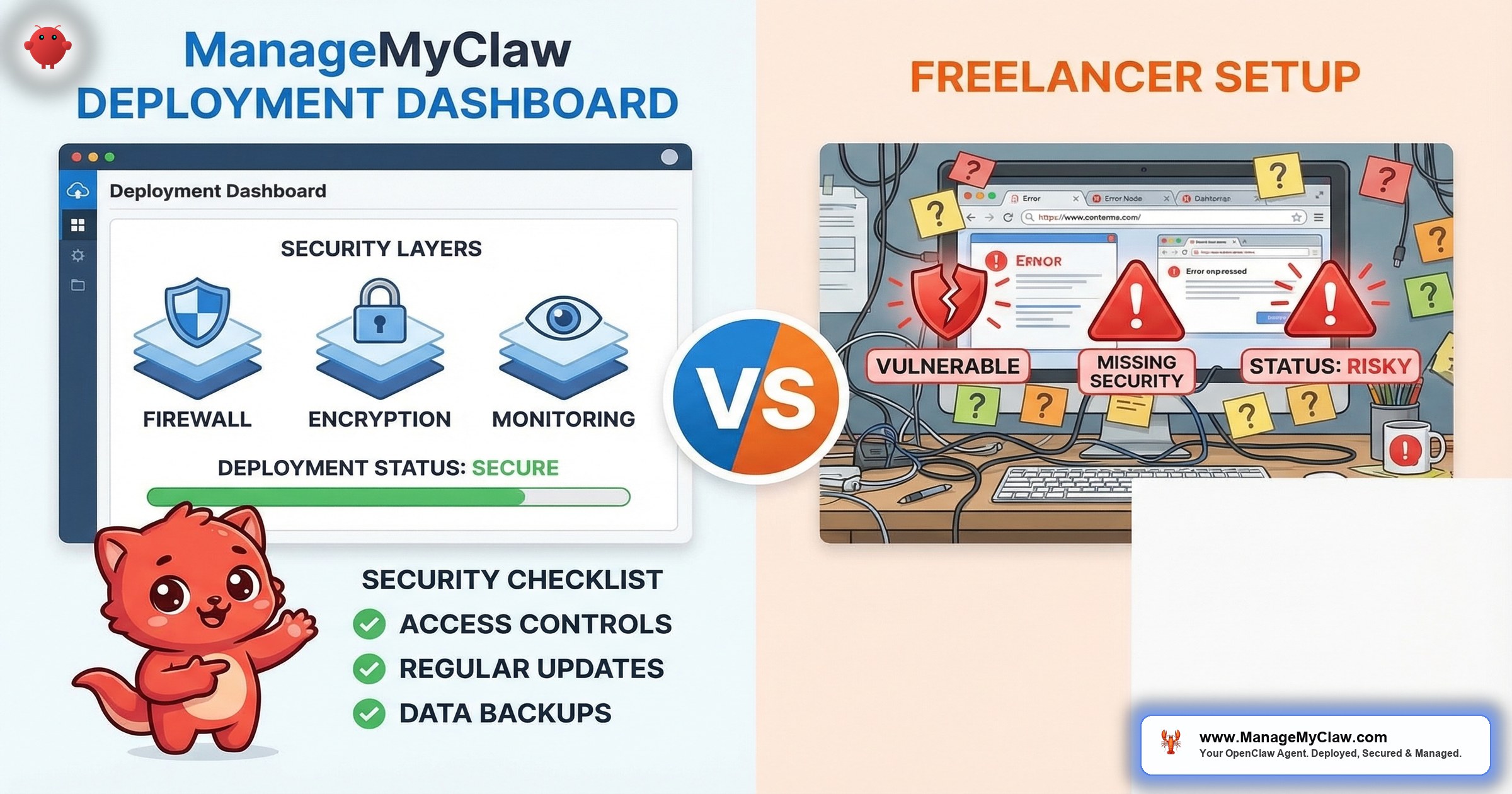
OpenClaw freelancer gigs on Fiverr and Upwork range from $40 to $175. ManageMyClaw Starter is $499. The price gap is $324 to $459. What fills that gap is not markup — it is Docker sandboxing, firewall hardening, Composio OAuth configuration, tool permission lockdown, ClawHub skill vetting, 3 days of post-deployment support, and documented security at every layer. The freelancer gig gets you a running agent. It does not get you a secured one.
This is not a dismissal of freelancers. Some are genuinely skilled. But the marketplace model creates structural gaps that no individual gig listing can close — no matter how talented the person behind it.
OpenClaw has 9 disclosed CVEs, including a CVSS 8.8 one-click remote code execution vulnerability. The ClawHavoc attack planted 2,400+ malicious skills on ClawHub. CNCERT issued a formal security warning. Researchers found 42,665 exposed OpenClaw instances with 89% running plaintext API keys. In this threat landscape, “I installed it and it runs” is not the finish line — it is the starting line.
TL;DR — Who Should Choose Which
Choose a freelancer if: you are a developer who can handle your own security hardening, you have an existing DevOps workflow, you need a specific customization that requires a specialist, or you want to learn OpenClaw hands-on with someone guiding you through the process. The freelancer does the installation; you handle everything that comes after.
Choose ManageMyClaw if: you are a non-technical founder who needs a fully hardened deployment with post-setup support, you do not have the expertise or time to configure Docker sandboxing and firewall rules yourself, and you want the option to add ongoing managed care without finding a new provider.
Head-to-Head Comparison Table
| Feature | ManageMyClaw | Fiverr/Upwork Freelancer |
|---|---|---|
| Price | $499 (Starter) | $40–$175 per gig |
| Docker sandboxing | Yes (non-root, cap-drop=ALL, read-only root, no Docker socket) | Not standard — varies by freelancer |
| DOCKER-USER firewall chain | Yes (configured, including iptables rules Docker bypasses) | Not standard — most tutorials skip this |
| Composio OAuth | Yes (agent never handles raw credentials) | Not standard — most gigs use raw API tokens |
| Tool permission allowlists | Yes (granular per-agent permissions) | Not standard |
| ClawHub skill vetting | Yes (vetted against ClawHavoc-style attacks) | Not standard |
| Kill switch | Yes (instant revocation via Composio) | Not standard |
| Post-deployment support | 3 days (email/Slack, 12-hour response) | Gig delivery — support ends at handoff |
| Ongoing managed care | $299/month (optional) | Not offered — hire again for new issues |
| CVE response SLA | Critical within 24 hours (Managed Care) | Not applicable |
| Deployment documentation | Yes (setup docs, security config, workflow reference) | Varies — not guaranteed |
| Quality consistency | Standardized process, every deployment | Varies by individual — no standard |
Freelancer pricing based on marketplace research of active Fiverr and Upwork OpenClaw gig listings, March 2026. Customer pays hosting ($12–$24/month) and AI model API costs ($50–$200/month) separately with any provider.
Where Freelancers Win
Lower upfront cost for basic installation
At $40 to $175, a freelancer gig is the lowest-cost entry point for getting OpenClaw installed and running. If you are a developer who understands Docker, firewalls, and OAuth — and you just need someone to handle the initial installation while you focus on other work — the freelancer price point makes sense. You are paying for installation labor, not for security expertise, and that is a reasonable trade if you can supply the security expertise yourself.
Specialist customizations
Some freelancers have deep expertise in specific areas — custom workflow development, niche integrations, or platform-specific optimizations. If you need a highly specialized configuration that goes beyond standard deployment, the right freelancer can deliver work that a productized service does not cover.
Why this matters: Freelancers fill a real gap in the market. Not every buyer needs a full managed deployment. If you have the technical skills to handle security yourself, paying $40 to $175 for installation labor is rational. The problem starts when non-technical buyers assume the $40 gig covers what a $499 deployment covers.
Where ManageMyClaw Wins
Security hardening is not optional — it is included
The inbox-wipe incident is the canonical example. Meta’s Director of AI Alignment asked her OpenClaw agent to check her inbox. It started deleting everything. She told it to stop. Twice. It did not stop. The root cause was context compaction — safety instructions got compressed away as the agent’s memory filled up. 10,271 people upvoted that story on Reddit.
The fix is not complicated: Docker sandboxing with non-root permissions, tool permission allowlists so “check my inbox” cannot escalate to “delete my inbox,” and system-level safety constraints hardcoded so they cannot be compacted away. Every ManageMyClaw deployment includes these layers. A $40 Fiverr gig does not include any of them — not because the freelancer is incompetent, but because the scope and price do not cover it.
The DOCKER-USER iptables chain is the specific gap that illustrates the structural problem. Most UFW firewall tutorials skip it entirely because Docker bypasses UFW rules. Your firewall looks configured. It is not. Researchers found that 93.4% of 135,000 publicly exposed OpenClaw instances had authentication bypass conditions. Most of those deployments had firewalls — they just had the wrong kind.
Think of it like hiring someone to install a lock on your front door, but the back door is wide open. The lock works. The house is not secure.
Composio OAuth instead of raw API tokens
Most freelancer gigs configure OpenClaw with raw API tokens pasted directly into the configuration. That means your agent holds your credentials in plaintext. If the agent is compromised, your API keys are compromised. ManageMyClaw uses Composio OAuth middleware — the agent authenticates through a secure intermediary layer and never handles raw passwords or API tokens. Tokens are encrypted in Composio’s vault. Kill switch configured for instant revocation.
On r/sysadmin, a post titled “OpenClaw is going viral and most people setting it up have no idea what’s inside the image” hit 2,239 upvotes. The top comment, with 2,471 upvotes: “Way back when, we also had software that could run autonomously on your system with full permissions. We called it ‘malware.'” The community’s concern was specifically about unrestricted access and credential handling — the exact gaps a basic installation leaves open.
Post-deployment support and the managed care path
A Fiverr gig ends at delivery. If your agent breaks 3 days later because OpenClaw pushed an update that changed the config format for Composio connections — with no migration guide — you are on your own. You either debug it yourself, hire another freelancer (hoping they understand the previous freelancer’s setup), or start over.
ManageMyClaw Starter includes 3 days of post-deployment support with email/Slack access and 12-hour response time. For ongoing maintenance, Managed Care at $299/month covers 24/7 monitoring, staging-tested updates, critical CVE patches within 24 hours, and 2 hours of hands-on support per month. OpenClaw shipped 7 updates in 2 weeks — ongoing maintenance is not theoretical. Our OpenClaw security guide covers the full hardening stack in detail.
Consistency and accountability
Freelancer quality on Fiverr and Upwork is inconsistent by nature. Some are excellent. Some deliver a default OpenClaw installation with no hardening, no documentation, and no follow-through. You do not know which you are getting until after you have paid. On r/vibecoding, one commenter called a budget OpenClaw provider “very scammy. No way to cancel your plan.” That is the extreme case, but inconsistency is the norm, not the exception.
ManageMyClaw runs every deployment through the same standardized process: VPS provisioning, Docker sandboxing, network security, Composio OAuth, workflow configuration, tool permission lockdown, and setup documentation. Every customer gets the same security stack. Every deployment is documented. That consistency is the product.
Why this matters: The $324 to $459 gap between a freelancer gig and ManageMyClaw Starter is not a markup. It is the cost of Docker sandboxing, firewall hardening, OAuth middleware, permission lockdown, skill vetting, a kill switch, audit logging, system-level safety constraints, 3 days of support, and a documented deployment. At founder rates of $200 to $500/hour, configuring those layers yourself — if you know how — costs more than the price difference.
The Real Cost Comparison
| Scenario | ManageMyClaw | Freelancer + DIY Security |
|---|---|---|
| Initial deployment | $499 | $40–$175 |
| Security hardening (your time) | Included | 8–15 hours at $200–$500/hour = $1,600–$7,500 |
| Real cost (setup + hardening) | $499 | $1,640–$7,675 |
| Ongoing managed care (Year 1) | $3,588 (optional) | Not available — new gig for each issue |
The freelancer appears 3x to 12x cheaper on the invoice. But the invoice does not include the security hardening you need to do yourself — or the cost of not doing it. When you factor in the time to configure Docker sandboxing, the DOCKER-USER iptables chain, Composio OAuth, tool permissions, and skill vetting, the freelancer route costs more, not less.
Who Should Choose a Freelancer
- You are a developer who can handle your own security. You understand Docker, iptables, and OAuth configuration. You just need installation labor.
- You need a specific customization that requires a specialist with deep expertise in a niche area (custom integrations, platform-specific workflows).
- You want to learn hands-on and are using the freelancer as a guide through the process, not as a turnkey solution.
Who Should Choose ManageMyClaw
- You are a non-technical founder who needs a running, secured AI assistant without spending 15+ hours learning Docker security and firewall configuration.
- You want security hardening included — not as an afterthought. Docker sandboxing, firewall rules, OAuth middleware, permission lockdown, skill vetting, kill switch, and audit logging. At every tier.
- You need post-deployment support. 3 days of support included with Starter. Managed Care at $299/month for ongoing maintenance, monitoring, and patching.
- You want consistency. Same process, same security stack, same documentation — every deployment. See all tiers and what is included.
The Bottom Line
Freelancers on Fiverr and Upwork fill a real gap: low-cost installation labor for buyers who can handle their own security. That is a valid service. But for non-technical founders — the people most likely to search for “openclaw setup help” — the freelancer model creates a dangerous false economy. You save $324 to $459 on the invoice and inherit the full responsibility for Docker sandboxing, firewall hardening, OAuth configuration, and ongoing maintenance.
ManageMyClaw exists for the buyer who wants the complete job done. $499 covers deployment, security hardening at every layer, and 3 days of support. Managed Care from $299/month keeps it running. The question is not “which is cheaper” — it is “what do you need, and what is the real cost of getting it?”
$40 to $175 buys installation. $499 buys a secured deployment. They are different products at different price points solving different problems. Choose the one that matches your actual need. See the full DIY vs. managed comparison for more context.
Frequently Asked Questions
Can a Fiverr freelancer set up OpenClaw securely?
Some can. But the $40 to $175 price range covers installation, not security hardening. Docker sandboxing with non-root permissions, DOCKER-USER iptables chain configuration, Composio OAuth setup, tool permission allowlists, and ClawHub skill vetting are separate tasks that require specific expertise. If the gig listing does not mention these layers explicitly, assume they are not included. Ask the freelancer directly before purchasing.
What happens when OpenClaw pushes an update after a freelancer sets it up?
You handle it yourself. OpenClaw shipped 7 updates in 2 weeks. Some break Gmail integration, change config formats, or introduce new bugs. A freelancer gig ends at delivery — there is no ongoing support unless you hire again. ManageMyClaw Managed Care tests every update in a staging environment before deploying to production and patches critical CVEs within 24 hours.
Why does ManageMyClaw cost $499 when freelancers charge $40 to $175?
The $499 covers VPS provisioning, OpenClaw installation, Docker sandboxing (non-root, cap-drop=ALL, read-only filesystem), DOCKER-USER firewall chain, Tailscale VPN, Composio OAuth, 1 workflow configuration, up to 3 ClawHub skills (vetted), tool permission lockdown, setup documentation, and 3 days of post-deployment support. The freelancer price covers installation. The gap is security hardening, documentation, and support.
Is it worth hiring a freelancer first and then switching to ManageMyClaw later?
You can, but there is a catch. If the freelancer’s deployment does not follow security best practices, ManageMyClaw may need to re-deploy from scratch rather than retrofit hardening onto an insecure setup. It is often more cost-effective to start with a hardened deployment than to fix an unhardened one. ManageMyClaw can take over management of existing OpenClaw deployments — contact us to assess the current state.
What if I only need a basic OpenClaw installation without security hardening?
A freelancer is the right choice. But consider the risk: OpenClaw has 9 disclosed CVEs, the ClawHavoc attack affected approximately 300,000 deployments, and CNCERT issued a formal warning. Running OpenClaw without Docker sandboxing, firewall hardening, and tool permission lockdown means your agent has unrestricted access to your connected accounts. If that agent handles email, calendar, or financial data, “basic installation without security” is a risk assessment, not just a budget decision.
Skip the security guesswork.
ManageMyClaw deploys your OpenClaw instance in under 60 minutes with Docker sandboxing, DOCKER-USER firewall chain, Composio OAuth, tool allowlists, and kill switch — all included at every tier. Starting at $499. No phone call required.
Get Started — From $499

