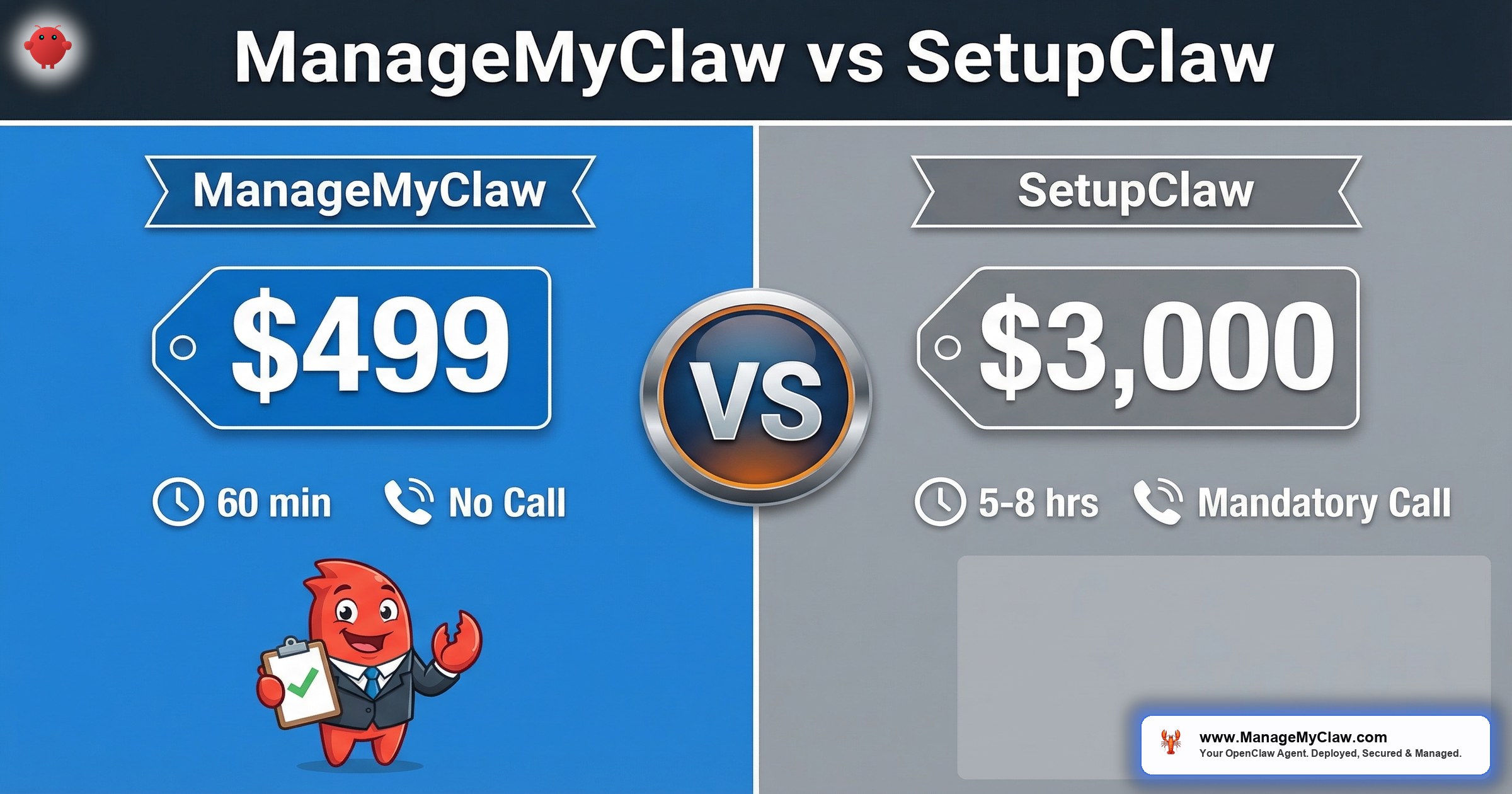
“SetupClaw’s setup fee is $3,000. ManageMyClaw’s Starter is $499. But Year 1 TCO is $4,087 vs $4,620+ — a gap of $533, not $2,501. The price tag on the invoice and the price tag on the year are two different numbers.”
ManageMyClaw and SetupClaw both deploy OpenClaw with security hardening for non-technical founders. ManageMyClaw is a product-led managed OpenClaw service — VPS provisioning, Docker sandboxing, firewall hardening, Composio OAuth, workflow configuration, and ongoing managed care starting at $499 one-time setup with no sales call required. SetupClaw is a white-glove concierge service for CEOs of 4–50 employee companies, built around Mac Mini hardware and a mandatory consultation call, with implementation starting at approximately $3,000.
We already have a side-by-side landing page comparing the two services. This post goes deeper: verified research into SetupClaw’s pricing structure, infrastructure choices, and purchase experience — then an honest TCO analysis where the numbers are closer than you’d expect from the setup fee gap.
All SetupClaw data in this post verified from setupclaw.com and their public FAQ, March 2026. We link to every claim.
ManageMyClaw Year 1 TCO (Starter + Managed Care)
SetupClaw Year 1 TCO (setup + ongoing + hardware)
How You Actually Buy Each Service
The biggest difference between ManageMyClaw and SetupClaw isn’t the price — it’s how you buy. SetupClaw requires a mandatory sales call before you can purchase anything. Their FAQ confirms this: the process starts with a consultation to understand your business needs, followed by a proposal. There is no self-serve checkout. If you’re a founder who decided at 11pm on a Tuesday that you want a deployed agent by Wednesday morning, SetupClaw’s model doesn’t accommodate that timeline.
ManageMyClaw is product-led. You go to /pricing/, pick your tier, pay, and fill out an onboarding form. No call. No proposal. No waiting for someone’s calendar to open up. Your agent is deployed in under 60 minutes. The self-serve path exists because we built it as a product, not a consultancy.
SetupClaw is a one-person operation offering white-glove concierge service. ManageMyClaw is a product-led service with standardized tiers and self-serve purchasing. Neither model is inherently better — they serve different buyer preferences. If you want a personal relationship with your setup provider and don’t mind scheduling a call, SetupClaw’s model works. If you want to buy now and deploy today, ManageMyClaw’s model is built for that.
Setup Time: 60 Minutes vs 5–8 Hours
ManageMyClaw deploys your agent in under 60 minutes from the moment you submit your onboarding form. SetupClaw’s FAQ states that expert setup takes 5–8 hours. That’s not a criticism — the longer timeline reflects their white-glove approach: detailed consultation, custom hardware configuration on a Mac Mini, and personalized implementation. But if time-to-deployment is your constraint, the gap is significant.
ManageMyClaw deployment time vs 5–8 hours for SetupClaw
The Full Pricing Picture — Not Just Setup Fees
SetupClaw’s pricing structure has three components: hardware, implementation, and ongoing monthly fees. The Mac Mini M4 (their standard hardware recommendation) runs approximately $600. Implementation starts at approximately $3,000. And ongoing managed support runs $400+/month — though specific tier pricing requires that initial consultation call.
ManageMyClaw’s pricing is published on the website with no call required to see numbers:
| Cost Component | ManageMyClaw | SetupClaw |
|---|---|---|
| Hardware / infrastructure | VPS ($12–24/mo, customer pays directly) | Mac Mini M4 (~$600 upfront) |
| Setup fee (entry tier) | $499 (Starter) | ~$3,000 (implementation) |
| Setup fee (mid/top tier) | $1,499 (Pro) / $2,999 (Business) | Custom (requires consultation) |
| Monthly managed care | $299/mo | $400+/mo |
| AI model API costs | $50–200/mo (customer pays directly) | $50–200/mo (customer pays directly) |
| Year 1 TCO (entry + managed care) | ~$4,087 | ~$4,620+ |
Year 1 calculation: ManageMyClaw = $499 setup + ($299 × 12 months) = $4,087. SetupClaw = ~$600 hardware + ~$3,000 implementation + ($400 × ~2.5 months estimated initial support period) = $4,620+. SetupClaw’s ongoing monthly cost structure is not fully published, so this is a conservative minimum estimate.
If you cancel managed care after a few months and self-manage, SetupClaw’s higher upfront investment in a Mac Mini gives you a hardware asset you own outright. ManageMyClaw’s VPS model means you’re paying monthly hosting indefinitely. For buyers who are confident in self-managing after initial setup, SetupClaw’s model may have a lower 3-year TCO — assuming you can handle updates, security patching, and troubleshooting yourself.
Mac Mini vs VPS: Two Valid Approaches
SetupClaw defaults to Mac Mini hardware. This means your AI agent runs in your physical space on hardware you own. The advantages are real: no monthly hosting bill after the hardware purchase, complete physical control over your data, and Apple Silicon’s performance-per-watt is excellent for always-on workloads.
ManageMyClaw defaults to VPS (typically DigitalOcean or Hetzner). The advantages are also real: no $600 upfront hardware cost, no dependency on your office internet connection or power, geographic flexibility, and if the VPS has a hardware failure, your provider spins up a replacement automatically. We also offer Mac Mini deployment at our Business tier for customers who prefer it.
| Factor | Mac Mini (SetupClaw default) | VPS (ManageMyClaw default) |
|---|---|---|
| Upfront cost | ~$600 | $0 |
| Monthly cost | $0 (electricity only) | $12–24/mo |
| Uptime dependency | Your office power + internet | Data center (99.9%+ SLA) |
| Data residency | Your physical location | Cloud provider’s region |
| Hardware failure recovery | Manual (buy replacement) | Automatic (provider replaces) |
| Remote access | Requires tunnel or VPN setup | Native (SSH from anywhere) |
Neither approach is wrong. If you have a stable office environment with reliable power and internet, and you value physical data control, Mac Mini is solid. If you travel, work from multiple locations, or want data-center uptime guarantees without managing physical hardware, VPS is the better fit. For a deep dive on this decision, see our Mac Mini vs VPS comparison.
What Each Service Actually Hardens
Both ManageMyClaw and SetupClaw include security hardening — that’s what separates both services from the dozen or so “managed OpenClaw” wrappers that just spin up a container and call it done. The difference is in documentation and specificity.
ManageMyClaw publishes its 9-layer security stack on every service page: Docker sandboxing (non-root, cap-drop=ALL, no socket binding), UFW firewall with Docker-specific iptables rules, Composio OAuth with scoped permissions, tool permission lockdown, ClawHub skill vetting, and critical CVE patching within 24 hours under managed care. You can read the full breakdown in our 5 security layers guide.
SetupClaw includes “hardening” as part of their implementation service. Their website doesn’t publish the specific security layers or methodology in the same detail. This doesn’t mean they don’t do thorough security work — a white-glove concierge model often delivers customized security tailored to each client. It means you’ll learn the specifics during your consultation call rather than on a public page.
Security researcher Maor Dayan found 42,665 exposed OpenClaw instances with a 93.4% authentication bypass rate. Both ManageMyClaw and SetupClaw exist because the default OpenClaw installation is not production-ready from a security standpoint. The question isn’t whether you need hardening — it’s which service’s approach matches your buying style.
Who Should Choose Which — Honest Recommendations
Choose SetupClaw if: you’re a CEO of a 4–50 employee company who wants a personal relationship with your setup provider, you prefer Mac Mini hardware you physically own, you want a white-glove consultation before committing, and you’re comfortable with a mandatory sales call as part of the buying process. SetupClaw’s model is built for executives who value personalized service over speed-to-deployment.
Choose ManageMyClaw if: you want to buy today without scheduling a call, you prefer VPS infrastructure over physical hardware, you need a $499 entry point, you want published security documentation you can review before purchasing, or you need deployment in under 60 minutes. ManageMyClaw’s model is built for founders who want a product, not a consultation.
“The best managed OpenClaw provider is the one that matches how you buy, not just what you pay. Some people want a conversation before spending $3,000. Others want a checkout page at midnight.”
Choose neither if: you have Linux and Docker experience, enjoy security configuration, and want full control. DIY is free — if you value your time at $0/hour and don’t mind 32–48 hours of setup work.
What We Couldn’t Verify
We believe in transparent comparisons. Here’s what we couldn’t independently confirm about SetupClaw:
- Exact ongoing monthly pricing (requires sales call to learn)
- Specific security hardening methodology and layers
- CVE response time SLA
- Number of clients currently served
- Whether managed care includes update management or just break-fix support
If SetupClaw publishes more detailed pricing or security documentation in the future, we’ll update this analysis. We reached these conclusions from publicly available information on setupclaw.com and their FAQ as of March 2026.
Frequently Asked Questions
Is ManageMyClaw just a cheaper version of SetupClaw?
No. Different service models, not a budget version of the same thing. SetupClaw is a white-glove concierge service with mandatory consultation and Mac Mini hardware. ManageMyClaw is a product-led service with self-serve purchasing and VPS-default deployment. The Year 1 TCO gap is $533, not the $2,501 the setup fees suggest. Both include security hardening. The core difference is how you buy and what infrastructure you run on — not quality of delivery. See full pricing details.
Can ManageMyClaw deploy on a Mac Mini like SetupClaw?
Yes. Our Business tier ($2,999) includes Mac Mini deployment as an option alongside VPS. The difference is that SetupClaw defaults to Mac Mini at every tier, while ManageMyClaw defaults to VPS and offers Mac Mini as an upgrade path. If Mac Mini is your preference and you want it at a lower price point, SetupClaw may be the better fit for that specific requirement.
Why does SetupClaw require a sales call but ManageMyClaw doesn’t?
Different business models. SetupClaw is a one-person concierge operation where the consultation is part of the value proposition — you get a personalized assessment before any work begins. ManageMyClaw is product-led: standardized tiers with documented deliverables at each level, so you can evaluate the offering from the website and purchase without a conversation. Neither approach is wrong; they serve different buyer preferences.
Which service is better for a company with 20+ employees?
Both can serve that size. SetupClaw explicitly targets CEOs of 4–50 employee companies and may offer more personalized onboarding for teams. ManageMyClaw’s Business tier ($2,999) includes a 60-minute team training session and supports up to 2 agents with multi-channel delivery. For 20+ employees, the deciding factors are usually infrastructure preference (Mac Mini vs VPS) and whether you want a consultation-first or self-serve purchase experience. Learn more on our about page.
$499 Starter. No sales call. Deployed in under 60 minutes.
Deploy My Agent


