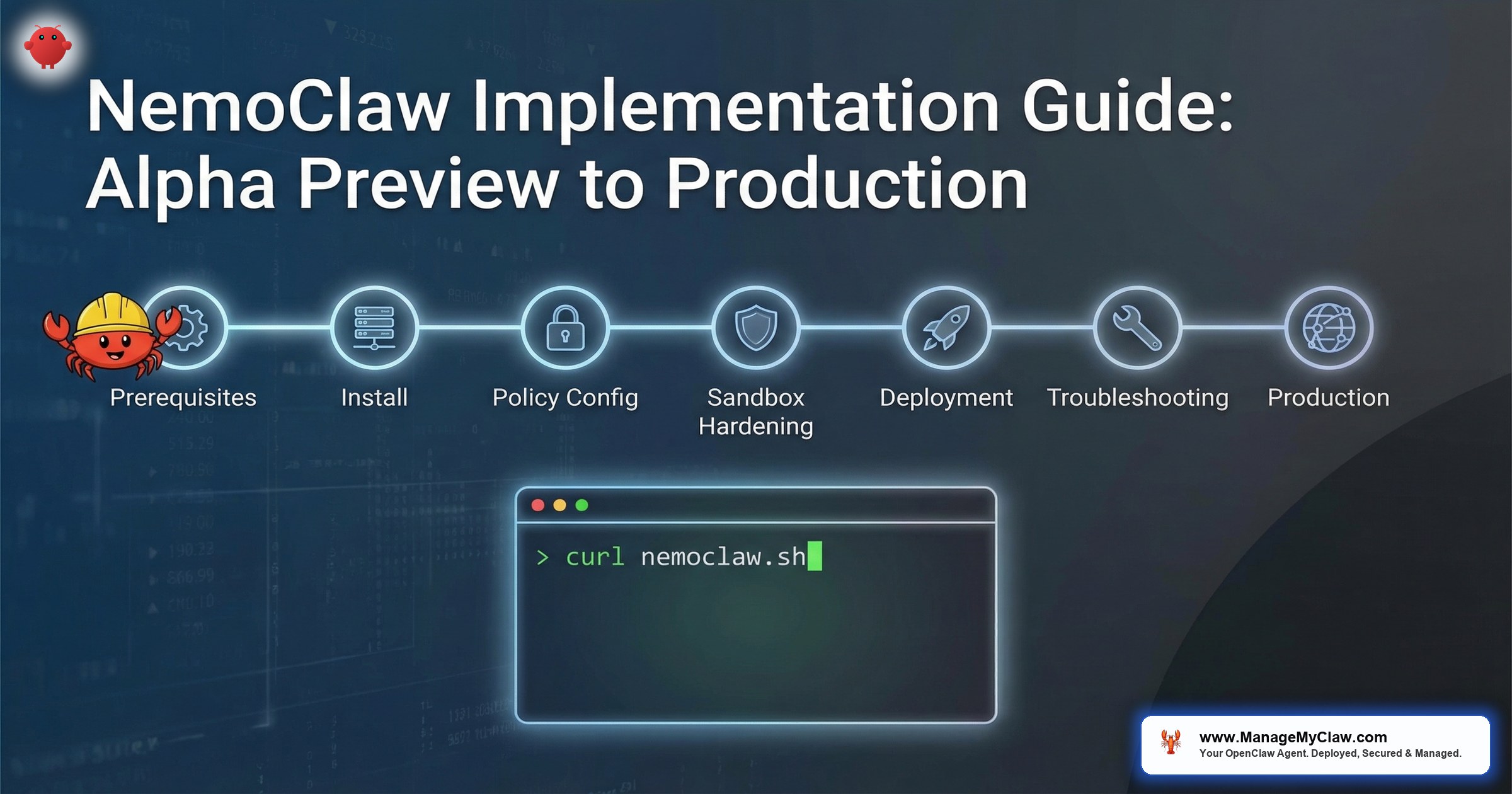
“NemoClaw installs in one command. Configuring it for production — kernel-level sandbox policies, privacy router tables, compliance documentation, multi-agent governance — takes 2–6 weeks of specialist work.”
— NVIDIA NemoClaw Documentation, March 2026
Gartner projects 40% of enterprise applications will include AI agents by end of 2026. NVIDIA shipped NemoClaw on March 16, 2026, with 17 launch partners — Adobe, Salesforce, SAP, CrowdStrike, ServiceNow, Atlassian — to meet that demand with a security-first agent runtime. The install script is a single command. The guided onboarding wizard takes 10 minutes. And then the real work begins.
This is the implementation guide for enterprise architects planning a NemoClaw rollout. Not a feature overview — we covered the architecture in our NemoClaw Architecture Deep Dive. This post is the operational playbook: system requirements, installation procedures, YAML policy configuration, sandbox hardening, platform-specific caveats, and the decisions that determine whether your deployment is a sandbox experiment or a production-grade agent runtime.
One caveat up front: NemoClaw is in alpha. NVIDIA open-sourced NemoClaw on March 6, 2026, before the formal GTC announcement on March 16. Expect rough edges, breaking changes between releases, and documentation gaps. This guide reflects the state of the project as of March 2026, cross-referenced against NVIDIA’s official docs, the NemoClaw GitHub repository, Michael Hart’s “Setting up NemoClaw Step-By-Step” on Medium, Alpha Signal’s Substack walkthrough, Stormap.ai’s onboarding guide, and community findings from AICC and Second Talent. Where those sources disagree, we note it.
NVIDIA launch partners committed at GTC 2026
command to install — weeks to harden for production
System Requirements: What Your Infrastructure Needs Before You Begin
NemoClaw’s security model depends on Linux kernel primitives — Landlock, seccomp, network namespaces, PID isolation. These are not portable abstractions. They are Linux-specific system calls, and they dictate your infrastructure requirements. Before running the install script, verify your environment meets every item below. A failed dependency check after installation creates debugging overhead that slows the entire rollout.
Required: Primary Platform (Linux)
- Operating System: Ubuntu 22.04+ LTS (recommended) or equivalent Linux distribution with kernel 5.13+
- Node.js: v20 or later (LTS release)
- npm: v10 or later
- Docker: Installed and running (required for container-based sandbox isolation)
- OpenShell: Installed (the kernel-level sandbox runtime NemoClaw depends on)
- CPU: 4 vCPU minimum (8+ recommended for multi-agent deployments)
- RAM: 8 GB minimum (16+ recommended when running local inference models)
The kernel version requirement is non-negotiable. Landlock was introduced in Linux 5.13, and OpenShell depends on it for filesystem access control. Ubuntu 22.04 LTS ships kernel 5.15, which covers this requirement out of the box. If your organization runs CentOS 7 or RHEL 8 with older kernels, you will need to upgrade or provision new infrastructure before deployment.
Community deployments confirm that 8 GB RAM is a hard minimum, not a recommendation. Systems with less trigger the Linux OOM killer, terminating NemoClaw processes mid-execution. If your host is already running other services, 8 GB of available memory may require 16 GB total. One documented workaround is configuring 8 GB of swap space, but this trades stability for significantly slower performance as memory pages swap to disk. For production deployments, allocate 16 GB+ and monitor memory pressure via cgroup metrics.
- Windows WSL2 — Experimental support only. GPU passthrough detection has known issues. Fine for local development and testing. Not recommended for production workloads or security-sensitive deployments.
- macOS — Partial support. No local inference capability. Useful for policy authoring and testing YAML configurations against the policy engine, but the kernel-level sandbox primitives (Landlock, seccomp, namespaces) do not exist on Darwin. You cannot run a production NemoClaw deployment on macOS.
For enterprise architects: this means your development environments can run on macOS or WSL2 for configuration testing, but staging and production deployments must target Linux. Plan your CI/CD pipeline accordingly. If your engineering team develops on macOS, establish a workflow where YAML policies are authored locally and deployed to a Linux staging environment for validation. Stormap.ai’s onboarding guide specifically calls out this split workflow as a best practice for teams transitioning to NemoClaw.
Infrastructure Options: Cloud Inference and On-Premises Servers
Organizations that do not want to run inference locally have cloud options. NVIDIA’s build.nvidia.com provides hosted Nemotron endpoints. Third-party cloud inference providers — CoreWeave, Together AI, Fireworks, and DigitalOcean — also support Nemotron model hosting. These eliminate the GPU hardware requirement while maintaining the privacy router’s classification capabilities, though data leaves your network for inference.
For organizations requiring on-premises hardware, NVIDIA has certified NemoClaw-ready server configurations from Cisco, Dell, HPE, Lenovo, and Supermicro. These are enterprise-grade infrastructure options with ECC memory, redundant power, and vendor support contracts — positioned above the DGX Spark tier and alongside DGX Station deployments.
Installation: One Command, Then the Guided Onboarding Wizard
NemoClaw installation is a single command. NVIDIA provides a shell script that handles dependency verification, binary downloads, and initial configuration:
curl -fsSL https://www.nvidia.com/nemoclaw.sh | bashThe script performs dependency checks (Node.js version, npm version, Docker status, kernel version), downloads the NemoClaw runtime, and installs the CLI globally. On a clean Ubuntu 22.04 instance with prerequisites met, the install completes in under 2 minutes.
The curl | bash pattern downloads and executes a remote script with your current user’s privileges. For enterprise deployments, download the script first, review it, then execute: curl -fsSL https://www.nvidia.com/nemoclaw.sh -o nemoclaw-install.sh && less nemoclaw-install.sh && bash nemoclaw-install.sh. Your security team will likely require this workflow. The script is also available in the NemoClaw GitHub repository for code review before execution.
The Guided Onboarding Wizard
After installation, NemoClaw launches a guided onboarding wizard. This is interactive — it walks you through the initial configuration decisions that shape your deployment. The wizard handles 3 critical steps:
-
1
Creates a sandbox environment. The wizard provisions an OpenShell sandbox with deny-by-default policies. This is your agent’s execution environment — isolated from the host via Landlock, seccomp, network namespaces, and PID isolation. See our architecture deep dive for how these primitives layer together.
-
2
Configures inference routing. The wizard prompts you to configure which LLM providers your agents will use. This is where the privacy router enters the picture — you specify which models handle sensitive data locally (Nemotron) and which models handle general reasoning via cloud APIs. For organizations subject to HIPAA, SOC2, or GDPR, this step determines your data residency posture.
-
3
Applies security policies. The wizard generates an initial
policies/openclaw-sandbox.yamlconfiguration. This is the baseline — a functional but restrictive policy set that allows the agent to operate within the sandbox. You will customize this extensively for production. The default policies are intentionally conservative: deny everything, then allowlist what you need.
“The onboarding wizard is designed to get you to a working sandbox in minutes. But don’t confuse a working sandbox with a production deployment. The gap between ‘my agent runs’ and ‘my security team has approved this for production’ is where the real implementation work happens.”
— Michael Hart, “Setting up NemoClaw Step-By-Step,” Medium
The Approval TUI: Real-Time Agent Observation
After sandbox creation, run the OpenShell approval TUI (terminal user interface) in a separate terminal window. This provides a real-time display of every resource the agent attempts to access — files, network endpoints, binaries — before the sandbox grants or denies the request. During initial setup, keep this terminal open while testing with simple, low-risk tasks (file reads, basic API calls). The TUI reveals exactly what your agent needs access to, making policy authoring empirical rather than guesswork. Start with constrained tasks and expand scope incrementally as you validate each access pattern in the approval interface.
Rather than guessing which network hosts, binaries, and file paths to allowlist, run your agent workflow with the approval TUI active and deny-by-default policies. Every denied request appears in the TUI. Use those denials to build your allowlist empirically. This approach produces a minimal-privilege policy set that matches your actual workflow requirements — no over-permissioning, no gaps.
YAML Policy Engine: Configuring What Your Agents Can and Cannot Do
The YAML policy engine is the governance layer of your NemoClaw deployment. Every action an agent attempts — every network request, every binary execution, every file access — passes through the policy engine before the operating system permits it. Policies live at policies/openclaw-sandbox.yaml and are evaluated through 4 hierarchical levels: binary, destination, method, and path.
This is the section of the implementation that takes the most time. Getting the policies right determines whether your agents are useful (can reach the APIs they need) and secure (cannot reach anything else). Enterprise environments typically require 20–40 custom policy rules covering internal APIs, SaaS integrations, data classification boundaries, and role-based access controls.
Network Policy Structure
Network policies control which external hosts your agents can contact, which HTTP methods they can use, and which URL paths they can access. Here is a production-ready network policy for an agent that integrates with Slack and Jira:
# Network policies define outbound connectivity rules
# Default: deny all outbound. Explicit allowlisting required.

network:
  allow:
    # Slack API — read channels, post messages
    - host: "api.slack.com"
      methods: [GET, POST]
      paths:
        - "/api/chat.postMessage"
        - "/api/conversations.list"
        - "/api/conversations.history"

    # Jira API — read issues, add comments (no DELETE)
    - host: "*.atlassian.net"
      methods: [GET, POST, PUT]
      paths:
        - "/rest/api/3/issue/*"
        - "/rest/api/3/search"

    # LLM inference endpoint (cloud)
    - host: "api.openai.com"
      methods: [POST]
      paths:
        - "/v1/chat/completions"

  deny:
    # Explicitly block admin endpoints even on allowed hosts
    - host: "*.atlassian.net"
      paths:
        - "/rest/api/3/admin/*"
        - "/rest/api/3/user/bulk"
Notice the granularity. The agent can GET and POST to Slack but cannot DELETE channels. It can read and update Jira issues but cannot access admin endpoints or bulk user operations. This is OWASP ASI02 (Tool Misuse & Exploitation) mitigation at the policy level — the agent’s capabilities are bounded by the policy engine, not by the agent’s own judgment about what it should or should not do.
Binary Allowlisting
Binary policies control which executables the agent can invoke. This is the first evaluation level — if the binary is not on the allowlist, the request is denied before any network or path evaluation occurs:
# Binary execution policies
# Only explicitly listed binaries can be executed by the agent

binaries:
  allow:
    - "node"         # Node.js runtime
    - "npm"          # Package manager (for tool installation)
    - "npx"          # Package runner
    - "git"          # Version control operations
    - "curl"         # HTTP requests (routed through network policy)
    - "python3"      # Python runtime (if agent uses Python tools)

  deny:
    - "sudo"         # No privilege escalation
    - "su"           # No user switching
    - "chmod"        # No permission changes
    - "chown"        # No ownership changes
    - "ssh"          # No SSH (prevents lateral movement)
    - "nc"           # No netcat (prevents reverse shells)
    - "nmap"         # No network scanning
- "docker" # No container management from inside sandboxA common prompt injection attack pattern involves instructing the agent to download and execute a binary — a reverse shell, a cryptominer, a data exfiltration tool. With binary allowlisting, even if a prompt injection succeeds at the reasoning level, the policy engine blocks execution of any binary not on the explicit allowlist. The attack chain breaks at the enforcement boundary, not at the agent’s judgment layer. This maps directly to OWASP ASI01 (Prompt Injection) and ASI09 (Improper Output Handling).
Policy Presets: Pre-Built Configurations for Common Integrations
NemoClaw ships with policy presets in the policies/presets/ directory for common SaaS integrations. These presets provide curated allowlists that have been tested against each platform’s API surface:
| Preset | What It Allows | Use Case |
|---|---|---|
| Slack | Channel reads, message posting, reaction adding | Notification agents, standup bots, workflow triggers |
| Jira | Issue CRUD, comment posting, sprint reads | Project management agents, ticket triage |
| Discord | Channel reads, message posting, guild info | Community management, support agents |
| npm | Package registry reads, dependency audits | Dependency management, security scanning agents |
| PyPI | Package metadata reads, version checks | Python dependency agents |
| Docker | Registry reads, image inspection (no push) | Container compliance scanning |
| Telegram | Message sending, chat reads | Alert bots, notification agents |
| HuggingFace | Model registry reads, inference API | Model evaluation, benchmarking agents |
| Outlook | Email reads, calendar reads (no send by default) | Scheduling agents, email triage |
Presets are starting points, not production configurations. Review every preset against your organization’s security policies before deploying. The Slack preset, for example, allows POST to chat.postMessage — if your security policy requires human-in-the-loop approval before agents post to Slack channels, you will need to remove that endpoint from the preset and route message actions through an approval workflow.
# Import a preset and extend with custom rules

presets:
  - "slack"
  - "jira"

# Override preset rules with organization-specific policies
network:
  deny:
    # Remove Slack message posting — require human approval
    - host: "api.slack.com"
      methods: [POST]
      paths:
        - "/api/chat.postMessage"
        - "/api/chat.update"
        - "/api/chat.delete"
Hardening the OpenShell Sandbox for Production Workloads
The onboarding wizard creates a functional sandbox with default policies. Production hardening is the process of tightening those defaults to match your organization’s security requirements. This is where most implementation teams spend the majority of their time — and where container isolation decisions compound in complexity.
exposed OpenClaw instances found by security researcher Maor Dayan — most with default configurations
The number above is why hardening matters. Default configurations are designed for quick starts, not for production security. NemoClaw’s defaults are more restrictive than vanilla OpenClaw — deny-by-default is the right starting posture — but “more restrictive than OpenClaw” is a low bar when 93.4% of exposed OpenClaw instances have authentication bypass vulnerabilities.
Hardening Checklist: 8 Steps Before Production
- Audit the binary allowlist. Remove any binaries your agents do not explicitly need. The default allowlist may include development tools (
vim,wget) that are useful during setup but should not persist in production. - Lock down network egress. Review every host in your network policy. For each, verify that the agent legitimately needs access, that the allowed HTTP methods are the minimum required, and that path patterns do not include wildcard access to admin endpoints.
- Configure the privacy router. Map every data classification in your organization to an inference path. PHI, PII, financial data, and trade secrets should route to local Nemotron models. General reasoning and non-sensitive tasks can route to cloud LLMs. Document these routing decisions for your compliance team.
- Enable audit logging. NemoClaw logs every policy evaluation — every allowed action and every denied action. Configure log shipping to your SIEM (Splunk, Datadog, ELK, or your existing security monitoring stack). Your SOC team needs visibility into what agents are doing and what they are being prevented from doing.
- Set resource limits. Configure CPU and memory cgroup limits for each sandbox. An agent that consumes all available memory or CPU can denial-of-service other agents and host services. Set conservative limits and increase based on observed workload patterns.
- Implement credential rotation. API keys and tokens used by agents should follow the same rotation policies as human credentials. NemoClaw supports environment-variable injection into sandboxes — use your existing secrets management infrastructure (HashiCorp Vault, AWS Secrets Manager) to inject credentials at runtime, not in YAML files.
- Test denial scenarios. Verify that blocked actions actually fail. Attempt to access denied hosts, execute denied binaries, and make denied HTTP method calls from inside the sandbox. A policy that appears correct in YAML but fails to enforce at runtime is worse than no policy — it creates a false sense of security.
- Document everything. Compliance requires evidence. Document your policy rationale, your privacy routing table, your binary allowlist justifications, and your testing results. This documentation becomes your SOC2 evidence package and your HIPAA compliance mapping.
NemoClaw is in alpha. Policy enforcement behavior may change between releases. Every hardening decision you make should be validated with explicit testing in a staging environment before production deployment. NVIDIA’s docs acknowledge this: “expect rough edges.” In enterprise terms, that means your test matrix needs to cover not just happy-path agent workflows, but adversarial scenarios that probe the boundaries of your policy configuration.
From Staging to Production: The Enterprise Deployment Workflow
Enterprise deployments are not single-step operations. They follow a progression from development through staging to production, with gates at each transition. Based on field guidance from Oflight and AICC, the recommended phased approach structures this progression around business validation at each stage:
| Phase | Duration | Scope | Gate Criteria |
|---|---|---|---|
| Phase 1: PoC | 1–2 months | Validate small, contained use cases (FAQ auto-response, document summarization) | Agent responds accurately, sandbox enforces policies, team identifies production candidates |
| Phase 2: Pilot | 2–3 months | Business-critical workflows (customer support, invoice processing) with limited users. Deploy in OpenShell sandbox for safe testing | End-user acceptance, latency within SLA, audit logs clean, security team sign-off |
| Phase 3: Production | Ongoing | Full deployment. Implement audit logs + access controls before expanding to additional teams | Compliance documentation complete, managed care contract active, quarterly review schedule |
This phased approach maps to the detailed environment progression below. The critical distinction: Phase 1 validates technical feasibility, Phase 2 validates business value with real users, and Phase 3 gates on governance readiness — audit logs and access controls must be operational before expanding scope.
Here is the more granular environment workflow we recommend for organizations deploying NemoClaw for the first time:
| Phase | Environment | Duration | Gate Criteria |
|---|---|---|---|
| 1. Lab | Developer laptop (macOS/WSL2 or Linux VM) | 1–2 days | Installation succeeds, wizard completes, agent responds |
| 2. Dev | Linux dev server (Ubuntu 22.04+) | 1 week | YAML policies authored, presets configured, basic workflows tested |
| 3. Staging | Production-equivalent Linux infrastructure | 1–2 weeks | Hardening checklist complete, denial testing passed, audit logging verified, security team sign-off |
| 4. Pilot | Production, single team, single workflow | 30 days | Evaluation report, TCO projection, go/no-go decision |
| 5. Production | Production, multi-team rollout | Ongoing | Managed care contract, SLA monitoring, quarterly reviews |
The pilot phase is critical. Organizations that skip from staging directly to multi-team production deployment accumulate risk — untested edge cases in YAML policies, undiscovered workflow failures, and security gaps that only surface under real workloads. A contained pilot (1 agent, 1 workflow, 1 team) gives your security team time to observe agent behavior in production conditions and adjust policies before broader exposure.
“The biggest mistake I see teams make is treating NemoClaw like a SaaS tool you turn on. It’s infrastructure. It needs the same deployment rigor as your database, your message queue, or your identity provider.”
— Stormap.ai, “Getting Started With NemoClaw: Install, Onboard, and Avoid the Obvious Mistakes”
Multi-Agent Deployment: Scaling Beyond a Single Sandbox
Enterprise deployments rarely involve a single agent. Most organizations plan for 5–10 agents handling different workflows — code review, ticket triage, customer support, data analysis, security scanning. Each agent runs in its own OpenShell sandbox with its own YAML policy configuration. This is by design: agent isolation prevents a compromised code-review agent from accessing the customer support agent’s data or API credentials.
NeMo Agent Toolkit v1.5.0: Framework Integration for Multi-Agent Workflows
NVIDIA released the NeMo Agent Toolkit v1.5.0 alongside NemoClaw, providing native integrations with the major agent orchestration frameworks. This is significant for enterprise teams that have already invested in agent development tooling — you do not need to rewrite your agent logic to run inside NemoClaw’s sandbox.
| Framework | Integration Status | Use Case |
|---|---|---|
| LangChain | Native integration | Chain-based reasoning, tool-calling agents |
| LlamaIndex | Native integration | RAG pipelines, knowledge-grounded agents |
| CrewAI | Native integration | Multi-agent role-based collaboration |
| Semantic Kernel | Native integration | Microsoft ecosystem agent development |
| Google ADK | Native integration | Google Agent Development Kit workflows |
The Agent Toolkit also supports a Supervisor + Worker multi-agent architecture that enables parallel automation of multiple business processes. In this pattern, a supervisor agent coordinates task distribution while worker agents execute in isolated sandboxes. This maps directly to enterprise workflows where different processes (invoice processing, customer support, compliance monitoring) run concurrently with separate security policies. Each worker operates in its own OpenShell sandbox with dedicated YAML policies, while the supervisor manages orchestration at a higher trust level.
The complexity scales with the number of agents. Each agent needs its own:
- YAML policy file with role-specific network, binary, and path rules
- Privacy router configuration mapping data sensitivity to inference paths
- Credential injection from your secrets management infrastructure
- Resource limits (CPU, memory) tuned to its workload
- Audit logging configured with agent-specific identifiers for SOC traceability
At 10 agents, you are managing 10 policy files, 10 credential sets, 10 resource allocations, and 10 audit streams. This is where the operational burden shifts from “can we deploy NemoClaw?” to “can we govern NemoClaw at scale?” — and where managed care becomes the difference between a sustainable deployment and an operational burden that your DevOps team did not budget for.
Common Implementation Pitfalls and How to Avoid Them
Every implementation guide sourced for this post — Michael Hart’s Medium walkthrough, Alpha Signal’s Substack analysis, Stormap.ai’s onboarding guide — documents the same failure patterns. Here are the pitfalls that delay enterprise NemoClaw deployments and how to avoid them:
Severity: Blocker
The pattern: Engineering team installs NemoClaw on an existing CentOS 7 server or attempts a production deployment on macOS. Install succeeds, but kernel-level sandbox features silently fail or operate in degraded mode. The team discovers weeks later that Landlock enforcement was not active.
The fix: Verify kernel version before installation: kernel 5.13+ is required. Ubuntu 22.04+ LTS is the tested platform. If your infrastructure runs older distributions, provision new compute specifically for NemoClaw. Do not attempt to share hosts with legacy workloads.
Severity: Critical
The pattern: Team uses host: "*" or paths: ["/*"] to “get things working” during development, then forgets to tighten policies before staging. The agent now has unrestricted network access, defeating the purpose of the policy engine entirely.
The fix: Never use wildcards in host rules. Use the policy presets as starting points — they are already scoped to specific API surfaces. In CI/CD, add a policy lint step that flags wildcard rules and blocks promotion to staging.
Severity: High
The pattern: Team verifies that allowed actions work (agent can post to Slack, read Jira issues) but never tests that denied actions actually fail. A misconfigured deny rule, a typo in a path pattern, or an evaluation order issue means the agent can access resources it should not.
The fix: Include negative tests in your validation suite. Attempt to access denied hosts, execute denied binaries, and call denied API endpoints from inside the sandbox. Verify that each attempt returns a policy denial in the audit log. Automate these tests so they run on every policy change.
Severity: High
The pattern: NemoClaw’s sandbox relies on Docker and Linux cgroups for container isolation and resource management. Community reports confirm three recurring problems: Docker version conflicts where existing Docker installations clash with NemoClaw’s container requirements, cgroup configuration mismatches between cgroups v1 and v2 that cause sandbox creation to fail silently, and OOM (Out of Memory) kills where the Linux kernel terminates NemoClaw processes when memory pressure exceeds available RAM.
The OOM problem is the most disruptive. At 8 GB RAM — the documented minimum — running NemoClaw alongside Docker, the inference runtime, and normal system processes regularly triggers the OOM killer. An 8 GB swap partition provides a workaround at the cost of significantly degraded performance as memory pages swap to disk.
The fix: Before installation, verify Docker version compatibility and cgroup configuration (stat -fc %T /sys/fs/cgroup/ to check v2 status). Provision 16 GB+ RAM for production. If constrained to 8 GB, configure swap and set cgroup memory limits per sandbox to prevent cascading OOM kills across agents. Monitor dmesg | grep -i oom during initial testing.
These are not theoretical risks. They are the patterns that appear repeatedly in early NemoClaw deployments because the install-to-sandbox path is intentionally fast. NVIDIA optimized for developer velocity. The gap between “it runs” and “it’s secure” is filled by the hardening work described in Phase 4 above.
Implementation Costs: What a Production Deployment Actually Takes
NemoClaw is open source. The software is free. The implementation is not. Here is a realistic breakdown of what enterprise teams should budget for a production NemoClaw deployment:
| Approach | Timeline | Cost | Ongoing Support |
|---|---|---|---|
| DIY (Internal Team) | 8–16 weeks | $75K–$200K in engineer time | 1–2 FTE ongoing maintenance |
| Independent Consultant | 4–8 weeks | $150/hr (via nemoclawconsulting.com) | Ad-hoc, no SLA |
| ManageMyClaw Assessment | 1 week | $2,500 | Report + remediation plan |
| ManageMyClaw Implementation | 2–6 weeks | $15,000–$45,000 | 30-day hypercare included |
| ManageMyClaw Pilot | 30 days | $5,000 | Full evaluation report, go/no-go |
The DIY estimate assumes your team has engineers with Linux kernel security experience (Landlock, seccomp), YAML policy authoring capability, SIEM integration skills, and compliance documentation expertise. Most enterprise teams do not have this combination in-house. The independent consultant market at $150/hr (the current rate on nemoclawconsulting.com) provides expertise but not ongoing governance — no SLA, no managed care, no quarterly reviews.
of CISOs rank agentic AI as their #1 attack vector — Dark Reading
The 48% figure above represents the security stakes. NemoClaw implementation is not a DevOps project with a clean handoff. It is an ongoing governance responsibility — YAML policy updates as NVIDIA releases new versions, privacy router optimization as data classification requirements evolve, CVE patching as the alpha stack matures toward general availability. Organizations that budget for implementation without budgeting for ongoing governance discover the true cost 90 days after deployment, when the first NemoClaw update introduces breaking changes and nobody on the team remembers how the YAML policies were configured.
NemoClaw Implementation FAQ
Can I deploy NemoClaw on AWS, Azure, or GCP?
Yes. NemoClaw runs on any Linux instance with kernel 5.13+. AWS EC2, Azure VMs, and GCP Compute Engine all support Ubuntu 22.04+ LTS. The minimum instance size is 4 vCPU / 8 GB RAM. For multi-agent deployments with local inference (Nemotron), plan for GPU-attached instances. Note that AWS Lightsail’s managed OpenClaw offering is vanilla OpenClaw, not NemoClaw — it does not include the kernel-level sandbox, policy engine, or privacy router.
How do I integrate NemoClaw with CrowdStrike Falcon?
CrowdStrike published a Secure-by-Design Blueprint specifically for NemoClaw deployments. The integration connects NemoClaw’s audit logs to CrowdStrike’s AIDR (AI Detection and Response) platform, enabling your SOC team to monitor agent behavior alongside traditional endpoint telemetry. CrowdStrike is one of NVIDIA’s 17 launch partners for NemoClaw.
Is NemoClaw production-ready?
NemoClaw is in alpha as of March 2026. NVIDIA has been transparent about this. The core security primitives — OpenShell sandbox, YAML policy engine, privacy router — work today. But expect breaking changes between releases, documentation gaps, and edge cases in policy enforcement. Organizations that deploy now with proper hardening and governance will be production-ready when NemoClaw reaches general availability. Organizations that wait will be 6–12 months behind. The alpha signal is a reason for measured deployment with professional support, not a reason to delay evaluation entirely.
What compliance frameworks does NemoClaw support?
NemoClaw’s architecture aligns with SOC2 (access controls, audit logging), HIPAA (privacy router for PHI data residency), GDPR (data processing boundaries via routing tables), and the EU AI Act (agent governance, transparency requirements). NemoClaw itself does not provide compliance certification — your deployment configuration and documentation package is what auditors evaluate. This is why the compliance documentation step in the implementation process is not optional.
Where can I find the official NemoClaw documentation?
NVIDIA maintains developer documentation at docs.nvidia.com/nemoclaw/latest/about/overview.html. The source code and issue tracker are on GitHub at github.com/NVIDIA/NemoClaw. For implementation-focused walkthroughs, see Michael Hart’s “Setting up NemoClaw Step-By-Step” on Medium and Alpha Signal’s “Here’s why you need NVIDIA’s NemoClaw and how to set it up” on Substack.
Can our team handle NemoClaw implementation ourselves?
NemoClaw installs in one command. Production hardening — kernel-level sandbox policies, privacy router tables, compliance documentation, multi-agent governance — takes 2–6 weeks of specialist work. If your team includes engineers with Linux kernel security experience, YAML policy authoring capability, and compliance documentation skills, DIY implementation is viable but budget 8–16 weeks. If those skills are not in-house, a $2,500 architecture assessment is the efficient starting point — it maps your requirements and produces a prioritized implementation plan whether you build internally or engage implementation support.
Our $2,500 Assessment reviews your architecture, maps OWASP ASI01-ASI10 coverage, and delivers a prioritized implementation plan in 1 week. No commitment to implementation required.
Schedule Architecture Review


