“NemoClaw on my M3 MacBook Pro: Docker Desktop works, the sandbox starts, policies apply. Then I tried local inference and Discord integration. That is where it falls apart.”
— NemoClaw GitHub #260, comment thread, March 2026
NemoClaw is NVIDIA’s enterprise security wrapper for OpenClaw — the open-source AI agent framework that provides kernel-level sandboxing via OpenShell, a YAML policy engine for per-action authorization, and a privacy router for local inference. NVIDIA designed NemoClaw for native Linux deployment. macOS support is partial, undocumented in the official guides, and tracked through a single umbrella issue: GitHub #260.
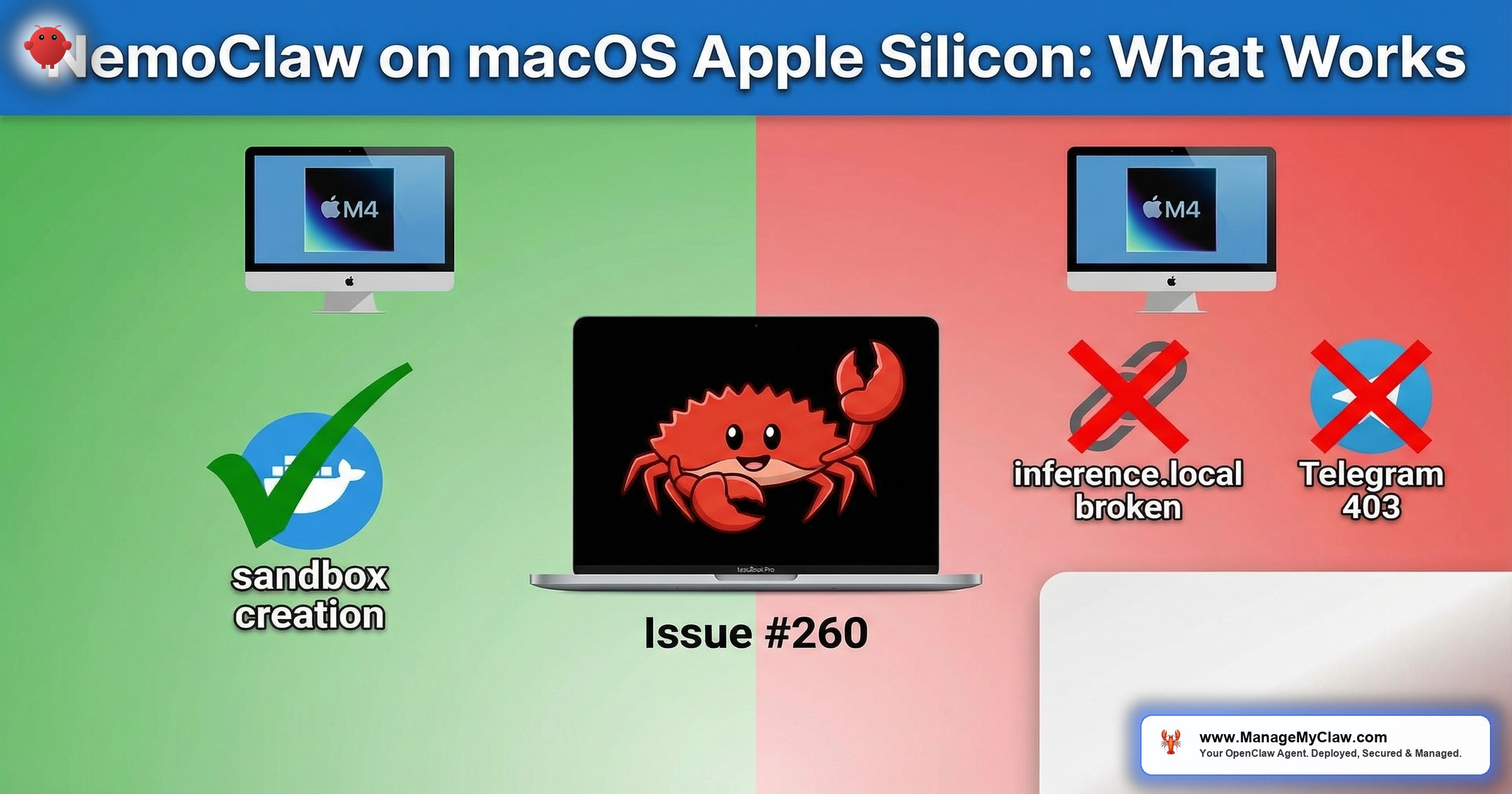
The good news: M-series Macs (M1, M2, M3, M4) can run the core NemoClaw stack through Docker Desktop. The gateway container starts, the policy engine evaluates YAML rules, and sandboxed agents execute tasks. The bad news: local inference routing is broken, messaging platform integrations return 403 errors, and the sandbox’s DNS configuration has gaps that require manual fixes. This is partial support, not full compatibility.
This guide documents exactly what works, what does not, and the workarounds for each gap. If you are evaluating NemoClaw on a Mac before committing to Linux production infrastructure, this is the compatibility reference you need. For the complete set of cross-platform issues, see our NemoClaw Troubleshooting Guide. For cost-comparison between running on a Mac Mini versus a VPS, see our Mac Mini vs. VPS analysis.
What Works on macOS Apple Silicon
The following NemoClaw components function correctly on Apple Silicon Macs running Docker Desktop with the Apple Virtualization framework backend.
| Component | Status | Notes |
|---|---|---|
| Docker Desktop (Apple Virtualization) | Works | Required — Colima, Podman, OrbStack are untested |
| Gateway container | Works | Starts and runs stably on ARM64 Docker images |
| YAML policy engine | Works | 4-level evaluation (binary, destination, method, path) functions correctly |
| OpenShell sandbox | Works (with limitations) | Landlock and seccomp function inside Docker Desktop’s Linux VM; some syscall filters differ from native Linux |
| Cloud API inference (OpenAI, Anthropic) | Works | Outbound HTTPS to cloud endpoints functions normally |
| Policy presets | Works | YAML presets load and enforce (but check #272 binary gaps) |
NemoClaw on macOS has only been tested with Docker Desktop for Mac using the Apple Virtualization framework. Docker Desktop runs a lightweight Linux VM under the hood, which provides the Linux kernel features (Landlock, seccomp, cgroups v2) that NemoClaw requires. Alternative container runtimes like Colima, Podman Desktop, or OrbStack may work, but they are untested and unsupported. If you encounter issues with an alternative runtime, the first troubleshooting step is to switch to Docker Desktop.
What Does Not Work on macOS Apple Silicon
Local Inference Routing (inference.local DNS)
NemoClaw’s privacy router uses the hostname inference.local to route requests to a local LLM (Ollama, Nemotron) instead of cloud APIs. On native Linux, the onboarding wizard adds this entry to /etc/hosts inside the sandbox. On macOS, this step is skipped — GitHub #260 confirms that inference.local is not added to /etc/hosts inside the sandbox on Darwin systems during nemoclaw onboard. The fix needed: add an inference.local to host gateway mapping to the sandbox /etc/hosts during onboarding on macOS. Until NVIDIA patches this, the manual workaround below is required. The sandbox cannot resolve inference.local, so every local inference request fails with a DNS resolution error.
The agent sends an inference request to http://inference.local:11434/v1/chat/completions.
The sandbox’s DNS resolver returns NXDOMAIN — the hostname does not exist.
The privacy router never receives the request. The agent hangs waiting for a response that will never arrive.
On native Linux, /etc/hosts inside the sandbox contains 127.0.0.1 inference.local. On macOS, this entry is missing.
# Verify the problem
$ nemoclaw sandbox exec -- getent hosts inference.local
# Returns nothing — hostname unknown

# Option 1: Add /etc/hosts entry inside the sandbox
$ nemoclaw sandbox exec -- sh -c \
  'echo "host.docker.internal inference.local" >> /etc/hosts'

# Option 2: Configure NemoClaw to use host.docker.internal directly
$ nemoclaw config set inference.endpoint http://host.docker.internal:11434

# Option 3: Add to your YAML policy network destinations
# and use the Docker host IP explicitly

# Verify the fix
$ nemoclaw sandbox exec -- curl -s http://inference.local:11434/api/tags
# Should return Ollama model listThe manual /etc/hosts entry is lost when the sandbox container restarts. You must re-apply it after every nemoclaw restart. To automate this, add the command to a post-start hook script or use Option 2 (configuring the endpoint directly) which persists in NemoClaw’s configuration file.
Docker Model Runner cannot reach the inference endpoint through the sandbox’s netns (network namespace) isolation — the same DNS gap affects it. Local inference via Ollama is also broken due to this DNS bug in the sandbox setup on macOS. Both tools require the manual /etc/hosts fix or the host.docker.internal endpoint configuration to function. This is not a Docker or Ollama issue — it is a NemoClaw sandbox DNS configuration gap specific to Darwin.
Discord and Telegram 403 Errors on Apple Silicon
Agents connecting to Discord or Telegram receive 403 Forbidden responses on Apple Silicon Macs (GitHub #481). This is the same issue documented across all platforms, but on Apple Silicon it manifests more consistently — the proxy-related 403 errors appear to be exacerbated by the ARM64 Docker environment. The HTTP CONNECT proxy does not properly handle the WebSocket upgrade for Discord’s gateway or Telegram’s long-polling API when running inside Docker Desktop’s ARM64 Linux VM.
# Check if the 403 comes from NemoClaw's proxy or the upstream
$ nemoclaw logs --component proxy | grep -i "403\|CONNECT\|websocket"

# Test Discord connectivity from inside the sandbox
$ nemoclaw sandbox exec -- curl -v https://discord.com/api/v10/gateway
# Look for "403 Forbidden" in the response headers
# If the response includes NemoClaw proxy headers, the proxy is blocking

# Workaround: bypass proxy for messaging endpoints
# Add to your YAML policy:
network:
  proxy_bypass:
    - gateway.discord.gg
    - discord.com
    - api.telegram.org
No Native GPU Acceleration for Inference
Apple Silicon’s GPU (Metal framework) is not compatible with NemoClaw’s NVIDIA-specific inference pipeline. The privacy router is designed to route inference to NVIDIA GPUs running CUDA. Apple Silicon has no CUDA support. This means the full NemoClaw privacy routing story — keeping sensitive data on local hardware via Nemotron inference — does not apply to Mac deployments.
You can still run Ollama on Apple Silicon with Metal acceleration and route NemoClaw inference requests to it. Ollama handles the Metal GPU abstraction. But this is Ollama’s inference, not NemoClaw’s privacy router managing the inference path. The distinction matters for compliance: NemoClaw’s privacy router provides auditable routing decisions and data classification. Ollama alone does not.
Docker Desktop Configuration for NemoClaw
Docker Desktop on macOS runs a lightweight Linux VM using the Apple Virtualization framework (or the older HyperKit backend). NemoClaw needs specific resource allocations in this VM to function without OOM kills or sandbox timeouts.
# Docker Desktop → Settings → Resources
# CPU: 4 cores minimum (6 recommended)
# Memory: 8 GB minimum (12 GB recommended)
# Swap: 4 GB
# Disk: 64 GB minimum

# Docker Desktop → Settings → General
# Use Virtualization Framework: ENABLED
# Use Rosetta for x86/amd64 emulation: ENABLED
# (Some NemoClaw images may be amd64-only)

# Verify settings from terminal
$ docker info | grep -E "CPUs|Memory|Storage"
$ docker system info | grep -i "server version"Some NemoClaw container images may be built for x86_64/amd64 only. Docker Desktop’s Rosetta emulation handles this transparently on Apple Silicon, but with a performance penalty of 10-30%. If you notice slow sandbox startup or policy evaluation, check whether the gateway image is ARM64 native: docker image inspect nemoclaw-gateway | grep Architecture. ARM64-native images will be faster.
Complete macOS Setup Procedure
Follow these steps in order. Each step depends on the previous one succeeding.
-
1
Install Docker Desktop for Mac. Download from docker.com. Enable Apple Virtualization framework and Rosetta emulation in Settings. Allocate at least 8 GB RAM and 4 cores to the Docker VM.
-
2
Install NemoClaw CLI. Follow the standard installation from the Implementation Guide. The CLI installs as a native ARM64 binary on Apple Silicon.
-
3
Run onboarding with cloud inference mode. Since local inference routing is broken on macOS, configure for cloud APIs during onboarding:
nemoclaw onboard --inference=cloud. This skips privacy router configuration for local models. -
4
Fix inference.local DNS if needed. If you want to use Ollama running on macOS for inference, add the manual DNS entry:
nemoclaw config set inference.endpoint http://host.docker.internal:11434. -
5
Validate the sandbox. Run
nemoclaw sandbox testto verify that the sandbox starts, policy enforcement works, and outbound connectivity is functional. Check the test output for any warnings about macOS-specific gaps. -
6
Skip Discord/Telegram integration. If your use case requires messaging platform connectivity, add proxy bypass rules (see above) or plan for a Linux deployment for production messaging workflows.
macOS Compatibility Matrix
| Feature | Native Linux | macOS (Docker Desktop) | Issue |
|---|---|---|---|
| Gateway + sandbox startup | Full support | Works | — |
| YAML policy enforcement | Full support | Works | — |
| Cloud API inference | Full support | Works | — |
| Local inference (inference.local) | Full support | Broken — manual DNS fix | #260 |
| Privacy router (Nemotron) | Full support (NVIDIA GPU) | Not available (no CUDA) | Architecture |
| Discord integration | Broken (all platforms) | Broken (403) | #481 |
| Telegram integration | Broken (all platforms) | Broken (403) | #481 |
| Landlock filesystem isolation | Full support | Works (inside Docker VM) | — |
| seccomp syscall filtering | Full support | Partial (some syscalls differ in VM) | #260 |
Mac Mini as NemoClaw Development Server
Several teams have asked about using a Mac Mini (M2 Pro/M4 Pro) as a dedicated NemoClaw development server. The appeal is clear: Apple Silicon provides excellent performance-per-watt, 32-64 GB unified memory handles LLM inference via Ollama, and the hardware cost is competitive with cloud VMs over a 12-month period.
For development and evaluation, a Mac Mini works. The core NemoClaw stack runs, cloud API inference functions, and you can test YAML policies against real agent workflows. Ajeetraina.com published a comprehensive guide — “Can I run NVIDIA NemoClaw on Apple Silicon?” — that walks through the complete setup with Docker Desktop optimization tips. For Docker performance tuning on Apple Silicon specifically, macdate.com provides a Docker performance optimization guide. For anything beyond evaluation — staging, production, compliance-sensitive workloads — the gaps documented in this guide make a Mac Mini unsuitable. The absence of NVIDIA GPU support means no privacy router, no auditable local inference routing, and no path to the full NemoClaw security story that enterprise buyers are evaluating.
Use macOS for local development and initial NemoClaw evaluation. When you are ready for staging or production, deploy on native Linux with NVIDIA GPU hardware for the full privacy routing capability. Our managed deployment service handles the infrastructure transition — we provision the Linux environment, configure NemoClaw, and validate your YAML policies against production requirements.
Frequently Asked Questions
Does NemoClaw run on Intel Macs?
Docker Desktop runs Linux containers on Intel Macs via HyperKit. The NemoClaw gateway and sandbox should start, but Intel Macs have been deprecated by Apple and are not tested by the NemoClaw community. If you have an Intel Mac, expect the same gaps as Apple Silicon (inference.local DNS, Discord 403s) plus potential additional compatibility issues with older Docker Desktop versions. We recommend using the Intel Mac only for basic evaluation.
Can I use Colima instead of Docker Desktop?
Colima has not been tested with NemoClaw. It uses Lima to run a Linux VM and provides a Docker-compatible API, but the VM configuration, networking, and storage driver may differ from Docker Desktop in ways that affect NemoClaw’s sandbox initialization. If Docker Desktop’s licensing is a concern for your organization, test Colima thoroughly in a non-production environment before committing. File any issues you find on the NemoClaw GitHub under #260.
Will NemoClaw ever support Metal GPU acceleration?
Unlikely in the near term. NemoClaw’s privacy router and inference pipeline are built on NVIDIA’s CUDA ecosystem. Supporting Apple’s Metal framework would require a parallel inference backend, which is a significant engineering investment for a niche deployment target. Ollama already provides Metal-accelerated inference on Apple Silicon — the pragmatic approach is to run Ollama with Metal on the Mac and configure NemoClaw to route inference requests to it via host.docker.internal.
How does macOS NemoClaw compare to a $20/month Linux VPS?
A $20/month Linux VPS (4 vCPU, 8 GB RAM, Ubuntu 24.04) runs native Linux with full NemoClaw support: no Docker Desktop overhead, no DNS gaps, no Rosetta emulation. The VPS lacks local inference (no GPU), but cloud API inference works perfectly. For evaluation and development, macOS is more convenient. For anything approaching production, a Linux VPS provides a more reliable NemoClaw experience at lower cost. See our Mac Mini vs. VPS comparison for the full cost analysis.


