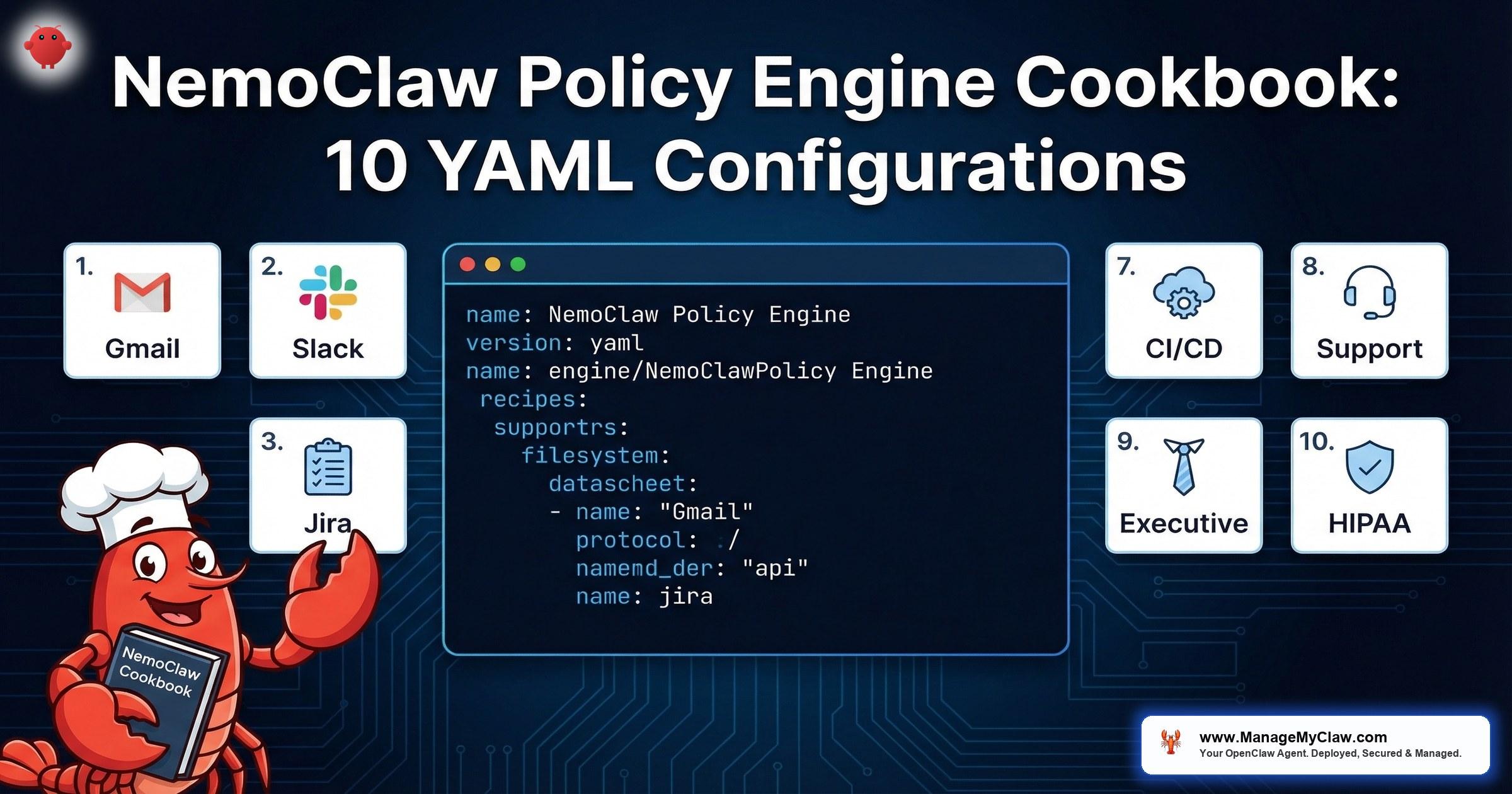
“NemoClaw’s YAML policy engine evaluates every agent action through 4 levels — binary, destination, method, path — before allowing execution. The default is deny. Everything an agent does must be explicitly permitted.”
— NVIDIA NemoClaw Documentation, March 2026
48% of CISOs rank agentic AI as their number one attack vector, according to a Dark Reading poll from early 2026. Their concern is justified: an AI agent with unrestricted network access, file system permissions, and API credentials is not a productivity tool — it is an attack surface. NemoClaw’s YAML policy engine exists to close that gap. It sits between the agent’s intent and the outside world, evaluating every action through a 4-level decision tree before allowing execution.
This post is a cookbook — 10 production-ready YAML configurations for common enterprise workflows. Not theoretical examples. Each configuration addresses a real deployment scenario: email triage, Slack integration, CI/CD pipelines, HIPAA-compliant healthcare agents, and more. If you have completed the initial NemoClaw setup described in our Implementation Guide, these policies are the next step toward production hardening.
Before the recipes, you need to understand the evaluation engine that processes them. If you have already read our NemoClaw Architecture Deep Dive, skip to Recipe 1. If not, the next section is essential context.
evaluation levels: binary, destination, method, path
production-ready YAML recipes in this guide
How the 4-Level Evaluation Works
Every YAML policy file lives at policies/openclaw-sandbox.yaml in your NemoClaw deployment. When an agent attempts any action — an HTTP request, a file read, a binary execution — the policy engine evaluates the request through 4 sequential levels. If any level returns deny, the action is blocked. There is no override, no fallthrough, no “allow anyway” escape hatch.
Level 1: Binary Permissions
Which executables can the agent invoke? The agent runs inside an OpenShell sandbox. By default, no binaries are available. You must explicitly allow each one — node, python3, curl, git, docker. If the agent tries to call rm and rm is not in the binary allowlist, the call is blocked at the kernel level before the process spawns.
Level 2: Destination Filtering
Which hosts can the agent contact? Network namespaces isolate agent traffic, and the destination filter controls which domains are reachable. An agent configured with api.slack.com as the only allowed destination cannot make requests to any other host — not even localhost, unless explicitly permitted. This is OWASP ASI04 (Indirect Prompt Injection) defense: even if an attacker injects a payload instructing the agent to exfiltrate data, the network policy blocks the outbound request.
Network authorization in NemoClaw uses Open Policy Agent (OPA) with the Rego policy language — not just YAML. While the YAML policy file defines the high-level rules (destinations, methods, paths), the underlying enforcement engine evaluates those rules as Rego policies. This means advanced deployments can write custom Rego rules for fine-grained network authorization — enforcing host, port, and HTTP method combinations with programmatic logic that YAML cannot express. For most deployments, the YAML abstraction is sufficient. For complex multi-service architectures with conditional access rules, direct Rego authoring provides additional control.
NemoClaw enforces two categories of policy. Static policies — filesystem restrictions (Landlock) and process restrictions (seccomp) — are locked at sandbox creation time and cannot be changed while the agent is running. If you need to modify a Landlock rule, you must restart the sandbox. Dynamic policies — network authorization rules enforced via the HTTP CONNECT proxy — are hot-reloadable at runtime. You can update which destinations, methods, and paths an agent can access without restarting the sandbox. This distinction matters for operational workflows: network policy changes deploy instantly, but filesystem or syscall policy changes require a maintenance window.
Level 3: HTTP Method Restrictions
Which HTTP methods are permitted per destination? You might allow GET requests to gmail.googleapis.com for an email triage agent, but block POST, PUT, DELETE, and PATCH. The agent can read emails but cannot send, modify, or delete them. Read-only access at the protocol level, enforced before the request leaves the sandbox.
NemoClaw’s network policy enforcement works through an HTTP CONNECT proxy that terminates TLS connections. This is how method-level and path-level inspection is possible — the proxy decrypts the request, evaluates it against the policy rules, and re-encrypts before forwarding. Without TLS termination, the proxy could only see the destination host (from the CONNECT request), not the HTTP method, path, or headers. This architecture is documented in the NVIDIA docs and is essential context for security teams evaluating NemoClaw’s network interception model. The TLS termination happens within the sandbox boundary — it does not expose plaintext traffic to the host network.
Level 4: Path-Level Granularity
Which specific API paths or filesystem paths are accessible? This is the most granular control. You can allow GET to api.slack.com/conversations.history but deny GET to api.slack.com/admin.users.list. For filesystem access, Landlock policies restrict which directories the agent can read or write. An agent confined to /sandbox/ and /tmp/ cannot touch /etc/, /home/, or any other path on the host.
NemoClaw ships with presets in the policies/presets/ directory for common integrations: Slack, Jira, Discord, npm, PyPI, Docker, Telegram, HuggingFace, and Outlook. Presets are starting points, not production configurations. They provide reasonable defaults for destination and method filtering, but you should review and narrow every preset before deploying to production. A preset that allows POST to api.slack.com may be too broad for an agent that only needs to read messages.
As of the current NemoClaw release, presets define network destination rules but do not restrict which binaries can reach those allowed endpoints (GitHub issue #272). This means any process running inside the sandbox — not just the intended agent binary — can make requests to the allowed destinations. If a compromised dependency spawns a subprocess, that subprocess inherits the network permissions. Mitigation: Always add explicit binaries: allow: rules to every preset-derived policy. Do not rely on presets alone for binary-level enforcement.
NemoClaw includes an approval TUI (terminal user interface) that displays agent access attempts in real time while you keep an OpenShell terminal open. Run it alongside your agent to watch every policy evaluation as it happens — which destinations the agent contacts, which methods it uses, and which actions are allowed or denied. This is invaluable during policy development: write a draft policy, start the agent with the approval TUI active, and observe where the policy is too strict (legitimate actions denied) or too loose (unexpected actions allowed). Adjust the YAML, reload the dynamic network policies, and iterate without restarting the sandbox (Second Talent).
Email Triage Agent: Gmail Read-Only
The most common first deployment: an agent that reads incoming email, classifies messages by urgency and topic, and produces a daily summary. This agent should never send, delete, or modify emails. The policy enforces read-only access at the HTTP method level.
# Recipe 1: Email Triage Agent — Gmail Read-Only
# Agent reads inbox, classifies messages, produces daily summary
# No send, delete, or modify permissions

name: email-triage-agent
version: "1.0"

binaries:
  allow:
    - node
    - python3

network:
  destinations:
    - host: gmail.googleapis.com
      methods: [GET]
      paths:
        - /gmail/v1/users/me/messages
        - /gmail/v1/users/me/messages/*
        - /gmail/v1/users/me/labels
    - host: oauth2.googleapis.com
      methods: [POST]
      paths:
        - /token

filesystem:
  read:
    - /sandbox/config/
    - /tmp/
  write:
    - /sandbox/output/
    - /tmp/
What this policy enforces: The agent can execute node and python3 — nothing else. It can make GET requests to Gmail’s messages and labels endpoints only. The sole POST permission is to the OAuth token endpoint for credential refresh. No POST to the messages send endpoint. No DELETE to any Gmail path. The agent physically cannot send or delete email, regardless of what instructions it receives.
The OAuth2 token refresh flow requires a POST to oauth2.googleapis.com/token. If you omit this, the agent’s access token will expire after 1 hour and all Gmail API calls will fail with a 401. This is a common configuration mistake in read-only deployments — the token refresh is a write operation even when the agent’s functional behavior is read-only.
Slack Integration: Specific Channels Only
An agent that monitors specific Slack channels for support requests and posts structured responses. The Slack preset is a starting point, but production deployments must restrict which channels the agent can read and write to. This policy confines the agent to designated channels by ID, preventing it from accessing private channels, DMs, or admin endpoints.
# Recipe 2: Slack Integration — Specific Channels Only
# Agent monitors #support and #engineering channels
# Cannot access DMs, admin APIs, or other channels

name: slack-support-agent
version: "1.0"

binaries:
  allow:
    - node

network:
  destinations:
    - host: slack.com
      methods: [POST]
      paths:
        - /api/conversations.history
        - /api/conversations.replies
        - /api/chat.postMessage
        - /api/reactions.add
    - host: slack.com
      methods: [GET]
      paths:
        - /api/conversations.info
        - /api/users.info

parameters:
  channel_allowlist:
    - C04SUPPORT01   # #support
    - C04ENGINEER02  # #engineering

filesystem:
  read:
    - /sandbox/config/
  write:
    - /sandbox/logs/
    - /tmp/
Key design decision: Slack’s API uses POST for most operations, including reads like conversations.history. This means HTTP method filtering alone is not sufficient — you need path-level restrictions (Level 4) to distinguish between reading channel history and posting messages. The channel_allowlist parameter adds an application-level constraint: the agent’s runtime code checks channel IDs against this list before making API calls. This is defense in depth — network policy blocks unauthorized paths, and application logic blocks unauthorized channels.
- admin.users.list — Agent cannot enumerate workspace members
- admin.conversations.create — Agent cannot create new channels
- conversations.invite — Agent cannot add users to channels
- files.upload — Agent cannot upload files to Slack
Jira Ticket Management: Create and Update, No Delete
An agent that creates tickets from support requests, updates ticket status based on engineering activity, and adds comments with context. The policy allows ticket creation and updates but blocks deletion, project administration, and user management. This maps to OWASP ASI07 (Excessive Agency) — the agent can perform its designated function without having permissions that exceed its role.
# Recipe 3: Jira Ticket Management
# Agent creates and updates tickets, adds comments
# No delete, no project admin, no user management

name: jira-ticket-agent
version: "1.0"

binaries:
  allow:
    - node
    - python3

network:
  destinations:
    - host: your-org.atlassian.net
      methods: [GET]
      paths:
        - /rest/api/3/search
        - /rest/api/3/issue/*
        - /rest/api/3/project
        - /rest/api/3/status
    - host: your-org.atlassian.net
      methods: [POST]
      paths:
        - /rest/api/3/issue
        - /rest/api/3/issue/*/comment
        - /rest/api/3/issue/*/transitions
    - host: your-org.atlassian.net
      methods: [PUT]
      paths:
        - /rest/api/3/issue/*
    - host: auth.atlassian.com
      methods: [POST]
      paths:
        - /oauth/token

filesystem:
  read:
    - /sandbox/config/
    - /sandbox/templates/
  write:
    - /sandbox/output/
    - /tmp/
Why DELETE is absent: No DELETE method appears in this policy. The agent cannot delete issues, comments, or projects. It can create, read, update, and transition issues — the complete CRUD lifecycle minus the D. If a Jira ticket needs to be deleted, a human performs that action. This is intentional: deletion is an irreversible operation, and an agent operating on potentially manipulated input (OWASP ASI04) should not have irreversible capabilities.
Database Read-Only Access: Query Without Mutation
An agent that queries a PostgreSQL database for reporting — pulling metrics, aggregating data, generating dashboards — without the ability to insert, update, or delete records. The policy restricts network access to the database host and port, while database-level permissions (a read-only PostgreSQL role) provide the second layer of defense.
# Recipe 4: Database Read-Only Access
# Agent queries PostgreSQL for reporting and analytics
# No INSERT, UPDATE, DELETE — enforced at both network and DB level

name: db-reporting-agent
version: "1.0"

binaries:
  allow:
    - node
    - python3
    - psql

network:
  destinations:
    - host: db-replica.internal.company.com
      port: 5432
      protocol: tcp

filesystem:
  read:
    - /sandbox/config/
    - /sandbox/queries/
  write:
    - /sandbox/output/
    - /tmp/

environment:
  PGUSER: readonly_agent
  PGDATABASE: analytics
  PGSSLMODE: require
Defense in depth: This policy uses two independent controls. First, the network destination is locked to db-replica.internal.company.com on port 5432 — the agent connects to a read replica, not the primary database. Even if the agent somehow obtained write credentials, it is connecting to a replica that does not accept writes. Second, the PostgreSQL role readonly_agent has SELECT permissions only. Two independent systems must both fail for a write to succeed.
Always point agent database connections at read replicas, not primary databases. This eliminates write risk at the infrastructure level regardless of policy configuration. If your organization does not have a read replica, creating one for agent access is a worthwhile investment — it also prevents agent queries from impacting production database performance.
File System Restricted to /sandbox/ and /tmp/
Every NemoClaw deployment should restrict filesystem access. OpenShell enforces this via Landlock — a Linux kernel security module that restricts filesystem access at the kernel level, not at the application level. Even if the agent spawns a child process, that process inherits the Landlock restrictions. There is no escape via subprocess injection.
# Recipe 5: Filesystem Restricted to /sandbox/ and /tmp/
# Landlock kernel-level enforcement — no escape via subprocess

name: sandboxed-agent
version: "1.0"

binaries:
  allow:
    - node
    - python3

filesystem:
  read:
    - /sandbox/
    - /tmp/
    - /usr/lib/       # shared libraries required by binaries
    - /usr/local/lib/ # node_modules, Python packages
  write:
    - /sandbox/workspace/
    - /sandbox/output/
    - /tmp/
  deny:
    - /etc/
    - /home/
    - /root/
    - /var/
    - /proc/
    - /sys/

network:
  destinations: []  # No network access — fully offline agent
Why /usr/lib/ needs read access: Binary execution requires loading shared libraries. If you restrict the agent to /sandbox/ and /tmp/ only, node and python3 will fail to start because they cannot load libc, libssl, and other system libraries. The /usr/lib/ and /usr/local/lib/ read permissions are not a security gap — these paths contain system libraries, not configuration or data. Denying them breaks execution entirely.
The explicit deny list: Landlock operates on an allowlist model, so the deny list is technically redundant — anything not in the read or write lists is already blocked. We include it for documentation clarity and for compliance auditors who need to see explicit denial of sensitive paths like /etc/ (configuration), /proc/ (process information), and /sys/ (kernel parameters).
API Call Allowlist: Specific Endpoints Only
An agent that calls specific external APIs — a weather service, a currency conversion endpoint, a company-internal microservice — and nothing else. This is the strictest network policy pattern: enumerate exactly which URLs the agent can call, at which HTTP methods, and deny everything else. This directly addresses OWASP ASI04 (Indirect Prompt Injection) by ensuring that even if the agent is tricked into calling an attacker-controlled URL, the network policy blocks the request.
# Recipe 6: API Call Allowlist — Specific Endpoints Only
# Agent calls 3 specific APIs, nothing else

name: api-consumer-agent
version: "1.0"

binaries:
  allow:
    - node
    - curl

network:
  destinations:
    # Internal pricing microservice
    - host: pricing.internal.company.com
      methods: [GET]
      paths:
        - /api/v2/quotes
        - /api/v2/rates
    # External weather API
    - host: api.openweathermap.org
      methods: [GET]
      paths:
        - /data/2.5/weather
        - /data/2.5/forecast
    # External currency API
    - host: api.exchangerate-api.com
      methods: [GET]
      paths:
        - /v4/latest/*

filesystem:
  read:
    - /sandbox/config/
  write:
    - /sandbox/output/
    - /tmp/
No wildcard hosts: The policy names every allowed destination explicitly. There is no *.company.com wildcard. Wildcard host patterns are the most common YAML policy mistake in enterprise deployments — they inadvertently allow access to staging environments, internal admin tools, and other services that share the domain suffix. Name each host. Review each host. This is where security teams should focus their YAML policy review.
CI/CD Pipeline Agent: npm, Docker Allowed
An agent that runs as part of a CI/CD pipeline — installing npm dependencies, building Docker images, running tests. This is the broadest policy in this cookbook because CI/CD agents genuinely need more access. The key constraint is limiting that access to build-related hosts and preventing the agent from accessing production infrastructure or sensitive internal services.
# Recipe 7: CI/CD Pipeline Agent
# Broad build permissions, no production access

name: cicd-build-agent
version: "1.0"

binaries:
  allow:
    - node
    - npm
    - npx
    - python3
    - pip
    - docker
    - git
    - make
    - bash

network:
  destinations:
    # Package registries
    - host: registry.npmjs.org
      methods: [GET]
    - host: pypi.org
      methods: [GET]
    - host: files.pythonhosted.org
      methods: [GET]
    # Container registry
    - host: registry.hub.docker.com
      methods: [GET, POST, PUT, PATCH]
    - host: auth.docker.io
      methods: [GET, POST]
    - host: production.cloudflare.docker.com
      methods: [GET]
    # Source control
    - host: github.com
      methods: [GET, POST]
    - host: api.github.com
      methods: [GET, POST]
      paths:
        - /repos/your-org/*/actions/runs
        - /repos/your-org/*/statuses/*
        - /repos/your-org/*/check-runs

filesystem:
  read:
    - /sandbox/
    - /tmp/
    - /usr/lib/
    - /usr/local/
  write:
    - /sandbox/
    - /tmp/
    - /var/run/docker.sock  # Required for docker build
The Docker socket risk: Granting write access to /var/run/docker.sock is the most significant permission in this policy. The Docker socket provides root-equivalent access to the host if abused. For CI/CD agents, this is often unavoidable — building and pushing container images requires Docker daemon access. Mitigate this risk by running the CI/CD agent in a dedicated VM or container that is isolated from production infrastructure. Never share a Docker socket between a CI/CD agent and production workloads.
- Production databases — No database hosts in the destination list
- Cloud provider APIs — No AWS/GCP/Azure API endpoints permitted
- Internal services — No *.internal.company.com access
- Deployment targets — Agent builds artifacts; a separate deployment pipeline pushes them
Customer Support Agent: CRM Access, No PII Export
An agent that handles first-tier customer support — reading CRM records, looking up order status, drafting responses — without the ability to export customer data in bulk. This is a compliance-critical configuration: the agent has read access to PII (names, emails, order history) for individual lookups but cannot run bulk exports, download CSV files, or access data dump endpoints. This aligns with the EU AI Act’s data minimization requirements and GDPR Article 25 (data protection by design).
# Recipe 8: Customer Support Agent
# CRM read access for individual lookups, no bulk export
# PII visible in-context only, not exportable

name: support-agent
version: "1.0"

binaries:
  allow:
    - node

network:
  destinations:
    # CRM (Salesforce example)
    - host: your-org.my.salesforce.com
      methods: [GET]
      paths:
        - /services/data/v59.0/sobjects/Contact/*
        - /services/data/v59.0/sobjects/Case/*
        - /services/data/v59.0/sobjects/Order/*
        - /services/data/v59.0/query
    - host: your-org.my.salesforce.com
      methods: [POST]
      paths:
        - /services/data/v59.0/sobjects/Case
        - /services/data/v59.0/sobjects/CaseComment
    - host: login.salesforce.com
      methods: [POST]
      paths:
        - /services/oauth2/token
    # Internal knowledge base
    - host: kb.internal.company.com
      methods: [GET]

blocked_paths:
  # Explicitly block bulk export endpoints
  - /services/data/v59.0/jobs/query      # Bulk API
  - /services/data/v59.0/jobs/ingest     # Bulk data load
  - /services/data/v59.0/sobjects/*/export

filesystem:
  read:
    - /sandbox/config/
    - /sandbox/templates/
  write:
    - /sandbox/drafts/  # Response drafts only
    - /tmp/
The PII boundary: The agent can read individual contact records via GET /sobjects/Contact/{id}, which means it sees names, emails, and phone numbers in the API response. This is necessary for the agent to address customers by name and reference their order history. But the agent cannot call the Bulk API (/jobs/query), which would allow it to export thousands of records. The filesystem write path is restricted to /sandbox/drafts/ — the agent writes response drafts, not data dumps. If the agent attempts to write a CSV file containing customer data, the write succeeds only within the sandboxed path, and a human reviews the output before any information leaves the sandbox.
Executive Briefing Agent: Calendar + Email, No Write
An agent that prepares daily executive briefings by reading calendar events and email threads, synthesizing key topics and decisions needed, and outputting a structured briefing document. The agent reads everything but writes nothing to external systems. All output stays within the sandbox for human review. This is the safest pattern for executive-level agents: complete visibility, zero external action.
# Recipe 9: Executive Briefing Agent
# Read calendar and email, produce briefing document
# Zero write access to any external system

name: exec-briefing-agent
version: "1.0"

binaries:
  allow:
    - node
    - python3

network:
  destinations:
    # Gmail — read only
    - host: gmail.googleapis.com
      methods: [GET]
      paths:
        - /gmail/v1/users/me/messages
        - /gmail/v1/users/me/messages/*
        - /gmail/v1/users/me/threads
        - /gmail/v1/users/me/threads/*
    # Google Calendar — read only
    - host: www.googleapis.com
      methods: [GET]
      paths:
        - /calendar/v3/calendars/*/events
        - /calendar/v3/calendars/*/events/*
        - /calendar/v3/users/me/calendarList
    # OAuth token refresh
    - host: oauth2.googleapis.com
      methods: [POST]
      paths:
        - /token

filesystem:
  read:
    - /sandbox/config/
    - /sandbox/templates/
  write:
    - /sandbox/briefings/  # Output directory for briefing docs
    - /tmp/
The no-write principle: This agent has zero POST, PUT, DELETE, or PATCH permissions to Gmail or Calendar. It cannot send emails, create calendar events, modify existing events, or RSVP to invitations. The only POST in the entire policy is the OAuth token refresh — a technical necessity, not a functional permission. Briefing documents are written to /sandbox/briefings/ where an executive assistant or the executive themselves reviews the output. The agent never acts on behalf of the executive without explicit human approval.
For organizations on Microsoft 365, replace the Google API destinations with graph.microsoft.com and restrict paths to /v1.0/me/messages, /v1.0/me/calendarView, and /v1.0/me/events with GET only. The NemoClaw Outlook preset provides a starting template, but the default preset includes write permissions that must be removed for an executive briefing agent. Review the preset. Narrow the preset. Deploy the narrowed version.
HIPAA-Compliant Healthcare Agent: Local Inference Only
The strictest policy in this cookbook. A healthcare organization deploying an agent that processes patient data — appointment summaries, clinical notes, insurance eligibility checks — under HIPAA constraints. No patient data leaves the organization’s infrastructure. All LLM inference runs on a local Nemotron model via NemoClaw’s privacy router. No cloud API calls. No external network access whatsoever.
# Recipe 10: HIPAA-Compliant Healthcare Agent
# All inference local via Nemotron — zero cloud API calls
# No PHI leaves the organization's infrastructure

name: hipaa-clinical-agent
version: "1.0"

binaries:
  allow:
    - python3

network:
  destinations:
    # Local inference endpoint only — no external traffic
    - host: nemotron.local.hospital.net
      port: 8080
      methods: [POST]
      paths:
        - /v1/completions
        - /v1/chat/completions
    # Internal EHR API (read-only)
    - host: ehr.local.hospital.net
      methods: [GET]
      paths:
        - /api/fhir/Patient/*
        - /api/fhir/Appointment/*
        - /api/fhir/Encounter/*
        - /api/fhir/DocumentReference/*
    # Internal EHR API (create clinical notes)
    - host: ehr.local.hospital.net
      methods: [POST]
      paths:
        - /api/fhir/DocumentReference

privacy_router:
  mode: local_only
  model: nemotron-mini
  cloud_fallback: disabled
  phi_detection: enabled

filesystem:
  read:
    - /sandbox/config/
    - /sandbox/clinical-templates/
  write:
    - /sandbox/notes/
    - /tmp/

audit:
  log_level: verbose
  log_destination: /var/log/nemoclaw/hipaa-audit.log
  include_request_body: false  # Never log PHI
  include_response_body: false
Zero external network access: Every destination in this policy is on the .local.hospital.net domain — internal infrastructure only. No api.openai.com. No api.anthropic.com. No cloud endpoints of any kind. The privacy router is configured with cloud_fallback: disabled, which means if the local Nemotron model cannot handle a request, the request fails rather than routing to a cloud provider. For HIPAA compliance, a failed request is always preferable to PHI leaving the organization’s network boundary.
Audit logging without PHI: The audit configuration logs every action the agent takes — which endpoints it called, when, and the response status — but include_request_body and include_response_body are both false. The audit log records that the agent accessed Patient/12345 at 14:32:07 UTC, but does not record the patient’s name, diagnosis, or clinical notes. This satisfies HIPAA’s audit trail requirement (who accessed what, when) without creating a secondary PHI exposure in the log files themselves.
This policy configuration is a technical control, not a compliance certification. HIPAA compliance requires a Business Associate Agreement (BAA) with your NemoClaw deployment provider, a risk assessment, staff training, breach notification procedures, and ongoing compliance monitoring. The YAML policy is one layer of a multi-layer compliance program. Our regulated industries guide covers the full compliance picture.
5 YAML Policy Mistakes That Compromise Your Deployment
In working with enterprise NemoClaw deployments, these are the most common YAML policy errors that undermine the security model. Each one has appeared in production configurations reviewed during assessment engagements. The guiding principle from multiple NemoClaw deployment guides is consistent: start strict, loosen as needed. Begin with zero permissions and add only what the agent demonstrably requires. Never start with broad permissions and try to narrow them later — you will miss something.
| Mistake | Risk | Fix |
|---|---|---|
Wildcard hosts (*.company.com) |
Allows access to every subdomain including staging, admin, and internal tools | Name each host explicitly |
| Allowing all HTTP methods | Agent can read, write, and delete on permitted hosts | Specify exact methods per destination |
| Missing OAuth token refresh | Agent fails silently after 1 hour when access tokens expire | Add POST to token refresh endpoint |
Filesystem write to / |
Agent can write anywhere on the host filesystem | Restrict write to /sandbox/ and /tmp/ only |
| No audit logging | No record of agent actions for compliance or incident response | Enable audit logging in every policy |
The YAML Policy Review Workflow for Enterprise Teams
YAML policy files are infrastructure-as-code. They should be treated with the same rigor as Terraform configurations or Kubernetes manifests: version-controlled, peer-reviewed, and tested before deployment.
-
1
Author in development. Write the policy YAML on a macOS or Linux workstation. NemoClaw’s policy validator can check syntax and evaluate rules locally without a running sandbox. Run
nemoclaw policy validate policies/openclaw-sandbox.yamlto catch syntax errors before committing. -
2
Commit to version control. Store all YAML policies in your organization’s Git repository. Every change produces a diff that security and engineering teams can review. Treat policy changes with the same scrutiny as production code changes.
-
3
Security team review. Before any policy reaches staging, the security team reviews the diff. They are looking for 3 things: wildcard hosts, overly broad method permissions, and filesystem paths outside
/sandbox/. If any of those appear, the PR does not merge. -
4
Test in staging. Deploy the policy to a staging NemoClaw instance and run the agent through its intended workflow. Verify that permitted actions succeed and blocked actions fail with clear error messages. Test the boundaries: try calling an endpoint that should be blocked and confirm the deny.
-
5
Deploy to production. After staging validation, deploy the policy to production. Monitor the audit logs for the first 48 hours for unexpected deny events (which indicate the agent needs a permission you missed) or unexpected allow events (which indicate the policy is too broad).
This workflow mirrors what NVIDIA recommends in their NemoClaw documentation and what CrowdStrike’s Secure-by-Design Blueprint prescribes for agent governance. The policy file is not a one-time configuration — it is a living document that evolves as your agent’s capabilities expand and your organization’s security requirements change.
Frequently Asked Questions
Can I combine multiple recipes into one policy file?
No. Each agent should have its own policy file with the narrowest permissions required for its specific function. An agent that handles both email triage and Jira ticket management should be split into two agents, each with its own policy. This follows the principle of least privilege and makes security review tractable. One agent, one policy, one set of permissions.
What happens when an agent action is denied by the policy?
The action fails and the agent receives an error response indicating a policy denial. The denial is logged in the audit trail with the timestamp, agent name, attempted action, and the specific policy rule that blocked it. The agent does not retry automatically — it reports the failure to the orchestrator or returns an error to the user. Denied actions are the most valuable signal in your audit logs; they tell you either that the policy is working correctly or that it needs adjustment.
How do presets relate to custom policies?
NemoClaw presets (Slack, Jira, Discord, npm, PyPI, Docker, Telegram, HuggingFace, Outlook) are starting templates that provide reasonable defaults for common integrations. They are not production-ready configurations. Import a preset, review every destination and method permission, remove anything your agent does not need, add path-level restrictions, and save the result as your custom policy. The preset saves you from writing the policy from scratch. It does not save you from reviewing it.
Does the policy engine work with custom MCP servers?
Yes. NemoClaw’s policy engine evaluates all network traffic from the sandbox, regardless of whether the request originates from a built-in tool, an MCP server, or a direct HTTP call from agent code. If your custom MCP server makes requests to api.example.com, that destination must be in the policy’s allowed destinations list. The policy engine does not distinguish between request sources — it evaluates every outbound request from the sandbox against the same rules. See our architecture deep dive for how the out-of-process policy engine intercepts traffic.
How often should YAML policies be reviewed?
Review policies quarterly at minimum, and immediately after any of these events: NVIDIA releases a new NemoClaw version, your agent’s capabilities are expanded, a new integration is added, or a security incident occurs. Quarterly reviews catch policy drift — permissions that were added temporarily and never removed, destinations for services that have been decommissioned, or method permissions that are broader than current functionality requires. ManageMyClaw’s Enterprise Managed Care includes quarterly policy reviews as part of the ongoing governance program.
Our $2,500 Assessment reviews your YAML policies, maps OWASP ASI01-ASI10 coverage, and delivers production-ready configurations for your specific use cases in 1 week.
Schedule Architecture Review


