“42,665 exposed OpenClaw instances. 93.4% without authentication. NemoClaw exists because the default configuration of AI agent runtimes is a security incident waiting to happen.”
— Security researcher Maor Dayan, OpenClaw exposure report, 2026
Deploying NemoClaw is not the same as securing NemoClaw. NVIDIA built the security primitives — OpenShell kernel sandbox, YAML policy engine, privacy router — but whether those primitives are correctly configured, actively enforced, and continuously monitored depends on the team operating the deployment. A NemoClaw instance with a misconfigured policy engine is not meaningfully more secure than a bare OpenClaw instance.
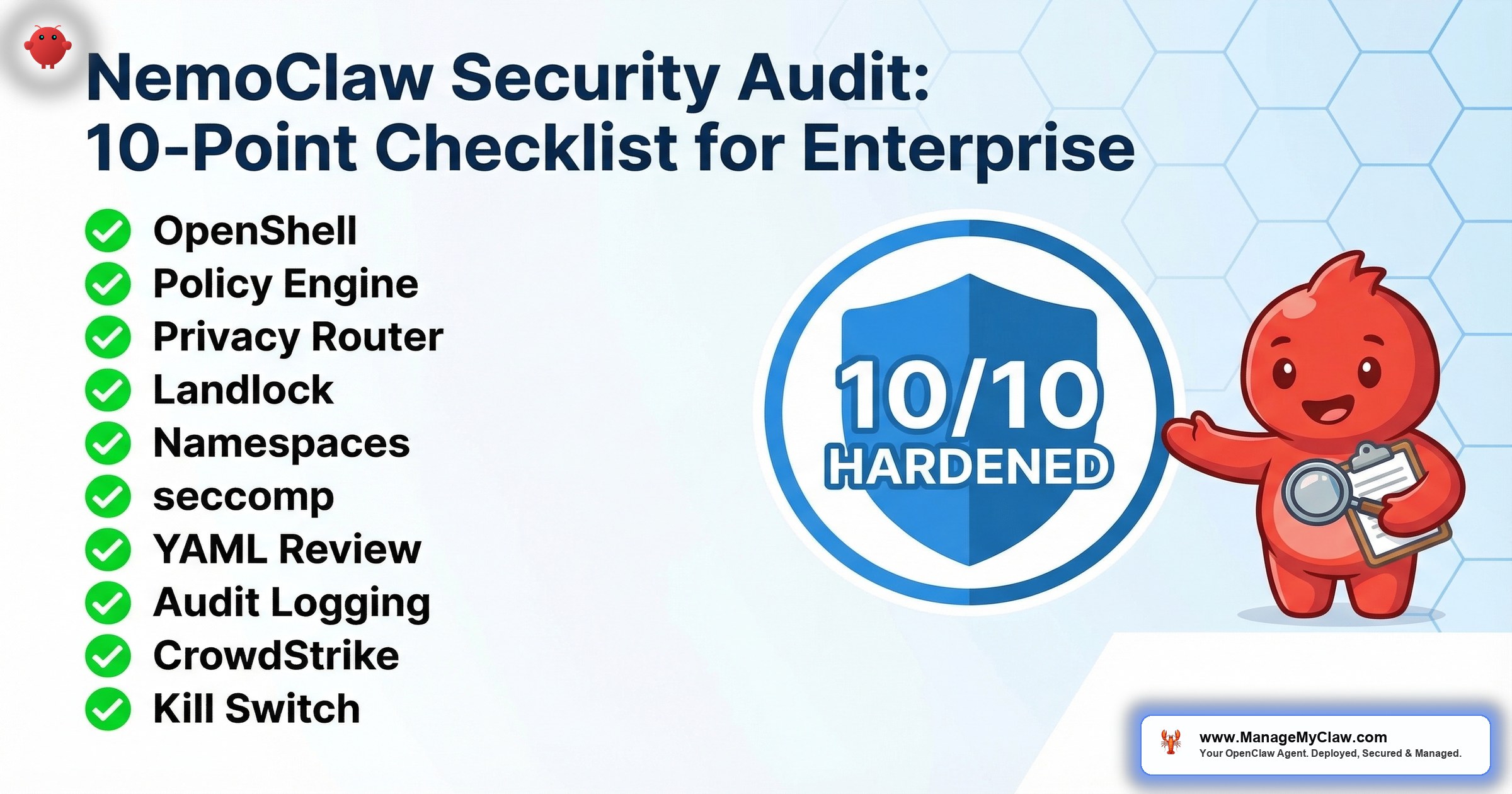
This is the 10-point security audit checklist for enterprise NemoClaw deployments. It is adapted from our 14-point OpenClaw audit checklist, refined for NemoClaw’s architecture and the additional security layers NVIDIA provides. Each point includes the verification command to run, what a passing result looks like, and what a failure indicates. If your deployment does not pass all 10 points, it is not production-ready.
For the architecture behind these controls, see our NemoClaw Architecture Deep Dive. For the implementation procedures that produce a deployment ready for this audit, see our NemoClaw Implementation Guide.
audit points — every one must pass for production readiness
of CISOs rank agentic AI as their #1 attack vector
Before You Begin: Audit Prerequisites
- Root or sudo access to the NemoClaw host (required for kernel-level verification)
- NemoClaw CLI installed and the deployment running (you are auditing a live deployment)
- SSH access to the host — do not audit from the NemoClaw sandbox itself
- A test agent policy available for kill switch testing (Audit Point 10)
- 30–60 minutes for a complete audit pass
OpenShell Sandbox Active: Kernel-Level, Deny-by-Default
The OpenShell sandbox is NemoClaw’s foundation. Every other security control depends on it. If the sandbox is not active, or if it is running in permissive mode, every subsequent audit point is irrelevant. OpenShell provides kernel-level isolation using Landlock (filesystem), seccomp (syscalls), PID namespaces (process isolation), and network namespaces (traffic isolation). The default posture is deny-everything — the agent starts with zero capabilities and must be explicitly granted each permission.
What to verify: OpenShell is running, the sandbox is in deny-by-default mode, and the agent process is executing inside the sandbox — not on the host directly.
# Check that OpenShell is installed and running
$ openshell --version
OpenShell v0.4.2 (kernel support: landlock=yes, seccomp=yes)

# Verify the sandbox mode is deny-by-default
$ nemoclaw config get sandbox.mode
deny-by-default

# Confirm the agent process runs inside the sandbox
$ nemoclaw status
Agent PID: 48231
Sandbox PID Namespace: ns-48231-sandboxed
Sandbox Mode: deny-by-default
Status: RUNNING (sandboxed)- sandbox.mode = permissive — The sandbox is running but not enforcing. All policies are logged but not blocked. This is acceptable for testing; it is a critical vulnerability in production.
- kernel support: landlock=no — Your kernel does not support Landlock (requires Linux 5.13+). The sandbox cannot enforce filesystem restrictions. Upgrade the kernel before proceeding.
- Status: RUNNING (unsandboxed) — The agent is executing on the host without sandbox isolation. Stop the deployment. Investigate why the sandbox failed to initialize.
Linux kernel ≥5.13 required. Landlock support was introduced in Linux 5.13. Verify with uname -r and confirm the version is 5.13 or higher. Older kernels silently skip Landlock enforcement — the sandbox appears to run normally, but filesystem restrictions are not applied. This is the most dangerous failure mode because it produces no error messages.
OpenShell Rust binary verification. OpenShell is a single Rust binary. Verify the binary checksum against the NVIDIA-published hash to confirm your deployment is running the official binary, not a modified or tampered version. Run sha256sum $(which openshell) and compare against the hash published at the NemoClaw GitHub releases page for your version. A mismatched checksum indicates either a corrupted download, an unofficial build, or a compromised binary.
Policy Engine Running Out-of-Process: Verify Separate PID
NemoClaw’s policy engine runs as a separate process from the agent. This is not an implementation detail — it is a security architecture decision. If the policy engine ran inside the agent process, a compromised agent could modify its own policies. By running out-of-process, the policy engine is immune to agent-level exploits. Even if an attacker gains code execution inside the sandbox, they cannot reach the policy engine because it exists in a different process, different PID namespace, and different memory space. This is OWASP ASI07 (Excessive Agency) defense at the architecture level.
# List NemoClaw-related processes
$ ps aux | grep nemoclaw
root     48200  nemoclaw-supervisor
root     48210  nemoclaw-policy-engine --config /etc/nemoclaw/policy.conf
user     48231  nemoclaw-agent --sandbox ns-48231

# Verify the policy engine PID differs from the agent PID
$ nemoclaw audit process-isolation
Policy Engine PID: 48210
Agent PID:         48231
Process Isolation: VERIFIED (separate PID namespaces)
Communication:     Unix socket /var/run/nemoclaw/policy.sock

# Confirm the policy engine is not reachable from inside the sandbox
$ nemoclaw sandbox exec -- ls /var/run/nemoclaw/
ls: cannot access '/var/run/nemoclaw/': Permission denied
What to look for: Three separate processes — the supervisor, the policy engine, and the agent. The policy engine runs as root (or a dedicated system user) while the agent runs as an unprivileged user. The Unix socket /var/run/nemoclaw/policy.sock is how the sandbox communicates policy decisions to the engine, but the agent itself cannot access this socket directly. The last command confirms the sandbox’s filesystem restrictions prevent the agent from seeing the policy engine’s communication channel.
Snyk Labs research demonstrated that even with "none" or "ro" workspace mode, a model can use /tools/invoke to exfiltrate host files from the sandbox environment. Verify this is not possible in your deployment. Test from inside the sandbox by attempting to invoke tool endpoints that read files outside the sandbox boundary. Run nemoclaw sandbox exec -- curl -X POST http://localhost/tools/invoke -d '{"tool":"read_file","path":"/etc/shadow"}' and confirm the request is denied. If the request returns file contents, your sandbox has a tool invocation bypass that must be patched before production deployment. This is distinct from Landlock filesystem enforcement — it targets the agent runtime’s tool interface, which may operate at a different privilege level than the sandboxed process.
Check that your sandbox path validation is not vulnerable to time-of-check/time-of-use (TOCTOU) race conditions. A TOCTOU vulnerability exists when the policy engine validates a file path at check time, but the path resolves to a different file at use time — typically through symlink manipulation. Test by creating a symlink inside the sandbox that points to a sensitive path outside the sandbox: ln -s /etc/passwd /sandbox/workspace/test.txt. Then attempt to read /sandbox/workspace/test.txt. If the read succeeds and returns the contents of /etc/passwd, your Landlock configuration does not resolve symlinks before enforcement. Landlock v3+ handles this correctly, but verify with your specific kernel version.
Privacy Router Configured: Local vs Cloud Routing Tables
The privacy router determines which data goes to local inference (Nemotron on your infrastructure) and which data goes to cloud LLM providers. For organizations subject to HIPAA, GDPR, or data residency requirements, this is not optional. The privacy router must be configured with explicit routing rules that ensure sensitive data — PII, PHI, financial records — never leaves your infrastructure.
# Check privacy router status and configuration
$ nemoclaw privacy-router status
Privacy Router: ACTIVE
Local Model: nemotron-mini (running on localhost:8080)
Cloud Models: claude-sonnet-4-20250514, gpt-4o (via API keys)
Routing Mode: classification-based

# View the routing table
$ nemoclaw privacy-router routes
CATEGORY          ROUTE        MODEL
pii               local        nemotron-mini
phi               local        nemotron-mini
financial_data    local        nemotron-mini
general_reasoning cloud        claude-sonnet-4-20250514
code_generation   cloud        gpt-4o
summarization     cloud        claude-sonnet-4-20250514

# Test routing with a sample containing PII
$ nemoclaw privacy-router test --input "Patient John Smith DOB 03/15/1985"
Classification: PHI detected
Route Decision: LOCAL (nemotron-mini)
Cloud Blocked: Yes- No local model configured — All requests route to cloud. The privacy router exists but provides no data protection.
- Routing mode = passthrough — Classification is disabled; all requests go to the default model regardless of content sensitivity.
- Cloud fallback enabled for PHI categories — If the local model is overloaded, PHI routes to cloud providers. Disable cloud fallback for sensitive categories.
Filesystem Access Restricted: Landlock Policies Verified
Landlock is a Linux kernel security module that restricts filesystem access at the kernel level. Unlike application-level restrictions (which an exploited process can bypass), Landlock restrictions are enforced by the kernel and cannot be circumvented by the sandboxed process — not even by spawning child processes. Every child process inherits the Landlock restrictions of its parent. Verify that the agent cannot read or write outside its designated directories.
# View the Landlock policy applied to the sandbox
$ nemoclaw sandbox landlock-status
Landlock Version: 3
Filesystem Rules:
  READ:  /sandbox/, /tmp/, /usr/lib/, /usr/local/lib/
  WRITE: /sandbox/workspace/, /sandbox/output/, /tmp/
  DENY:  / (everything else)

# Test: attempt to read /etc/passwd from inside the sandbox
$ nemoclaw sandbox exec -- cat /etc/passwd
cat: /etc/passwd: Permission denied

# Test: attempt to write outside allowed paths
$ nemoclaw sandbox exec -- touch /home/testfile
touch: cannot touch '/home/testfile': Permission denied

# Test: attempt to read sensitive kernel parameters
$ nemoclaw sandbox exec -- cat /proc/1/environ
cat: /proc/1/environ: Permission denied
Why test from inside the sandbox: The nemoclaw sandbox exec command runs a command inside the agent’s sandbox environment, subject to the same Landlock restrictions. If cat /etc/passwd succeeds from inside the sandbox, your Landlock configuration is broken. Run at least 3 tests: read a file outside allowed read paths, write a file outside allowed write paths, and access /proc/ or /sys/. All 3 must fail with “Permission denied.”
Network Namespaces Isolating Agent Traffic
Network namespaces provide the agent with its own network stack, separate from the host. The agent has its own network interfaces, routing tables, and firewall rules. Traffic from the sandbox is routed through the policy engine, which evaluates destination, method, and path before allowing the connection. The agent cannot bypass the policy engine by making direct system calls because the network namespace restricts its view of the network to the sandbox’s virtual interface.
# Verify the agent runs in a separate network namespace
$ ls -la /proc/48231/ns/net
lrwxrwxrwx 1 user user 0 Mar 20 14:00 /proc/48231/ns/net -> net:[4026532897]

# Compare with the host network namespace
$ ls -la /proc/1/ns/net
lrwxrwxrwx 1 root root 0 Mar 20 14:00 /proc/1/ns/net -> net:[4026531840]

# The inode numbers differ — agent is in a separate namespace
# 4026532897 (agent) != 4026531840 (host)

# Test: attempt to reach a host not in the policy from inside the sandbox
$ nemoclaw sandbox exec -- curl -s https://example.com
curl: (7) Failed to connect to example.com: Network policy denied

# Verify the agent cannot see host network interfaces
$ nemoclaw sandbox exec -- ip addr
1: lo: <LOOPBACK,UP> mtu 65536
    inet 127.0.0.1/8
2: veth-sandbox0: <BROADCAST,UP> mtu 1500
    inet 10.200.0.2/24
Key verification: The network namespace inode numbers must differ between the agent process and PID 1 (the host init process). If they match, the agent shares the host’s network namespace and can make arbitrary network connections. Inside the sandbox, ip addr should show only a loopback interface and a virtual ethernet interface (veth) — not the host’s physical network interfaces (eth0, ens0, etc.).
Test all allowed endpoints. Some NemoClaw configurations return HTTP 403 errors on valid CONNECT tunnels — the proxy rejects requests that should be permitted according to the YAML policy. This typically occurs when the underlying OPA/Rego rules do not match the YAML policy intent. Test every allowed destination by making actual requests from inside the sandbox and confirming 200/201 responses, not just that the connection is established. A 403 on a permitted endpoint means the Rego policy evaluation is failing, and the YAML-to-Rego translation needs debugging.
OPA/Rego alignment. NemoClaw’s network authorization uses Open Policy Agent with Rego policies under the hood. Verify that the compiled Rego policies match your intended YAML network restrictions by running nemoclaw policy debug --show-rego (if available) or inspecting the OPA policy bundle. Mismatches between YAML intent and Rego enforcement are subtle and can leave endpoints either over-permissive or incorrectly blocked.
seccomp Filters Blocking Dangerous Syscalls
seccomp (Secure Computing Mode) restricts which system calls a process can make. NemoClaw’s seccomp profile blocks system calls that could be used for container escape, privilege escalation, or kernel exploitation. This is the lowest-level security control in the stack — even if an attacker gains code execution inside the sandbox, they cannot call ptrace (process debugging), mount (filesystem mounting), reboot, or kexec_load (kernel replacement).
# Check that seccomp is active for the agent process
$ grep Seccomp /proc/48231/status
Seccomp:         2
Seccomp_filters: 1

# Seccomp value meanings:
# 0 = disabled (FAIL)
# 1 = strict mode (only read, write, exit, sigreturn)
# 2 = filter mode (custom profile — expected for NemoClaw)

# View the blocked syscall categories
$ nemoclaw sandbox seccomp-profile
Blocked Syscalls:
  - ptrace           (process debugging/injection)
  - mount/umount2    (filesystem manipulation)
  - reboot           (system reboot)
  - kexec_load       (kernel replacement)
  - init_module      (kernel module loading)
  - delete_module    (kernel module removal)
  - pivot_root       (root filesystem change)
  - unshare          (namespace manipulation)
  - setns            (namespace switching)
  - keyctl           (kernel keyring access)
Allowed: 245 of 335 total syscalls
What to look for: Seccomp: 2 in the process status, indicating filter mode with a custom profile. If Seccomp: 0, seccomp is disabled and the agent can make any system call. The blocked syscall list should include at minimum: ptrace, mount, reboot, kexec_load, init_module, and unshare. These are the syscalls most commonly used in container escape exploits.
YAML Policies Reviewed: No Wildcard Allows
The YAML policy file is the human-readable control surface for NemoClaw’s security model. Every destination, method, path, binary, and filesystem permission is defined here. A well-configured sandbox with a badly written YAML policy is an open door with a strong frame. This audit point reviews the policy file for common mistakes that undermine the security model. See our NemoClaw Policy Engine Cookbook for production-ready YAML configurations.
# Check for wildcard host patterns
$ grep -n '\*\.' policies/openclaw-sandbox.yaml
# Expected output: empty (no wildcard hosts)
# FAIL if you see patterns like: *.company.com, *.amazonaws.com

# Check for overly broad method permissions
$ grep -n 'methods:.*\*\|methods:.*all' policies/openclaw-sandbox.yaml
# Expected output: empty (no wildcard methods)

# Check filesystem write paths
$ grep -A2 'write:' policies/openclaw-sandbox.yaml
# Expected: only /sandbox/ and /tmp/ paths
# FAIL if you see: /, /home/, /etc/, /var/

# Run NemoClaw's built-in policy validator
$ nemoclaw policy validate policies/openclaw-sandbox.yaml
Policy validation: PASSED
Warnings: 0
Destinations: 4 (all explicitly named)
Methods: GET (3), POST (1)
Filesystem Write Paths: 2 (all within /sandbox/ or /tmp/)| Pattern to Find | Risk | Required Action |
|---|---|---|
*.company.com |
Allows access to every subdomain | Replace with explicit hostnames |
methods: [*] or methods: all |
Agent can GET, POST, PUT, DELETE on that host | Specify exact methods needed |
paths: [/*] |
Every path on the host is accessible | Enumerate specific API paths |
write: [/] |
Agent can write anywhere on the filesystem | Restrict to /sandbox/ and /tmp/ |
binaries: allow: [*] |
Agent can execute any binary on the system | List only required binaries |
Audit Logging Enabled: Every Action Logged
Without audit logging, you have no forensic capability. If an agent behaves unexpectedly, you need to reconstruct exactly what it did, when, and why. NemoClaw’s audit logging records every policy decision — every allowed action, every denied action, every API call, every file access. This is not optional for enterprise deployments. SOC2 requires audit trails. HIPAA requires access logs. The EU AI Act requires transparency about AI system behavior.
# Check audit logging configuration
$ nemoclaw config get audit
audit.enabled: true
audit.log_level: verbose
audit.log_destination: /var/log/nemoclaw/audit.log
audit.log_rotation: daily
audit.retention_days: 90

# Verify logs are being written
$ tail -5 /var/log/nemoclaw/audit.log
2026-03-20T14:32:07Z ALLOW agent=support-agent action=GET dest=your-org.my.salesforce.com path=/services/data/v59.0/sobjects/Case/500xx
2026-03-20T14:32:08Z ALLOW agent=support-agent action=GET dest=kb.internal.company.com path=/api/articles/search?q=billing
2026-03-20T14:32:09Z DENY  agent=support-agent action=POST dest=api.sendgrid.com path=/v3/mail/send reason=destination_not_allowed
2026-03-20T14:32:10Z ALLOW agent=support-agent action=WRITE path=/sandbox/drafts/response-500xx.md
2026-03-20T14:32:11Z ALLOW agent=support-agent action=POST dest=your-org.my.salesforce.com path=/services/data/v59.0/sobjects/CaseComment

# Verify SIEM integration (if applicable)
$ nemoclaw audit siem-status
SIEM Integration: ACTIVE
Destination: siem.internal.company.com:514 (syslog/TLS)
Last Event Forwarded: 2026-03-20T14:32:11Z (2 seconds ago)
What to verify: Audit logging is enabled (not just configured but actively writing). Log rotation is configured (logs that grow unbounded will eventually fill the disk). Retention meets your compliance requirements (SOC2 typically requires 1 year; HIPAA requires 6 years). If your organization uses a SIEM (Splunk, Elastic, CrowdStrike LogScale), verify that NemoClaw audit events are forwarding correctly and appearing in your SIEM dashboards.
In the example above, the third log entry shows a DENY for a POST to api.sendgrid.com. The support agent attempted to send email via SendGrid — an action not permitted by its policy. This deny event tells you either (a) the policy is working correctly and blocked an unauthorized action, or (b) the agent needs SendGrid access and the policy needs updating. Either way, the deny event is actionable intelligence. If you are not seeing any DENY events, either your policies are too permissive or your agents are not exercising their boundaries.
CrowdStrike Falcon Integration Verified (If Applicable)
CrowdStrike published a Secure-by-Design Blueprint for NemoClaw, making Falcon the first EDR platform with native NemoClaw integration. If your organization uses CrowdStrike Falcon, this audit point verifies that the integration is active and that NemoClaw agent behavior is visible in your Falcon console. If your organization uses a different EDR platform, adapt these checks to your vendor’s integration or skip to Audit Point 10.
# Check CrowdStrike Falcon sensor status
$ /opt/CrowdStrike/falconctl -g --cid
CID: XXXXXXXXXXXXXXXXXXXXXXXXXXXX-XX

$ /opt/CrowdStrike/falconctl -g --rfm-state
rfm-state=false   # false = sensor is active, not in reduced functionality mode

# Verify NemoClaw events appear in Falcon
$ nemoclaw integrations falcon-status
CrowdStrike Falcon: CONNECTED
Sensor Version: 7.12.16703
AIDR Integration: ACTIVE
Identity Protection: ACTIVE
Last Event Sent: 2026-03-20T14:30:00Z

# Check that agent process is monitored by Falcon
$ /opt/CrowdStrike/falconctl -g --feature ActivityMonitoring
ActivityMonitoring: enabled
What matters: The Falcon sensor is running (not in reduced functionality mode), NemoClaw agent processes are visible to Falcon’s activity monitoring, and AIDR (AI Detection and Response) is active. The AIDR integration means Falcon can detect anomalous agent behavior — unusual API call patterns, unexpected binary executions, lateral movement attempts — using CrowdStrike’s threat intelligence. This adds a detection layer on top of NemoClaw’s prevention layer.
If your organization uses a different EDR platform (SentinelOne, Microsoft Defender, Carbon Black), the NemoClaw host still needs endpoint protection. Verify your EDR sensor is running on the NemoClaw host, the agent process is monitored, and agent-generated events are forwarding to your SOC. NemoClaw’s native Falcon integration is deeper than generic EDR monitoring, but any EDR coverage is better than none.
Kill Switch Tested: Agent Termination Confirmed
The kill switch is the last line of defense. If an agent is behaving unexpectedly, producing harmful outputs, or exhibiting signs of compromise, operators need the ability to immediately terminate the agent and all its child processes. “Immediately” means sub-second. Not “gracefully shut down after completing the current task.” Not “stop accepting new requests.” The kill switch terminates the sandbox, kills all processes inside it, and revokes all active credentials. This is OWASP ASI10 (Rogue Agents) defense — the ability to stop an agent that has gone off-script before it causes damage.
This audit point requires active testing. Do not just verify the kill switch exists. Use it. Kill a test agent and confirm it actually terminates.
# Start a test agent (use a test policy, not production)
$ nemoclaw agent start --policy policies/test-agent.yaml --name test-kill-switch
Agent started: test-kill-switch (PID 49001, Sandbox ns-49001)

# Verify it is running
$ nemoclaw agent status test-kill-switch
Status: RUNNING
PID: 49001
Sandbox: ns-49001-sandboxed
Uptime: 12s

# Execute the kill switch
$ nemoclaw agent kill test-kill-switch --force
Terminating agent: test-kill-switch
  Killing process tree (PID 49001)... done
  Destroying sandbox namespace (ns-49001)... done
  Revoking active credentials... done
  Writing audit log entry... done
Agent terminated in 0.3s

# Confirm the agent is actually dead
$ nemoclaw agent status test-kill-switch
Status: TERMINATED
Terminated At: 2026-03-20T14:35:07Z
Terminated By: admin (manual kill switch)
Exit Code: 137 (SIGKILL)

# Verify no orphaned processes remain
$ ps aux | grep test-kill-switch
# Expected: no output (no orphaned processes)- Graceful shutdown instead of immediate kill — The agent continues executing its current task for seconds or minutes before stopping. In an incident, every second matters.
- Orphaned child processes — The agent process terminates but child processes (spawned scripts, background workers) continue running outside the sandbox.
- Credentials not revoked — The agent is killed but its API tokens remain valid. A compromised token could be used outside the sandbox.
- No audit log entry — The kill switch executes but the termination is not recorded. Incident response teams need this record.
Audit Scorecard: 10 Points, Zero Exceptions
Use this scorecard to document your audit results. Every point must pass for a production deployment. There is no “7 out of 10 is good enough.” Each point addresses a different layer of the security model, and a failure at any layer creates an exploitable gap.
| # | Audit Point | OWASP ASI Mapping | Pass/Fail |
|---|---|---|---|
| 1 | OpenShell sandbox active (deny-by-default) | ASI01 (Prompt Injection) | ____ |
| 2 | Policy engine out-of-process (separate PID) | ASI07 (Excessive Agency) | ____ |
| 3 | Privacy router configured (routing tables verified) | ASI06 (Sensitive Data Leakage) | ____ |
| 4 | Filesystem access restricted (Landlock verified) | ASI07 (Excessive Agency) | ____ |
| 5 | Network namespaces isolating agent traffic | ASI04 (Indirect Prompt Injection) | ____ |
| 6 | seccomp filters blocking dangerous syscalls | ASI09 (Supply Chain) | ____ |
| 7 | YAML policies reviewed (no wildcard allows) | ASI07 (Excessive Agency) | ____ |
| 8 | Audit logging enabled (every action logged) | ASI08 (Insufficient Logging) | ____ |
| 9 | CrowdStrike Falcon integration verified | ASI10 (Rogue Agents) | ____ |
| 10 | Kill switch tested (agent termination confirmed) | ASI10 (Rogue Agents) | ____ |
Frequently Asked Questions
How often should we run this audit?
Run a full 10-point audit quarterly at minimum. Run targeted audits (specific points only) after any NemoClaw version upgrade, policy change, or infrastructure modification. Automate points 1, 2, 4, 5, 6, and 8 as daily checks in your monitoring system — these can be scripted and run without human intervention. Points 7, 9, and 10 require human judgment and should be performed manually during quarterly reviews.
What if we fail Audit Point 9 because we do not use CrowdStrike?
Point 9 is “if applicable.” If your organization uses a different EDR platform, substitute your vendor’s equivalent checks. The requirement is not CrowdStrike specifically — it is that the NemoClaw host has endpoint detection and response coverage, that agent processes are monitored, and that anomalous behavior generates alerts in your SOC. If you have no EDR coverage at all, that is a separate infrastructure gap that extends beyond NemoClaw.
Can we automate this audit?
Partially. Points 1–6 and 8 can be fully automated as shell scripts that run on a schedule and alert on failures. Point 7 (YAML policy review) requires human judgment to assess whether the policy is appropriate for the agent’s function, not just syntactically correct. Point 9 requires verifying console-side configuration in your EDR platform. Point 10 (kill switch test) should be performed manually because automated kill switch testing in production risks terminating a working agent. ManageMyClaw’s Enterprise Managed Care includes automated daily audits for points 1–6 and 8, with quarterly manual reviews for points 7, 9, and 10.
How does this relate to the 14-point OpenClaw audit checklist?
Our 14-point OpenClaw audit checklist covers the base OpenClaw platform, which has no built-in sandbox, no policy engine, and no privacy router. That checklist focuses on adding security controls that OpenClaw lacks. This 10-point NemoClaw checklist verifies that NemoClaw’s built-in security controls are correctly configured and actively enforced. If you are migrating from OpenClaw to NemoClaw, run the OpenClaw audit first to understand your starting posture, then use this NemoClaw audit after deployment to verify the new controls are operational.
What compliance frameworks does this audit support?
This checklist maps to SOC2 (access controls in points 1, 4, 5, 7; audit logging in point 8), HIPAA (data privacy in point 3; access controls in points 4, 7; audit trail in point 8), GDPR (data residency in point 3), and the EU AI Act (agent governance in points 2, 7, 10; transparency in point 8). The OWASP ASI column in the scorecard maps each point to the specific agentic AI risk it mitigates. This mapping is useful for compliance teams building evidence packages and for security teams prioritizing remediation.
Our $2,500 Assessment runs the full 10-point audit, maps OWASP ASI01-ASI10 coverage, and delivers a written remediation plan with executive briefing in 1 week.
Schedule Architecture Review


