The agentic AI market hit $7.29 billion in 2025 and is projected to reach $9.14 billion in 2026. Marketing teams using AI agents report 73% faster campaign development and 68% shorter content creation timelines. Those aren’t theoretical projections from a Gartner webinar. They’re operational benchmarks from agencies that stopped treating AI as a brainstorming toy and started treating it as infrastructure.
Now think about your agency’s last month. How many hours did your team spend pulling client analytics into slide decks? How many content calendars got approved late because someone was formatting screenshots from Google Analytics? How many account managers maxed out at 4–6 clients because the reporting overhead was the real bottleneck — not the strategy work, not the creative, but the assembly?
Agencies don’t have a talent problem. They have a leverage problem. Your strategists are doing data entry. Your account managers are doing report formatting. And the actual strategy work — the thing clients pay for — gets squeezed into whatever time is left.
OpenClaw changes that equation. An openclaw agency content marketing stack — client reporting, content calendar management, and cross-platform analytics — turns the repeatable grunt work into agent-handled operations. Your team stops assembling reports and starts interpreting them. Here’s what that looks like in practice, what it actually costs, and where agencies are already making it work.
The 60–70% Problem: Where Agency Hours Actually Go
Here’s a number that should bother every agency owner: 60–70% of analyst hours go to data preparation, reconciliation, and manual reporting. Not analysis. Not insight generation. Not client strategy. Data prep. Agencies using Improvado’s AI Agent cut reporting time by 80% — from hours of spreadsheet assembly to minutes of automated compilation.
That’s the operational reality most agencies don’t talk about. The monthly retainer covers strategy. The monthly hours go to formatting. And the client gets a slide deck that took 6 hours to assemble but 10 minutes to present.
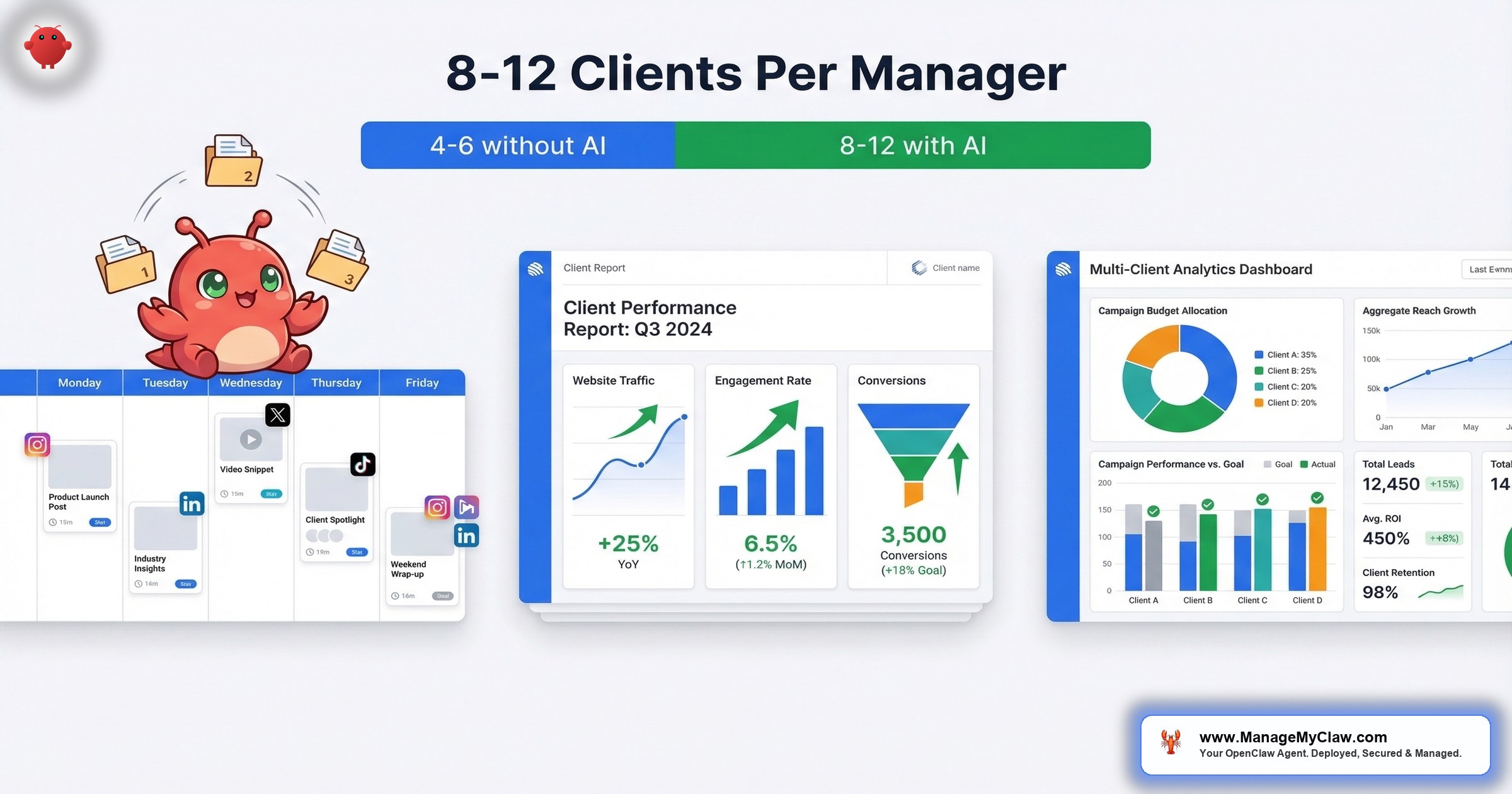
The arithmetic is stark. With AI agents handling the assembly layer, 1 account manager can strategically oversee 8–12 clients — compared to 4–6 without automation. That’s not a marginal improvement. That’s a different business model. Same headcount, double the client capacity, and the time recovered goes to the strategic work that actually retains accounts.
Why this matters: If your agency runs 10 client accounts and each one requires 4–6 hours of monthly reporting, that’s 40–60 hours per month on data assembly. At $150/hour blended agency rates, you’re spending $6,000–$9,000/month on a task an agent handles for under $50 in API costs.
What Reddit Agencies Are Building Right Now
The agency use case for OpenClaw isn’t theoretical. It’s already happening across multiple Reddit communities, and the builders are sharing their playbooks.
On r/automation, a thread titled “How I automated my marketing with a team of 13 AI agents — full OpenClaw setup guide” (78 upvotes) laid out the full architecture: separate agents for content creation, scheduling, analytics monitoring, and client reporting — all orchestrated through OpenClaw. The setup guide detailed how each agent owns a specific function, with the orchestrator handling handoffs between content creation and distribution. The key insight from the thread: “The real unlock isn’t any single agent. It’s the orchestration layer — getting them to work together without stepping on each other.”
On r/SideProject, a builder posted “I turned OpenClaw into a social media manager in 2 days” (42 upvotes) describing how they configured an OpenClaw agent to handle content scheduling, post generation, and basic engagement tracking for 3 client accounts. The timeline is what matters here: 2 days from concept to working system, managing content across multiple brands simultaneously.
And on r/LocalLLM, a thread titled “OpenClaw agent automated TikTok marketing → $670/mo MRR, 1.2M views in a week” (156 upvotes) showed the revenue side of the equation. The builder used an OpenClaw agent to automate short-form video marketing — trend detection, content adaptation, and scheduling. $670/month in recurring revenue from an agent that runs while they sleep. 1.2 million views in a single week.
These aren’t enterprise pilots with 6-month timelines and steering committees. They’re solo operators and small teams shipping working systems in days, not quarters.
The 3 Agency Workflows: How Each One Works
An agency-grade OpenClaw stack runs on 3 interconnected workflows. Think of them like a restaurant kitchen: one station preps ingredients (analytics), one station cooks the meals (content calendar), and one station plates and serves (client reporting). Each operates independently, but the output is coordinated.
Workflow 1: Automated Client Reporting
This is the KPI reporting workflow (WF-05) configured for multi-client delivery. The agent connects to each client’s data sources — Stripe, Google Analytics 4, Meta Ads, Google Ads, HubSpot — via Composio OAuth, pulls the metrics you’ve defined per client, runs period-over-period comparisons, and delivers formatted reports on your configured cadence.
What this looks like per client:
- Weekly Slack pulse: Revenue, traffic, top-performing content, ad spend vs. ROAS — delivered Monday 8 AM to your internal Slack channel
- Monthly client report: Full performance summary with month-over-month trends, formatted for client presentation, delivered to email or Notion on the 1st
- Threshold alerts: If any metric crosses a boundary you define — ad spend exceeding budget, traffic dropping 20%, conversion rate falling below target — the agent flags it immediately, not at the next scheduled report
Each client’s reporting config is independent. Client A gets weekly revenue + traffic. Client B gets daily ad spend monitoring + monthly SEO report. Client C gets a quarterly board deck. You define it once, the agent runs it forever.
Workflow 2: Content Calendar Management
The social media workflow (WF-04) scales from a single brand to multiple client accounts with separate voice configurations, posting schedules, and approval queues. Here’s what the agency version adds:
- Per-client voice rules: Each client gets their own system prompt with brand voice examples, banned phrases, tone guidelines, and platform-specific constraints. Client A’s LinkedIn voice is nothing like Client B’s X voice. The agent maintains strict separation.
- Content calendar integration: Posts pull from a shared content calendar in Notion or Google Sheets. Rows marked “approved” fire the generation pipeline. Rows marked “draft” sit in the queue for review. Your creative team controls what gets distributed; the agent handles the distribution mechanics.
- Multi-platform generation: One approved blog post or content brief generates adapted posts for X, LinkedIn, and optionally Threads — each genuinely different, not truncated copies. Platform-specific formatting, hashtag rules, and character limits are baked into the generation config.
- Approval routing: Generated posts route to the right person for approval. Client A’s posts go to Sarah. Client B’s go to Marcus. Nobody sees content they don’t need to review.
On r/nocode, a thread titled “How I automated my entire marketing workflow with AI agents (OpenClaw)” (63 upvotes) described exactly this pattern — content calendar to multi-platform distribution with approval gates. The builder’s key takeaway: “The hardest part wasn’t the automation. It was getting the voice configuration specific enough that the output didn’t sound like every other AI post.”
Workflow 3: Cross-Platform Analytics
This isn’t a separate workflow — it’s the intelligence layer that feeds the other 2. The agent continuously monitors performance data across connected platforms and surfaces insights that would take an analyst hours to find manually:
- Attribution stitching: Connects content performance (which posts drove traffic) to business outcomes (which traffic converted). The data lives in 3 different systems. The agent correlates it.
- Trend detection: Monitors category-specific topics via Tavily web search and flags content opportunities aligned with client positioning. Not generic trending topics — filtered through each client’s keyword targets and content pillars.
- Competitive signals: Tracks competitor publishing frequency, topic coverage, and engagement patterns. Surfaces gaps your client can own.
Why this matters: The analytics layer turns your agency from reactive (“here’s what happened last month”) to proactive (“here’s what’s happening right now, and here’s the opportunity”). That shift is what moves an agency from vendor to strategic partner — and strategic partners don’t get replaced by cheaper alternatives every 6 months.
The Skill Layer: What Corey Haines Built
One of the more interesting developments in the OpenClaw marketing space: Corey Haines published a comprehensive marketing skills set for OpenClaw that’s been widely referenced across the community. On r/openclaw, a thread titled “Added the BEST set of marketing skills by Corey Haines” (89 upvotes) generated significant discussion about which skills are production-ready and which need customization.
The skills cover content strategy, SEO analysis, social media planning, and campaign management — the exact functions agencies run daily. They’re designed to work as building blocks: install the skills you need, configure them for your client’s context, and let the agent handle the execution layer.
A caveat worth noting: ClawHub skills require vetting before production use. The ClawHavoc incident demonstrated that the marketplace has real security risks — 2,400+ malicious skills were removed. ManageMyClaw vets every skill against known attack patterns before installation on any client deployment. The Corey Haines skills are well-regarded, but “well-regarded” isn’t the same as “security audited.”
Permission Architecture for Multi-Client Setups
Running OpenClaw across multiple client accounts introduces a permission challenge that single-user setups don’t face: credential isolation. Client A’s Google Analytics credentials should never be accessible to processes running for Client B. Client C’s Stripe data should be invisible to Client D’s reporting agent.
The architecture that handles this:
- Separate Composio OAuth connections per client: Each client’s data sources have their own OAuth grant. No shared credentials between accounts. Revoke one client’s access without affecting others.
- Per-agent tool allowlists: Each client’s agent has granular permissions defining exactly which data sources it can read, which platforms it can post to, and what actions are permitted. Read-only for analytics. Write for social posting. Nothing more.
- Independent kill switches: If Client B’s social account gets compromised, you revoke that single Composio connection. Client A’s reporting, Client C’s content calendar — untouched.
Think of it like an apartment building with separate utility meters. One tenant’s electrical problem doesn’t take out the whole floor. Each client runs on their own circuit.
Why this matters: If you’re an agency managing 10 clients’ data through a single set of shared credentials, one compromised account means 10 data incidents. Credential isolation isn’t a luxury — it’s the difference between “we lost one client’s posting access for 2 hours” and “we leaked 10 clients’ analytics data.”
API Costs: What an Agency Actually Pays
Agency costs scale with client count and workflow complexity. Here’s the breakdown:
| Component | 5 clients | 10 clients |
|---|---|---|
| Client reporting (WF-05) | ~$25–$50/month | ~$50–$100/month |
| Content calendar (WF-04) | ~$40–$75/month | ~$80–$150/month |
| Analytics + trending (Tavily) | ~$15–$30/month | ~$30–$50/month |
| VPS hosting | ~$24/month | ~$48/month |
| Total | ~$104–$179/month | ~$208–$348/month |
Compare that to the cost of the hours it replaces. If your team spends 40–60 hours per month on reporting and content distribution across 10 clients, at $150/hour blended rate, that’s $6,000–$9,000/month in labor. The agent stack costs under $350/month. Even if it only eliminates 50% of the manual work, the ROI is over 8x in the first month.
On r/SaaS, a thread titled “Has anyone actually used OpenClaw to run their marketing? Did it work?” (34 upvotes) had agency operators responding with their real numbers. The consensus: the API costs are a rounding error. The real cost is the setup time — configuring voice rules per client, connecting data sources, and getting the approval routing right. That upfront investment pays back within the first month of operation.
What Not to Automate
Not every agency task belongs in an agent’s hands. The line between “automate this” and “keep this human” is the line between execution and judgment:
- Automate: Report assembly, data pulls, content reformatting, posting schedules, metric tracking, threshold alerts
- Don’t automate: Client strategy calls, brand positioning decisions, crisis communications, creative direction, relationship management
On r/PPC, a thread titled “Any openclaw users here running ads through their agents?” (18 upvotes) surfaced this distinction clearly. Multiple practitioners pointed out that automated reporting on ad spend is high-value, but automated bid adjustments and budget allocation require human oversight. The agent tells you what happened. The human decides what to do about it.
On r/DigitalMarketing, a thread titled “Top five marketing use cases with OpenClaw” (47 upvotes) ranked the agency applications by reliability: reporting and analytics at the top, content distribution in the middle, and autonomous decision-making at the bottom. The community’s assessment matches what we’ve seen across managed deployments: agents excel at structured, repeatable tasks with clear inputs and outputs. They struggle when the task requires reading a room, managing a relationship, or making a call based on context no API can provide.
The Bottom Line
The agency model is built on leverage — selling expertise at scale. But most agencies cap that leverage at 4–6 clients per account manager because the reporting, formatting, and distribution overhead consumes the time that should go to strategy. OpenClaw doesn’t replace your team. It removes the assembly work that prevents your team from doing what clients actually pay for.
The agencies that figure this out first don’t just operate more efficiently. They take the clients who leave the agencies that didn’t.
The numbers are plain: 80% reduction in reporting time, 2x client capacity per account manager, under $350/month in API costs for a 10-client stack. The technology exists. The community is already building it. The question isn’t whether agencies will adopt AI-powered operations — it’s whether yours does it this quarter or next year, after your competitors already have.
Frequently Asked Questions
Can OpenClaw handle different branding and voice for each client?
Yes. Each client gets a separate voice configuration with their own brand examples, tone guidelines, banned phrases, and platform-specific rules. The agent maintains strict separation between client contexts — Client A’s LinkedIn voice doesn’t leak into Client B’s X posts. The Business plan ($2,999) supports multi-account configurations natively. You define each client’s voice once during setup, refine it during the first week of output review, and the agent maintains consistency from there.
How do I keep client data isolated from each other?
Separate Composio OAuth connections per client, per-agent tool allowlists, and independent kill switches. Each client’s credentials are isolated — the agent handling Client A’s reporting has no access to Client B’s data sources. If you need to revoke one client’s connections (offboarding, security concern), it’s one click. The rest of your client stack is unaffected.
What data sources does the reporting workflow support?
Stripe, Google Analytics 4, Google Ads, Meta Ads, HubSpot, Pipedrive, and Salesforce all have native Composio integrations. LinkedIn Analytics and X Analytics are supported for social metrics. Less common platforms (Attio, Close, Monday Sales CRM, custom databases) are possible but may require custom API connector work, quoted separately. Flag non-standard data sources in the intake form so the deployment team can assess compatibility before you purchase.
How long does it take to set up for an agency with 10 clients?
The infrastructure — VPS, Docker, security hardening, Composio — deploys in under 60 minutes. That’s the base layer. Each client’s configuration (data source connections, voice rules, reporting cadence, approval routing) takes 30–45 minutes. For a 10-client agency, budget 1–2 days for full configuration. The first week should include daily output review to refine voice rules and catch edge cases in the reporting format.
What happens when a client churns — how do I remove their data?
Revoke the Composio OAuth connections for that client. The agent immediately loses all access to their data sources and social accounts. Remove their voice configuration and reporting schedule from the agent’s config. The process takes under 5 minutes. No data from their systems is stored locally — the agent pulls data in real-time from APIs, so there’s no local cache to scrub.
Can I white-label the reports for client delivery?
Yes. The report format is fully configurable — your agency’s logo, client’s branding, custom headers, and metric labels. Reports delivered to Slack or email use your defined formatting. Notion page reports inherit the Notion workspace styling. The agent generates the content and structure; you control the presentation layer.
What’s the difference between this and a tool like Improvado or AgencyAnalytics?
Tools like Improvado and AgencyAnalytics are reporting dashboards — they pull data and display it. OpenClaw goes further: it pulls data, generates natural-language analysis, creates content from insights, distributes that content across platforms, and handles approval routing. It’s the difference between a dashboard you check and an agent that acts. If you need a pretty dashboard, those tools are great. If you need reporting, content distribution, and analytics handled as an integrated operation, that’s what the OpenClaw stack does.
Ready to double your agency’s client capacity without doubling your headcount?
ManageMyClaw deploys and configures the full agency stack — client reporting, content calendar, analytics, multi-client credential isolation — with security hardening at every tier. Business plan starts at $2,999 with up to 5 workflows and 15 vetted ClawHub skills. See all plans.
Get Started — No Call Required

