“You’re running your highest-value client touchpoint on the same process you’d use to plan a dinner party.”
— The gap WF-03 closes
2 hours per client. 10 clients per month. 20 hours. At founder rates of $200–$500/hour, that’s $4,000–$10,000 every month on copy-paste work — duplicating Notion templates, hunting calendar slots, writing welcome emails from half-finished drafts, and pinging your team in Slack with context you’ve already typed 3 times this week.
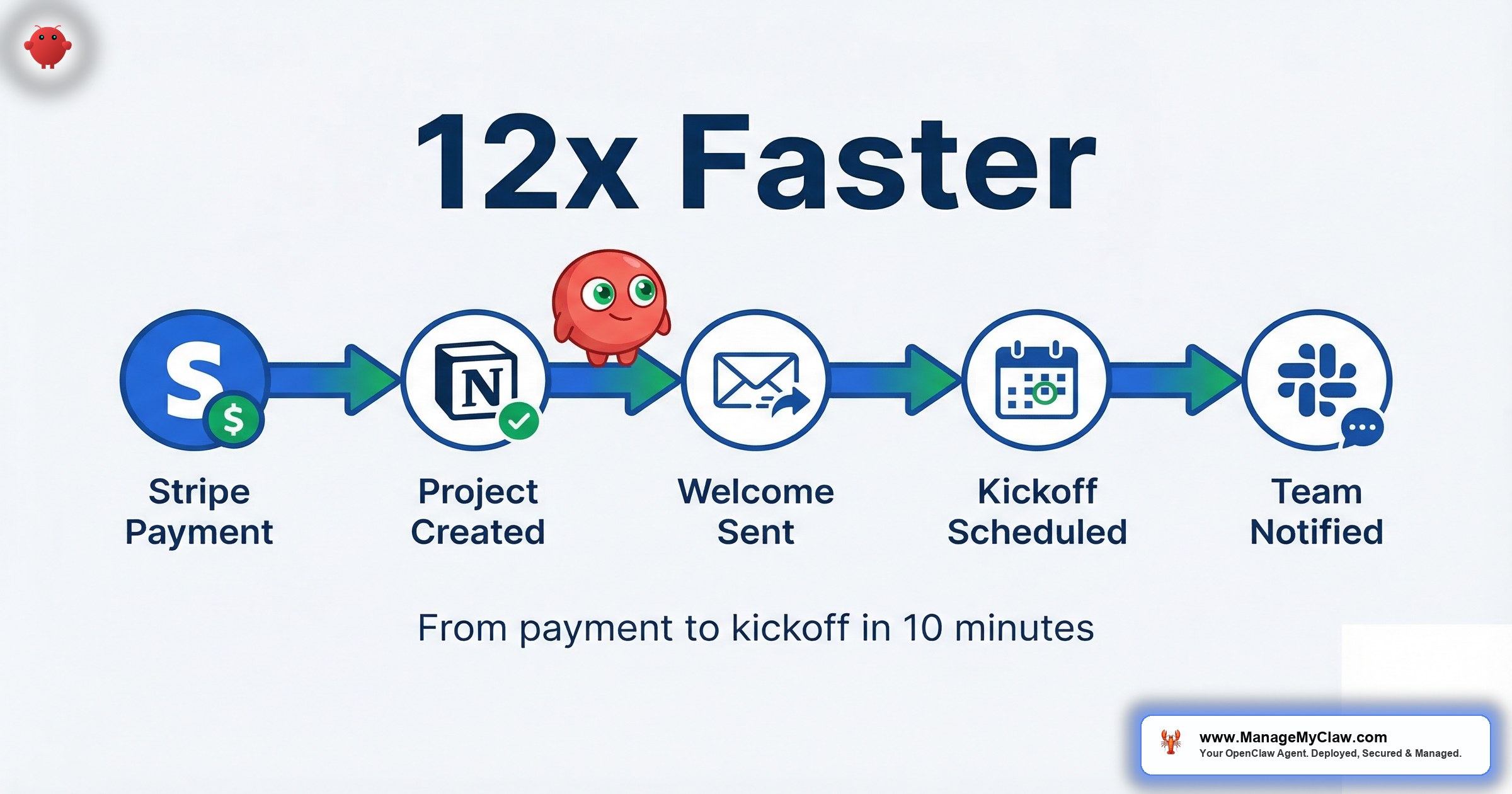
OpenClaw’s WF-03 workflow does it in 10 minutes. Not 10 minutes of your time — 10 minutes of elapsed time while you do something else entirely.
Like a restaurant where the host seats you, the waiter takes your order, and the kitchen starts cooking — except the host, waiter, and kitchen are all the same agent, and it never takes a smoke break.
Here’s the webhook architecture that makes it work, step by step. What fires, what gets created, what stays under human control, and where the security boundaries are.
What Manual Onboarding Actually Costs You
The 2-hour figure isn’t an exaggeration. It’s what happens when you count every step. Stripe sends a payment notification. You open a browser tab for Notion. Another for Linear. Another for Slack. You write a welcome email from a half-finished template. You hunt through your calendar for a kickoff slot. You send a separate team message with all the relevant context. Each step takes 5–20 minutes. The context-switching between tools takes more.
Here’s what it looks like, task by task:
| Onboarding Task | Manual Time | What’s Involved |
|---|---|---|
| Create Notion workspace from template | 15–20 min | Duplicate, rename, invite client |
| Set up Linear project board | 10–15 min | Team, project, initial milestones |
| Create Slack channel, invite team + client | 5–10 min | Channel naming, welcome message pinned |
| Write and send welcome email | 20–30 min | Personalized email with correct links |
| Schedule kickoff meeting | 10–20 min | Find availability, send invite, add video link |
| Create Google Drive folder structure | 5–10 min | Folder hierarchy, permissions, share link |
| Notify internal team | 5–10 min | Context message with all relevant links |
| Total | 70–115 min | Not counting interruptions or context-switching |
That’s the visible cost. The invisible cost is worse.
According to a 2025 Onramp analysis, 63% of customers say onboarding quality directly affects their decision to subscribe or purchase — making it the single most valuable touchpoint in the client relationship. Highly engaged customers who had a positive onboarding experience make purchases 90% more frequently, spend 60% more per transaction, and generate 3x the annual value. Despite this, only 13% of small and medium-sized businesses use any kind of onboarding automation. The rest run on spreadsheets, half-finished templates, and memory.
“chatgpt/claude for writing, brainstorming, research… zapier for connecting everything together… n8n for more complex automations (self hosted).”
— r/Entrepreneur, “Successful Entrepreneurs, What’s your full AI stack?” (311 upvotes)On r/Entrepreneur, a thread titled “Successful Entrepreneurs, What’s your full AI stack for running your business?” hit 311 upvotes and 245 comments. The pattern in the replies was unmistakable. Another commenter put it bluntly: “crazy how fast the ‘solo founder with AI’ model is becoming normal.”
Normal, but still stitched together with tape. WF-03 replaces the tape with a single agent running a single sequence.
If you’re onboarding 5–10 clients per month, you’re spending 35–115 hours per year on a process that follows the exact same steps every time. That’s not a scheduling problem. It’s an architecture problem.
| Clients/Month | Manual Hours | With WF-03 | Hours Recovered | Value at $200/hr |
|---|---|---|---|---|
| 3 | ~6 hours | 30 min (agent) | 5.5 hours | $1,100/mo |
| 5 | ~10 hours | 50 min (agent) | 9 hours | $1,800/mo |
| 10 | ~18 hours | ~100 min (agent) | 16+ hours | $3,200+/mo |
The Trigger: How the Webhook Architecture Works
WF-03 is event-driven, not scheduled. It doesn’t poll on a clock — it fires when something happens in your pipeline. You configure one of 3 trigger sources:
- Stripe webhook — fires on
checkout.session.completedorpayment_intent.succeededfor the specific product or price ID you configure. Your OpenClaw instance receives the event payload; the agent has no read access to your Stripe dashboard, customer list, or payout history. Inbound only. - Typeform submission — fires when a new client completes your intake form. The submission data (name, email, company, package) populates the client context for all downstream steps.
- CRM deal event — fires when a deal moves to “Closed Won” in HubSpot, Pipedrive, or another CRM connected via Composio. Useful if your sales process is CRM-centric rather than payment-centric.
This webhook-driven pattern isn’t an experiment — it’s where the industry has landed. Stripe launched its Agentic Commerce Protocol (ACP) in early 2026: an open standard specifically designed for AI agents to interact with payment infrastructure. Their agent toolkit supports OpenAI’s Agents SDK, LangChain, CrewAI, and Vercel’s AI SDK, with webhook listeners that can directly trigger agent workflows on payment events.
“The reason small businesses are seeing such a massive advantage isn’t just because they have access to the same brains (LLMs) as big companies, but because they can move faster on the Orchestration.”
— Top comment on r/AI_Agents, “What is your full AI Agent stack in 2026?” (14 upvotes)On r/AI_Agents, a thread titled “What is your full AI Agent stack in 2026?” (104 upvotes, 91 comments) drove the point home. The orchestration — not the AI itself — is the competitive advantage.
Think of it this way: you wouldn’t hire an assistant and then text them every time a client pays. You’d say “when someone pays, do these 7 things.” That’s what a webhook trigger is — except the assistant never misses the text and never does step 4 before step 3.
The trigger payload — client name, email, company name, purchased plan — becomes the data context the agent uses for every step that follows. Nothing is hardcoded per client. The sequence is templated; the content is personalized from the trigger data.
If you’re stitching together 4 different Zapier automations to approximate this, the webhook-to-agent model replaces all of them with a single event-driven pipeline. One trigger, one agent, one sequence. Fewer failure points, zero tool-switching tax.
The 8-Step Onboarding Sequence: What Happens After the Trigger
Once the trigger fires, here’s the exact sequence WF-03 executes. Each step confirms completion before the next begins — there are no silent failures.
-
1
Extract client data. The agent reads the trigger payload and structures the client context: name, email, company, plan purchased. This context object persists across all subsequent steps so every action is personalized to this client.
-
2
Create Notion workspace. Duplicates your configured template, renames it with the client name, sets up the page structure within your /Clients/ workspace, and grants access to the client’s email address. The agent has create-only access — it can’t modify your existing Notion records. If this step fails, the workflow pauses and alerts you.
-
3
Create Linear project board. Initializes the project under your workspace with the client name, creates milestones from your template, and links the board URL back to the Notion workspace. Cross-referenced from the start.
-
4
Create Slack channel and notify team. Names the channel with your configured prefix + client name (e.g.,
#client-acme), invites your internal team members, and posts a pinned context message with the Notion workspace link, Linear board link, and client details. -
5
Stage welcome email as a Gmail draft. The critical step. The agent generates the welcome email from your template and queues it as a draft. It does not send automatically. You receive a notification that the draft is ready for review. More on why this gate exists in the security section below.
-
6
Schedule kickoff meeting. Creates a calendar event with your video conferencing link, invites the client’s email, and selects the next available slot matching your constraints — “Tuesday or Thursday only, 10 AM–3 PM, no back-to-back meetings.” If no slot exists in the next 5 business days, the agent alerts you and continues with all other steps.
-
7
Create Google Drive project folder. Generates your configured folder structure, sets permissions (client gets view/comment, team gets edit), and adds the Drive link to the Notion workspace and pinned Slack message. Everything is cross-linked.
-
8
Send final team summary. Posts a completion notification to your designated internal Slack channel: client name, plan purchased, kickoff time, and direct links to Notion, Linear, Slack, and Drive.
Your client gets their Notion workspace, Linear board, Slack channel invite, welcome email, and kickoff calendar invite within 10 minutes of payment — while you’re doing something else entirely. The only step requiring your approval is the welcome email review, and that gate is configurable once you’re confident in draft quality.
A client paid at 4:47 PM on Friday. You saw the Stripe notification at 5:12. You told yourself you’d set everything up Monday morning. Monday happened. Tuesday happened. Wednesday the client emailed asking where their welcome materials were. That’s the gap. WF-03 closes it before you reach for your phone.
UserGuiding’s 2026 onboarding data shows structured onboarding increases retention by 50%, and customers who receive effective onboarding are 92% more likely to renew. For a service business doing $10K–$50K per client annually, the difference between a 10-minute automated onboarding and a next-day manual one isn’t professionalism points — it’s revenue.
The Approval Gate: Why the Welcome Email Doesn’t Auto-Send
Every step in the sequence except one is internal: Notion, Linear, Slack, Drive, and team notifications touch your own systems. The welcome email is different. It’s the first external communication to a paying client. Getting it wrong is a different category of problem.
The staging-as-draft approach is the correct default for 2 reasons. First, it lets you verify that variable substitution worked — the right name, the right Notion link, the right plan reference. Second, it creates a consistent checkpoint before anything goes outside your organization.
Here’s the progression most users follow:
- First 3–5 onboardings: Review every draft manually. Confirm links, name substitution, tone.
- After 5 clean drafts: Switch to auto-send. The template is proven.
- Ongoing: Spot-check quarterly. If you change your welcome template, go back to manual review for 3 onboardings.
The Gmail permission scope for WF-03 is draft-only. The agent can create drafts but can’t send them. Even if you misconfigure something, the agent has no technical capability to send email on its own. The send action requires your explicit approval through the Gmail interface. This is enforced at the Composio OAuth scope level, not just described in the system prompt.
Remember the inbox wipe? 200+ emails gone because safety instructions were set at the user level and got compressed away. WF-03’s email scope is enforced at the OAuth layer — the agent literally can’t send. It’s like giving your assistant access to the drafts folder but not the stamp drawer.
Security Architecture: 6 Tools, 6 Minimum-Permission Scopes
WF-03 connects to 6 tools. Each connection is scoped to the minimum permissions the workflow actually needs — nothing broader. All 6 go through Composio’s OAuth middleware, so the agent never holds raw API credentials.
| Tool | Scope | What It Cannot Do |
|---|---|---|
| Stripe | Webhook delivery only (inbound) | Read customers, balance, or payouts |
| Notion | Create-only within /Clients/ | Modify existing records, access other sections, delete pages |
| Linear | Create projects and issues | Access other teams or archived projects |
| Slack | Create channels and post messages | Access existing private channels or DMs |
| Gmail | Draft-only | Send, read, move, or delete email |
| Google Calendar | Create events and invite attendees | View private events or modify others’ events |
Revoke any individual Composio connection and the agent immediately loses access to that tool without affecting the others. One click to cut one cord.
Most people grant full API access to every tool because it’s the default path. That means your onboarding agent can theoretically read your entire Stripe payment history, your full inbox, and your private calendar. The minimum-scope configuration prevents that — and it’s the correct configuration, not the cautious one. For the technical walkthrough, see the Composio OAuth configuration guide.
What Can Go Wrong (and How to Prevent It)
WF-03 touches 6 tools in sequence. More moving parts means more failure modes. The checkpoint architecture handles most of them — each step confirms completion before the next begins, and a failure triggers an alert with the exact step and error. But 3 configuration mistakes are worth knowing about before you start.
Mistake 1: Granting full Stripe API access instead of webhook-only
The workflow needs exactly one thing from Stripe: the inbound webhook payload when a payment completes. It doesn’t need to read your customer list, your balance, or your payout schedule. When configuring the Stripe connection in Composio, scope it to webhook delivery only. Most setups default to full API access because it’s easier. Don’t.
Mistake 2: Skipping the test run
Before pointing your live Stripe webhook at your OpenClaw instance, run the full sequence with Stripe’s webhook simulator using a dummy payload. Walk through every step: Is the Notion template ID correct? Does the Linear workspace exist and accept API writes? Is the calendar checking the right calendar for availability? One misconfigured variable causes a silent partial failure. The test run takes 15 minutes. A real client’s first impression is worth that 15 minutes.
Mistake 3: Automating a process that isn’t consistent yet
If your manual onboarding varies — some clients get a Notion workspace, some get a Google Doc, some get Linear, some get Trello — the automation will produce inconsistent output too. Standardize the process manually for 3–5 clients first. Confirm the same steps work for every client type you serve. Then automate.
“Automating a broken process doesn’t fix the process. It just makes the broken parts happen faster. Like strapping a jet engine to a car with no steering wheel.”
— WF-03 Configuration PrincipleThe common reasons AI automation fails section covers this pattern in detail — automating the wrong thing is harder to recover from than not automating at all.
“Running a multi-agent system in production for about 8 months now. Here’s what actually survived vs what we threw out.”
— Top comment on r/AI_Agents, “Running AI agents in production” (43 upvotes)On r/AI_Agents, a thread titled “Running AI agents in production what does your stack look like in 2026?” (43 upvotes, 38 comments) confirmed the pattern: the agents that work are the ones running defined, tested sequences. The ones that fail are the ones trying to handle ambiguity.
These 3 mistakes account for 90% of WF-03 configuration issues. Avoid all 3 and the workflow runs cleanly from day one. Skip any of them and you’ll spend more time debugging than you would have spent onboarding manually.
Error Handling: What Happens When Step 4 Fails
Each of the 8 steps has a completion checkpoint. If a step fails — API timeout, rate limit, missing template ID — the workflow pauses at that step and sends you an alert with the exact error. It doesn’t silently continue with incomplete data.
The workflow is resumable from the failed step. If Notion creation succeeds but Linear fails due to a temporary API issue, you don’t re-run the entire 8-step sequence. The agent picks up from step 3. This matters in practice because multi-tool automations encounter intermittent failures — a resume-from-checkpoint architecture is what separates “works for the first 2 clients” from “works on client 47.”
Unlike Zapier or n8n chains that restart from scratch on failure, WF-03’s checkpoint system picks up exactly where it left off. No duplicate Notion pages, no double Slack messages, no re-sent calendar invites. This is what makes it production-grade.
Prerequisites: What You Need Before Setup
WF-03 has more dependencies than the email or morning briefing workflows. Before starting setup:
Pre-Setup Checklist
- A defined onboarding checklist. Write down every step your manual onboarding includes, in order. The agent executes a fixed sequence — if your manual process is ad hoc, the automation will produce inconsistent results.
- Notion template ready. The agent duplicates a template — it doesn’t create a workspace from scratch. Same for Linear: define your standard milestone structure before configuring.
- Welcome email template written. Draft your email with variables for client name, Notion link, Linear link, Slack channel, and kickoff date. The agent does substitution — it doesn’t write the base email.
- Composio account with OAuth connections for all 6 tools. Budget 15–20 minutes to go through all 6 connections, carefully selecting minimum required scopes.
- OpenClaw running on a persistent process. A VPS with pm2 or systemd, not a local machine that sleeps. If a Stripe webhook fires at 2 AM when your laptop is closed, the onboarding won’t run.
- A confirmed test webhook endpoint. Use Stripe’s webhook simulator to send a test payload before you point the live webhook at your OpenClaw instance.
The ROI Math
Monthly API cost for WF-03 at 10 clients: approximately $10–$30, depending on email template complexity and Composio API calls per onboarding. At $200/hour founder rate:
- 10 clients × 90 minutes manual = 15 hours/month recovered
- At $200/hour: $3,000/month in time value recovered
- Monthly API cost: ~$15–$30
- Net monthly value at $200/hour: ~$2,970–$2,985
But the time-savings math is only half the story.
Research compiled by HiBob and Custify shows that a structured onboarding program improves customer retention by 25% — and increasing retention by just 5% can boost profits by 25% to 95%. Solving issues during the first interaction prevents 67% of customer churn. Organizations using AI-powered onboarding report 30–50% faster cycle times and up to 90% fewer follow-up emails during setup.
For a service business doing $10K–$50K per client annually, the difference between 10-minute automated onboarding and next-day manual onboarding isn’t just professionalism. It’s the difference between a client who stays 3 years and one who churns after the first engagement.
You spend more on your Slack subscription than it costs to run an agent that handles every new client’s first 10 minutes with your company. And your Slack subscription doesn’t generate revenue.
Pairing WF-03 with email triage and morning briefing automation is the natural next step once onboarding is running. Together, they cover the 3 highest-ROI founder workflows — inbox, onboarding, and daily operations.
The Bottom Line
Client onboarding is the highest-stakes repeatable process in any service business. It’s where first impressions are made, where retention is won or lost, and where most founders are running a manual process that takes 70–115 minutes per client for work that follows the exact same steps every time. OpenClaw’s WF-03 workflow compresses that to 10 minutes of agent runtime, cross-links every tool in your stack, and keeps a human approval gate on the only external communication in the sequence.
The API cost is $15–$30/month. The time recovery at 10 clients is 16+ hours/month. The retention impact is measurable and compounding.
The best onboarding your client ever gets should be the one that happens without you touching a keyboard.
Self-configuring WF-03 takes 3–4 hours if you’re comfortable with webhook configuration and OAuth flows. If you’d rather have it deployed with all permission scopes correctly defined, the welcome email template configured, and the test run completed before a real client triggers the flow, ManageMyClaw handles the full deployment in under 60 minutes.
Frequently Asked Questions
What tools does this connect to, and can I swap in ones I already use?
The standard configuration connects to Stripe (or Typeform or CRM), Notion, Linear, Slack, Gmail, Google Calendar, and Google Drive. Every tool is substitutable — Asana instead of Linear, ClickUp instead of Notion, Dropbox instead of Drive. Composio covers 400+ platforms, so most swaps are straightforward. The workflow architecture (trigger → create project space → notify team → stage email → schedule kickoff) stays the same regardless of which tools fill each role.
What if a client pays and the webhook doesn’t fire?
Stripe’s webhook reliability is 99.99%+, but failures happen. You configure a fallback: if a payment appears in your Stripe dashboard but no onboarding sequence fires within 30 minutes, an alert goes to your configured channel. You can also manually trigger the workflow from the OpenClaw interface with the client’s data — the sequence runs identically regardless of trigger source.
Can I review the welcome email before it reaches my client?
Yes — and this is the default, not an option you enable. The welcome email is always staged as a Gmail draft first. You approve and send. Once 3–5 consecutive drafts were correct without edits, you can switch to auto-send. Think of it as training wheels that you remove when you’re ready, not a safety net they make you keep.
Does this work for agencies and consultants, or is it SaaS-only?
Any service business where client onboarding follows a repeatable checklist. Agencies, consultants, coaches, fractional executives, managed service providers — all run this workflow. The core requirement is consistency: same steps, same order, every client. If your onboarding is genuinely different for each client, WF-03 handles the common 80% and you handle the custom 20%.
What happens if one step fails mid-sequence?
The workflow pauses at the failed step, logs the error, and alerts you. It doesn’t silently continue — so you won’t get a welcome email with a broken Notion link because the Notion step failed and the workflow kept going. You resume from the failed step once the issue is resolved. No re-running completed steps.
How much does this cost per month in API fees?
At 10 clients/month: $10–$30. At 5 clients/month: $5–$15. At 20 clients/month: $20–$60. Each onboarding is a bounded 8-step task — not continuous inference like an email monitoring workflow. Cost scales linearly with volume. See our pricing page for managed deployment options.
Do I need to document my onboarding process before setting this up?
Yes. This is the prerequisite most people skip. The agent executes the sequence you define — if your manual onboarding is inconsistent, the automation runs that inconsistency faster. Standardize first: run the same steps for your next 3 clients. Confirm it works. Then automate the proven sequence. “Automate what’s already working” is the rule.


