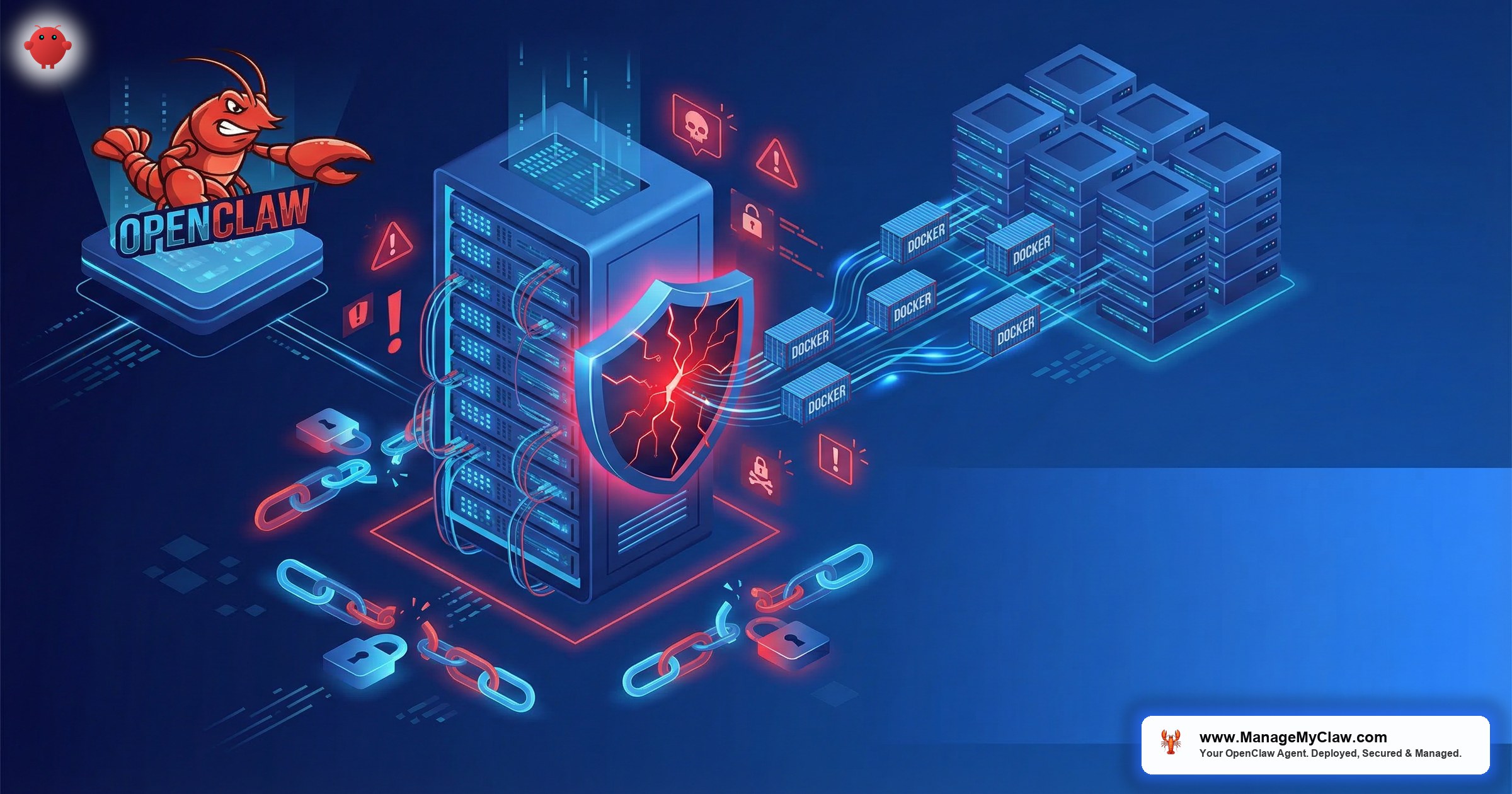
“Your UFW rules are active. The ports are denied. And Docker is routing container traffic around every one of them — because that’s how Docker was designed.”
— The Docker-UFW bypass, documented in GitHub issue #690, still open, still affecting 135,000+ deployments
OpenClaw firewall configuration has a critical blind spot: your UFW rules are cosmetic.
Not broken. Not misconfigured. Cosmetic. It’s running. The rules look right. Your rules look right. ufw status shows exactly what you’d expect — incoming denied, SSH allowed, everything else blocked. And your OpenClaw agent is fully accessible from the public internet anyway, because Docker bypasses UFW entirely. It has for years. It’s documented in GitHub issue #690, still open, with hundreds of comments from people discovering their databases, APIs, and AI agents were exposed despite correctly configured firewall rules.
A locked front door with all the windows open. Except you can’t see the windows from inside the house.
SecurityScorecard’s STRIKE threat intelligence team ran internet-wide scans in February 2026 and found over 135,000 publicly accessible OpenClaw instances. That number climbed past 220,000 within days as adoption accelerated. Many of those servers had UFW enabled. Many had explicit deny rules on the relevant ports. The firewall was on, the rules were set, and the agent was reachable anyway.
This guide explains why the bypass happens, how to actually fix it with the 4-layer configuration most tutorials skip, and — critically — how to verify your fix is real and not just another layer of cosmetic security.
The 135,000 Exposed Instances Nobody Expected
Here’s what happened. In early February 2026, SecurityScorecard’s STRIKE team pointed Shodan — the search engine that indexes every device connected to the public internet — at OpenClaw’s default ports. In the first 24 hours of scanning, they identified 40,214 exposed OpenClaw instances. Within a week, that number topped 135,000 across 82 countries. By the time Penligent published their analysis, live dashboards showed over 220,000. Of those, 63% were vulnerable, and 12,812 were directly exploitable via remote code execution. The STRIKE team correlated 549 exposed instances with prior breach activity. Information services was the most impacted industry, followed by technology, manufacturing, and telecommunications.
40,214 exposed instances in the first 24 hours. 135,000+ across 82 countries within a week. Over 220,000 within days of Penligent’s analysis going live.
63% were vulnerable. 12,812 were directly exploitable via remote code execution. 549 instances were correlated with prior breach activity.
Many had UFW enabled. Many had explicit deny rules on OpenClaw’s ports. The firewall was running — and completely irrelevant to container traffic. The number didn’t shrink as disclosures rolled out. It grew. OpenClaw adoption was outpacing hardening.
The number didn’t shrink as patches rolled out. It grew. Unlike traditional vulnerability disclosures where exposure declines as people patch, OpenClaw adoption was outpacing hardening. New instances went live faster than old ones got locked down.
Think about that for a second. The AI agent you gave access to your email, calendar, and business accounts — sitting on the open internet like an unlocked car in a parking lot. Engine running.
The community reaction was immediate. On r/selfhosted, a post titled “The whole point of self-hosting your AI is to control your data. Kind of defeats the purpose if the container has 2,000 known vulnerabilities” hit 472 upvotes with 146 comments. The top comment, with 632 upvotes, cut straight to it:
“I didn’t realize anyone thought OpenClaw was secure in any way.”
— r/selfhosted top comment — 632 upvotesOn r/ArtificialInteligence, a thread titled “220k+ ai agent instances exposed on public internet with no auth, this is bad” (169 upvotes, 62 comments) had a top comment that captured the mood:
“Welp. Time to have some fun…”
— r/ArtificialInteligence top comment — 44 people agreedIf you’re running OpenClaw on a VPS with UFW configured and feeling protected, you’re almost certainly in the same category. The firewall output looks correct. The protection isn’t there. The only way to know is to test from outside your server — and most people never do.
Why UFW Doesn’t Protect Docker Containers
This isn’t a bug. It’s architecture.
UFW is a simplified interface for iptables. When you run ufw deny 9090, UFW adds a rule to the INPUT chain in iptables’ FILTER table. That rule applies to traffic destined for services running directly on the host — SSH, web servers, databases bound to a host port. Standard stuff.
Docker doesn’t use the INPUT chain for container traffic. When you publish a container port with -p 9090:9090, Docker adds rules to the nat table’s PREROUTING chain and creates custom forwarding chains. Packets destined for containers are forwarded at the network level before they reach UFW’s filter chains. This is documented, intentional behavior — not a bug to be patched.
Here’s the actual packet flow:
Incoming packet → nat/PREROUTING → DOCKER-USER → DOCKER → container
                                               ↓
                               UFW INPUT chain (never evaluated
                               for forwarded container traffic)
ufw deny 9090 blocks connections to port 9090 on the host. But OpenClaw runs in a container, so the connection is a forwarded container port, not a host port. UFW never evaluates it.
It’s like putting a bouncer at the front door of your building while the delivery entrance around back has no lock. The bouncer is real. The protection isn’t.
Docker’s official position, documented for years: this is by design. The DOCKER-USER iptables chain is the intended solution. Docker creates it during installation. It’s the only chain Docker guarantees it won’t overwrite. And it ships completely empty. You have to populate it yourself.
On r/selfhosted, a thread titled “How do you firewall your containers?” (71 upvotes, 30 comments) laid out exactly how experienced sysadmins handle this:
“Beyond your existing hardening, network isolation is where real gaps tend to show up. We use nftables rules on the host with default deny outbound, plus per-service network namespaces so containers can’t reach each other.”
— r/selfhosted top comment — 38 upvotesEvery OpenClaw setup guide that tells you to “enable UFW and deny incoming traffic” is giving you security theater. The rules exist. They look correct when you inspect them. They have zero effect on container traffic. The fix is the DOCKER-USER chain — and it takes 10 minutes if you know where to look.
The CVE That Network Rules Can’t Stop
Before getting to the fix, there’s a threat the firewall discussion usually misses entirely.
CVE-2026-25253 is a WebSocket authentication bypass that doesn’t attack your server from the outside. It attacks through your own browser. Visit a malicious website — any website — and that site’s JavaScript initiates a WebSocket connection to ws://localhost:9090. It steals the authentication token and uses it to execute arbitrary shell commands on your OpenClaw instance. This attack works against localhost-only instances. Your DOCKER-USER rules, your UFW, your Tailscale — none of it matters for this vector. Fix: patch to OpenClaw v2026.1.29 or later.
So you need correct firewall configuration AND current patches. One without the other is solving half a problem. Neither is optional.
The full CVE tracker covers all 9 disclosed OpenClaw vulnerabilities with severity, status, and remediation steps.
Why this matters: Firewall hardening and patching address completely different attack vectors. The OWASP Top 10 for Agentic Applications — the first industry-standard security framework for autonomous AI agents, peer-reviewed by 100+ security researchers — lists “Unexpected RCE” and exposed infrastructure as top risks. If you’re only doing network hardening, you’ve addressed one threat category. If you’re only patching, you’ve addressed a different one. You need both.
The Complete Fix: 4 Layers, 30 Minutes
Correct OpenClaw firewall configuration requires 4 components working together. Each closes a specific gap. None is sufficient alone.
| Layer | What It Closes | Time |
|---|---|---|
| 1. Localhost gateway binding | Agent not publicly reachable by default configuration | 2 min |
| 2. DOCKER-USER chain rules | The Docker-UFW bypass — rules that actually apply to container traffic | 10 min |
| 3. UFW for host-level traffic | SSH hardening, non-Docker service protection | 5 min |
| 4. Tailscale VPN | Secure remote access without public exposure | 15 min |
Total configuration time: approximately 30 minutes with SSH access and comfort with terminal commands.
Layer 1: Bind the OpenClaw gateway to localhost
OpenClaw’s default configuration binds to 0.0.0.0 — all interfaces, including your VPS’s public IP. That single default is why most of those 135,000+ instances were reachable. Change it to 127.0.0.1:
# Before (publicly accessible):
-p 9090:9090

# After (localhost only):
-p 127.0.0.1:9090:9090
If you’re using config.yaml:
# config.yaml
gateway:
  host: 127.0.0.1  # Changed from 0.0.0.0
  port: 9090
Restart the container. Verify with docker port openclaw — output should show 127.0.0.1:9090 -> 9090/tcp, not 0.0.0.0:9090. This step alone isn’t sufficient — the DOCKER-USER chain in Layer 2 is what enforces the restriction at the iptables level.
Layer 2: Configure the DOCKER-USER iptables chain
This is the layer most tutorials skip and most exposed instances are missing.
The DOCKER-USER chain is the only iptables chain Docker guarantees it won’t overwrite. Docker creates it on install but leaves it empty. The goal: drop all incoming external traffic to container ports while allowing traffic from localhost and your VPN.
# Verify the DOCKER-USER chain exists
sudo iptables -L DOCKER-USER -n

# Block all incoming external traffic to Docker container ports
sudo iptables -I DOCKER-USER -i eth0 -j DROP

# Allow established/related connections (returning traffic)
sudo iptables -I DOCKER-USER -m conntrack --ctstate RELATED,ESTABLISHED -j ACCEPT

# Allow traffic from localhost
sudo iptables -I DOCKER-USER -s 127.0.0.1 -j ACCEPT

# Allow traffic from your Tailscale network range (configured in Layer 4)
sudo iptables -I DOCKER-USER -s 100.64.0.0/10 -j ACCEPT

# Verify the rules are in place
sudo iptables -L DOCKER-USER -n --line-numbersRules added with sudo iptables are lost when the server reboots. Make them permanent with iptables-persistent:
# Install iptables-persistent
sudo apt-get install iptables-persistent

# Save the current rules
sudo netfilter-persistent save

# Verify the service is running
sudo systemctl status netfilter-persistent
Alternatively, the ufw-docker tool (chaifeng/ufw-docker on GitHub) automates the connection between UFW’s chains and DOCKER-USER, making UFW rules apply correctly to container traffic. The manual approach above gives more granular control; ufw-docker is faster if you prefer UFW’s syntax for ongoing management.
A note on nftables: Docker 29.0.0 introduced experimental nftables support, which replaces the iptables backend entirely. Under nftables, there’s no DOCKER-USER chain — custom rules go in separate nftables tables with matching hook points. Most production OpenClaw deployments in 2026 still use the iptables backend, but this is shifting. If you’ve opted into nftables, the iptables commands in this guide don’t apply — Docker’s nftables documentation covers the equivalent configuration.
Layer 3: Configure UFW for host-level protection
With the DOCKER-USER chain handling container traffic, UFW protects host-level services — SSH, any non-Docker services, and the operating system itself:
# Set deny as the default for incoming traffic
sudo ufw default deny incoming
sudo ufw default allow outgoing

# Allow SSH (adjust port if you've changed the default)
sudo ufw allow 22/tcp

# If you have a static IP, restrict SSH to that IP only (recommended)
# sudo ufw allow from YOUR.IP.ADDRESS to any port 22

# Enable UFW
sudo ufw enable

# Verify status
sudo ufw status verboseDon’t add UFW rules for OpenClaw’s ports (9090, 18789). Those ports are handled by the DOCKER-USER chain in Layer 2. Adding them to UFW creates confusion about which rules are enforced — and UFW rules on container ports have zero effect regardless of what they say.
Layer 4: Install Tailscale for secure remote access
Layers 1 through 3 lock down the agent. That’s the goal — but it also locks you out. Tailscale creates a zero-config mesh VPN that lets you access the agent over an encrypted private network without exposing anything to the public internet. The free tier supports up to 3 users and 100 devices.
# Install Tailscale on your VPS
curl -fsSL https://tailscale.com/install.sh | sh

# Authenticate and start Tailscale
sudo tailscale up

# Get your VPS's Tailscale IP
tailscale ip -4
# Example output: 100.x.x.x

# Verify from your laptop (after installing Tailscale locally)
curl http://100.x.x.x:9090/health
Once Tailscale is running, add its interface to DOCKER-USER:
# Allow traffic from the Tailscale network interface
sudo iptables -I DOCKER-USER -i tailscale0 -j ACCEPT

# Save the updated rules
sudo netfilter-persistent save
Why this matters: Without Tailscale (or an equivalent VPN), you’ve secured the agent but can’t access it remotely. With Tailscale, your connection is encrypted end-to-end, routed through a private network, and invisible to anyone scanning the public internet.
Verifying Your Fix Is Real (Not Just Another Layer of Cosmetic Security)
Here’s the thing: the entire problem this post exists to solve is that security can look correct while being completely ineffective. So verifying from inside the VPS is not verification. You need to test from the outside.
# From a machine NOT on your Tailscale network:
curl -v --max-time 5 http://YOUR_VPS_PUBLIC_IP:9090/
# Expected: connection refused or timeout — NOT a response

# From a machine ON your Tailscale network:
curl -v --max-time 5 http://YOUR_TAILSCALE_IP:9090/
# Expected: OpenClaw gateway response

# Scan for exposed Docker ports from outside:
nmap -p 9090,18789 YOUR_VPS_PUBLIC_IP
# Expected: "filtered" — NOT "open"If the external connection attempt returns any response — even an error page or a login prompt — your DOCKER-USER rules aren’t working. Check the rule order with sudo iptables -L DOCKER-USER -n --line-numbers. iptables rules are evaluated in sequence: a broad ACCEPT rule earlier in the chain overrides your DROP rules. For a broader check, search your VPS IP on Shodan.io — the same tool SecurityScorecard used to find those 135,000+ instances.
Before and After: What Changes at Each Layer
| Configuration | Public Access | Remote Access |
|---|---|---|
| Default OpenClaw install (0.0.0.0 binding) | Yes — immediately | Yes (insecurely) |
| UFW enabled + deny rules (typical DIY) | Yes — Docker bypasses UFW | Yes (insecurely) |
| Localhost binding + UFW only (no DOCKER-USER) | Improved, not guaranteed | No (locked out) |
| Localhost + DOCKER-USER (no VPN) | No | No (locked out) |
| All 4 layers: localhost + DOCKER-USER + UFW + Tailscale | No | Yes (securely, via Tailscale) |
Row 2 is where most DIY setups live. Row 5 is where they should be. The gap between those rows is 30 minutes of configuration — but it’s the difference between being one of the 135,000 and being invisible to every internet scan.
Where This Fits in the Full Security Picture
Firewall configuration addresses one layer: who can reach your agent from the network. But a secured network perimeter doesn’t limit what happens if someone does get through — and it doesn’t protect the credentials your agent uses to access your email, calendar, and business accounts.
The complete picture requires 3 layers working together:
- Network isolation (this guide) — who can reach the agent
- Docker sandboxing — what an attacker can do if they reach it
- Composio OAuth — whether VPS compromise exposes your connected service tokens
The OpenClaw security audit checklist covers all 3 layers in a single walkthrough. For a broader introduction to every security priority for self-hosted deployments, see OpenClaw Security: The 5 Things You Must Get Right.
The Bottom Line
The Docker-UFW bypass is the single most dangerous default in the OpenClaw ecosystem because it’s invisible. Every other security gap — unpatched CVEs, missing Docker flags, raw credentials in config files — at least looks like a gap when you inspect it. The firewall bypass looks like everything is working. Your rules are active. Your ports are denied. And none of it applies to the container running your AI agent.
Security you can’t verify isn’t security. It’s a comfortable assumption.
The fix takes 30 minutes. The DOCKER-USER chain, localhost binding, and an external port scan to confirm it’s actually working. That’s it. 135,000 instances were exposed because most people stopped at the step where the dashboard said “protected.” Don’t be one of them.
If you’d rather skip the CLI session, ManageMyClaw configures the complete 4-layer stack — localhost binding, DOCKER-USER rules that survive Docker restarts, UFW for host protection, and Tailscale for remote access — before handoff. Starting at $499.
Frequently Asked Questions
My VPS provider has a network-level firewall. Does that protect my Docker containers?
It depends on where the firewall sits. A network-level firewall that drops packets before they reach your VPS — like a security group in AWS or a cloud firewall at Hetzner, DigitalOcean, or Vultr — does protect Docker containers, because the packets never reach the host to be processed by Docker’s iptables rules. A software firewall running on the VPS itself (like UFW) is subject to the Docker bypass. If you’re unsure, apply the DOCKER-USER chain configuration regardless. It adds no performance overhead and is the definitive fix no matter what your provider’s setup looks like.
How do I check right now whether my OpenClaw instance is exposed?
From a machine not on your local network or VPN, run curl -v --max-time 5 http://YOUR_VPS_IP:9090/. Any response — including an error page or login prompt — means you’re exposed. You can also run nmap -p 9090,18789 YOUR_VPS_IP from an external machine: ports showing as “open” are reachable. For a broader check, search your VPS IP on Shodan.io. Fair warning: what you find there might ruin your evening. But better you find it than someone else does.
Does the DOCKER-USER fix protect against CVE-2026-25253 “ClawJacked”?
No. ClawJacked (CVSS 8.8) is a WebSocket authentication bypass that works through your browser’s localhost connections, not through external network access. A malicious website’s JavaScript connects to ws://localhost:9090, steals the auth token, and executes shell commands. Because it originates from your own browser, DOCKER-USER rules don’t stop it. The fix is patching to OpenClaw v2026.1.29 or later. Network hardening and patching address different attack vectors. Both are required.
Can I use WireGuard or OpenVPN instead of Tailscale?
Yes — any VPN that creates an encrypted private network between your VPS and your devices works. Tailscale is recommended because it’s built on WireGuard, requires zero network configuration (no port forwarding, no static IP), and installs in under 15 minutes. The free tier covers up to 3 users and 100 devices. If you’re already running WireGuard or another VPN, add your VPN interface to the DOCKER-USER ACCEPT rule instead of tailscale0 — the iptables configuration is identical, just pointing at a different interface name.
How often should I audit this?
Run a full verification — including an external port scan — when you first configure the setup, after any OpenClaw update (some change default port bindings), after any Docker update (which can reset iptables in some environments), and after any infrastructure change like VPS migration or OS upgrade. At minimum, verify the DOCKER-USER chain is still populated monthly with sudo iptables -L DOCKER-USER -n. OpenClaw’s release cadence — 7 updates in a 2-week window in early 2026 — means the “after each update” trigger fires frequently.


