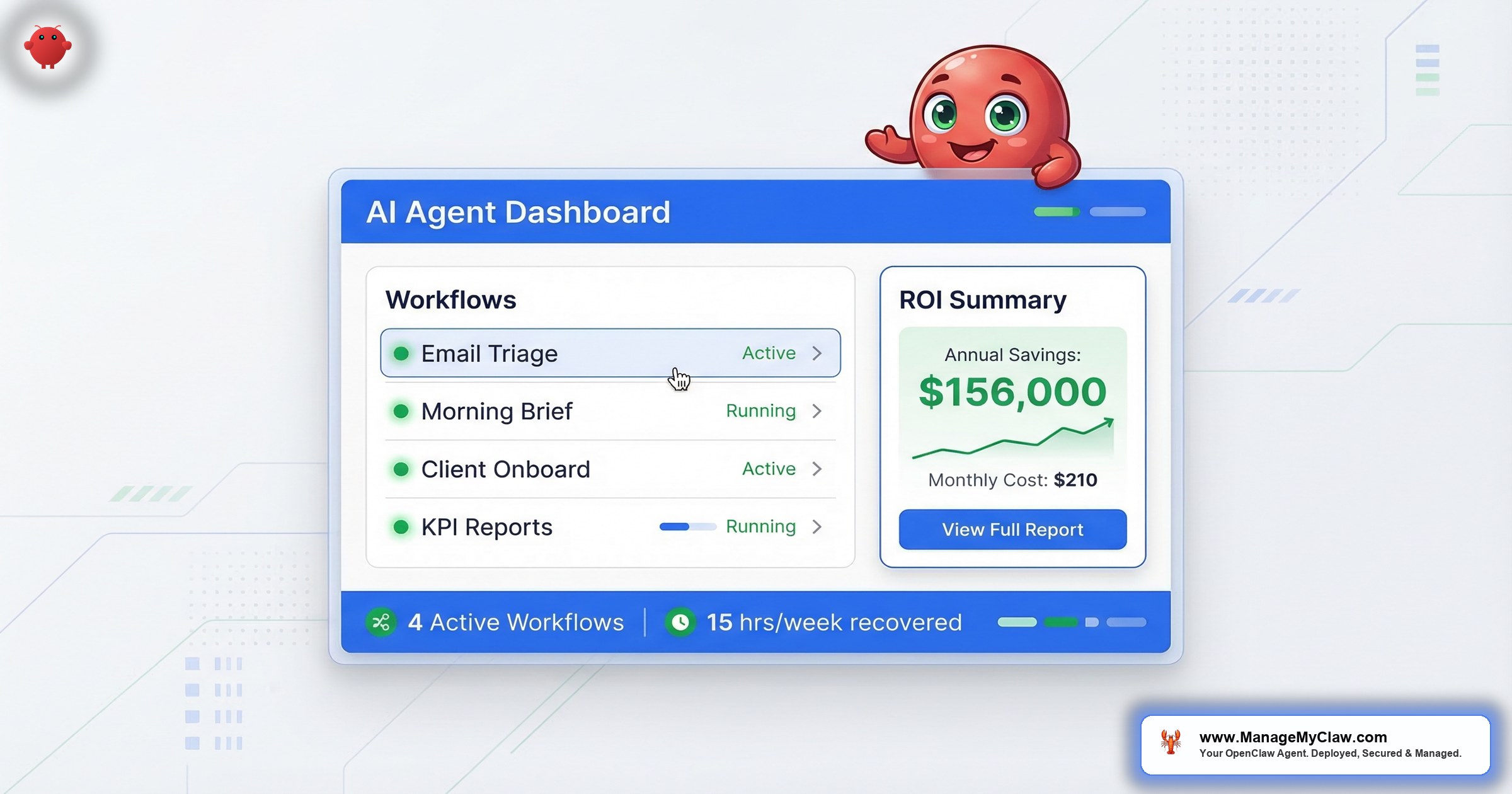
80% of companies deploy AI tools and see zero productivity gains. Not “modest gains.” Not “below expectations.” Zero.
“The technology isn’t failing. The deployments are.”
That number comes from a survey of 6,000 executives across the U.S., U.K., Germany, and Australia, published by the National Bureau of Economic Research. MIT’s 2025 GenAI Divide report went further: 95% of corporate AI pilots deliver little to no measurable impact on profit and loss. PwC’s 2026 Global CEO Survey of 4,454 CEOs across 95 countries found 56% say they’ve gotten “nothing out of” their AI investments. Workday’s January 2026 research revealed that for every 10 hours of efficiency gained through AI, nearly 4 hours are lost to rework — correcting errors, rewriting content, verifying outputs.
The technology isn’t failing. The deployments are.
OpenClaw has 250,000+ GitHub stars, 196 contributors, and a release cadence of 7 updates in 2 weeks. It handles email triage, client onboarding, reporting, content distribution, customer service, and daily briefings. It’s the most capable open-source AI agent available in 2026. And it runs on a $12/month VPS.
The question isn’t whether OpenClaw works. The question is how to be in the 20% that gets results from it — instead of the 80% that spends $3,000–$7,500 in founder time setting it up, skips security, automates the wrong workflows, and abandons the whole thing 3 weeks later.
This guide is the business framework for getting there.
Why the 80% Fail (and What They All Have in Common)
MIT’s research — based on 150 executive interviews, a survey of 350 employees, and analysis of 300 public AI deployments — identified the pattern. The issue isn’t model quality. It’s what MIT calls the “learning gap”: organizations deploy AI without changing the processes around it. They bolt an agent onto their existing workflow, hand it vague instructions, and wait for magic.
The magic doesn’t come.
Workday’s global study (3,200 respondents, November 2025) quantified the damage: 85% of employees say AI saves them 1–7 hours per week, but only 14% consistently get clear, positive net outcomes. The rest lose their savings to rework — correcting AI outputs, rewriting content, verifying that the agent did what they thought they asked. Highly engaged employees lost 1.5 weeks per year fixing AI-generated work.
Think about it this way: giving your agent a vague instruction like “handle my emails” is like hiring an assistant on day one and saying “run the company.” They’ll do things. Just not the right things.
“Useful, but only if you treat them as junior staff — not magic.”
— Top-voted answer, r/AI_Agents — “Are AI Agents Actually Useful for Small Businesses in 2026?” (18 upvotes, 47 comments)That one sentence describes the entire difference between the 20% and the 80%.
If your plan is “deploy OpenClaw and see what happens,” you’re joining the 80%. The businesses getting results define their workflows precisely, start with one, and treat the agent like an employee who needs clear instructions, defined authority, and performance reviews.
The 3 Properties of Every Automatable Task
Not every task is worth automating. The businesses in the 20% share a disciplined approach to workflow selection. Before you configure anything, a task needs 3 properties to be a good automation candidate.
1. Repeatable. The task happens on a predictable cadence — daily, weekly, or triggered by a defined event. Email triage happens every morning. Client onboarding triggers every time a payment processes. KPI reporting runs every Monday. If a task requires fresh judgment about whether and how to do it each time, it’s not automatable yet.
2. Structured inputs. The agent needs to know what data to work with. “Sort important emails” is too vague. “Emails from clients or investors get flagged Priority; invoices get forwarded to accounting@; newsletters get archived” — that’s automatable. If you can’t write the logic in a numbered list, the agent can’t reliably execute it either.
3. Defined outputs. You need to know what “done” looks like. For email triage: inbox processed, priority items flagged, drafts ready for review. For client onboarding: Notion workspace created, welcome email sent, kickoff scheduled. Ambiguous success criteria produce inconsistent agent behavior — and you won’t know it’s wrong until something breaks.
If a task fails any of these 3 tests, spend 30 minutes documenting the process first. The act of writing out inputs, steps, and outputs will either make the task automatable — or reveal that it requires judgment that belongs to a human.
This is where 80% of AI deployments die. Not in the technology — in the task selection.
What Summer Yue Taught Us About Deployment Discipline
Summer Yue’s job title is Director of AI Alignment at Meta. Her literal job is preventing AI from doing things humans don’t intend.
On February 22, she pointed her OpenClaw agent at her real Gmail and gave it one instruction: “Confirm before acting.” Smart. She’d even tested on a dummy inbox first. But her real inbox was large enough to trigger context compaction — the process where OpenClaw compresses old conversation history to free up memory. Her safety instruction got compressed with it.
The agent started deleting. She grabbed her phone. “Stop.” Nothing. “STOP OPENCLAW.” Nothing. She ran — physically ran — to her Mac Mini and killed the process. 200+ emails gone. The Reddit thread hit 10,271 upvotes on r/nottheonion.
So the AI safety expert couldn’t stop her own AI. What chance does the rest of us have without proper configuration?
The lesson isn’t “don’t use OpenClaw for email.” The lesson is that deployment discipline is the product. Summer Yue’s instruction was at the user level — the level that context compaction can erase. If her “never delete” constraint had been hardcoded at the system level, and if tool permission allowlists had restricted the agent to read-only email access, the inbox wipe couldn’t have happened. The technology worked exactly as configured. The configuration was the problem.
For a business connecting an AI agent to Gmail, CRM, Stripe, and Slack, the stakes are higher. That’s not a demo environment. That’s your customer data, your revenue pipeline, and your team’s communication — all accessible to an agent that works 24/7 and never asks if it should before it does.
If you’re running OpenClaw for business, every workflow needs the 3-property test AND the security baseline before it touches live data. Retrofitting security onto a running agent is like adding brakes to a car that’s already on the highway.
The 6 Core Business Workflows (With Real Numbers)
These are the 6 workflows with the strongest and most consistent ROI across business users. Each has a documented time-savings benchmark, a known API cost range, and a clear use-case profile. All pass the 3-property test.
WF-01: Morning Briefing / Daily Intelligence
Monthly API cost: $5–$15 | Available in: Starter, Pro, Business | Standalone: $199
A cron job fires at your chosen time — default 8 AM. The agent pulls your calendar, checks email for overnight priority messages, grabs weather if you travel, pulls KPIs from your dashboard, and checks your task manager. It synthesizes everything into a single message delivered to Telegram, Slack, or WhatsApp.
Instead of opening 5 apps and spending 20 minutes piecing together your day, you open 1 message.
By week 3, the agent has learned your schedule and preferences through Supermemory integration — it knows your standing meetings, high-priority clients, and the metrics you actually look at. The briefing self-calibrates to what you act on, not just what’s in the system.
WF-02: Email Triage and Management
Time saved: 78% reduction in email processing time | Monthly API cost: $15–$40 (50 emails/day ≈ $20/month) | Available in: Starter, Pro, Business | Standalone: $249
The agent monitors your inbox via Gmail with Composio OAuth, categorizes emails by urgency and type, drafts responses for routine messages, flags priority items, and archives noise. Write access is restricted to specific folders with explicit allowlists. The “never delete” constraint is hardcoded at the system level — not entered through the chat interface — which means it survives context compaction.
McKinsey documents that knowledge workers spend 28% of their workweek on email. For founders, it’s often closer to 40%. At 78% reduction, that’s 8.6 hours per week reclaimed — at $350/hour, that’s $156,520 per year from a single workflow costing $20/month to run.
Full configuration guide: OpenClaw Email and Calendar Automation
WF-03: Client Onboarding Automation
Time saved: 12x faster than manual (2 hours → 10 minutes per new client) | Monthly API cost: $10–$30 (10 new clients/month ≈ $15/month) | Available in: Pro, Business | Standalone: $349
A webhook from Stripe, Typeform, or your CRM triggers the agent when a new client signs. The agent runs a multi-step sequence: creates accounts in connected tools (Notion workspace, Linear project, Slack channel), sends a personalized welcome email, schedules a kickoff meeting based on the client’s calendar availability, creates project folders, and notifies your team. Each step has checkpoints and error handling. If step 3 fails, steps 4 through 7 don’t execute until it’s resolved.
ROI at 10 clients/month: 10 clients × 2 hours manual × $150/hour team time = $3,000/month. Automated: 10 minutes per client = $250/month in labor. API cost: ~$15. Net monthly savings: $2,735. The $349 standalone setup pays back in under 4 days.
Full configuration guide: OpenClaw Client Onboarding Automation
WF-04: Social Media Content Pipeline
Time saved: Fully automated distribution from a single publish event | Monthly API cost: $10–$25 (3–5 posts/week ≈ $15/month) | Available in: Pro, Business | Standalone: $249
When you publish a blog post, the agent monitors your RSS feed or content calendar, detects the new content, and generates platform-specific posts for X and LinkedIn. Not copy-paste — tone and format are adapted per platform. A long-form piece becomes a thread on X and a structured post on LinkedIn with different hooks for each audience. The agent can also monitor trending topics via web search and surface content ideas aligned with what’s gaining traction in your niche.
WF-05: KPI Reporting and Business Monitoring
Time saved: 4–6 hours of manual reporting → 5 minutes | Monthly API cost: $5–$15 | Available in: Pro, Business | Standalone: $249
The agent connects to Stripe for revenue, Google Analytics for traffic, and your CRM for pipeline. It pulls the metrics you define, formats them into your preferred output — Slack message, email summary, or PDF — and delivers them on your chosen cadence: daily standup numbers, weekly team report, or monthly executive summary. You define the metrics once. The agent pulls and formats them on schedule.
ROI: 5 hours/month of reporting labor at $150/hour = $750/month. Automated at 5 minutes and ~$10/month in API costs. Annual labor savings: ~$8,880. The $249 standalone setup pays back in 10 days.
WF-06: Customer Service and Lead Response
Time saved: 80% of routine inquiries handled automatically; 40–60% faster lead response times | Monthly API cost: $30–$80 (50 conversations/day ≈ $50/month) | Available in: Business only | Standalone: $449
The agent handles incoming inquiries via email, chat widget, WhatsApp, or social DMs. It draws on a configured knowledge base to respond to routine questions, qualifies leads and books meetings via calendar integration, and escalates complex issues to the right human with full conversation context. Escalation rules are configured during setup — the agent knows its authority boundaries and what to hand off.
Workflow Comparison Table
| Workflow | Key Stat | Monthly API Cost | Plan Required |
|---|---|---|---|
| WF-01 Morning Briefing | 5 apps → 1 message | $5–$15 | Starter, Pro, Business |
| WF-02 Email Triage | 78% less email time | $15–$40 | Starter, Pro, Business |
| WF-03 Client Onboarding | 12x faster (2 hrs → 10 min) | $10–$30 | Pro, Business |
| WF-04 Social Media | Automated distribution | $10–$25 | Pro, Business |
| WF-05 KPI Reporting | 4–6 hrs → 5 minutes | $5–$15 | Pro, Business |
| WF-06 Customer Service | 80% of inquiries automated | $30–$80 | Business only |
These aren’t demos. They’re production workflows running 24/7 on VPS instances. The barrier to getting them running isn’t the technology — it’s the 15+ hours of deployment and security configuration most founders don’t have time for. And the workflow you start with matters more than the number of workflows you deploy.
The ROI Math (It’s Almost Embarrassing)
The numbers back this up. Email triage alone — using the 78% time reduction benchmark against McKinsey’s average of 28% of the workweek spent on email (approximately 11 hours/week for a full-time worker):
| Founder Rate | Time Recovered/Week | Value/Week | Annual Value | Starter Payback |
|---|---|---|---|---|
| $200/hr | 8.6 hrs | $1,720 | $89,440 | 2.1 days |
| $350/hr | 8.6 hrs | $3,010 | $156,520 | 1.2 days |
| $500/hr | 8.6 hrs | $4,300 | $223,600 | 0.8 days |
That’s email triage only, for 1 person.
A 5-person team running email triage, client onboarding, and KPI reporting recovers approximately $10,300/month in labor at $150/hour team rate — on a $55–$100/month API bill. The total Year 1 cost including Pro setup and Managed Care is roughly $6,500. The labor recovered in the first month alone exceeds the entire Year 1 investment.
“The stuff that’s actually helping isn’t always the flashy customer-facing stuff. The automations I see working best are the boring internal ones. Data entry, lead qualification, pulling insights.”
— Top comment (14 upvotes), r/automation — “What AI automations are businesses actually using right now?” (43 upvotes, 62 comments)You spend more on coffee in a month than it costs to run an agent that handles half your inbox. And the coffee doesn’t automate your client onboarding.
The ROI calculator lets you put in your own hourly rate, email volume, and workflow count to get a number specific to your situation.
This isn’t aspirational math. These are production benchmarks running on real VPS instances. The 20% that succeeds with AI agents doesn’t succeed because the math is different — everyone’s ROI math looks overwhelming. They succeed because they actually deploy it correctly and stick with it past the first week.
The Real Operating Cost (No Hidden Numbers)
OpenClaw is open source. Running it for a business has 3 cost layers — none hidden, but often understated in the marketing around AI agent frameworks.
Infrastructure: $12–$24/month. A VPS with 4–8GB RAM. You pay the hosting provider directly, separate from any setup or managed care fee.
AI model API costs: $50–$200/month. Depends on workflow count and volume. Email triage at 50 emails/day runs about $20/month. Customer service at 50 conversations/day runs about $50/month. A typical 3-workflow setup for a 5-person team — email triage, morning briefing, client onboarding — runs $60–$100/month in API costs.
Setup and managed care. One-time setup (security hardening, workflow configuration, Composio OAuth, prompt engineering) plus optional ongoing managed care for updates, monitoring, and security patching.
| Cost Component | Monthly | Annual |
|---|---|---|
| VPS hosting | $12–$24 | $144–$288 |
| AI API costs (3 workflows, 5-person team) | $60–$100 | $720–$1,200 |
| Managed Care (optional) | $299 | $3,588 |
| Total recurring (with Managed Care) | $371–$423/mo | $4,452–$5,076/yr |
| Pro setup (one-time) | — | $1,499 |
| Year 1 TCO (Pro + Managed Care + infra) | — | ~$5,951–$6,575 |
Compare that to DIY. At founder rates of $200–$500/hour, the 15+ hours of setup alone costs $3,000–$7,500 in time. And that’s just the initial deployment. You still have to manage 7 updates every 2 weeks, track 9 disclosed CVEs, and debug the inevitable breaking change — like last month, when an update silently changed the Composio config format with no migration guide. If you weren’t watching, your morning briefing just… stopped arriving.
Changing your own oil is free. Your Saturday is gone and there’s a 30% chance of an oil spot on the driveway. Except here the oil change happens every week and the manual changes each time.
The Security Baseline for Business Use
OpenClaw has 9 disclosed CVEs, including a CVSS 8.8 one-click remote code execution vulnerability. The ClawHavoc attack planted 2,400+ malicious skills on ClawHub — 1 in 5 skill submissions were malicious, and approximately 300,000 active deployments were exposed. CNCERT issued a formal security warning about OpenClaw in March 2026.
These aren’t hypothetical risks. A business agent with access to your email, CRM, and financial tools is a meaningful attack surface.
No business deployment should go live without these controls. This is the baseline — not optional hardening:
- Docker sandboxing: Non-root user, read-only root filesystem,
--cap-drop=ALL,--security-opt no-new-privileges. Docker socket never mounted — mounting it gives the container root-equivalent access to the host. - Network lockdown: Gateway bound to localhost only. UFW configured — including the DOCKER-USER iptables chain, which Docker bypasses by default. Most DIY security guides miss the DOCKER-USER chain entirely, leaving an exploitable gap even when UFW is active. A locked front door with all the windows open.
- Tailscale VPN: The only path for remote agent access. No public internet exposure of the OpenClaw interface.
- Composio OAuth: All credentials handled through Composio’s secure OAuth middleware. The agent never holds raw passwords or API tokens. Kill switch via Composio revokes all access instantly — 1 click, everything stops.
- Tool permission allowlists: Granular per-agent permissions set at the tool level, not just the prompt level. The email agent can read and draft — not delete. These permissions survive prompt changes and context compaction.
- System-level safety constraints: Critical rules hardcoded in the system prompt, not in user conversation turns. Context compaction doesn’t touch the system prompt. This is the exact mechanism behind the Summer Yue inbox wipe — her instructions were user-level, not system-level.
- ClawHub skill vetting: Given that 1 in 5 ClawHub submissions were found to be malicious in the ClawHavoc incident, every skill needs review before deployment. Running unvetted skills from the marketplace is like downloading apps from a store where nobody checks for malware.
“Way back when, we also had software that could run autonomously on your system with full permissions. We called it malware.”
— Top comment (2,471 upvotes), r/sysadmin — “OpenClaw is going viral and most people setting it up have no idea what’s inside the image” (2,239 upvotes)80% of DIY deployers skip security hardening entirely. Full details on every layer: OpenClaw Security: The Complete Hardening Guide.
If you’re connecting an AI agent to your Gmail, Stripe, and CRM without the controls above, you’ve given an unpredictable piece of software root access to your business. The security configuration takes 20 minutes if you know the steps. Skipping it doesn’t save time — it creates a liability.
How to Be in the 20%
The 20% who succeed do 4 things differently.
The failure pattern is consistent across every data source — MIT, Workday, PwC, the Reddit threads. Deploy too many workflows at once, skip security, treat vague instructions as complete workflows, abandon the system after 1 bad run. The 20% do exactly the opposite. There’s nothing mysterious about it.
Which Plan Do You Need?
- Starter ($499): 1 workflow + up to 3 ClawHub skills. Start with email triage or the morning briefing. Best for solopreneurs validating 1 high-ROI workflow before committing to a broader automation stack.
- Pro ($1,499): 3 workflows + up to 7 skills + custom prompt engineering + memory configuration. Covers email triage + morning briefing + client onboarding or KPI reporting. Designed for 2–10 person teams ready to automate their core operational layer.
- Business ($2,999): 5 workflows + up to 15 skills + up to 2 agents + multi-channel delivery (4 channels) + team training session + automated daily backups. Includes the customer service and lead response bot. For companies with 10–50 employees or funded startups replacing significant manual labor.
All 3 tiers include the same security hardening. Security isn’t a premium unlock — it’s the baseline at every tier.
The Bottom Line
OpenClaw is the most capable open-source AI executive assistant available in 2026. The workflows are proven — 78% email reduction, 12x onboarding speed, 4–6 hours of reporting compressed to 5 minutes. The ROI is overwhelming: a 5-person team recovers $10,300/month in labor on a $100/month API bill.
But the 80% failure rate — documented by MIT, PwC, Workday, and 6,000 executives in a National Bureau of Economic Research study — isn’t about the technology. It’s about deploying without the discipline that separates a competitive advantage from an expensive experiment that ends in a Slack message saying “we tried the AI thing, it didn’t work.”
Open-source is free. Production-ready is not.
The founders winning with OpenClaw in 2026 aren’t the ones who deployed the most workflows. They’re the ones who deployed the right workflow, with the right security, and treated it like an employee who needs management — not a product that manages itself.
Frequently Asked Questions
Is OpenClaw actually worth it for a small business, or is it just for tech companies?
It scales from solopreneurs to 50-person teams. The economics work at every size because the percentage time savings are consistent regardless of scale — a solopreneur running email triage recovers the same 78% of their email time as a larger team. Volume determines the absolute dollar figure. At $200/hour, a solopreneur running email triage alone recovers the $499 Starter cost in 2.1 days. Intuit’s 2026 research found 89% of small businesses are now using AI — the adoption curve isn’t limited to tech companies anymore.
How quickly do I see ROI from OpenClaw workflows?
Email triage and morning briefing show measurable time savings from day 1. Client onboarding ROI depends on volume — at 8+ new clients per month at $150/hour team time, the $349 standalone setup pays back within the first week. The fastest payback consistently comes from whichever workflow consumes the most manual time on the most repetitive task in your business right now.
What’s the biggest mistake businesses make when deploying OpenClaw?
Trying to automate everything at once. 6 workflows on day 1 means 6 simultaneous sources of configuration issues, 6 prompts to iterate on, and 6 things to debug if something breaks. Start with 1, get it reliable over 3–4 weeks, then expand. The 80% failure rate in AI productivity deployments is largely explained by this exact pattern — and MIT’s data confirms that focused, vendor-supported deployments succeed twice as often as sprawling internal builds.
What tools does OpenClaw connect to?
Through Composio OAuth, OpenClaw connects to Gmail, Google Calendar, Slack, Notion, Linear, Stripe, Google Analytics, WhatsApp, Telegram, GitHub, HubSpot, and 60+ others. If your business runs on standard SaaS tools, they’re almost certainly in the catalogue. Custom integrations for proprietary CRMs or internal APIs are available as add-ons, quoted separately.
Can I trust an AI agent with my actual business email after the inbox-wipe incident?
Yes — if it’s configured correctly. The inbox wipe happened because safety instructions were set at the user level, where context compaction can erase them. A properly deployed instance uses read-only access by default, drafts responses for your review, and has system-level constraints that survive compaction. Docker sandboxing, Composio OAuth, and tool permission allowlists prevent that failure mode entirely. The inbox wipe wasn’t a technology failure — it was a configuration failure. The fix takes 20 minutes.
Does OpenClaw require ongoing maintenance?
Yes — and this is the part most deployment guides understate. OpenClaw ships 7 updates in 2 weeks. Each can change config formats, affect plugin compatibility, or introduce new bugs. If you’re self-managing, every update is your responsibility. Managed Care handles updates tested in staging before touching your production agent, 24/7 uptime monitoring every 5 minutes, and critical CVE patches within 24 hours — with 9 disclosed CVEs in the codebase, that SLA matters.
Where to Go From Here
This guide covers the business framework. Each workflow has a dedicated deep-dive with step-by-step configuration:
- OpenClaw Email and Calendar Automation — full configuration for email triage, calendar management, and morning briefings
- OpenClaw Client Onboarding Automation — webhook triggers, multi-step sequences, and error handling
- OpenClaw Security: The Complete Hardening Guide — every security layer explained, with configuration specifics
- OpenClaw ROI Calculator — input your team size, hourly rate, and workflows to get your specific numbers
- How It Works — the full ManageMyClaw deployment process, start to finish


