Zendesk’s 2025 Customer Experience Trends report found that 73% of customers expect to start a conversation on one channel and continue it on another without repeating themselves. The reality: 68% of companies cannot deliver this. Separate systems for email, chat, WhatsApp, and social media create separate conversation histories, separate knowledge bases, and customers who have to explain their problem 3 times before getting help.
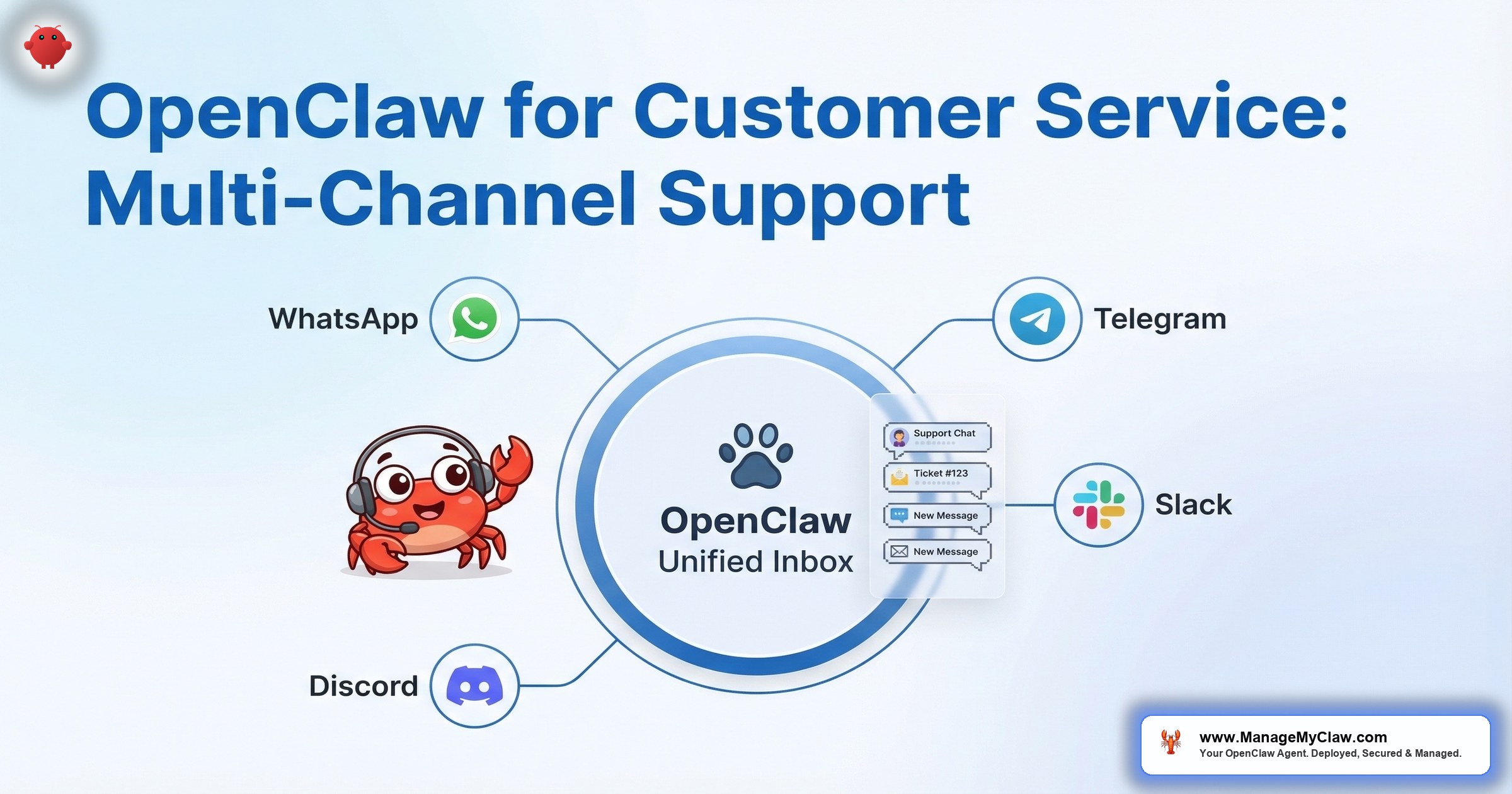
OpenClaw solves this with one agent, one memory, multiple channels. The same agent handles a customer on WhatsApp, Telegram, Discord, and Slack simultaneously. If a customer starts on WhatsApp and switches to email, the agent remembers the entire conversation. No repetition. No context loss. No “please hold while I look up your previous ticket.”
Your customer does not care which channel they are on. They care whether the person (or agent) on the other end knows who they are and what they already said.
How Multi-Channel Memory Works
Traditional customer service tools silo conversations by channel. An email thread, a WhatsApp chat, and a Discord message from the same customer create 3 separate tickets with 3 separate histories. The agent (human or AI) seeing the Discord message has no idea about the email exchange from yesterday.
OpenClaw’s architecture is fundamentally different. The agent has a single memory layer (Supermemory) that stores all interactions regardless of channel. When Customer A messages on WhatsApp, the conversation is stored in the agent’s memory. When the same Customer A emails 2 days later, the agent retrieves the WhatsApp context and continues the conversation.
Customer identification: The agent matches customers across channels using email address, phone number, or a customer ID from your CRM. When a new message arrives on any channel, the agent checks the customer’s history across all channels before responding. The first interaction builds the profile. Every subsequent interaction enriches it.
Memory persistence: Through Supermemory, the agent retains customer context across sessions — order history, previous issues, preferences, and communication tone. By week 3 of operation, the agent knows that Customer A prefers detailed technical explanations while Customer B wants the short answer.
Why this matters: Multi-channel support with unified memory is a feature that enterprise tools like Zendesk and Intercom charge $50–$150 per agent per month for. OpenClaw delivers the same capability on a $12/month VPS with $30–$80/month in API costs. The architecture is different — no per-seat licensing, no feature tiers — but the customer experience is equivalent or better because the AI agent has genuinely unified memory, not a database query that surfaces past tickets.
Channel Setup: WhatsApp, Telegram, Discord, and Slack
WhatsApp Business API
WhatsApp is the primary customer service channel in most non-US markets and increasingly in the US. OpenClaw connects through the WhatsApp Business API via Composio OAuth.
Setup requirements: WhatsApp Business account, verified business phone number, Meta Business verification. The agent receives incoming messages, processes them against the knowledge base and customer history, and responds within the WhatsApp interface. Customers interact with what looks like a normal WhatsApp conversation.
WhatsApp-specific configuration: WhatsApp has a 24-hour response window for non-template messages. The agent needs to respond within 24 hours of the last customer message to maintain the conversation. For proactive outreach (order updates, shipping notifications), pre-approved message templates are required.
Telegram
Telegram is the simplest channel to configure. Create a bot through BotFather, get the API token, connect through Composio. The agent responds to direct messages and can operate in group channels with specific mention triggers.
Telegram advantages: No message window restrictions. Rich formatting support (markdown, inline buttons, images). No per-message costs beyond API usage. Ideal for tech-savvy customer bases and developer communities.
Discord
For communities and SaaS products with Discord servers, the agent operates as a bot in designated support channels. It monitors specific channels for questions, responds inline, and can create private threads for sensitive issues.
Discord-specific configuration: The agent should respond only in designated support channels, not across the entire server. Rate limiting prevents the agent from flooding channels. The agent can distinguish between support requests and general conversation, responding only to the former.
Slack
For B2B companies with Slack Connect channels for clients, the agent handles support requests within the shared Slack workspace. It monitors designated channels, responds to tagged messages, and escalates to human agents when needed.
Slack-specific configuration: The agent responds only when mentioned or when a message is posted in the support channel. It uses threaded replies to keep conversations organized. For internal teams, it can also handle IT help desk requests in an internal support channel.
The Knowledge Base: Giving the Agent Answers
An AI customer service agent is only as good as the knowledge it draws from. Without a configured knowledge base, the agent hallucinates answers, makes up policies, and confidently provides incorrect information.
What goes into the knowledge base:
- Product documentation and FAQ
- Pricing and plan details
- Return, refund, and cancellation policies
- Shipping information and tracking procedures
- Common troubleshooting steps
- Escalation procedures and human handoff triggers
Guardrails: The system prompt includes explicit instructions: “If you do not have information to answer a question, say so and escalate to a human agent. Never fabricate policies, pricing, or product details.” This is not a suggestion — it is a system-level constraint that prevents the agent from confidently providing wrong information.
The knowledge base needs maintenance. When pricing changes, when policies update, when new products launch — the knowledge base must be updated. This is part of the ongoing management that makes the agent reliable over time, not just on launch day.
Escalation: When the Agent Hands Off
The agent handles 80% of routine inquiries. The other 20% needs a human. The escalation system determines how smoothly that handoff happens.
Automatic escalation triggers:
- Customer explicitly requests a human (“I want to talk to a real person”)
- Billing disputes or refund requests above a defined threshold
- Legal or compliance-sensitive inquiries
- Negative sentiment detected after 2+ exchanges (the customer is getting frustrated)
- Questions the agent cannot answer after checking the knowledge base
- VIP customers (identified by CRM segment or email domain)
What happens during escalation: The agent creates a support ticket (or Slack notification to the support team) with the full conversation history, the customer’s profile from memory, and a summary of the issue. The human agent picks up where the bot left off — no “can you explain your issue again?”
The worst customer service experience is not a slow bot. It is being transferred to a human who has no idea what you already told the bot. Escalation with full context is the feature that separates useful automation from frustrating automation.
Cost Comparison
| Solution | Monthly Cost | Channels |
|---|---|---|
| Zendesk Suite Professional | $115/agent/month | Email, chat, social, phone |
| Intercom | $74–$132/seat/month | Chat, email, social |
| Freshdesk Pro | $49/agent/month | Email, chat, social, phone |
| OpenClaw (self-hosted) | $42–$104 total | WhatsApp, Telegram, Discord, Slack, email |
OpenClaw’s cost is per deployment, not per agent seat. A 5-person support team using Zendesk at $115/seat pays $575/month. The same team using OpenClaw as the first-response layer pays $42–$104/month total — and the bot handles 80% of inquiries before a human touches them.
The Bottom Line
Multi-channel customer service with unified memory is the enterprise feature that small businesses have never been able to afford. OpenClaw changes the economics: one agent, one memory, 4+ channels, $100/month total cost.
The customer does not care about your internal channel architecture. They care that when they message you on WhatsApp after emailing you yesterday, you already know who they are and what they need.
Frequently Asked Questions
Can one OpenClaw agent handle all 4 channels simultaneously?
Yes. OpenClaw processes messages from all connected channels through a single agent instance with shared memory. Messages from WhatsApp, Telegram, Discord, and Slack are all processed by the same agent with the same knowledge base and the same customer context. There is no need for separate agents per channel.
How does the agent identify the same customer across different channels?
Customer matching uses email address, phone number, or CRM customer ID. When a customer first contacts on WhatsApp (phone number), the agent creates a profile. If the same customer later emails (email address), the agent matches the phone number from the CRM record to the existing profile. The matching logic is configured during setup based on your customer data structure.
What happens when the agent does not know the answer?
The system prompt explicitly instructs the agent to never fabricate answers. When the knowledge base does not contain the answer, the agent says so: “I do not have that specific information. Let me connect you with our support team who can help.” It then triggers the escalation workflow — creating a ticket with the full conversation and notifying the support team.
How many concurrent conversations can the agent handle?
Unlike human agents, the bot has no practical concurrency limit for text-based conversations. Response time increases slightly under very high load (100+ simultaneous conversations), but most businesses with 50 conversations per day run with sub-10-second response times. At 50 conversations/day across all channels, the API cost is approximately $50/month.
Does the agent handle different languages?
Yes. The underlying AI models (Anthropic, OpenAI) support 90+ languages. The agent automatically detects the customer’s language and responds in kind. The knowledge base should include translations of key content for your primary customer languages, or the agent can translate on the fly from your English-language documentation. For businesses serving non-English markets, this is a significant advantage over human agents who may not be multilingual.
Launch your multi-channel support bot.
ManageMyClaw deploys OpenClaw customer service bots across WhatsApp, Telegram, Discord, and Slack — with unified memory, knowledge base configuration, and escalation workflows. Starting at $499 with security hardening at every tier.
See Plans and PricingRelated reading: Managed OpenClaw Deployment • OpenClaw for Sales Teams: Lead Enrichment and CRM • OpenClaw for Business: The Complete Guide
Not affiliated with or endorsed by the OpenClaw open-source project.


