McKinsey estimates that knowledge workers spend 60% of their time on routine admin — email, scheduling, reporting, documentation, internal communication. Their research puts 60–70% of that time as automatable with current AI. Goldman Sachs found a 30% median productivity gain in studied use cases. The math says 10–15 hours per week of founder time is recoverable. The question is which workflows actually recover it.
Not all 10 of these will matter to you. But 2 or 3 of them will save more time than the other 7 combined. The goal isn’t to deploy everything. It’s to find your 2 and get them running.
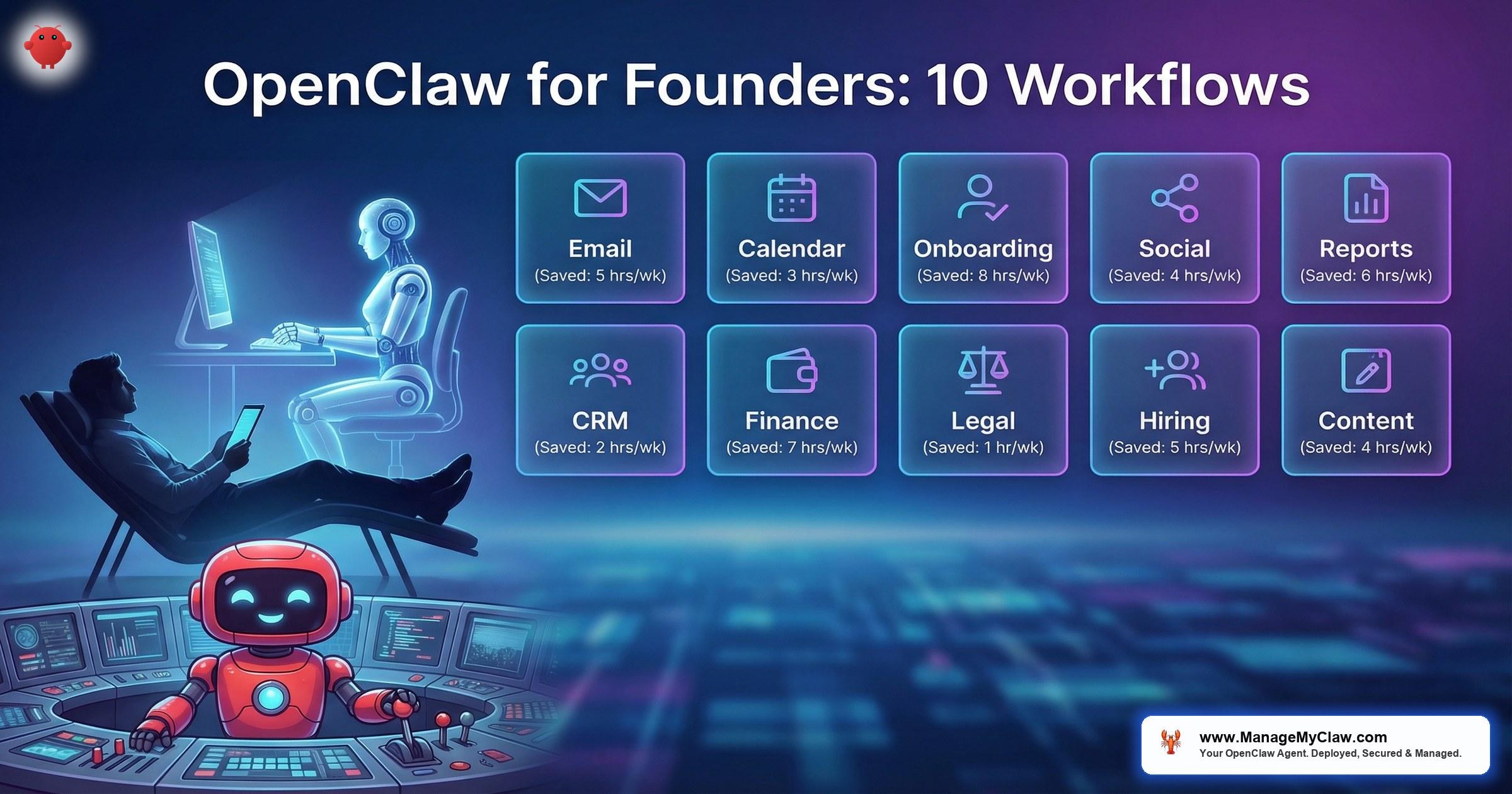
OpenClaw is an open-source AI agent framework that runs on your own hardware and takes autonomous actions across your business tools — email, calendar, CRM, messaging, and more. Unlike chatbots that answer questions in a browser tab, OpenClaw connects to your actual infrastructure via Composio OAuth and executes tasks 24/7 with persistent memory. The openclawlab.xyz community has documented 105+ use cases. Forward Future published a breakdown of 25+ real-world implementations. The 10 below are the workflows founders adopt most often, ranked by how quickly they deliver measurable time savings.
One rule before the list: better 2 workflows that save 10 hours per week than 10 that collect dust. Every failed multi-workflow deployment follows the same pattern — too many automations launched simultaneously before any of them are calibrated. Start with 1. Run it for 30 days. Add the next when the first one is stable. That’s the sequence that works.
1. Morning Briefing — Your Day in One Message
You open 5 apps every morning to piece together what matters today: Gmail for overnight priorities, Calendar for the schedule, your task manager for what’s urgent, a dashboard for yesterday’s numbers, a weather app because your first meeting might be in-person. That’s 20 minutes of context-gathering before you’ve done any actual work.
The Morning Briefing workflow collapses all of it into a single message delivered to your phone at 8 AM (or whenever you configure it). A cron job fires, pulls from all connected sources — calendar, email, tasks, weather, KPIs — and writes a natural-language briefing. By week 3, the agent has learned your standing meetings don’t need explanation and your high-priority clients get flagged by name.
| Spec | Details |
|---|---|
| Monthly API cost | $5–15 |
| Time saved | ~20 min/day (90+ hrs/year) |
| Risk level | Zero — read-only, can’t modify anything |
| Best starting workflow? | Yes — lowest risk, visible value from day 1 |
Why founders pick this first: the risk floor is zero. It’s purely read-only — it pulls data but can’t modify, delete, or send anything. The worst-case outcome is a malformed message, not a missing email.
2. Email Triage — 78% Less Time in Your Inbox
The average professional handles 121 emails per day. Most of that volume isn’t communication that needs you — it’s vendor follow-ups, scheduling requests, status checks, and newsletters you’ll never read. Email triage scans your inbox on a schedule, categorizes by urgency, drafts responses for routine messages, flags the ones that need your attention, and archives the rest.
Production benchmark: 78% reduction in email processing time. That’s not a projection. That’s the measured result at 50 emails/day with properly configured triage rules. Gmail write access is scoped to draft-only by default, with an explicit allowlist of folders the agent can touch.
| Spec | Details |
|---|---|
| Monthly API cost | $15–40 |
| Time saved | 78% reduction in email processing |
| Risk level | Low — draft-only write access, never-delete constraint |
| Best starting workflow? | Yes — highest single-workflow time savings |
Why founders pick this first: if email is your biggest time drain, this recovers more hours per week than any other single workflow. Start here if your inbox is your bottleneck.
3. Client Onboarding — 2 Hours to 10 Minutes
Manual onboarding means a welcome email, a Slack channel invite, a CRM record, a project folder, a kickoff meeting invitation, and a templated scope document — all assembled by hand. For agencies and service businesses doing 5–10 onboardings per month, that’s 10–20 hours of repeatable admin.
The client onboarding workflow triggers on a webhook (typically a payment confirmation or form submission) and executes the entire sequence: creates the CRM record, sends the welcome email, provisions workspace access, generates the scope document, and schedules the kickoff. 12x faster than manual.
| Spec | Details |
|---|---|
| Monthly API cost | $10–30 |
| Time saved | ~110 min per onboarding (2 hrs → 10 min) |
| Risk level | Medium — sends external communications |
| Best for | Agencies, service businesses, SaaS with 5+ new clients/month |
4. Social Media Pipeline — RSS to Platform-Specific Posts
You publish a blog post. Then you need a LinkedIn summary, a Twitter thread, an Instagram caption, and a newsletter mention — each formatted for its platform, each requiring 15–30 minutes of adaptation. The social media pipeline watches your RSS feed (or a trigger folder), detects new content, and generates platform-specific posts using your documented brand voice.
Posts go into a review queue, not directly to publication. You approve, edit, or reject. The agent learns from your edits over time via Supermemory context, progressively reducing the editing needed.
| Spec | Details |
|---|---|
| Monthly API cost | $10–25 |
| Time saved | 1–2 hrs per content piece across platforms |
| Risk level | Low — review queue, nothing auto-publishes |
| Prerequisite | Documented brand voice guidelines |
5. KPI Reporting — 4 Hours to 5 Minutes
You know the drill: open Analytics, export the data, open a spreadsheet, paste, format, calculate deltas from last period, write the narrative summary, export to PDF, attach to an email, send to stakeholders. That’s a 4-hour process for a weekly report. The KPI reporting workflow pulls from your connected data sources on a schedule, generates the report with period-over-period comparisons, and delivers it to your preferred channel.
4 hours to 5 minutes. The report is ready when you open Slack on Monday morning. No spreadsheet wrestling. No formatting. No “I’ll get to the weekly report after lunch.”
| Spec | Details |
|---|---|
| Monthly API cost | $5–15 |
| Time saved | ~3.9 hrs per report (4 hrs → 5 min) |
| Risk level | Zero — read-only data access |
| Best for | Founders reporting to investors, boards, or team leads |
6. Meeting Prep — Walk In Already Briefed
Before any external meeting, you should know who you’re meeting, what you’ve discussed previously, what their company is doing, and what you want from this conversation. Most founders either skip this prep entirely or spend 15–20 minutes per meeting doing it manually.
The meeting prep workflow fires automatically when a calendar event approaches (default: 30 minutes before). It pulls attendee information from your CRM and email history, researches their company’s recent news, compiles your prior correspondence, and delivers a briefing to Slack or Telegram. You walk into the meeting already knowing the context instead of spending the first 5 minutes faking it.
| Spec | Details |
|---|---|
| Monthly API cost | $5–20 (depends on meeting volume) |
| Time saved | 15–20 min per external meeting |
| Risk level | Zero — read-only, internal delivery only |
7. Bill Tracking — No More Late Fees
Late payment fees are the dumbest expense in any business. Not because you can’t afford the bill — because you forgot it was due. The bill tracking workflow scans your email for invoices and payment reminders, extracts due dates and amounts, and sends you proactive reminders via WhatsApp or Telegram 3 days and 1 day before each due date.
It doesn’t pay the bills for you (no write access to bank accounts). It makes sure you never miss one because it was buried in your inbox.
| Spec | Details |
|---|---|
| Monthly API cost | $3–10 |
| Time saved | Prevents late fees + eliminates manual tracking |
| Risk level | Zero — read-only inbox access, reminder delivery only |
8. Competitive Intelligence — Weekly Monitoring on Autopilot
You know you should be monitoring your competitors. You also know you haven’t checked their pricing page in 3 months. The competitive intelligence workflow runs weekly: it monitors specified competitor websites for pricing changes, new feature announcements, blog posts, and hiring activity. It delivers a summary with what changed and what didn’t.
No more “I had no idea they launched that feature 6 weeks ago.” The agent catches it the week it happens.
| Spec | Details |
|---|---|
| Monthly API cost | $5–15 (depends on number of competitors) |
| Time saved | 1–3 hrs/week of manual monitoring |
| Risk level | Zero — read-only web access, internal delivery |
9. Customer Service Bot — 80% of Inquiries Handled
For B2C businesses and SaaS products with high inquiry volume, a well-configured customer service workflow handles 80% of routine inquiries automatically — FAQs, order status checks, basic troubleshooting, and lead qualification. The remaining 20% escalates to you with full context so you don’t start from scratch.
This is the highest-stakes workflow on the list. It talks directly to your customers. Misconfigured email triage wastes your time. A misconfigured customer-facing bot damages trust. Deploy this last, after your knowledge base covers the 50+ most common inquiries, and only with approval gates before external sends.
| Spec | Details |
|---|---|
| Monthly API cost | $30–80 |
| Time saved | 80% of support volume automated |
| Risk level | High — customer-facing, requires approval gates |
| Available in | Business tier ($2,999) only — 14-day hypercare included |
10. Calendar Management — Scheduling Without the Back-and-Forth
The email chain that starts with “What times work for you next week?” and takes 6 messages to resolve. Calendar management handles scheduling, rescheduling, and conflict detection. When someone proposes a time, the agent checks your calendar, identifies conflicts, proposes alternatives from your availability, and sends the confirmation — without you touching your inbox.
For founders with 15+ meetings per week, this eliminates 30–60 minutes of daily scheduling overhead. Combined with the meeting prep workflow (workflow 6), you walk into every meeting on time and already briefed.
| Spec | Details |
|---|---|
| Monthly API cost | $5–15 |
| Time saved | 30–60 min/day for meeting-heavy founders |
| Risk level | Medium — writes to calendar, sends scheduling emails |
The Full Cost Picture: What 10 Workflows Cost to Run
Nobody runs all 10 simultaneously. But here’s the full cost table so you can build your own combination:
| Workflow | Monthly API Cost | Risk Level |
|---|---|---|
| 1. Morning Briefing | $5–15 | Zero |
| 2. Email Triage | $15–40 | Low |
| 3. Client Onboarding | $10–30 | Medium |
| 4. Social Media Pipeline | $10–25 | Low |
| 5. KPI Reporting | $5–15 | Zero |
| 6. Meeting Prep | $5–20 | Zero |
| 7. Bill Tracking | $3–10 | Zero |
| 8. Competitive Intelligence | $5–15 | Zero |
| 9. Customer Service Bot | $30–80 | High |
| 10. Calendar Management | $5–15 | Medium |
| VPS Hosting | $12–24 | — |
| Typical founder (2–3 workflows) | $35–95/mo total | — |
Most founders start with workflows 1 and 2 — Morning Briefing and Email Triage — for $20–55/month plus hosting. That combination alone recovers 10+ hours per week. At founder rates of $200–$500/hour, the payback period is measured in days. For a personalized calculation, see the workflow library with full deployment specs.
How ManageMyClaw Tiers Map to These Workflows
Each ManageMyClaw tier includes a specific number of workflows, deployed sequentially and validated before the next goes live:
- Starter ($499): 1 workflow. Best starting point: Morning Briefing or Email Triage. Includes VPS provisioning, Docker sandboxing, firewall hardening, Composio OAuth, and tool permission lockdown.
- Pro ($1,499): 3 workflows. Typical combination: Email Triage + Morning Briefing + KPI Reporting or Client Onboarding. Includes 30-min workflow audit call and custom prompt engineering.
- Business ($2,999): 5 workflows. The only tier that includes the Customer Service Bot (workflow 9), with 14-day hypercare and daily check-ins to ensure customer-facing automation is calibrated correctly.
Additional workflows can be added standalone at $149–449 each depending on complexity. See full tier details on our pricing page.
The Bottom Line
105+ use cases exist in the OpenClaw ecosystem. You need 2 or 3. The openclaw founder workflows that save time are the ones that match your actual bottlenecks — not the ones that sound impressive on a feature list.
Start with Morning Briefing or Email Triage. Run it for 30 days. Feel the difference. Then add the next one. The founders getting results aren’t running 10 workflows. They’re running 2 that save 10 hours per week — and that’s the math that actually matters.
For workflow-by-workflow deployment specs, prerequisites, and what breaks each one, see the full workflow library. For pricing details, visit our contact page or go straight to pricing.
Frequently Asked Questions
Which 2 workflows should I start with?
Morning Briefing (workflow 1) and Email Triage (workflow 2) are the recommended starting pair for most founders. Morning Briefing is zero-risk (read-only) and delivers visible value from day 1 at $5–15/month. Email Triage provides the highest single-workflow time savings at 78% reduction in email processing time. Together they cost $20–55/month in API fees and recover 10+ hours per week. Start with whichever addresses your bigger bottleneck, run it for 30 days, then add the other.
How much does it cost to run OpenClaw workflows?
OpenClaw itself is free and open source. You pay for AI model API costs ($5–80/month per workflow depending on complexity and volume) and VPS hosting ($12–24/month). A typical founder running 2–3 workflows spends $35–95/month total. The Customer Service Bot (workflow 9) is the most expensive at $30–80/month. Morning Briefing and KPI Reporting are the cheapest at $5–15/month each. All costs are variable based on usage volume.
Can I set up these workflows myself or do I need a service?
You can do it yourself — OpenClaw is open source and the documentation is solid. The setup involves VPS provisioning, Docker sandboxing, firewall configuration, Composio OAuth for tool connections, workflow configuration, and security hardening. That’s 15+ hours of DIY work. At founder rates of $200–$500/hour, that’s $3,000–$7,500 in time alone. Services like ManageMyClaw handle the entire deployment in under 60 minutes starting at $499, so you go straight to using your workflows.
Are these workflows safe? Can the AI make mistakes?
Yes, AI can make mistakes — which is why workflow risk level matters. Workflows 1, 5, 6, 7, and 8 are read-only: they pull data and deliver summaries but can’t modify anything. Workflow 2 (Email Triage) is scoped to draft-only write access with a never-delete constraint. Workflows 3, 4, and 10 send external communications but use approval gates. Workflow 9 (Customer Service Bot) is the highest-risk and is restricted to the Business tier ($2,999) with 14-day hypercare. The key is proper configuration: tool permission lockdown, scoped OAuth access, and constraints stored in system-level configuration files where context compaction can’t erase them.
Why shouldn’t I deploy all 10 workflows at once?
Because when something breaks, you won’t know which workflow caused it. Every failed multi-workflow deployment follows the same pattern: 3–4 workflows launched simultaneously before any are calibrated. Sequential deployment isn’t slower. It’s how you avoid spending a weekend debugging a cascade of issues that started with one misconfigured trigger. Run 1 for 30 days, confirm it’s stable, then add the next. Even ManageMyClaw’s Business plan ($2,999), which includes 5 workflows, deploys them sequentially.
ManageMyClaw identifies your highest-impact workflows, then deploys and configures them in under 60 minutes — Docker sandboxing, firewall hardening, and security included at every tier. Starting at $499.
Deploy My Agent


