89% of top-performing real estate agents are projected to use AI-enhanced CRMs by the end of 2026. Not “considering.” Not “evaluating.” Using.
That projection comes from industry analysis of brokerage technology adoption trends, and it maps to what’s already happening on the ground: 87% of brokerages and agents report using real estate AI tools daily — for lead scoring, contract reminders, market analysis, and the mountain of follow-up work that separates agents who close from agents who chase. Agentic CRMs — systems where the AI doesn’t just suggest actions but executes them — are boosting conversion rates by 67% and cutting admin workload by enough hours that agents are reclaiming entire workdays.
Here’s the part nobody mentions in the pitch deck: most of these agents are paying $300–$800/month for proprietary platforms that lock their data behind vendor walls. OpenClaw does the same work on a $12/month VPS — if you can configure it.
This is the practical guide to using OpenClaw as a real estate automation layer — connecting it to your CRM, automating the follow-ups that close deals, and tracking every stage from inquiry to closing without manually updating a spreadsheet at 10 PM. We’ll cover what openclaw real estate agents are actually building, what the costs look like, and why the security configuration matters more in real estate than almost any other vertical.
The Real Estate Admin Problem: 12–16 Hours a Week on Work That Doesn’t Close Deals
Arthur Ambartsumyan, VP of Innovation at Ascendix Technologies, quantified it: CRM AI agents save real estate professionals 12–16 hours per week. That’s not a theoretical projection. That’s a measurement of the time agents spend on deal stage updates, contract reminders, inquiry logging, inspection deadline tracking, and the 47 follow-up emails that stand between a showing and a closing.
Think about what 12–16 hours actually means. That’s 2 full workdays. Every week. Spent not showing properties, not negotiating offers, not building relationships — but updating CRM fields, sending “just checking in” messages, and copying data from one system to another. At the median agent income in the U.S., those hours represent $15,000–$25,000 per year in opportunity cost. For a top producer billing $300+/hour in effective commission earnings, it’s significantly more.
It’s like hiring a sous chef and then having them spend half their shift organizing the pantry. The pantry needs organizing. But that’s not why you hired a sous chef.
On r/CRMSoftware, real estate investors and agents are already building toward this. Threads about tracking leads and deals with AI CRMs surface regularly, with users describing setups where the AI handles the data entry, stage progression, and reminder scheduling while the human handles the relationship. The pattern is consistent: agents who automate the admin close more deals, not because the AI is better at selling, but because the human finally has time to do the selling.
Why this matters: If you’re a real estate agent spending 12+ hours a week on CRM updates, follow-up scheduling, and deal tracking, you’re not undisciplined. You’re doing a job that belongs to software. The question is whether you pay $500/month for a proprietary platform to do it — or configure an open-source agent that does the same work for $40/month in API costs.
What OpenClaw Actually Does for Real Estate Agents
OpenClaw isn’t a CRM. It’s the layer that sits between your CRM, your email, your calendar, and your deal pipeline — and does the mechanical work that connects them. Think of it as an operations coordinator who never sleeps, never forgets a deadline, and never lets a lead go cold because someone forgot to set a reminder.
Here’s what the AI auto-executes in a properly configured real estate deployment:
- Updating deal stages. When an offer is accepted, the agent moves the deal from “negotiation” to “under contract” in your CRM, updates the timeline, and notifies the relevant parties — lender, title company, inspector. No manual data entry. No forgetting to update the pipeline.
- Sending contract reminders. Inspection deadline in 5 days? The agent notifies you, the buyer, and the inspector. Appraisal contingency expiring? Same thing. These aren’t calendar events you set manually — the agent reads the contract dates and creates the reminder chain automatically.
- Logging inquiries. A lead emails about a listing. The agent creates a contact in your CRM, logs the inquiry, categorizes the lead by source and intent, and drafts a response for your review — all before you’ve finished your morning coffee.
- Tracking inspection deadlines. The agent monitors every active deal for upcoming deadlines, sends graduated reminders (7 days, 3 days, 1 day), and flags any deal where a deadline is at risk of being missed.
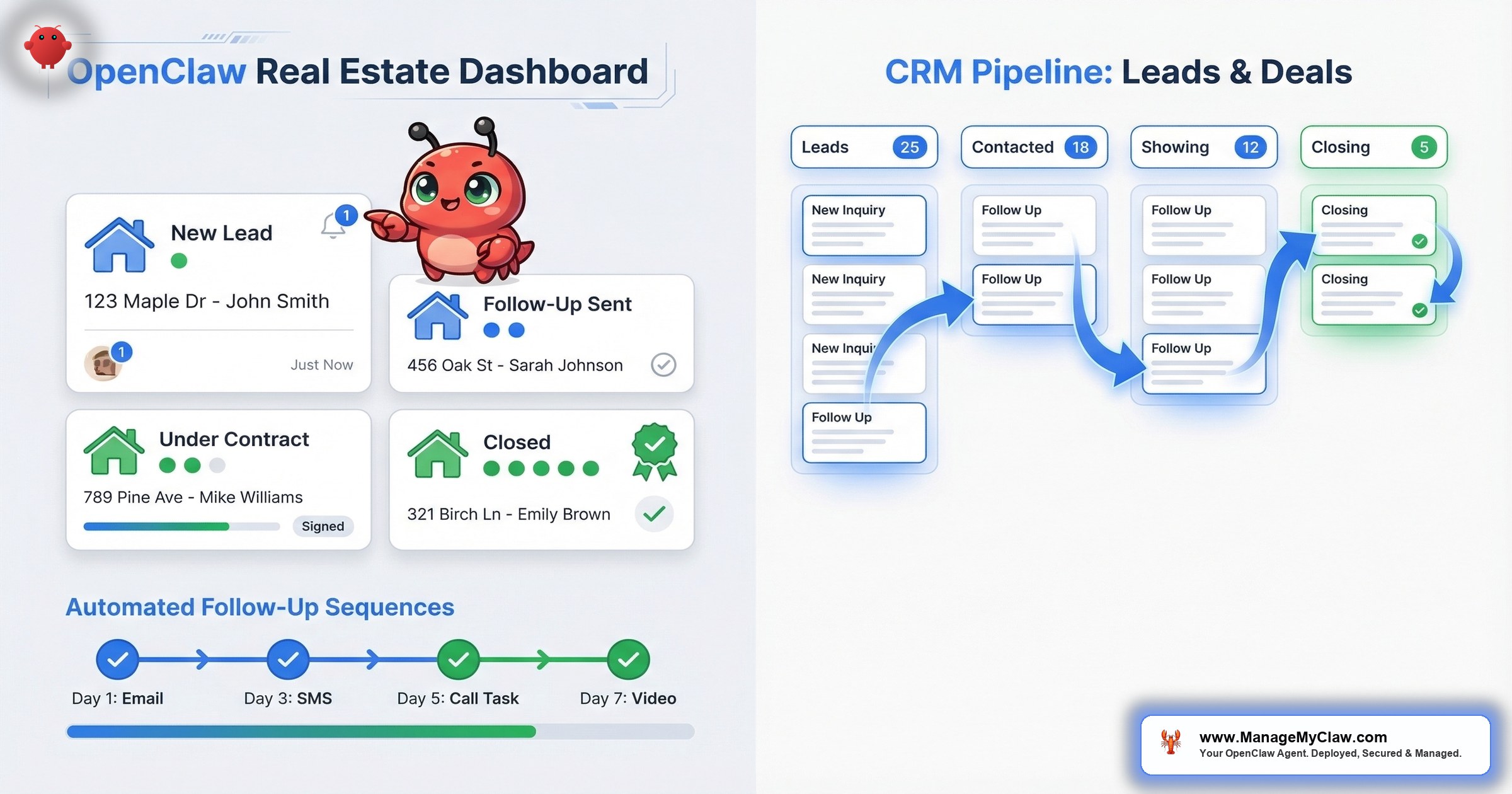
- Automating follow-ups. That buyer who went silent after the second showing? Day 3: the agent drafts a personalized check-in. Day 7: a market update relevant to their search criteria. Day 14: a “new listing matches your criteria” message. All drafted, waiting for your review or auto-sent for categories you’ve tested and trust.
Think of it like a transaction coordinator who works 24/7, costs less than your monthly MLS subscription, and never sends the wrong document to the wrong escrow officer. Except this one runs on your VPS and you own every byte of data.
CRM Sync: How OpenClaw Connects to Your Pipeline
The connection layer is Composio OAuth. OpenClaw doesn’t hold your CRM credentials directly — it authenticates through Composio’s encrypted middleware, so your raw API tokens never touch the agent process. This matters enormously in real estate, where your CRM contains client SSNs, financial pre-approvals, and property addresses — data that carries legal liability if exposed.
The sync works in both directions:
- CRM → OpenClaw: New lead enters your CRM (from Zillow, Realtor.com, your website form, or manual entry). A webhook triggers the agent. The agent reads the lead data, categorizes by source and intent, creates the follow-up sequence, and schedules the first touchpoint.
- OpenClaw → CRM: The agent updates deal stages, logs interaction notes, and writes contact activity records back to your CRM. Every action the agent takes gets logged in the CRM as an activity — creating a full audit trail.
Leading platforms like Lofty (which offers real-time AI lead scoring), Wise Agent, and Assist CRM are building similar capabilities into their proprietary stacks — at $300–$800/month. OpenClaw does the same integration work on open infrastructure. You bring the CRM. The agent handles the glue between it and everything else.
On r/ClaudeAI, a developer shared a thread titled “Built an autonomous real estate platform with Claude — AI agents handle the entire transaction” (26 upvotes). The post described a system where AI agents managed lead intake, property matching, offer generation, and transaction coordination — built on top of Claude’s API with OpenClaw-style orchestration. The comments were a mix of amazement and practical concern: “What about data security?” “How do you handle when it hallucinates a property detail?” “What happens when it sends the wrong comp to a buyer?”
Why this matters: The CRM sync isn’t just a convenience feature. It’s the foundation that makes everything else — follow-ups, deal tracking, deadline monitoring — work without manual intervention. Get the sync right, and the rest is configuration. Get it wrong, and you’re updating 2 systems instead of 1.
Automated Follow-Ups: The 67% Conversion Lift
The 67% conversion rate improvement from agentic CRMs comes primarily from one thing: follow-up consistency. Not better scripts. Not smarter AI. Just the fact that the follow-up actually happens, every time, on schedule, without a human forgetting or deprioritizing it.
The National Association of Realtors reports that 80% of sales require 5 or more follow-ups, but 44% of agents give up after just 1. The gap between those 2 numbers is where deals die — and where an automated follow-up sequence creates value that’s measurable in closed transactions.
Here’s what a configured follow-up sequence looks like in OpenClaw:
| Day | Trigger | Action | Mode |
|---|---|---|---|
| 0 | New inquiry received | Acknowledge + request criteria | Draft for review |
| 1 | Criteria received | Send matching listings | Draft for review |
| 3 | No reply to listings | Check-in + 1 new listing | Auto-send (tested) |
| 7 | Still no reply | Market update for their area | Auto-send (tested) |
| 14 | Still no reply | Price drop / new listing alert | Auto-send (tested) |
| 30 | Long-term nurture | Monthly market digest | Auto-send (tested) |
The critical design principle: early touchpoints default to draft-for-review. Auto-send only activates after you’ve tested and approved the template quality. This is the same progressive trust model used in OpenClaw email automation — read-only first, then carefully scoped write access.
On r/SideProject, a builder posted “Turned my OpenClaw instance into an AI-native CRM with generative UI” (18 upvotes). The project described a system that auto-generated follow-up sequences based on lead behavior patterns, rendered deal dashboards in real time, and tracked pipeline health without a single manual data entry. The top comment: “This is exactly what I’ve been looking for. A CRM that isn’t a CRM but does the CRM’s job.”
Why this matters: The 67% conversion lift isn’t from AI writing better emails than you. It’s from the AI sending the 4th and 5th follow-up that you — honestly — weren’t going to send. Consistency beats eloquence in real estate follow-up. Every time.
Deal Tracking: From Inquiry to Closing Without the Spreadsheet
A residential real estate transaction has, on average, 180+ individual tasks between accepted offer and closing. Inspection scheduling. Appraisal ordering. Title search. Lender document requests. HOA document delivery. Final walkthrough. Utilities transfer. Each one has a deadline. Each one depends on other tasks completing first.
Most agents track this in a combination of spreadsheets, sticky notes, and memory. Some use transaction management software. Almost none have the tracking connected to their CRM and email in a way that updates automatically.
OpenClaw changes the architecture. When a deal moves to “under contract,” the agent spins up a deal tracker:
- Contract dates are parsed — inspection period, appraisal contingency, financing contingency, closing date — and loaded into a timeline with automated reminders.
- Dependent tasks are linked — the appraisal can’t be ordered before the inspection report clears. The agent knows this and sequences the notifications accordingly.
- Status updates are pushed — when the inspection report comes back (via email), the agent parses the summary, updates the deal stage, and notifies you and the buyer’s agent. When the lender requests documents, the agent flags the request and tracks whether the documents were submitted.
- At-risk deals surface automatically — if an inspection deadline is 3 days out and no report has been logged, the deal gets flagged in your morning briefing. Not buried in a spreadsheet. Front and center.
The conversational AI applications for real estate have expanded to at least 5 practical use cases in 2026: lead qualification, property matching, transaction coordination, market analysis, and client communication. Deal tracking spans the most critical of these — transaction coordination — and it’s the one where a dropped ball has the highest dollar cost.
Why this matters: Missing an inspection deadline doesn’t just create admin headaches. It can kill a deal. An agent handling 8–12 transactions simultaneously can’t track 1,400–2,100 individual tasks by memory. The agent can. That’s not a luxury — it’s a mathematical necessity once your transaction volume exceeds what a human brain can reliably hold.
The Security Question: Why Real Estate Data Demands More Than Default Configuration
Real estate transactions involve Social Security numbers, bank account details, property addresses, financial pre-approvals, and personal identification documents. This is exactly the kind of data that turns a misconfigured AI agent from a productivity tool into a compliance nightmare.
OpenClaw has 9 disclosed CVEs, including a CVSS 8.8 one-click remote code execution vulnerability. China’s CNCERT issued a formal security warning. The ClawHavoc attack planted hundreds of malicious plugins on ClawHub that exfiltrated SSH keys and API tokens. If your OpenClaw instance touches client financial data and it’s running with default security, you’re not just at technical risk — you’re at legal risk.
The security baseline for a real estate deployment includes everything in the standard 14-point security audit, plus additional data-handling constraints:
- Docker sandboxing with non-root user, read-only filesystem, and dropped capabilities
- Composio OAuth for all CRM and email connections — the agent never handles raw credentials
- Tool permission allowlists scoped to read + write on specific CRM fields, not blanket access
- System-level constraints hardcoded against forwarding, exporting, or sharing client PII outside designated channels
- Kill switch tested before any client data enters the system
On r/coldemail and r/SideProject, multiple posts about “OpenClaw for Sales” have surfaced, describing agents that handle lead outreach, CRM updates, and pipeline management. The consistent feedback in the comments: the automation works, but the security conversations are an afterthought. One commenter noted: “Everyone’s focused on what the agent can do. Nobody’s asking what it can access.”
Why this matters: If you’re a real estate agent handling client SSNs and financial documents through an AI agent running on default Docker configuration with no firewall rules, you have a data breach that hasn’t happened yet. The security setup takes 20 minutes. The liability exposure lasts until someone finds the gap.
Cost Comparison: Proprietary Platforms vs. OpenClaw
Here’s the real math for running an AI-powered real estate CRM layer:
| Cost Component | Proprietary AI CRM | OpenClaw (Self-Managed) | OpenClaw (ManageMyClaw) |
|---|---|---|---|
| Setup | $0–$500 | 15+ hours of your time | Starting at $499 |
| Monthly platform | $300–$800 | $0 | $0 |
| VPS hosting | Included | $12–$24/mo | $12–$24/mo |
| API costs | Included | $30–$60/mo | $30–$60/mo |
| Year 1 Total | $3,600–$10,100 | $504–$1,008 + time | ~$1,003–$1,507 |
The proprietary platform includes everything but locks your data. OpenClaw gives you full ownership but requires configuration expertise. The managed deployment path bridges the gap — professional setup and security hardening at a fraction of the proprietary platform cost.
At $200/hour and 12 hours/week recovered, the payback period for any of these options is measured in days, not months. The ROI math in real estate is almost embarrassingly one-sided — which is why 87% of agents are already using AI tools daily. The question isn’t whether to automate. It’s how.
The Bottom Line
OpenClaw for real estate agents isn’t about replacing the agent. It’s about replacing the 12–16 hours per week of admin work that has nothing to do with selling homes. CRM sync, automated follow-ups, and deal tracking are the 3 workflows with the clearest ROI in real estate — and they’re the 3 that benefit most from an AI agent that runs 24/7 without forgetting a deadline or dropping a follow-up.
The conversion lift is real: 67% improvement when follow-ups actually happen consistently. The time savings are documented: 12–16 hours per week. The security risk is equally real: 9 CVEs, a CNCERT warning, and client data that includes SSNs and financial documents. You can’t have the upside without addressing the security baseline first.
The agents who’ll dominate in 2026 aren’t the ones with the best AI tools. They’re the ones who configured their AI tools correctly, scoped the permissions tightly, and then let the software do the boring, repetitive, critical work that was eating their selling time. That’s not a technology bet. That’s an operational one.
Frequently Asked Questions
Can OpenClaw connect to my existing real estate CRM?
Yes — through Composio OAuth, OpenClaw connects to 400+ platforms including most major CRMs. If your CRM has an API or webhook support (Follow Up Boss, kvCORE, Wise Agent, HubSpot, Salesforce), the agent can read from and write to it. The connection uses encrypted middleware, so your CRM credentials never touch the agent directly. Custom or niche CRMs may require additional configuration.
Will the agent send emails to my clients without my approval?
Not by default. The system starts in draft-only mode — every follow-up the agent generates sits in your drafts until you review and approve it. After 2–4 weeks of testing, you can enable auto-send for specific low-stakes categories (market updates, check-in messages) that you’ve verified for quality. High-stakes communications — offer responses, contract discussions, client-facing negotiations — stay in draft review indefinitely.
How does OpenClaw handle sensitive client data like SSNs and financial documents?
The security architecture includes Docker sandboxing with non-root permissions, Composio OAuth (no raw credentials), and tool permission allowlists that scope the agent’s access to specific CRM fields. System-level constraints prevent the agent from forwarding, exporting, or sharing client PII outside designated channels. All data stays on your infrastructure — your VPS, your storage. ManageMyClaw configures but doesn’t host your data.
What’s the actual monthly cost to run this?
VPS hosting runs $12–$24/month. API costs for CRM sync, follow-ups, and deal tracking are typically $30–$60/month depending on lead volume and the number of active deals. Total: $42–$84/month. Compare that to $300–$800/month for proprietary AI CRM platforms like Lofty or kvCORE’s AI tier. At 12 hours/week recovered, the monthly cost pays for itself in the first 2–3 hours.
Can the deal tracker handle multiple simultaneous transactions?
Yes. Each deal gets its own tracked timeline with independent deadlines, reminders, and status updates. Agents handling 8–12 transactions simultaneously is the target use case — that’s 1,400–2,100 individual tasks the agent monitors, prioritizes, and flags. Your morning briefing surfaces only the deals and deadlines that need your attention that day, so you’re not drowning in notifications.
What if the AI drafts a follow-up with incorrect property details?
This is why the draft-review model exists. The agent drafts based on CRM data and listing information you’ve connected — it’s pulling from your data, not hallucinating property specs. But model outputs aren’t infallible. The draft review catches errors before they reach clients. For auto-send categories, you define templates with fixed data fields (MLS number, price, address) pulled directly from the source, minimizing the surface area for AI-generated errors.
Do I need to be technical to set this up?
Self-deploying OpenClaw requires comfort with Docker, CLI, and API configuration — budget 15+ hours if you’re doing it yourself. If you’d rather skip the DevOps and go straight to closing deals, a managed deployment handles the setup, security hardening, CRM integration, and workflow configuration. You answer the intake questions about your CRM and workflows. The agent is live in under 60 minutes.
Want CRM sync, automated follow-ups, and deal tracking running — with security hardening configured for real estate data — by tonight?
ManageMyClaw deploys and configures OpenClaw for your real estate workflows — CRM integration, follow-up sequences, deal tracking, and the full security baseline for handling client data. Starting at $499, live in under 60 minutes, no phone call required.
Get Started — No Call Required

