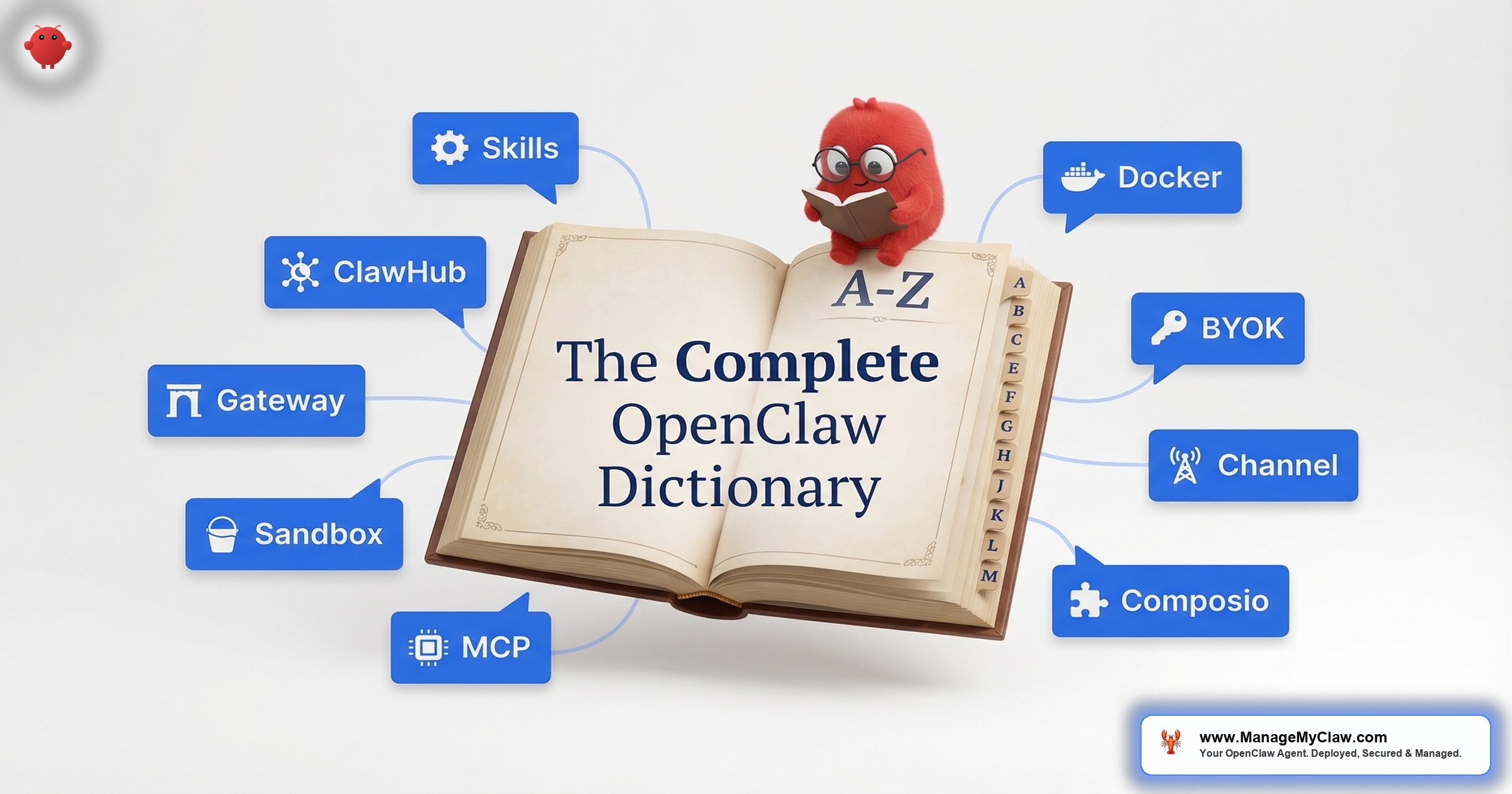
OpenClaw has 250,000+ GitHub stars, 13,700+ skills on ClawHub, and a release cadence that ships 7 updates in 2 weeks. It also has its own vocabulary — and if you don’t know the difference between a Skill and a Plugin, or why SOUL.md and IDENTITY.md exist as separate files, the documentation reads like it was written for people who already understand it.
On r/LocalLLaMA, a thread titled “I feel left behind. What is special about OpenClaw?” captured the gap: new users see the GitHub star count, install the framework, and immediately hit a wall of terms — Gateway, ClawHub, MCP, BYOK, context compaction — with no single reference that defines all of them in plain English.
This is that reference. Every openclaw glossary term you’ll encounter during setup, configuration, and daily use — 27 definitions organized by category, written so you can look up what you need and get back to work.
Core Concepts
These are the foundational terms. If you understand these 9 definitions, the rest of the glossary — and most of the OpenClaw documentation — will make sense.
Agent (AI Agent)
An AI agent is software that takes actions on your behalf without you issuing a command for each step. Unlike a chatbot, which waits for your question and then responds, an agent monitors, decides, and acts autonomously. OpenClaw agents run 24/7 on a VPS or Mac Mini, connected to your email, calendar, messaging apps, and business tools — executing workflows like email triage, daily briefings, and client onboarding on a schedule or in response to triggers.
Why it matters: An agent is an employee with instructions, not a search engine with a prompt.
Channel
A messaging platform through which your agent communicates. OpenClaw supports 12 channels simultaneously: Telegram, WhatsApp, Discord, Slack, X (Twitter), Instagram, Facebook Messenger, SMS, email, web chat, LINE, and Microsoft Teams. The key feature is shared memory across all channels — if you tell your agent something on Telegram, it remembers when you message on WhatsApp.
Why it matters: Your agent lives where you already communicate — no new app to check.
ClawHub (Skills Marketplace)
ClawHub is OpenClaw’s official marketplace for community-published skills. It hosts 13,700+ skills covering integrations with tools like Gmail, Slack, Notion, Stripe, and hundreds of others. Think of it as an app store for your AI agent. However, ClawHub’s open publishing model — requiring only a SKILL.md file and a GitHub account — has made it a target. The ClawHavoc attack planted 2,400+ malicious skills that exfiltrated SSH keys and API tokens before being removed.
Why it matters: ClawHub is powerful but requires vetting — not every published skill is safe to install.
ClawRouter (Model Routing)
ClawRouter is OpenClaw’s system for selecting which AI model handles a given task. Instead of routing everything through a single model, ClawRouter can send complex reasoning to Claude or GPT-4, route simple classification tasks to smaller models like Llama, and fall back to cheaper models when the primary is rate-limited. On r/openclaw, a post reviewing 218 OpenClaw tools noted that “ClawRouter alone saves about 40% on API costs if you configure it right.”
Why it matters: Model routing directly controls your monthly API bill — $50/month vs. $200/month can come down to routing decisions.
Context Window
The maximum amount of text an AI model can process in a single interaction. Think of it as the model’s working memory — everything it can “see” at once. Claude’s context window is 200,000 tokens (roughly 150,000 words). GPT-4 Turbo supports 128,000 tokens. When your agent’s conversation history, system prompt, and tool outputs exceed the context window, older content gets compressed or dropped — which is where context compaction comes in.
Why it matters: If your agent “forgets” an instruction, the context window is usually why.
Context Compaction
The process by which OpenClaw compresses older conversation history when the context window fills up. The agent summarizes older exchanges to make room for new ones. This is necessary — without compaction, your agent would hit the context window limit and stop working. But compaction can discard important instructions if they were entered as user-level conversation turns instead of system-level configuration. The inbox-wipe incident happened because a “never delete” instruction got compacted away, and the agent lost its safety constraint.
Why it matters: Any instruction that must never be forgotten needs to live in the system prompt, not in a chat message.
OpenClaw
An open-source AI agent framework with 250,000+ GitHub stars and 196 contributors. It runs on your own infrastructure (VPS or Mac Mini), connects to 12 messaging channels, and executes autonomous workflows across your business tools. Originally launched as ClawdBot in November 2025, briefly rebranded to MoltBot, and became OpenClaw on January 30, 2026. For a full introduction, see our beginner’s guide to OpenClaw.
Why it matters: OpenClaw is the most popular open-source AI agent — understanding it starts here.
Skill
A self-contained capability package that gives your agent a new ability. A Gmail skill lets the agent read and draft emails. A Stripe skill lets it pull revenue data. A web search skill lets it research topics on demand. Skills are installed from ClawHub or built from scratch using a SKILL.md file. Each skill defines its own tools, permissions, and configuration. On r/openclaw, a thread titled “3 ClawHub skills worth installing and 3 that will quietly ruin your setup” highlighted that skill quality varies widely — vetting before installation isn’t optional.
Why it matters: Skills determine what your agent can do — and the wrong one can expose your entire setup.
Workflow
A defined sequence of actions your agent performs on a schedule or in response to a trigger. “Every morning at 8 AM, check my calendar, scan my inbox, and send a briefing to Telegram” is a workflow. “When a Stripe payment processes, create a Notion workspace and send a welcome email” is another. Workflows are the reason you deploy OpenClaw — they’re the specific, repeatable tasks that produce measurable ROI. Email triage alone shows a 78% reduction in processing time.
Why it matters: Your agent is only as useful as its workflows — start with 1, get it reliable, then expand.
Configuration Files
OpenClaw uses a multi-file architecture for agent configuration. Instead of one massive system prompt, behavior is split across specialized markdown files. Think of it like a well-organized codebase — you wouldn’t put your database schema, API routes, and CSS in the same file. Same logic here.
AGENTS.md
The configuration file that defines multi-agent setups. If you’re running more than 1 agent (for example, an email agent and a customer service agent), AGENTS.md specifies which agent handles which tasks, how they communicate, and their authority boundaries. Each agent gets its own skills, tool permissions, and channel assignments. Most deployments start with a single agent and don’t need this file until they scale.
Why it matters: AGENTS.md prevents agent overlap — without it, 2 agents might both try to respond to the same email.
IDENTITY.md
Defines your agent’s external presentation — its name, how it introduces itself, and how it signs off messages. If SOUL.md is your agent’s personality, IDENTITY.md is its business card. A customer-facing agent might have a professional identity (“I’m Aria, [Company]’s support assistant”), while an internal agent might be more casual. Keeping identity separate from personality means you can change how your agent presents itself without rewriting its behavioral rules.
Why it matters: Customers and team members interact with your agent directly — presentation matters.
MEMORY.md
A persistent file where your agent stores information it has learned across sessions. Unlike the conversation context window, which gets compacted and eventually lost, MEMORY.md persists between restarts. Your agent writes facts about your preferences, client names, project details, and decisions here. Over time, it becomes your agent’s institutional knowledge. MEMORY.md works alongside Supermemory for long-term context retention. For a deep dive, see our guide to OpenClaw memory.
Why it matters: Without persistent memory, your agent starts fresh every session — learning nothing.
SOUL.md
The file that defines your agent’s personality, behavioral rules, and operating principles. SOUL.md is the most important configuration file in OpenClaw. It’s where you write rules like “never delete emails,” “always confirm before sending messages over $500,” and “be concise in morning briefings.” Research from the OpenClaw community suggests a sweet spot of 1,000–2,000 words — too short and the agent lacks direction, too long and important rules get diluted. For configuration details, see our system prompt guide.
Why it matters: SOUL.md is the difference between an agent that acts as you’d expect and one that improvises when you least want it to.
USER.md
Contains information about you — the user — that the agent references during tasks. Your name, timezone, communication preferences, key contacts, standing meetings, and business context. Instead of repeating “I’m in Pacific time and I don’t take meetings before 10 AM” in every conversation, you write it in USER.md once. The agent loads it at session start and applies it to every interaction.
Why it matters: USER.md eliminates repetitive instructions and ensures consistent context across all workflows.
SOUL.md = personality and rules. IDENTITY.md = name and presentation. USER.md = your info. MEMORY.md = learned knowledge. AGENTS.md = multi-agent coordination. All are optional — OpenClaw works without them, just less effectively.
Security
OpenClaw has 9 disclosed CVEs, including a CVSS 8.8 one-click remote code execution vulnerability. CNCERT issued a formal security warning in March 2026. On r/cybersecurity, a thread titled “820 Malicious Skills Found in OpenClaw’s ClawHub Marketplace” documented ongoing supply chain attacks. Security isn’t optional — it’s the foundation everything else depends on. Full hardening guide: OpenClaw Security: The Complete Hardening Guide.
BYOK (Bring Your Own Key)
A model where you provide your own API keys for the AI models your agent uses (Claude, GPT-4, Gemini, etc.) rather than paying through a centralized service. OpenClaw operates on a BYOK model — you sign up for API access directly with Anthropic, OpenAI, or Google, and enter your keys into the OpenClaw configuration. This means your API costs depend on your usage, not a fixed subscription markup.
Why it matters: BYOK gives you full control over which models you use and what you pay — typically $50–$200/month for business workloads.
Docker Sandboxing
Running OpenClaw inside a Docker container with security restrictions that limit what the agent can access on the host system. Proper Docker sandboxing includes running as a non-root user, mounting the filesystem as read-only, dropping all Linux capabilities (--cap-drop=ALL), and never mounting the Docker socket. Without sandboxing, a compromised agent has the same access as the user who launched it — which on most VPS setups is root. That’s not a bug. It’s the default.
Why it matters: Docker sandboxing is the single most important security measure for any OpenClaw deployment.
Gateway
The network interface through which external services communicate with your OpenClaw instance. The gateway handles incoming messages from connected channels (Telegram, WhatsApp, Slack) and routes them to the appropriate agent. A properly secured gateway binds to localhost only — meaning it’s not accessible from the public internet. Remote access goes through a VPN like Tailscale, never through an exposed gateway port. Of the 42,665 OpenClaw instances found exposed online by security researchers, most had their gateway bound to 0.0.0.0 instead of 127.0.0.1.
Why it matters: An exposed gateway is an open door to your agent, your tools, and everything they’re connected to.
Privacy Router
A component that controls which data leaves your infrastructure and which stays local. OpenClaw’s privacy router can be configured to process sensitive data using local models (through Ollama or NemoClaw) while sending only non-sensitive tasks to cloud APIs. This is particularly relevant for businesses handling customer PII, financial data, or health records. Privacy routing adds complexity but solves a real compliance concern.
Why it matters: If you’re processing customer data, knowing where it goes isn’t optional — it’s a legal requirement in many jurisdictions.
Tool Permission
Granular access controls that define exactly what each tool can and can’t do. Instead of giving your email skill full access (“read, write, delete”), tool permissions let you restrict it to specific actions (“read and draft only — never delete”). These permissions are set at the system level, not the prompt level, which means they survive context compaction. The inbox-wipe incident would have been prevented entirely if tool permissions had restricted the agent to read-only email access.
Why it matters: Tool permissions are the difference between an agent that can read your inbox and one that can empty it.
Integrations
OpenClaw connects to your business tools through protocols, libraries, and middleware. These terms describe how those connections work.
ACP (Agent Communication Protocol)
A standardized protocol that allows AI agents from different frameworks to communicate with each other. ACP defines how agents discover each other, exchange messages, and share context. In practice, this means an OpenClaw agent could coordinate with a LangChain agent or a CrewAI agent on a shared task — each using its own strengths. ACP is still early-stage but signals where the ecosystem is heading: interoperable agents, not isolated ones.
Why it matters: ACP means you’re not locked into a single framework — your agent ecosystem can grow across tools.
Baileys (WhatsApp Library)
The open-source JavaScript library that OpenClaw uses for WhatsApp integration. Baileys connects to WhatsApp Web without requiring the official WhatsApp Business API, which means no per-message fees and no approval process. The tradeoff: Baileys operates outside WhatsApp’s official terms of service, so Meta could theoretically block the connection method. For most small-to-mid business deployments, Baileys works reliably and is the default WhatsApp channel.
Why it matters: Baileys is why OpenClaw can offer free WhatsApp integration — but it’s worth understanding the unofficial status.
Composio (OAuth Integration)
A secure middleware platform that handles OAuth authentication between your agent and third-party services (Gmail, Google Calendar, Slack, Stripe, and 60+ others). Instead of pasting raw API tokens into your OpenClaw config, Composio manages the token exchange, storage, and refresh cycle through encrypted vaults. It also provides a kill switch — 1 click revokes all agent access across every connected service. On r/mcp, a thread titled “MCP to OpenClaw skill” noted that Composio is “the glue that makes tool connections secure instead of sketchy.”
Why it matters: Composio means your agent never handles raw credentials — and you can shut everything down in seconds.
MCP (Model Context Protocol)
An open standard, created by Anthropic, that lets AI models connect to external tools and data sources through a unified interface. MCP provides a standardized way for an agent to call a tool (like “search Gmail” or “create Notion page”) without needing custom integration code for each service. Think of it as USB for AI tools — a universal connector that means any MCP-compatible tool works with any MCP-compatible agent. OpenClaw uses MCP extensively, and many ClawHub skills are built on top of MCP servers.
Why it matters: MCP is becoming the standard for tool integration — understanding it helps you evaluate skills and build custom ones.
Plugin
An older term for what OpenClaw now calls a “skill.” Early OpenClaw documentation and some community posts still use “plugin” interchangeably with “skill.” The functionality is identical — a self-contained package that gives your agent a new capability. The terminology shift to “skill” happened when OpenClaw rebranded from ClawdBot in early 2026. If you see “plugin” in tutorials or Reddit threads, read it as “skill.”
Why it matters: Don’t get confused by terminology — “plugin” and “skill” mean the same thing in the OpenClaw context.
Supermemory
An external long-term memory service that OpenClaw integrates with for persistent knowledge storage beyond what MEMORY.md provides. While MEMORY.md handles file-based facts, Supermemory uses embedding-based storage that lets the agent recall relevant context from weeks or months ago — like a client’s preferred communication style or a project decision from last quarter. Over time, Supermemory makes your agent more context-aware and less likely to ask you the same question twice.
Why it matters: Supermemory is what turns your agent from a tool that follows instructions into one that learns your business.
Infrastructure
The terms that describe where and how OpenClaw runs, and the companion frameworks that extend its capabilities.
NemoClaw
NVIDIA’s fork of OpenClaw that adds kernel-level sandboxing (gVisor), a built-in privacy routing layer, and native support for local model inference on NVIDIA GPUs. NemoClaw is designed for deployments where data can’t leave the local machine — healthcare, legal, finance. It requires NVIDIA hardware (a Jetson Orin or datacenter GPU) and is currently in alpha. For most VPS-based business deployments in 2026, standard OpenClaw with Docker sandboxing is the production-ready option. See our NemoClaw analysis for the full comparison.
Why it matters: NemoClaw previews the future of agent security, but it’s not ready for production today.
OpenShell
OpenClaw’s built-in terminal interface for direct interaction with your agent from the command line. OpenShell lets you test prompts, debug workflows, and inspect agent behavior without going through a messaging channel. It’s the equivalent of a database’s CLI — most users won’t use it daily, but it’s essential for setup, troubleshooting, and prompt iteration. Managed deployments use OpenShell during configuration and hand you the messaging channels for daily use.
Why it matters: OpenShell is where you’ll do your initial prompt testing before connecting live channels.
Sandbox
A broader term for any isolated execution environment that limits what software can access. In OpenClaw, “sandbox” usually refers to Docker sandboxing (container-level isolation) but can also mean NemoClaw’s gVisor kernel-level sandbox or a testing sandbox where you run workflows against dummy data before connecting live accounts. The principle is the same at every level: contain the blast radius. If something goes wrong inside the sandbox, the damage stays inside the sandbox.
Why it matters: Every production deployment should run inside a sandbox — the only question is which type.
All 28 Terms at a Glance
| Term | Category | One-Line Definition |
|---|---|---|
| ACP | Integrations | Protocol for agents from different frameworks to communicate |
| Agent | Core | AI software that takes actions autonomously on your behalf |
| AGENTS.md | Config | Multi-agent coordination file — who does what |
| Baileys | Integrations | Open-source library for WhatsApp integration |
| BYOK | Security | Bring Your Own Key — you supply your own AI API keys |
| Channel | Core | Messaging platform your agent communicates through (12 supported) |
| ClawHub | Core | Marketplace with 13,700+ skills for OpenClaw |
| ClawRouter | Core | Routes tasks to different AI models based on complexity |
| Composio | Integrations | OAuth middleware handling secure tool connections |
| Context Compaction | Core | Compression of old conversation history when memory fills up |
| Context Window | Core | Maximum text an AI model can process in 1 interaction |
| Docker Sandboxing | Security | Running OpenClaw in an isolated container with restricted access |
| Gateway | Security | Network interface for external services to reach your agent |
| IDENTITY.md | Config | Agent’s name, presentation, and how it introduces itself |
| MCP | Integrations | Universal protocol for connecting AI models to external tools |
| MEMORY.md | Config | Persistent file where your agent stores learned facts |
| NemoClaw | Infrastructure | NVIDIA’s fork with kernel-level sandboxing and GPU inference |
| OpenClaw | Core | Open-source AI agent framework with 250K+ GitHub stars |
| OpenShell | Infrastructure | Command-line interface for direct agent interaction |
| Plugin | Integrations | Older term for “skill” — same concept, different name |
| Privacy Router | Security | Controls which data stays local vs. goes to cloud APIs |
| Sandbox | Infrastructure | Isolated environment limiting what software can access |
| Skill | Core | Self-contained capability package for your agent |
| SOUL.md | Config | Agent’s personality, behavioral rules, and operating principles |
| Supermemory | Integrations | External long-term memory service for persistent knowledge |
| Tool Permission | Security | Granular controls defining what each tool can and can’t do |
| USER.md | Config | Your personal info the agent references during tasks |
| Workflow | Core | Defined sequence of actions your agent performs on schedule |
The Bottom Line
OpenClaw’s vocabulary is a barrier to entry that doesn’t need to exist. The concepts behind these 27 terms aren’t complicated — they’re just poorly introduced in official documentation that assumes you already understand them. A Skill is an app. ClawHub is the app store. SOUL.md is your agent’s personality file. Docker sandboxing is a security container. Context compaction is memory management. Once you strip away the naming conventions, the architecture is logical.
The terms that deserve the most attention aren’t the flashiest ones. They’re the security terms: Docker sandboxing, tool permissions, gateway configuration. OpenClaw has 9 disclosed CVEs and 2,400+ malicious skills were removed from ClawHub in a single incident. Understanding what these security terms mean — and implementing them — is the difference between a deployment that runs safely and one that becomes a headline. Services like ManageMyClaw exist because most founders don’t want to become experts in all 28 terms — they want the agent running, secured, and maintained while they focus on their business.
Bookmark this page. When you hit a term in a tutorial, a Reddit thread, or the OpenClaw docs that doesn’t click, come back here.
Frequently Asked Questions
What’s the difference between a Skill and a Plugin in OpenClaw?
They’re the same thing. “Plugin” was the original term used when the project was called ClawdBot. When it rebranded to OpenClaw in January 2026, the community adopted “skill” as the standard term. Older tutorials and Reddit posts still say “plugin” — read it as “skill.” ClawHub lists everything as skills. The functionality, installation process, and configuration are identical regardless of which term you see.
Do I need all 5 configuration files (SOUL.md, IDENTITY.md, etc.) to run OpenClaw?
No. All 5 are optional. OpenClaw runs without any of them — you’ll just get generic, unpersonalized behavior. At minimum, SOUL.md is strongly recommended because it defines your agent’s rules and boundaries. USER.md is the next priority because it gives the agent your context (timezone, preferences, key contacts). IDENTITY.md, MEMORY.md, and AGENTS.md become important as your deployment matures.
What does “context compaction” mean and why should I care?
Context compaction is how OpenClaw manages memory when conversations get long. The AI model can only “see” a limited amount of text at once (the context window). When that fills up, OpenClaw summarizes older messages to make room. The risk: if you gave the agent an important instruction in a regular chat message — like “never delete emails” — compaction can summarize it away. The fix: put critical rules in SOUL.md (the system prompt), which compaction doesn’t touch.
Is ClawHub safe to install skills from?
Not without vetting. ClawHub hosts 13,700+ skills, and the publishing barrier is low — a SKILL.md file and a GitHub account. The ClawHavoc attack planted 2,400+ malicious skills that exfiltrated SSH keys and API tokens. Before installing any skill, check the publisher’s GitHub history, review the skill’s source code, and verify it against known malicious package lists. If you’re on a managed deployment, skill vetting is included at every tier.
What’s MCP and why does it keep coming up in OpenClaw discussions?
MCP (Model Context Protocol) is an open standard from Anthropic that standardizes how AI models connect to external tools. Think of it as a universal adapter — instead of building custom code for every tool connection, MCP provides a shared interface. OpenClaw uses MCP for many of its tool integrations, and a growing number of ClawHub skills are built on MCP servers. Understanding MCP helps you evaluate which skills use modern, maintainable architecture vs. legacy custom code.
What’s the difference between ClawRouter and just picking one AI model?
ClawRouter lets you use multiple models for different tasks based on complexity and cost. A simple email classification might go to a smaller, cheaper model like Llama, while a complex client proposal draft goes to Claude or GPT-4. The result is lower API costs (community reports suggest up to 40% savings) without sacrificing quality on tasks that need it. Using a single model for everything means you’re either overpaying for simple tasks or under-powering complex ones.


