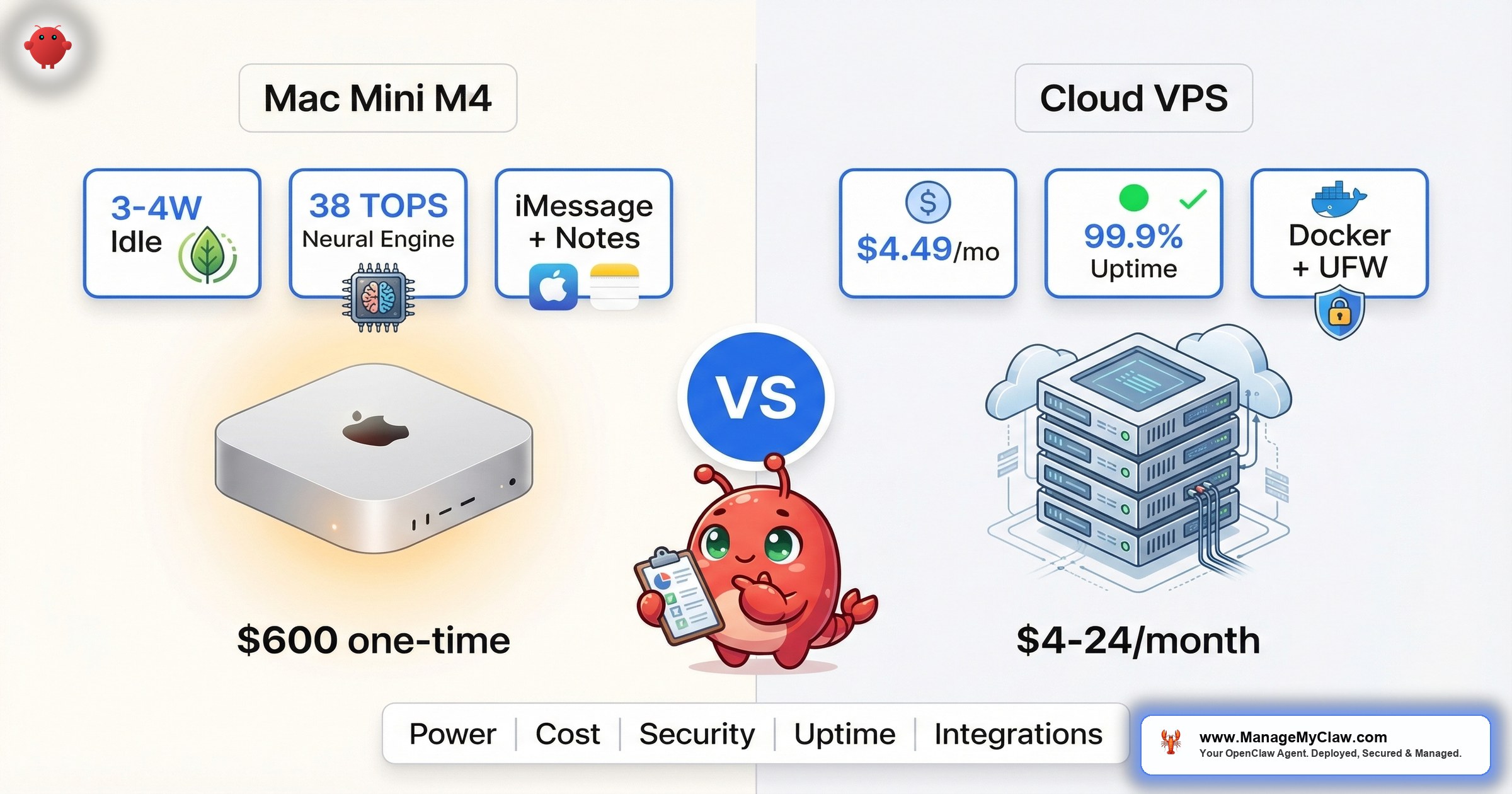
“I wish someone had told me which one I needed before I spent a weekend configuring the wrong one.” — r/openclaw community consensus on Mac Mini vs VPS for OpenClaw
$600 once or $20/month forever. That’s the first question every OpenClaw self-hoster runs into — and the wrong framing for the decision. The Mac Mini vs. VPS choice isn’t about hardware cost. It’s about what you’re actually running OpenClaw for, which integrations you need, and how much of the security stack you want to manage yourself.
On r/clawdbot, a thread titled “Why the Overwhelming Choice of Mac Minis to Run OpenClaw” (53 upvotes, 150 comments) surfaced the core tension. The top comment, with 41 upvotes: “Multiple things: 1. Time to use. It’s small, fits the requirements (unix based os, less security issues, familiar ux). 2. It does it pretty well.”
Meanwhile, on r/openclaw, a post titled “How I Set Up OpenClaw on a Hetzner VPS — Full Guide” pulled 102 upvotes and 63 comments, with the top comment simply: “This should be pinned.”
Both camps have strong arguments. Both camps are leaving out critical details the other side would want to know. This post gives you the full picture: real costs over 12 and 36 months, security tradeoffs you won’t find in a product spec sheet, the integrations that force the decision for you, and community experiences from people who’ve tried both.
The Cost Math Most Comparisons Get Wrong
A Mac Mini M4 starts at ~$600. A capable VPS runs $4.49–$24/month depending on provider and specs. Surface-level math says the Mac Mini breaks even at month 25–133 depending on your VPS tier. But that calculation misses 4 line items that change the answer.
Line item 1: Your internet connection. A Mac Mini at home uses your residential internet. If your ISP has a 99.5% uptime SLA (generous for residential), that’s ~44 hours of potential downtime per year. A Hetzner or DigitalOcean VPS sits in a data center with redundant internet, backup generators, and 99.99% uptime guarantees — roughly 53 minutes of downtime per year. If your OpenClaw agent runs unattended workflows (email triage, calendar management, scheduled reports), every hour of downtime is an hour of missed actions with no fallback.
Line item 2: Hardware failure risk. A VPS provider replaces failed hardware in minutes — you spin up a new instance, pull your Docker image, and you’re running. A dead Mac Mini means ordering a replacement, waiting for delivery, and reconfiguring from scratch. No single point of failure on VPS. Single point of everything on Mac Mini.
Line item 3: Electricity is basically free. The Mac Mini M4 idles at just 3–4 watts — comparable to a Raspberry Pi. Under typical OpenClaw workloads (tool calls, API routing, light automation), it draws 5–15 watts. Even under full LLM inference load, the M4 Pro peaks around 60–65 watts. At the US average electricity rate of $0.16/kWh, 24/7 operation costs roughly $1–$2/month. Not $5–$10. Not $20. One to two dollars.
Line item 4: Local LLM inference. This is where the Mac Mini pulls ahead on cost — hard. The M4 chip’s 16-core Neural Engine delivers up to 38 TOPS (trillion operations per second), making it the most powerful consumer AI hardware for local LLM inference. Apple’s MLX framework — which is actually faster than Ollama for inference on Apple Silicon — runs 7B and 14B models locally at 40+ tokens per second on unified memory. The 24GB RAM configuration is the practical floor for running capable local models (13B–34B parameters), and it’s the most commonly recommended spec in the community. If you’re routing even 30% of your OpenClaw prompts through a local model instead of Claude or GPT API calls, the API savings add up fast. A GPU-capable VPS for local LLM inference starts at $100+/month. The Mac Mini does it for $0/month after the initial purchase.
Think of it like buying a car versus taking taxis. The taxi is cheaper per trip, but if you’re driving every day, ownership wins on volume. The Mac Mini is the same bet — it only makes financial sense if you’re using the hardware capabilities a VPS can’t match at the same price.
The Full Comparison Table
| Factor | Mac Mini (M4, $600) | VPS ($4.49–$24/mo) |
|---|---|---|
| Upfront cost | ~$600 one-time | $0 |
| Monthly cost | ~$1–$2 electricity (3–15W typical) | $4.49–$24/mo (no GPU); $100+/mo (GPU) |
| 12-month total | ~$612–$624 | $54–$288 (no GPU) |
| 36-month total | ~$636–$672 | $162–$864 (no GPU) |
| Local LLM inference | 38 TOPS Neural Engine, 40+ tok/s via MLX (7B–34B models) | Requires GPU VPS ($100+/mo) |
| Uptime | Depends on your ISP + power | 99.99% SLA, redundant infra |
| iMessage integration | Native | Not possible |
| Apple Notes / Reminders | Native (create, search, edit, iCloud sync) | Not possible |
| Shortcuts / Keychain / Calendar | Native (macOS-only APIs) | Not possible |
| Scaling | Buy new hardware | One-click CPU/RAM/storage increase |
| Network security | Home network, router firewall | Dedicated firewall, network segmentation, UFW |
| Docker sandboxing | Runs natively on macOS (some limitations) | Full Linux Docker + UFW + DOCKER-USER chain |
| Hardware failure recovery | Days (order + ship + reconfigure) | Minutes (spin up new instance) |
| Remote access | Requires tunneling (Tailscale, Cloudflare) | SSH from anywhere by default |
| Power efficiency | 3–4W idle, 5–15W typical, 60–65W peak (~$1–$2/mo) | Not your concern (provider handles it) |
OpenClaw Minimum Server Requirements (Updated Feb 2026)
| Use Case | vCPU | RAM | Disk | VPS Cost Example |
|---|---|---|---|---|
| Text-only agents | 2 | 4 GB | 40 GB | Hetzner CX22: $4.49/mo |
| Standard + browser skills | 4 | 8 GB | 80 GB | DigitalOcean: $24/mo |
The table tells you what’s different. The next 4 sections tell you when each difference matters.
When the Mac Mini Is the Right Choice
You need Apple-native integrations. This is the hard boundary. There is no public iMessage API — Apple restricts it to macOS only. That alone makes the Mac Mini the only option for agents that need to send or receive iMessages. But it goes further than messaging. On a Mac Mini, OpenClaw gets native access to Apple Notes (create, search, edit, and organize — all synced across your Apple devices via iCloud), Apple Reminders, the Shortcuts app for workflow automation, Keychain for credential management, and Calendar without third-party bridges. None of these are available on Linux. There’s no workaround, no Docker trick, no API bridge.
“As someone who tried going the linux vps route, then local linux vm route, then mac mini: OpenClaw has some integrations with mac like notes and reminders…”
— r/clawdbot user in “Why the Overwhelming Choice of Mac Minis” threadYou want local LLM inference without $100+/month GPU costs. The M4’s 16-core Neural Engine delivers 38 TOPS — making it the most powerful consumer AI hardware for local inference. Apple’s unified memory architecture is purpose-built for the kind of inference workloads OpenClaw generates. The MLX framework (Apple’s own, and measurably faster than Ollama on Apple Silicon) runs 7B–34B parameter models at 40+ tokens per second — fast enough for real-time agent use. The community consensus is that 24GB RAM is the practical floor for running capable local models in the 13B–34B range, and the M4 with 24GB is the most commonly recommended configuration. On a VPS, matching that performance requires a GPU instance starting at $100+/month. Over 12 months, that’s $1,200+ in VPS costs versus $600 once for the Mac Mini. The break-even isn’t close.
You value power efficiency for 24/7 operation. Another commenter in the same thread noted: “I think a lot of it has to do with efficiency. These need to be running 24/7, which means power consumption and overheating become a real issue.” The numbers back this up: the M4 Mac Mini idles at just 3–4 watts (comparable to a Raspberry Pi), draws 5–15 watts under typical OpenClaw workloads, and even under full LLM inference load the M4 Pro peaks around 60–65 watts. At the US average electricity rate of $0.16/kWh, that’s $1–$2/month for 24/7 operation. It runs cool enough to sit in a closet without ventilation concerns. For a device that never turns off, thermal and power characteristics matter more than benchmark scores.
You’re already in the Apple ecosystem. macOS is Unix-based with a familiar UX and fewer security surface-area issues than Windows. If you’re comfortable with Terminal, Homebrew, and the macOS permission model, setup is faster than learning Linux VPS administration from scratch.
When the VPS Is the Right Choice
You need reliable uptime for production workflows. A VPS in a data center has backup generators, redundant networking, and 99.99% SLA commitments. Your home internet doesn’t. If your OpenClaw agent processes client emails, manages a support queue, or runs scheduled automations, a 44-hour annual downtime risk (residential ISP) versus a 53-minute risk (data center) is the difference between a tool and a liability.
You want stronger network isolation. A VPS gives you dedicated firewall rules, network segmentation, and the full Docker hardening stack — including UFW with the DOCKER-USER chain for controlling container egress. On a Mac Mini sitting on your home network, your OpenClaw agent shares a subnet with your smart TV, your kids’ tablets, and every IoT device you’ve ever connected. One commenter on the Hetzner VPS guide thread added: “One thing I would add though is a proxy + iptables for blocking outgoing requests.” That kind of granular network control is standard on VPS and difficult to replicate on a home LAN.
It’s the difference between keeping valuables in a safe deposit box at a bank versus a safe in your living room. Both are locked. One is also behind a vault door, security cameras, and an armed guard. The other is next to your Roomba.
You need to scale without buying hardware. VPS scaling is a slider. Need more RAM for a bigger context window? Resize in 2 minutes. Need more CPU for concurrent tool calls? Same. With a Mac Mini, scaling means buying another Mac Mini.
You have a limited budget and don’t need Apple integrations. A VPS lets you start running OpenClaw for less than the cost of a lunch. As of March 2026, Hetzner’s cheapest tier starts at $3.49/month (2 vCPU, 4GB RAM, 40GB NVMe, 20TB traffic in EU) — the community favorite CX22 runs $4.49/month. Contabo offers a $5/month option. Hostinger starts at $4.99/month. DigitalOcean’s entry point is $12/month for 2GB RAM/1 vCPU, with $24/month for 4GB/2 vCPU being the recommended tier. On r/openclaw, a thread titled “Should I get a Mac Mini for OpenClaw? Confused on how it works and have a limited budget” (43 comments) drew responses steering the poster toward a cheap VPS first. The $600 Mac Mini is a commitment. A $4.49/month Hetzner VPS is an experiment.
You want faster disaster recovery. Hardware failure on a VPS means spin up a new instance, pull your Docker image, restore your config. Hardware failure on a Mac Mini means waiting for Apple or a retailer to ship you a replacement. No single point of failure on VPS. Single point of everything on Mac Mini.
The Security Question Nobody Asks Until It’s Too Late
On r/sysadmin, a post titled “OpenClaw is going viral as a self-hosted ChatGPT alternative and most people setting it up have no idea what’s inside the image” pulled 2,244 upvotes and 318 comments. The top comment, with 2,465 upvotes: “Way back when, we also had software that could run autonomously on your system with full permissions. We called it ‘malware’.”
That comment applies equally to Mac Mini and VPS deployments. But the security posture differs between the two in ways that matter.
VPS security advantages: Better isolation is the headline. A VPS runs on a dedicated IP with no other devices on the same subnet. You can lock down ingress and egress with UFW and the DOCKER-USER iptables chain, segment your network at the provider level, and run OpenClaw inside a hardened Docker container with --cap-drop=ALL and --security-opt no-new-privileges. If the agent is compromised, the blast radius is one VPS — not your home network, your personal files, or your other devices.
Mac Mini security advantages: macOS has a smaller attack surface than most Linux distributions for the specific threat model of “non-expert user running agent software.” The macOS permission model (TCC) requires explicit user consent for access to contacts, calendar, microphone, and file system locations outside the app sandbox. On r/clawdbot, a thread titled “Run open claw safely on a Mac mini on a separate user account” (7 upvotes, 14 comments) covered the practice of creating a dedicated macOS user with restricted permissions — a form of privilege separation that’s more intuitive on macOS than the Linux UID/GID model.
Docker hardening on Linux VPS is a well-documented, battle-tested pattern. Docker on macOS runs inside a Linux VM (Docker Desktop or Colima), which adds a layer of abstraction that can make network-level controls like the DOCKER-USER chain less predictable. If you’re serious about container sandboxing, a Linux VPS gives you more direct control over the isolation stack.
What the Community Actually Reports After Trying Both
The Reddit threads tell a consistent story: most people start with whatever they have, hit a limitation, and either switch or add the other option.
On r/openclaw, a post titled “OpenClaw setup: Mac (local) vs VPS — what worked better for me” (23 comments) walked through one user’s journey from Mac Mini to VPS and back. The pattern: Mac Mini for personal automations that touch Apple ecosystem apps, VPS for anything exposed to the internet or running business workflows.
On r/openclaw, “Gave up self-hosting VPS, tried clawcloud.dev — actually works” (83 upvotes, 13 comments) represents the third option that both camps eventually discover: managed hosting. The upvotes tell you something about the self-hosting fatigue in the community.
On r/VPS, “Best VPS hosts for OpenClaw?” (6 upvotes, 27 comments) generated a thread where Hetzner and DigitalOcean dominated recommendations, with costs clustering around the $10–$20/month range for adequate CPU and RAM.
The Mac Mini hardware discussion alone spans multiple subreddits. On r/LocalLLM, “Is a Mac Mini M4 Pro (24GB) Enough for OpenClaw, or Should I Build an RTX 4080 PC Instead?” and “M4 Pro Mac Mini for OpenClaw: 48GB vs. 64GB for a 24/7 non-coding orchestrator?” show users wrestling with the RAM question. On r/LocalLLaMA, “What spec Mac Mini should I get for OpenClaw…” runs through the same tradeoffs. Meanwhile, r/clawdbot threads like “Is m4 Mac Mini with 16gb RAM Good for Running the Best Local LLMs??” (spoiler: 24GB is the community-recommended minimum) and r/openclaw’s “Best local model for Mac Mini M1 (16GB) with OpenClaw? Opus got expensive fast” highlight the API cost motivation. Even r/macbook gets into it with “Using an M1 Macbook Air for OpenClaw deployment” — the consensus being that a dedicated Mac Mini is better than a laptop you also use for work.
Hardware comparison articles have proliferated too. Medium’s “The Best Hardware Setup for OpenClaw in 2026: From Raspberry Pi to Mac Mini and Beyond,” InsiderLLM’s “Best Hardware for Running OpenClaw — Mac Mini vs VPS vs Your Old PC,” and blog.yucas.net’s “Mac Mini M4 16 GB: The Honest OpenClaw Guide” all converge on the same conclusion: the Mac Mini is the default for Apple ecosystem users; the VPS is the default for everyone else.
“The community consensus isn’t ‘Mac Mini is better’ or ‘VPS is better.’ It’s ‘I wish someone had told me which one I needed before I spent a weekend configuring the wrong one.'”
— recurring theme across r/openclaw, r/clawdbot, and r/selfhostedThe Decision Framework: 4 Questions That Pick for You
You don’t need to weigh 14 factors. Answer these 4 questions and the choice makes itself:
- Do you need iMessage, Apple Notes, or Apple Reminders integration? If yes: Mac Mini. No VPS can provide these. Full stop.
- Do you need 99.9%+ uptime for unattended workflows? If yes: VPS. Your home internet and power grid aren’t reliable enough for production SLAs.
- Do you plan to run local LLMs to reduce API costs? If yes: Mac Mini. Unified memory + MLX at $600 one-time beats $100+/month GPU VPS by month 7.
- Is your budget under $600? If yes: VPS. Start at $5–$20/month, validate that OpenClaw solves your problem, then invest in hardware if the use case proves out.
If you answered “yes” to both 1 and 2, you need both — a Mac Mini for Apple integrations and a VPS for production reliability. That’s not unusual. It’s just a $600 + $20/month reality.
The Bottom Line
The Mac Mini wins on Apple integrations, local LLM cost, and power efficiency. If your workflow depends on iMessage or Apple Notes, no VPS configuration can substitute for it. If you’re running 7B–14B models locally, the Mac Mini pays for itself inside a year compared to GPU VPS pricing.
The VPS wins on uptime, security isolation, scaling, and disaster recovery. For business workflows that need to run 24/7 without depending on your home ISP, and for deployments where network-level isolation matters, a $12–$24/month VPS on Hetzner or DigitalOcean provides infrastructure-grade reliability at a fraction of the Mac Mini’s upfront cost.
What neither option solves: the ongoing security maintenance. Whichever hardware you choose, you’re still responsible for Docker hardening, firewall configuration, CVE patching, skill auditing, and access control. The platform choice determines where your agent runs. It doesn’t determine whether it runs securely.
ManageMyClaw deploys on VPS (Hetzner/DigitalOcean) by default at $12–$24/month hosting cost, with full Docker hardening, firewall rules, and automated patching included. The Business tier ($2,999) supports Mac Mini deployments for clients who need Apple-native integrations alongside production-grade security.
Frequently Asked Questions
Can I run OpenClaw on a Mac Mini and a VPS at the same time?
Yes, and some users do exactly this. The typical setup is Mac Mini for Apple-native integrations (iMessage, Notes, Reminders) and a VPS for production workflows that need high uptime and network isolation. Each instance runs independently with its own configuration. The tradeoff is managing two deployments instead of one — double the patching, double the monitoring, double the configuration drift risk.
How much does local LLM inference actually save on API costs?
It depends on volume and which tasks you route locally. The M4’s 16-core Neural Engine delivers 38 TOPS, and Apple MLX (faster than Ollama on Apple Silicon) handles 7B–34B models at 40+ tokens per second on a Mac Mini M4 with 24GB RAM — the community-recommended minimum configuration. That’s fast enough for summarization, classification, and draft generation. Complex reasoning tasks still benefit from frontier models like Claude or GPT. If 30–50% of your agent’s prompts can use a local model, you’re looking at meaningful API cost reductions — potentially $50–$200/month depending on usage. A GPU VPS capable of the same inference starts at $100+/month, making the Mac Mini’s $600 one-time cost a better deal by month 4–7.
Is Docker sandboxing different on macOS vs. Linux?
Yes. Docker on macOS doesn’t run natively — it runs inside a Linux VM (Docker Desktop or Colima). This means Linux-native controls like the DOCKER-USER iptables chain and UFW integration behave differently or require additional configuration. On a Linux VPS, Docker runs directly on the host kernel, giving you precise control over container networking, capabilities, and syscall filtering. For security-critical deployments, Linux VPS provides a more predictable and well-documented hardening path.
What if my home internet goes down while the Mac Mini is running OpenClaw?
Your agent loses connectivity to external services — API providers, email servers, calendar APIs, and any web-based tools. Local operations continue (local LLM inference, file system tasks), but anything requiring network access fails silently or queues depending on your configuration. For agents running unattended workflows like email triage or calendar management, a multi-hour outage means missed actions with no retry unless you’ve built that logic in. This is the primary reason production workflows favor VPS hosting with data center uptime guarantees.
Which VPS providers do people actually use for OpenClaw?
Hetzner and DigitalOcean dominate community recommendations. Hetzner’s cheapest tier starts at $3.49/month (2 vCPU, 4GB RAM, 40GB NVMe), and the CX22 at $4.49/month is the community favorite for text-only OpenClaw agents. DigitalOcean starts at $12/month (2GB RAM/1 vCPU) with $24/month (4GB/2 vCPU) recommended for browser-enabled agents. Other options include Vultr (competitive pricing with worldwide data centers including Asia and South America), Contabo ($5/month), and Hostinger ($4.99/month). For GPU-accelerated local LLM inference on a VPS, costs jump to $100+/month (providers like Lambda, RunPod, or Vast.ai). ManageMyClaw deploys on Hetzner and DigitalOcean, with hosting costs of $12–$24/month passed through to the client.
Does ManageMyClaw support Mac Mini deployments?
Yes, under the Business tier ($2,999). VPS deployment is the default because it offers better security isolation, uptime guarantees, and standardized Docker hardening. Mac Mini support is available for clients who need Apple-native integrations that aren’t possible on Linux. The Business tier includes remote configuration, security hardening adapted for macOS, and ongoing maintenance for the Mac Mini deployment.
Can I start on a VPS and switch to Mac Mini later (or vice versa)?
Yes. Your OpenClaw configuration, skills, and workflows are portable between the two. The migration involves setting up the new environment, transferring your config files and environment variables, and verifying that your integrations reconnect. The main friction point is Apple-native integrations — moving from Mac Mini to VPS means losing iMessage, Notes, and Reminders access entirely. Moving from VPS to Mac Mini means reconfiguring your firewall and Docker hardening approach for macOS. Budget 2–4 hours for a clean migration in either direction.


