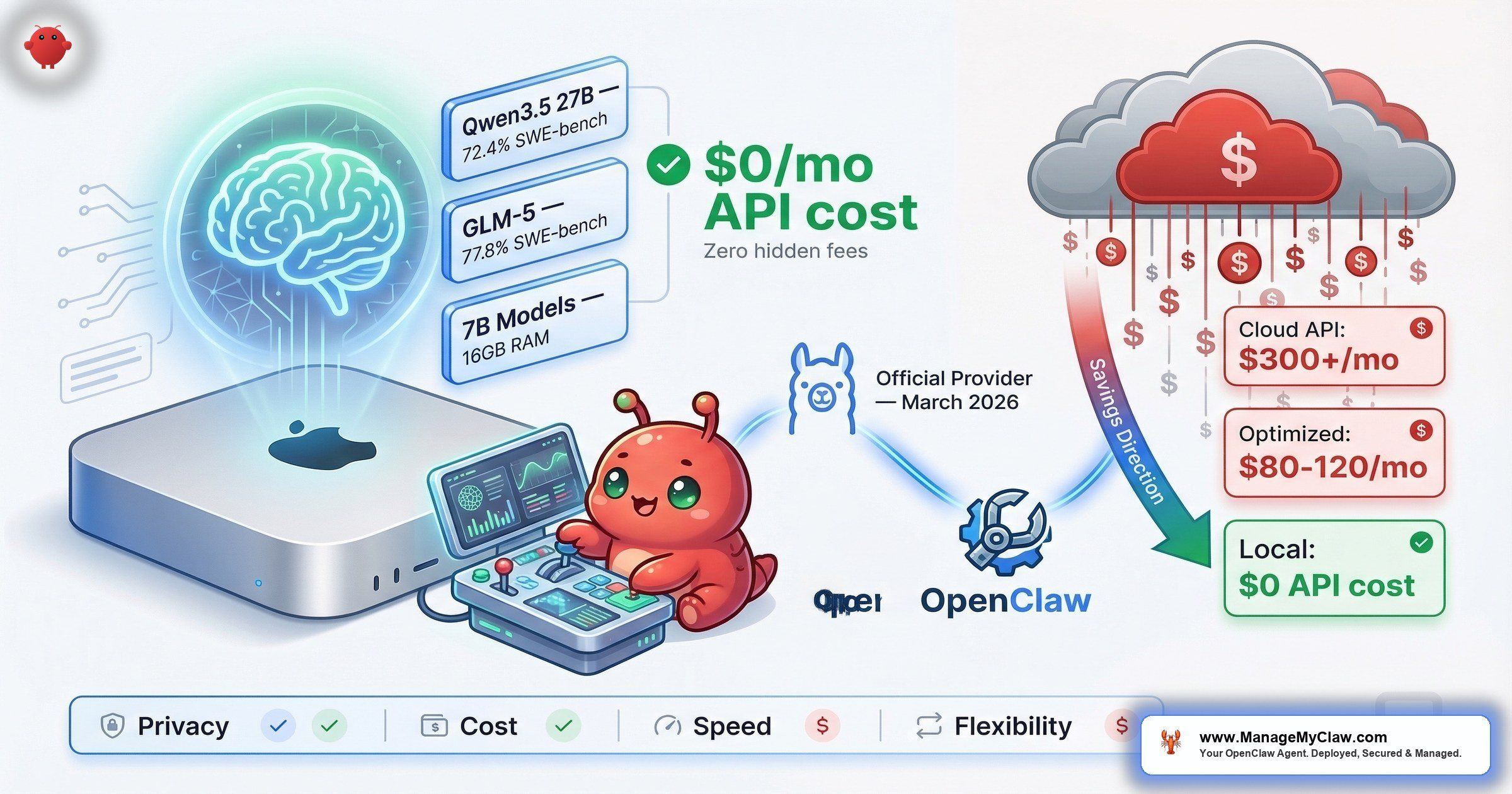
$300+/month in API fees. Then Ollama became an official OpenClaw provider — and the cheapest tier of model routing became free.
$300+/month. That’s what an unoptimized OpenClaw setup costs in API fees alone — before hosting, before Composio, before the VPS bill. A well-optimized setup? $80–$120/month. The difference isn’t willpower or technical skill. It’s model routing — using the cheapest model that can handle each task type instead of sending everything to the most expensive one.
And in March 2026, that equation changed. Ollama became an official OpenClaw provider, making local LLMs a first-class option for the first time. No API keys. No metered billing. No data leaving your machine. Ollama 0.17 shipped with dramatically improved OpenClaw onboarding — you can now launch with a single command: ollama launch openclaw. That one command handles installation, first-launch security notices, model selection, and launches a text user interface. No more multi-step manual setup. It’s now the most popular local LLM runtime in the OpenClaw ecosystem.
Think of it this way: you’ve been paying for a taxi to work every day. Now there’s a free bus that covers 80% of the route. The question isn’t whether to take it — it’s which stops still need the taxi.
This post covers the real performance data, the cost math, the hardware requirements, and the hybrid local+cloud routing setup that the community has converged on as the optimal architecture. The setup is simpler than it used to be — all models from Ollama work with OpenClaw out of the box — but “simple” and “optimized” aren’t the same thing. The gap between them is where most of the money goes.
Why Local LLMs Changed the Cost Equation
Before the official Ollama integration, running local models with OpenClaw meant workarounds — custom API shims, manual configuration, fragile setups that broke on updates. On r/ollama, the thread “How to integration Ollama in OpenClaw?” was typical: setup questions, broken configs, partial solutions. The barrier wasn’t the models. It was the plumbing.
Now the plumbing is built in. Ollama runs as a local server on your machine. OpenClaw connects to it the same way it connects to any cloud provider — except the endpoint is localhost instead of an API URL. No API keys required. The official Ollama docs walk through the setup, which is genuinely a few lines of configuration.
The cost impact is immediate. On r/openclaw, the thread “What’s the current king of value for OpenClaw?” became a running cost-optimization discussion. On r/AI_Agents, “Most cost effective models for open claw?” hit the same conclusions from a different angle. The consensus: treat model selection like a routing problem. Not every task needs a frontier model. Email categorization, data extraction, formatting — a 7B or 14B model running locally handles these at zero marginal cost.
“It’s the difference between hiring a senior engineer to sort your mail versus training an intern to do it. The intern is slower on the hard problems, but for ‘put this in the right pile,’ they’re more than sufficient — and they don’t bill by the hour.”
— r/openclaw community analogyWhy this matters: Model routing is the #1 cost optimization for OpenClaw deployments. The OpenClaw Blog’s “The Real Cost of Running OpenClaw: A Practical Guide to Spending Less Than $100/Month” confirms it: the difference between $300+/month and sub-$100/month is almost entirely which model handles which task. Local LLMs via Ollama make the cheapest tier of that routing architecture free.
Model Performance: What Actually Runs Well Locally
Not all local models are created equal. The community has been stress-testing every option, and the data is surprisingly clear. haimaker.ai’s “Best Ollama Models for OpenClaw (2026): Local LLMs Ranked” runs systematic benchmarks. rentamac.io’s “Local LLMs for OpenClaw: the models, the RAM, the trade-offs” covers the hardware side. Here’s what the data shows.
| Model | Size | SWE-bench | Local Speed | Best For |
|---|---|---|---|---|
| GLM-5 | Varies | 77.8% | Competitive | Coding benchmarks, general tasks, API cost replacement |
| Qwen3.5 27B | 27B | 72.4% | ~17GB at Q4 quant; needs 24GB+ VRAM | Complex reasoning, code generation |
| Qwen3.5 35B-A3B (MoE) | 35B (3B active) | — | 112 tok/s on RTX 3090 | High-throughput tasks; only activates 3B params per forward pass |
| 7B/14B models (via MLX) | 7B–14B | Lower | 40+ tokens/sec on Mac Mini | Classification, formatting, triage |
The surprise leader is GLM-5, hitting 77.8% on SWE-bench Verified — actually higher than Qwen3.5 on coding benchmarks. That’s a local model outscoring several cloud-only options on the benchmark that matters most for agentic coding work. Qwen3.5 27B remains the community favorite at 72.4% on SWE-bench, matching the GPT-5 Mini range — open-weight, requiring only ~17GB at Q4 quantization, and running on a single consumer GPU. On r/LocalLLaMA, the thread “How to Run Your Own AI Agent: OpenClaw + Qwen 3.5 + Telegram (Fully Local)” walks through a complete local-only deployment. The follow-up thread “Use OpenClaw and Ollama and Qwen3.5: a good combination?” on r/LocalLLM debated model selection extensively — the consensus was that Qwen3.5 is the best balance of capability and resource requirements for serious agentic work.
The Qwen3.5 35B-A3B variant deserves special attention. It’s a Mixture-of-Experts model that only activates 3B parameters per forward pass despite being a 35B model total. The result: 112 tokens/second on an RTX 3090. That’s cloud-API-level throughput on consumer hardware — perfect for high-volume routing tasks where speed matters more than peak reasoning ability.
Qwen 3.5 27B currently has a tool-calling problem in Ollama — requests are routed through the Hermes-style JSON pipeline instead of the Qwen3-Coder XML format the model actually expects. This causes unreliable tool use and can break agentic workflows. If you’re using Qwen 3.5 for tool-heavy tasks in OpenClaw, test thoroughly or use GLM-5 as an alternative until this is patched.
For lighter tasks, 7B and 14B models running via MLX on Apple Silicon hit 40+ tokens per second on a Mac Mini. That’s fast enough for real-time email categorization, data extraction, and formatting tasks. These models aren’t going to write a complex workflow from scratch, but they don’t need to. They need to classify an email as “urgent” or “newsletter” — and for that, they’re perfect.
“API costs dropped 6x while performance barely changed.”
— r/AIToolsPerformance user on switching from paid API to GLM-5 locallyThe GLM-5 story is instructive. With its 77.8% SWE-bench Verified score now confirmed, that anecdote has data backing it up. Not every task needs the best model. Most tasks need a good-enough model that doesn’t charge per token.
Why this matters: The performance gap between local and cloud models is narrowing fast. GLM-5 at 77.8% SWE-bench and Qwen3.5 27B at 72.4% mean the question isn’t “are local models good enough?” anymore. It’s “which tasks justify paying for cloud when local is free?”
The Cost Math: Local vs. Cloud vs. Hybrid
Here’s where the numbers get interesting — and where the obvious answer isn’t the right one.
| Setup | Monthly Cost | Privacy | Reliability | Best For |
|---|---|---|---|---|
| 100% Cloud API | $80–$300+ | Data leaves your machine | Dependent on provider uptime | Maximum capability, no local hardware |
| 100% Local (Ollama) | $0 API cost | Nothing leaves your machine | No external dependencies | Privacy-first, simple tasks |
| Hybrid: Ollama + OpenRouter | $30–$80 | Sensitive tasks stay local | Agent keeps running even if one provider has an outage | Optimal cost/capability balance |
| GPU VPS for local LLM | $100+/month | On your VPS, not local | Dependent on VPS uptime | Rarely justified — negates cost savings |
On r/LocalLLM, the perennial question “Is it actually possible to run LLM on openclaw for FREE?” gets asked every week. The answer is yes — with caveats. Running 100% local with Ollama means $0 in API costs. Your electricity and hardware depreciation aren’t zero, but they’re costs you’re already paying. The real limitation isn’t cost. It’s capability. Local models handle classification, formatting, and triage work beautifully. Complex multi-step reasoning, long-context analysis, and code generation at the frontier level? That’s where cloud models still earn their keep.
The break-even math on self-hosting: Factor in hardware costs (GPU, RAM upgrades, electricity), and self-hosted local inference typically breaks even with cloud API costs after about 8 months. With heavy usage — 100M+ tokens per month — that break-even drops to 3–4 months. After the crossover, every token is effectively free. For teams already running OpenClaw at scale, the ROI math on local hardware is increasingly hard to argue with.
The GPU VPS option deserves special mention because it’s a trap. Renting a GPU-equipped VPS to run “local” models costs $100+/month — which negates the entire cost advantage of running locally. If you’re going to spend $100/month on infrastructure, you might as well spend it on cloud API credits and get access to the best models with zero maintenance overhead.
Why this matters: The hybrid setup — Ollama for local privacy plus OpenRouter for cloud fallback — is the community-recommended architecture because it optimizes for all three variables simultaneously: cost, privacy, and reliability. Sensitive tasks stay local. Complex tasks escalate to cloud models. Your agent keeps running even if one provider has an outage. That’s the setup the ROI calculator should reflect.
The Hybrid Routing Architecture: How It Actually Works
The recommended combo — Ollama for local privacy + OpenRouter for cloud fallback — isn’t just a cost play. It’s a resilience architecture. Here’s the routing logic:
- Local (Ollama): Email categorization, data formatting, triage classification, template-based drafting, morning briefing data pulls. These are high-frequency, low-complexity tasks. Running them locally means $0 per invocation and zero data leaving your machine.
- Cloud (OpenRouter): Complex reasoning chains, multi-step code generation, long-context document analysis, anything requiring frontier-model capability. These are low-frequency, high-complexity tasks where the per-token cost is justified by the quality gap.
- Fallback: If Ollama is down (machine off, GPU saturated), tasks route to cloud automatically. If the cloud provider is down, tasks that can be handled locally still run. The agent keeps working regardless.
The routing isn’t just conceptual — OpenClaw has built-in infrastructure for it. The agents.defaults.model.fallbacks configuration defines a fallback chain: your primary model handles every request first. If it fails, rate limits, or is unavailable, the request automatically falls to the next model in the chain. There’s also a circuit breaker: when the primary provider fails N times within a configurable window, OpenClaw auto-routes ALL requests to the fallback — no per-request retry delay, no cascading timeouts.
A cost-optimized example that the community has converged on: DeepSeek V3.2 as primary at $0.53/million tokens, with Claude Sonnet 4.5 as fallback for complex tasks the cheaper model can’t handle. The cost difference is dramatic — your daily volume runs at commodity pricing, while frontier capability is available on-demand for the 10–20% of tasks that actually need it.
For more advanced setups, ClawRouter is an agent-native LLM router purpose-built for OpenClaw — 41+ models, sub-millisecond routing decisions. And OpenRouter’s OpenClaw integration guide walks through configuring multi-provider routing with their API. GitHub issue #6421 — “Feature: Two-Tier Model Routing for Task-Based Intelligence Delegation” — captures where this is heading: native task-complexity scoring that automatically selects the right model tier.
GitHub issue #10969 — “Feature: Middleware Hook for Cost-Saving Model Routing (Local LLM Integration)” — captures the broader architectural direction. The community wants native middleware that routes tasks to different providers based on complexity scoring. Between the fallback chain, circuit breaker, and tools like ClawRouter, the pieces are already in place — it’s just a matter of when they get unified into a single configuration surface.
“Think of it like a hospital triage system. The nurse handles the sprained ankle. The specialist handles the complex case. You don’t send every patient to the specialist — not because the specialist isn’t better, but because 80% of cases don’t need them, and the waiting room gets expensive.”
— Community analogy for hybrid routingWhy this matters: A user on r/AIToolsPerformance switched from a paid-API-only setup to this hybrid architecture and reported API costs dropping 6x while performance barely changed. That’s the difference between $300/month and $50/month for functionally equivalent output on most tasks.
Hardware Reality Check: What You Actually Need
The LaoZhang AI Blog’s “OpenClaw LLM Setup: Complete Guide to Local and Cloud Models” and DataCamp’s “Using OpenClaw with Ollama: Building a Local Data Analyst” both cover hardware requirements in detail. Here’s the practical summary:
| Model Size | Minimum RAM | VRAM (GPU) | Notes |
|---|---|---|---|
| 1B–3B | 8GB | — | Runs on a Raspberry Pi 5. Good for simple classification only. |
| 7B–8B | 16GB | — | Most modern laptops. Usable speed, not fast. |
| 14B | 32GB | 16–24GB comfortable | Sweet spot. Mac Mini via MLX: 40+ tok/s. |
| 27B–32B | 32GB+ | 24GB+ (RTX 4090 or Apple Silicon 32GB+ unified) | Qwen3.5 27B needs ~17GB at Q4 quant. Frontier-class local performance. |
The OpenClaw memory tax is real. OpenClaw’s system prompt alone is 17K tokens — that adds 4–8GB to your memory footprint via the KV cache before the model even starts reasoning. If you’re planning to run a 14B model on 16GB RAM, that system prompt overhead can push you into swap territory. The recommended context window for local models running with OpenClaw is at least 64K tokens, which compounds the memory requirement further.
GitHub issue #35436: the agent bootstrap hardcodes KvSize=262144 (128K context), ignoring all config attempts to lower num_ctx. This makes local models unusable on machines with less than 32GB RAM even when running smaller models. If you hit out-of-memory errors despite configuring a smaller context window, this bug is likely the cause. Track the issue for a fix.
The Medium article “Setting up a private local LLM with Ollama for OpenClaw: A Tale of Silent Failures” captures the debugging reality. Local LLM setup isn’t always clean. Models can fail silently — returning outputs that look reasonable but are actually degraded because VRAM is oversubscribed or the model is being quantized more aggressively than expected. The fix is straightforward: monitor token generation speed. If it drops below 10 tokens/second, you’re either running a model too large for your hardware or something else is competing for GPU resources.
Why this matters: If you already own a Mac Mini with 16GB+ RAM or a desktop with a modern GPU, you already have the hardware for useful local LLM inference. The 40+ tokens/second figure on MLX is the threshold — below that, latency starts to impact agent responsiveness. Above it, the experience is indistinguishable from a cloud API for most tasks.
The Privacy Advantage: When Data Can’t Leave Your Machine
Cost isn’t the only reason to run local. For some workflows, privacy is the hard constraint. Client data, financial records, legal documents, healthcare information — data that can’t be sent to a third-party API regardless of their privacy policy. With Ollama, that data never leaves your machine. The model runs locally, the inference happens locally, and the output stays locally.
The hybrid architecture handles this naturally. Your routing configuration defines which tasks are privacy-sensitive and must stay local versus which tasks can safely use cloud models. Email categorization on client correspondence? Local. Generating a weekly KPI summary from your own Stripe data? Local. Drafting a complex workflow configuration? Cloud model, because no sensitive data is in the prompt.
“It’s the same reason a law firm doesn’t fax client documents to a third-party sorting service. Some information carries obligations that override convenience. Local inference makes those obligations compatible with AI automation.”
— Privacy-first deployment rationaleWhy this matters: If you’re in a regulated industry or handle sensitive client data, “don’t send it to OpenAI” isn’t paranoia — it’s compliance. Ollama gives you an AI agent that works without any data leaving your infrastructure. For some businesses, that alone justifies the setup.
What the Skeptics Say (And Where They’re Right)
On r/LocalLLaMA, the thread “OpenClaw is OVERHYPED — just use skills” hit 373 points and 143 comments. The top comment, with 156 upvotes:
“I’m pretty sure you can vibecode a mini openclaw without all the bloats in 30-45 minutes or so.”
— Top comment, 156 upvotes, r/LocalLLaMAThat’s a fair point for developers who want a lightweight agent doing one task. If all you need is a script that reads your inbox and categorizes emails using a local model, you don’t need OpenClaw. You need 50 lines of Python and an Ollama endpoint. The value of OpenClaw — and the complexity that thread is pushing back against — comes from multi-provider routing, tool orchestration, security layers, and persistent agent state. If you need 1 tool doing 1 thing, OpenClaw is overkill. If you need an agent managing 3–5 workflows across multiple providers with fallback routing, it earns its complexity.
On r/LocalLLaMA, the thread “My experience with local models for Openclaw” was more balanced. The discussion surfaced a real limitation: local models on consumer hardware have smaller context windows and slower inference on long inputs. For a morning briefing that pulls data from 3 apps, a local 14B model handles it cleanly. For analyzing a 50-page contract, you want a cloud model with a 128k+ context window. Knowing where that boundary falls for your specific workflows is the entire optimization problem.
On r/openclaw, “Best free model to use with OpenClaw?” produced practical model recommendations. The thread converged on the same answer the benchmarks support: Qwen3.5 for heavy lifting, smaller models for routine tasks, and a cloud fallback for anything that exceeds local capability.
Why this matters: The skeptics are right that OpenClaw is more than you need for simple use cases. They’re wrong that simple use cases are all that matter. If you’re running one script, skip OpenClaw. If you’re running an agent that manages email, reporting, and onboarding with security constraints and provider fallback — that’s where the framework justifies itself.
The 5-Step Setup: Ollama + OpenClaw in Under 15 Minutes
This isn’t a full tutorial — the Ollama docs handle that. This is the decision framework for the steps most people get wrong.
ollama launch openclaw and it handles installation, security notices, model selection, and launches the TUI in one shot.Why this matters: The most common setup mistake is pulling the biggest model first. Start small. A 14B model that runs at 40 tokens/second is more useful than a 27B model that stutters at 5 tokens/second because your GPU can’t keep up. You can always scale up the model after confirming your hardware baseline.
What ManageMyClaw Configures for Hybrid Routing
The Pro tier ($1,499) includes model routing optimization — configuring the hybrid local+cloud architecture for your specific workflows. Managed Care ($299/mo) includes quarterly API cost optimization, with typical savings of 20–40% after the first review. That’s not theory — it’s the gap between the $300+/month unoptimized setups and the $80–$120/month well-tuned ones, applied to your specific usage patterns.
For teams already running OpenClaw with cloud-only models, the hybrid routing migration is the single highest-ROI optimization available. The OpenClaw for Business page covers how this fits into a broader deployment strategy.
The Bottom Line
Ollama becoming an official OpenClaw provider changes the economics of running an AI agent. Not because local models are better than cloud models — they’re not, for every task. But because 80% of agent tasks don’t need the best model. They need a model that can classify, format, and triage — and a local model does that at zero marginal cost with zero data leaving your machine.
The setup that works: Ollama locally for high-frequency simple tasks, a cloud provider via OpenRouter for complex tasks, and routing rules that send each task to the cheapest model that can handle it. Sensitive data stays local. Complex reasoning goes to the cloud. Your agent keeps running regardless of which provider is having a bad day.
The gap between $300+/month and $80–$120/month isn’t technical skill. It’s routing discipline.
Frequently Asked Questions
Can I run OpenClaw with Ollama completely for free?
Yes — for simple tasks. Ollama is free, no API keys required, and all its models work with OpenClaw. Your only costs are electricity and hardware you already own. The limitation is capability: local 7B–14B models handle classification, triage, and formatting well but struggle with complex multi-step reasoning. For a morning briefing or email categorization, free is genuinely free. For a full production agent doing code generation and complex analysis, you’ll still want a cloud fallback for the hard tasks.
What hardware do I need to run Ollama for OpenClaw?
1B–3B models run on 8GB RAM (even a Raspberry Pi 5). 7B–8B models need 16GB minimum. 14B models want 32GB RAM or 16–24GB VRAM. 27B+ models need 24GB+ VRAM or 32GB unified memory on Apple Silicon. Important: OpenClaw’s 17K-token system prompt adds 4–8GB via KV cache on top of model weights, so plan for more headroom than vanilla Ollama benchmarks suggest. The practical test: if your model generates fewer than 10 tokens/second, it’s too large for your hardware. Watch for GitHub issue #35436 — the agent bootstrap currently hardcodes 128K context, ignoring lower num_ctx settings.
Is it worth renting a GPU VPS to run local models?
Almost never. A GPU VPS costs $100+/month, which negates the cost savings of running locally. At that price, you’d get better capability from cloud API credits with zero maintenance overhead. The only scenario where a GPU VPS makes sense is when you need both local-level privacy (data doesn’t leave your infrastructure) and GPU capability beyond what your local hardware provides — and even then, the cost math rarely favors it over a hybrid local+cloud setup.
Which model should I start with?
A 14B model. It’s the sweet spot: fast enough on consumer hardware (40+ tokens/second on Apple Silicon), capable enough for classification and formatting tasks, and small enough that it doesn’t monopolize your GPU. If you confirm it runs well and want to push capability higher, try GLM-5 (77.8% SWE-bench Verified) or Qwen3.5 27B (72.4% SWE-bench). Note: Qwen 3.5 27B currently has a tool-calling bug in Ollama, so if your workflows are tool-heavy, GLM-5 may be the safer choice right now. For high-throughput routing tasks, the Qwen3.5 35B-A3B MoE variant hits 112 tok/s on an RTX 3090. Start small, confirm speed, then scale up.
How does hybrid routing work in practice?
You configure a fallback chain in agents.defaults.model.fallbacks. Your primary model handles every request; if it fails or rate-limits, the next model in the chain takes over automatically. OpenClaw includes a circuit breaker — when the primary fails N times within a window, all requests auto-route to the fallback with no per-request retry delay. Email categorization, data formatting, and triage go to Ollama (local, free). Complex reasoning, code generation, and long-context analysis go to OpenRouter (cloud, metered). Sensitive data stays local; complex tasks escalate to cloud models. The agent keeps running even if one provider has an outage.
How much can hybrid routing actually save?
A well-optimized hybrid setup runs $80–$120/month total. An unoptimized cloud-only setup runs $300+/month. One user on r/AIToolsPerformance reported API costs dropping 6x after switching to hybrid routing with GLM-5 locally. If you invest in local hardware, the break-even point versus cloud APIs is roughly 8 months — dropping to 3–4 months with heavy usage (100M+ tokens/month). After that crossover, every local token is effectively free. Managed Care’s quarterly optimization typically finds 20–40% additional savings by adjusting which tasks route to which models based on your actual usage data.
Does Ollama work with all OpenClaw features?
Yes. All models from Ollama work with OpenClaw — it’s an official provider as of March 2026. Tools, skills, system prompts, and agent configuration all function the same way regardless of whether the underlying model is local or cloud-hosted. One caveat: Qwen 3.5 27B currently has a tool-calling bug in Ollama (requests route through the wrong format pipeline), so test tool-heavy workflows carefully with that specific model. The broader variable is model capability: a 7B local model may not follow complex multi-step tool-calling instructions as reliably as a frontier cloud model. That’s a model limitation, not an integration limitation.


