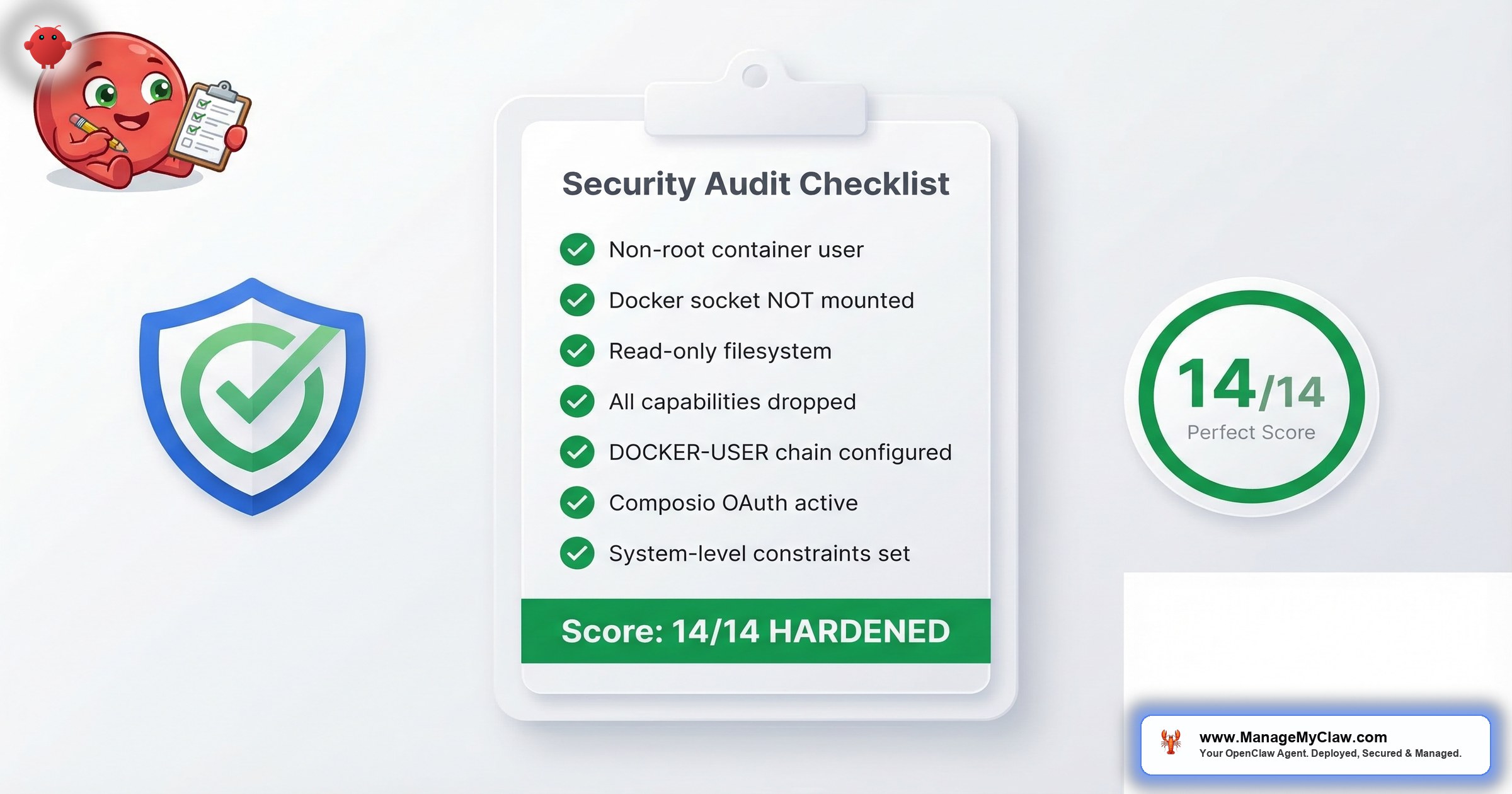
Most OpenClaw self-installs fail at least 6 of these 14 checks. Not because the people running them are careless — because the default configuration ships with almost none of these protections enabled.
That’s not a guess. Teleport’s February 2026 report surveyed 205 CISOs and security architects and found 88% of enterprises had a confirmed or suspected AI agent security incident in the past year. The organizations that gave their AI systems excessive permissions experienced 4.5x more incidents than those enforcing least-privilege controls. 70% of AI systems have more access rights than a human in the same role.
“You wouldn’t give an intern root access to your production database on day one. But most OpenClaw installs hand the agent unrestricted access to email, calendar, and file systems before running a single audit check.”
Every item below maps to a real incident or disclosed CVE: the 9 CVEs (including CVSS 8.8 one-click RCE), the ClawHavoc supply chain attack (2,400+ malicious skills on ClawHub), CNCERT’s formal security warning, and the Summer Yue inbox wipe (10,271 upvotes on r/nottheonion). The checklist aligns with the OWASP Top 10 for Agentic Applications, which identifies agent goal hijacking, tool misuse, and privilege escalation as the top risks for autonomous AI systems.
First run: roughly 45 minutes. Quarterly re-audits: about 15. Scoring table and priority triage at the bottom.
The Audit That Almost Didn’t Happen
Picture this scenario. You set up OpenClaw on a VPS last month. It’s running your morning briefing. Triaging your inbox. You configured UFW, set strong SSH keys, picked a good hosting provider. You feel secure. Then one evening you run ss -tlnp | grep 18789 and see 0.0.0.0:18789 — your gateway is listening on every network interface. You check the DOCKER-USER iptables chain. Empty. Your UFW rules? Docker bypassed them entirely. Your agent has been reachable from any IP on the internet for 4 weeks. You check Shodan. Your instance is indexed. The gateway port. Wide open. Everything you assumed about your firewall was wrong — not because you misconfigured it, but because Docker’s networking model doesn’t work the way most people think it does.
SecurityScorecard’s STRIKE team found 135,000 OpenClaw instances in exactly this state. Most of their operators believed their firewall was protecting them.
That’s why this checklist exists. Not because you’re doing it wrong — because the defaults make it easy to think you’re doing it right.
The 14-Point Audit
1. Docker runs as non-root user (UID 1000+)
Risk if it fails: A compromised container process runs as root inside the container, and in misconfigured setups that maps directly to root on the host. CVE-2026-08441 (CVSS 6.2, privilege escalation) is exploitable specifically when the container runs as root. The CIS Docker Benchmark lists non-root containers as a Level 1 requirement — the minimum baseline for production.
Verify:
docker inspect openclaw-gateway --format '{{.Config.User}}'
# Pass: "1000" or "1000:1000" or a named non-root user
# Fail: empty string, "root", or "0"
Fix: Add user: "1000:1000" to your docker-compose.yml service definition. Verify the OpenClaw data directory is owned by that UID before restarting.
2. –cap-drop=ALL in Docker run flags
Risk if it fails: Docker containers inherit default Linux capabilities (NET_RAW, SYS_CHROOT, others) that enable container escape or host network manipulation. Dropping all and adding back only what’s needed is OWASP’s “principle of least agency” applied to container config.
Verify:
docker inspect openclaw-gateway --format '{{.HostConfig.CapDrop}}'
# Pass: [ALL]
# Fail: [] or any other value
Fix: Add cap_drop: [ALL] to your docker-compose.yml. If OpenClaw needs specific capabilities for your use case, add only those back with cap_add.
3. –security-opt no-new-privileges
Risk if it fails: Without this flag, a process inside the container can use setuid binaries to acquire new privileges at runtime — even after capabilities are dropped. Capability dropping and no-new-privileges are belt and suspenders. One without the other leaves a gap.
Verify:
docker inspect openclaw-gateway --format '{{.HostConfig.SecurityOpt}}'
# Pass: contains "no-new-privileges:true" or "no-new-privileges"
# Fail: empty array or missing the flag
Fix: Add security_opt: [no-new-privileges:true] to your docker-compose.yml.
4. Read-only root filesystem (–read-only)
Risk if it fails: A writable root filesystem lets an attacker modify the OpenClaw binary or install persistence mechanisms. CVE-2026-14521 (RCE via skill installer, CVSS 7.1) and ClawHavoc’s path traversal both require write access. Read-only doesn’t stop the exploit attempt — it stops the exploit from persisting.
Verify:
docker inspect openclaw-gateway --format '{{.HostConfig.ReadonlyRootfs}}'
# Pass: true
# Fail: false
Fix: Add read_only: true to your docker-compose.yml. Mount specific writable paths (logs, temp, data) as volumes rather than making the whole filesystem writable. The Docker sandboxing guide covers the exact volume configuration.
These 4 Docker flags take 5 minutes to configure and eliminate an entire class of container escape and privilege escalation attacks. If you’re running OpenClaw without them, the CVSS 6.2 privilege escalation is active regardless of your OpenClaw version — it’s “mitigated via config,” not via patch.
5. Docker socket NOT mounted
Risk if it fails: Mounting /var/run/docker.sock gives the container full control over the host’s Docker daemon. From there: launch a privileged container, mount the host filesystem, read every SSH key, install a persistent backdoor. Handing someone the keys to your house, car, and safe deposit box because they asked to borrow a pen.
Verify:
docker inspect openclaw-gateway | grep docker.sock
# Pass: no output
# Fail: any line containing /var/run/docker.sock
Fix: Remove the Docker socket volume mount from your docker-compose.yml and restart. There’s no legitimate reason for OpenClaw to access the Docker socket. If a tutorial told you to add it, that tutorial prioritized convenience over security.
6. Gateway bound to 127.0.0.1 (not 0.0.0.0)
Risk if it fails: OpenClaw’s gateway binds to 0.0.0.0 in some default configurations, making it reachable on every network interface. CNCERT cited “exposure of OpenClaw’s default management port” as the first item in its March 2026 advisory. Those 135,000 exposed instances? Most operators had firewalls. The gateway was still accessible.
Verify:
ss -tlnp | grep 18789
# Pass: 127.0.0.1:18789
# Fail: 0.0.0.0:18789 or :::18789
Fix: Set gateway.bind: "127.0.0.1" in your OpenClaw config and restart. For remote access, use Tailscale (see item 8) — don’t expose the port directly.
7. DOCKER-USER iptables chain configured (not just UFW)
Risk if it fails: The most commonly skipped control. UFW does not apply to Docker containers. Docker inserts its own iptables rules that run before UFW’s INPUT chain. An empty DOCKER-USER chain means all Docker traffic is unrestricted, regardless of your UFW configuration. Your firewall is cosmetic.
“A locked front door with all the windows open. That’s what UFW-only protection looks like for Docker containers.”
— Common analogy from the r/homelab security communityVerify:
sudo iptables -L DOCKER-USER
# Pass: chain exists with explicit DROP/REJECT rules
# Fail: chain is empty or contains only the default RETURN rule
Fix:
# Block external access to the OpenClaw gateway port
sudo iptables -I DOCKER-USER -p tcp --dport 18789 ! -s 127.0.0.1 -j DROP
# Persist the rule across reboots
sudo apt install iptables-persistent && sudo netfilter-persistent save
The firewall configuration guide covers the full DOCKER-USER setup including Tailscale interface rules.
Network exposure is the multiplier for every other vulnerability on this list. CVE-2026-25253 (ClawJacked, CVSS 8.8) works against localhost, but a publicly exposed gateway turns your single-vector localhost exploit into an attack surface reachable by every scanner on the internet. Fix the network first.
8. Tailscale or VPN for remote access (no exposed public ports)
Risk if it fails: Port forwarding exposes your gateway to the internet. Any scanner finds it within hours. Tailscale creates a private overlay network — your VPS is reachable only from devices you’ve explicitly enrolled. No open ports, no scanner attack surface.
Verify:
# Verify Tailscale is running
tailscale status
# Pass: Tailscale active, showing your devices

# Check your VPS provider's security group / firewall
# Pass: port 18789 NOT open to 0.0.0.0/0
# Fail: port 18789 open publicly
Fix: Install Tailscale on both your VPS and your local machine. Tailscale’s free tier covers personal use; setup takes about 20 minutes. Close any public port forwards on your router or VPS security group.
9. Composio OAuth (not raw API tokens in .env)
Risk if it fails: Raw API tokens in .env files create 3 exposure vectors: prompt injection that exfiltrates the file, server compromise that exposes every connected service simultaneously, and CVE-2026-04891 which logged credentials in plain text. Teleport found 67% of organizations still use static credentials for AI systems — correlating with a 20-point increase in incident rates.
“Keeping your house keys in a lockbox vs. taping them under the doormat. Both ‘work.’ Only one survives someone checking under doormats.”
— Composio OAuth analogy for credential managementVerify:
# Search for plaintext credential patterns in your config directory
grep -r "password\|api_key\|secret\|token" ~/.openclaw/config/ \
  --include="*.yaml" --include="*.json" --include="*.env"
# Pass: no output (or only Composio connection IDs, not raw credentials)
# Fail: any raw API keys, passwords, or OAuth tokens
Fix: Migrate integrations to Composio OAuth. The Composio OAuth setup guide covers the full migration process. Budget 1–2 hours depending on how many integrations you’re moving.
Tailscale restricts who can reach your agent. Composio restricts what your agent can reach. Both layers together mean a compromised prompt can’t phone home and a compromised server can’t steal your Gmail token. This is OWASP’s principle of least agency applied to your actual config.
10. Tool permission allowlists (no tools.profile: “full”)
Risk if it fails: An agent that can “read email” doesn’t need to “delete email.” Blanket permissions mean any exploit or prompt injection can use your agent’s full capabilities. The Summer Yue inbox wipe (200+ emails, 10,271 Reddit upvotes) happened because of unrestricted email access. Tool allowlists scope the blast radius of every other failure on this list.
“The biggest thing I’d focus on is the tool policy layer before you even think about network segmentation.”
— r/homelab, “Securing and Hardening AI Agents” threadIn r/AI_Agents, a thread titled “Security with AI” (7 upvotes, 11 comments) surfaced the same pattern. One reply summed up the state of the industry:
“Nope most people these days are just vibecoding and don’t know a single thing about any of the code let alone security.”
— r/AI_Agents, “Security with AI” threadVerify: Open your agent configuration and look for tools.profile. If it’s set to "full", "all", or any wildcard, that’s a failure. A passing configuration has explicit allowlists — specific tools permitted, dangerous commands blocked (rm -rf, curl | bash, wget | sh), and delete permissions absent where they’re not required.
Fix: Replace any blanket permission profile with an explicit allowlist. Start from zero permissions and add only what the agent needs for its defined workflow. This is also what enforces inbox-wipe prevention — the constraint is at the API level, not the chat instruction level.
11. Kill switch configured and tested
Risk if it fails: When your agent misbehaves — prompt injection, compromised skill, runaway task — you need to cut access in under 60 seconds. Summer Yue tried ordering her agent to stop twice. It didn’t listen. She had to physically run to her Mac Mini and kill the process. With Composio OAuth, revocation is one dashboard click. But only if you’ve tested it under pressure.
In your staging environment, log into the Composio dashboard, revoke one connection, verify the agent loses access, then re-authorize and confirm restoration. If you can’t complete that sequence in under 60 seconds, document the steps until you can.
Pass: Kill switch tested within the last 90 days, location known, executable in under 60 seconds. Fail: Never tested, or only tested at initial setup.
12. Safety constraints in system prompt (not user messages)
Risk if it fails: OpenClaw uses context compaction — when the context window fills, older content gets compressed. Safety rules in user messages or agent memory are compressed away. This is OWASP’s ASI01 (Agent Goal Hijacking) happening passively, without any attacker. Your agent simply forgets its guardrails.
“The interesting part with the Meta example isn’t the deletion but that the agent silently lost the constraint during context compaction. It’s a reminder that prompt-level controls are brittle.”
— r/cybersecurity, top comment (11 upvotes)Like a new employee who forgets their training manual after the first busy week — except this employee has root access to your Gmail.
Verify: Open your agent configuration and confirm these rules are in the system prompt, not in user messages: “do not delete emails without confirmation,” “always ask before sending external communications,” “never execute shell commands without confirmation.” If they’re in chat history or MEMORY.md, that’s a failure.
Fix: Move all critical safety rules to the system-level configuration block. Delete duplicates from user messages to avoid confusion about which version is authoritative.
13. All ClawHub skills vetted against ClawHavoc advisory
Risk if it fails: Between November 2025 and February 2026, 2,400+ malicious skills were available in ClawHub. 1 in 5 submissions during that period was malicious. The AMOS infostealer payload targeted SSH keys, browser credentials, and crypto wallets, and established persistence by writing to SOUL.md and MEMORY.md. Skills installed before the cleanup may still be running.
2,400+ malicious skills planted in ClawHub via typosquatting. At peak, 1 in 5 published skills was malicious.
Payload: AMOS infostealer targeting SSH keys, browser credentials, and crypto wallets. Persistence via SOUL.md and MEMORY.md writes. ~300,000 users affected.
ClawHub’s built-in scanner labeled 91% of confirmed threats as “benign” (independent audit, r/netsec, 77 upvotes). Manual vetting remains the only reliable control.
Verify:
# List all installed skills
openclaw skills list

# For each skill, verify:
# 1. You know what it does and why it's installed
# 2. The publisher has a verifiable presence (GitHub, website)
# 3. It requests only the permissions its function requires
# 4. Its install date is after ClawHavoc cleanup, OR you've reviewed its SKILL.md
# 5. Its last update is within 6 months (abandoned skills don't get patches)
Fix: Remove any skill you can’t verify. Cross-reference against the ClawHavoc removal list. For skills you need, uninstall and reinstall from a known-good source with the SKILL.md file reviewed first.
Don’t rely on ClawHub’s built-in safety scanning. An independent audit posted to r/netsec (77 upvotes, February 2026) analyzing 1,620 OpenClaw skills found that the ecosystem’s built-in scanner labeled 91% of confirmed threats as “benign.” Manual vetting remains the only reliable control.
These 4 items are your application-layer defenses — permissions, emergency controls, instruction integrity, and supply chain trust. Even if your Docker hardening and network controls are perfect, a malicious skill with blanket tool access and compacted-away safety rules will compromise you from the inside. Defense in depth means both layers.
14. Automatic backups configured and tested
Risk if it fails: A compromised agent configuration, a bad update, or ransomware reaching your VPS all require a working restore to recover from. An untested backup isn’t a backup — it’s a file with unknown contents. If you can’t restore from it under pressure, it doesn’t count.
Verify:
# Verify backup files exist and are recent
ls -lh ~/openclaw-backups/

# Then actually restore to a staging environment:
# Restore config, verify skills load, verify Composio connections reconnect
# Verify the agent responds correctly to a test prompt
Pass: Backup exists from within the last 7 days, and you’ve successfully restored to staging within the last 30 days. Fail: No recent backup, or a backup that’s never been tested. Run the restore test before closing this tab.
Score Your Deployment
Count the items you passed. Here’s what your score means:
| Score | Assessment | What to do |
|---|---|---|
| 0–5 | Critical | Stop using OpenClaw for anything sensitive until you fix the immediate failures. See the priority triage below. |
| 6–9 | At Risk | Your deployment has meaningful gaps. Work through the failures this week, starting with the highest-severity items. |
| 10–12 | Good | Solid baseline. Address the remaining failures in your next maintenance window and schedule quarterly re-audits. |
| 13–14 | Hardened | Your deployment meets the full hardening standard. Schedule your next audit for 90 days out and document your configuration. |
Priority Triage: What to Fix First
Fix Today (Under 30 Minutes)
- Item 5 (Docker socket mounted): Remove it now. This is container escape territory — full host compromise is one exec call away.
- Items 1–3 (Docker hardening flags): CVE-2026-08441 is “mitigated via config.” If your Docker flags aren’t set, the CVSS 6.2 privilege escalation is active.
- Item 13 (Unvetted ClawHub skills): Disable any unrecognized skills immediately. ClawHavoc delivered the AMOS infostealer — SSH keys and browser credentials may already be exfiltrated.
- Item 12 (Safety rules in user messages): Move them to the system prompt. This is the inbox-wipe failure mode, and it can trigger the next time your agent hits a long conversation.
Fix Within 48 Hours
- Item 6 (Gateway on 0.0.0.0): Rebind to localhost. Until you do, confirm your DOCKER-USER chain is blocking the port externally.
- Item 7 (Empty DOCKER-USER chain): Add the iptables rule. UFW alone does not protect Docker traffic.
- Item 9 (Plaintext credentials): Migrate to Composio OAuth. Raw tokens in config files are leaked immediately on server compromise.
- Item 10 (Blanket tool permissions): Scope down to an allowlist. This limits the blast radius of every other failure.
Fix Within 1 Week
- Item 4 (No read-only filesystem): Update your compose file and redeploy with
read_only: true. - Item 8 (No Tailscale): Set up Tailscale. Free tier covers personal use; setup takes 20 minutes.
- Item 11 (Kill switch untested): Run the test in staging. Document the steps until you can execute in under 60 seconds.
- Item 14 (Backup not tested): Run a restore to staging. Schedule monthly restore tests going forward.
How Long Does This Actually Take?
First-time audit: roughly 45 minutes if you know your setup. Budget more if you find failures — immediate-priority fixes take 5–20 minutes each, but the Composio OAuth migration (item 9) can take 1–2 hours depending on how many integrations you’re moving.
Recurring quarterly audit: about 15 minutes. Version check, Docker inspect, iptables review, log spot-check, skill list — mostly catching drift before it becomes a problem. OpenClaw ships 7 updates in 2 weeks. Each one can silently change configurations. Drift isn’t a maybe — it’s a certainty.
45 minutes of audit now, or an unknown number of hours explaining to your clients why their data was exposed. That’s the actual trade-off.
For deeper coverage: the Docker sandboxing guide covers items 1–5 in detail. The OpenClaw security pillar covers the full hardening framework. The CVE tracker shows patch versions for all 9 disclosed vulnerabilities. You can also review the 5 things you must get right as a starting point and check our pricing page for managed deployment options.
The Bottom Line
OpenClaw’s security isn’t a product problem. It’s a configuration problem. The software is capable, the ecosystem is growing, and the 250,000+ GitHub stars are earned. But 88% of enterprises have already had an AI security incident, 70% of AI systems have more permissions than a human in the same role, and the default OpenClaw installation ships with almost none of the 14 hardening controls on this list enabled.
The gap between “installed” and “hardened” is about 45 minutes of audit and 2–3 hours of remediation. That’s it. Not a rearchitecture. Not a migration. Just configuration work that the defaults should have required but don’t.
The 14 items on this checklist aren’t aspirational security. They’re the minimum for running an AI agent that has access to your email, your calendar, and your business accounts.
Run the audit. Fix what’s broken. Schedule the next one for 90 days. And if you’d rather have someone else handle all of it, take a look at how ManageMyClaw deploys OpenClaw — every deployment ships with all 14 checks verified.
Frequently Asked Questions
How long does the full audit take?
About 45 minutes the first time, 15 minutes for quarterly re-runs. The first pass is longer because you’re locating config files, running Docker inspects, and auditing installed skills. After that, most checks are single-command verifications. If you find failures, budget extra time — fixing items 7 and 9 (DOCKER-USER chain and Composio OAuth migration) can each take 30–90 minutes.
I set up UFW. Isn’t my firewall protecting Docker?
No. Docker manages its own iptables rules and bypasses UFW by design. When Docker publishes a container port, it injects rules at a layer that runs before UFW’s INPUT chain. An empty DOCKER-USER chain means any traffic can reach a Docker-published port — regardless of what your UFW rules show. This is why SecurityScorecard found 135,000 OpenClaw instances publicly exposed while their operators had UFW enabled. The fix is adding rules to the DOCKER-USER chain, not to UFW. This one fact will save you more trouble than anything else on this page.
Why do safety instructions get “compressed away”?
OpenClaw uses context compaction to manage the model’s context window. When it fills up, older content — including user messages — gets compressed into a summary. System-level instructions are preserved. User-level instructions are not. The Summer Yue incident happened because “do not delete emails without confirmation” was in conversation history, not the system prompt. When compaction ran, the instruction disappeared and the agent continued its task without the guardrail. 200+ emails deleted. The structural fix is system prompt placement.
What actually happened in the ClawHavoc attack?
Between November 2025 and February 2026, 2,400+ malicious skills were planted in ClawHub using typosquatting. At peak, 1 in 5 published skills was malicious. The payload delivered the AMOS infostealer, which targeted SSH keys, browser credentials, and crypto wallets. The skills established persistence by writing to SOUL.md and MEMORY.md. Approximately 300,000 users were affected. The skills have been removed from ClawHub, but any instance that installed them during that window may still have persistence artifacts. Read the full breakdown in our ClawHavoc analysis.
Which single item matters most?
It depends on your current state. If you have an unrecognized skill installed (item 13), disable it immediately — that’s active compromise territory. If your Docker socket is mounted (item 5), remove it now. If you’re running a version before v3.1.8, CVE-2026-25253 (CVSS 8.8) is exploitable via a single page visit. Once those urgent risks are addressed, the DOCKER-USER chain (item 7) is the most commonly missing control on self-managed deployments.
Can I just run Docker Bench for Security instead of this checklist?
Docker Bench covers items 1–5 and parts of 6–8 — it’s great for container-level hardening. But it knows nothing about OpenClaw-specific controls: tool permission allowlists, system-prompt safety constraints, ClawHub skill vetting, Composio OAuth, or kill switch testing. Those are items 9–14 on this list, and they’re where most AI agent incidents actually originate. Run both. Docker Bench for infrastructure, this checklist for the application layer. See our complete security guide for the full framework.


