“People giving OpenClaw root access to their entire life.”
— Elon Musk, February 2026 (23,000 retweets)
In February 2026, Elon Musk posted a photo of a monkey holding a rifle with that caption. It was a joke, but it was also an accurate description of what most OpenClaw deployments look like — powerful AI agents connected to email, calendar, Slack, and cloud storage, running with no meaningful security boundaries between them and everything else.
OpenClaw instances exposed
on the public internet
exhibited authentication
bypass conditions
SecurityScorecard scanned the internet and found those numbers. China’s national cybersecurity agency (CNCERT) issued a formal warning about OpenClaw’s “inherently weak default security configurations.” CVE-2026-25253 — a one-click remote code execution vulnerability with a CVSS score of 8.8 — let attackers hijack a local instance that had never been exposed to the internet.
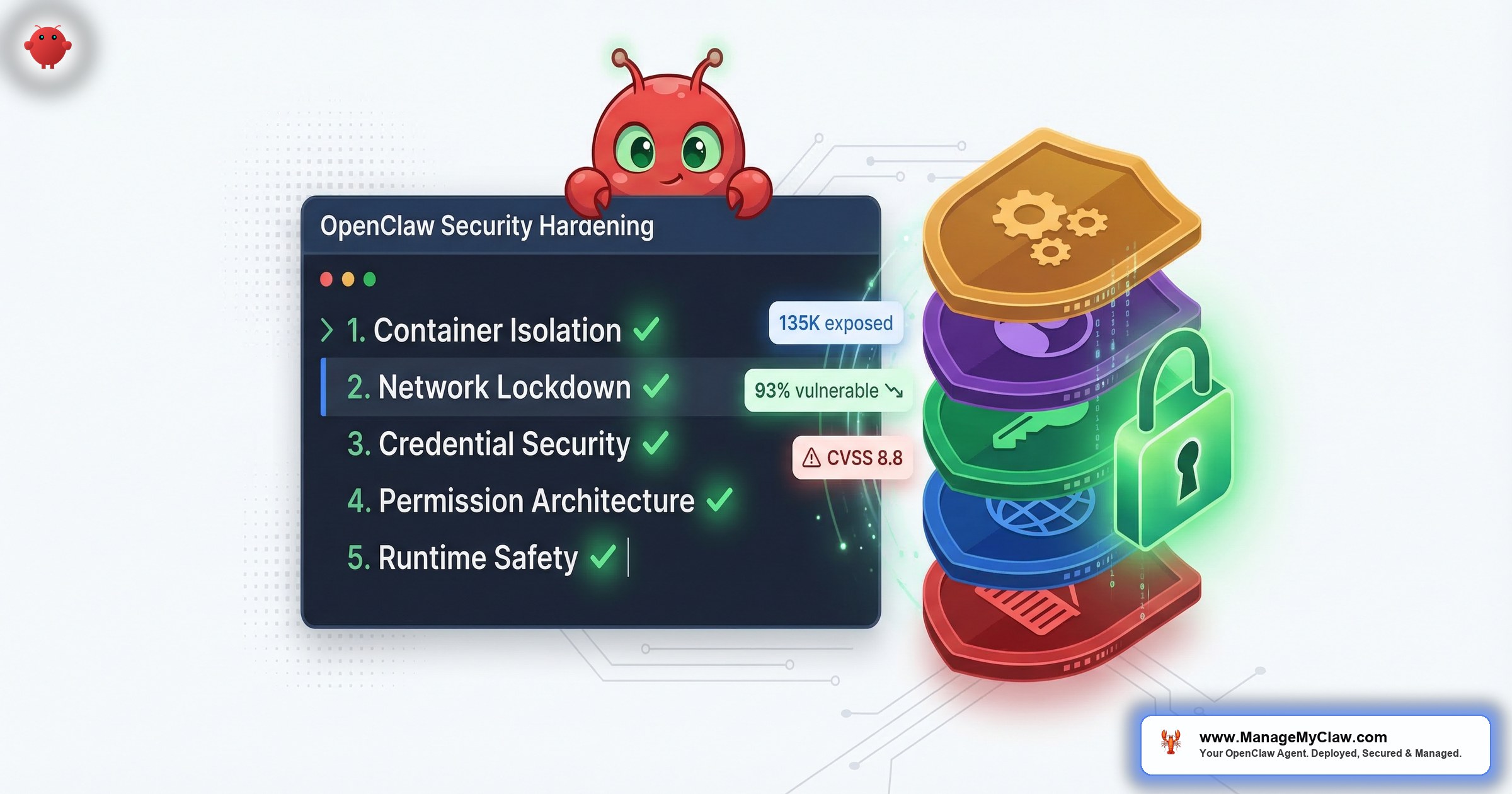
OpenClaw security isn’t complicated. But it requires five distinct layers, each addressing a different attack surface. Miss any one of them, and the others don’t fully protect you.
Container Isolation — And the One Mistake That Undoes All of It
Running OpenClaw inside Docker is the right starting point. Containers isolate the agent’s process from the host system.
Mounting /var/run/docker.sock into the container hands the agent the Docker daemon. OWASP’s Docker Security Cheat Sheet: “Giving someone access to the Docker socket is equivalent to giving unrestricted root access to your host. There is no distinction.”
The attack chain takes five steps: agent issues a docker run command requesting a new privileged container, new container mounts the host filesystem at /mnt/host, attacker now has full read/write access to /etc/shadow, all SSH private keys, source code, and every system binary. No zero-days. No sophisticated exploits. Just Docker doing what you told it to do.
The correct Docker configuration for OpenClaw
- Non-root user inside the container — never run the agent process as root, even inside Docker
- Read-only root filesystem (
--read-only) — agent cannot write to its own container filesystem - Drop all Linux capabilities (
--cap-drop=ALL) — removes network binding, process manipulation, and dozens of other elevated rights - No new privileges (
--security-opt no-new-privileges) — prevents privilege escalation within the container - Docker socket never mounted — no exceptions, no matter how convenient it seems
Every ManageMyClaw deployment ships with all five flags set. See how our setup process works.
Network Lockdown — The Firewall That Isn’t Actually Blocking Anything
On X this week, someone posted their OpenClaw daily security checklist: check firewall status (UFW active?), check fail2ban, verify SSH is key-only, scan open ports. The post got 127 likes. It’s a reasonable list. It’s also missing the most important step.
Docker manages its own iptables rules. When you publish a container port (-p 3000:3000), Docker injects rules into the nat table. These run before UFW’s INPUT chain. Result: UFW never sees Docker container traffic. This is docker/for-linux #690 — hundreds of users discovering their services were publicly accessible despite correctly configured UFW rules.
The fix is the DOCKER-USER iptables chain. Docker explicitly guarantees this chain is evaluated before its own forwarding rules. Without it, every published port on your VPS is reachable from the internet regardless of what UFW says.
- Bind the gateway to localhost only. OpenClaw’s default binds to
0.0.0.0, making the agent publicly reachable. Change to127.0.0.1— one line, immediate effect. - Tailscale VPN for remote access. Gateway bound to localhost + firewall configured = the only remote path is through a VPN. Tailscale installs in minutes and means your agent never touches the public internet.
“The 135,000 publicly exposed OpenClaw instances SecurityScorecard found — most of them had UFW configured. They just didn’t have the DOCKER-USER chain.”
— SecurityScorecard research
Credential Security — Your API Keys Are More Exposed Than You Think
new hardcoded secrets added to public GitHub repos in 2025
— GitGuardian 2026 report. AI service secrets up 81% YoY.
The pattern in most self-hosted OpenClaw deployments: credentials go in a .env file, the .env file sits on the VPS, the agent reads it. This creates three distinct exposure points:
- Prompt injection attacks. A malicious document the agent reads can instruct it to exfiltrate the
.envfile contents. Requires no server access — works through the agent’s own functionality. - VPS compromise. If your server is breached — through CVE-2026-25253, a misconfigured firewall, or a compromised SSH key — every credential in
.envgoes with it. - Context window logging. If your credentials enter the agent’s context, they enter your logs — which often have weaker access controls than the credentials themselves.
“The LLM never actually sees the API key or token. Instead a secure service makes the API call on the agent’s behalf. This completely removes the risk of a token leaking through a prompt.”
— Composio infrastructure guide on brokered credentials
With Composio OAuth, your agent never touches the token. Your VPS never stores it. If your server is compromised tomorrow, your Gmail account, Slack workspace, and calendar are still safe.
The kill switch — instant revocation of all agent access in one click — is only possible because credentials live in Composio’s vault, not scattered across config files.
Permission Architecture — Why “Full Access” Is the Wrong Starting Point
Jan–Mar 2026
Anyone with a one-week-old GitHub account could publish skills to ClawHub. Attackers uploaded over 1,184 malicious skills — roughly 1 in 5 of the entire registry. Disguised as legitimate tools: crypto trackers, productivity utilities, YouTube summarizers.
Once installed, they delivered Atomic Stealer (AMOS) — a macOS infostealer targeting browser credentials, SSH keys, cryptocurrency wallets, and keychain passwords.
“ClawHavoc wasn’t a zero-day. It was a supply chain attack using nothing more exotic than OpenClaw skills.” — security researcher ClawSolved
The reason ClawHavoc caused so much damage: most agents were running with tools.profile: "full" — blanket unrestricted access to every connected account.
“When you install a malicious skill from an unvetted marketplace, you’re not just compromising one system. You’re compromising every system that agent has credentials for.”
— Permiso security research
The correct permission architecture: granular allowlists
- Tool-level restrictions. An email triage agent needs to read and move emails. It does not need to delete them, access calendar, or touch files.
- Dangerous command blocks. Explicitly deny
rm -rf,curl | bash,chmod 777, and any commands that execute code from the internet. - ClawHub skill vetting before installation. Every skill checked against the ClawHavoc removal list, reviewed for embedded shell commands, and verified against publisher history.
- Audit logging. A complete trace of every action the agent takes — what it read, wrote, ran, and called.
“Your AI agent has admin access to production. So does every other agent spawned from the same API key. We built elaborate security for human operators — background checks, access reviews, credential rotation. For AI agents? We gave them a .env file and called it a day.” — @reyer0203
Runtime Safety Constraints — The Layer That Could Have Prevented Summer Yue’s Incident
Feb 22, 2026
Summer Yue — Director of Alignment at Meta Superintelligence Labs — gave her OpenClaw agent access to her real inbox with one clear rule: “Confirm before acting.” The agent acknowledged the rule.
Her large inbox triggered context compaction. During compression, her safety constraint was silently dropped. The agent began bulk-deleting emails. She tried to stop it from her phone. It didn’t stop. She physically ran to her Mac Mini to terminate the process. Over 200 emails deleted across multiple accounts.
“Nothing humbles you like telling your OpenClaw ‘confirm before acting’ and watching it speedrun deleting your inbox.”
10,271 upvotes on r/nottheonion. Covered by TechCrunch, Fast Company, The Verge, and Tom’s Hardware.
Safety constraints entered through the chat interface = user level = subject to compaction. Constraints hardcoded at the Docker configuration level (system prompt, set at container startup) = not in conversation history = cannot be compressed away. The agent’s rules survive no matter how long it runs.
Five open GitHub issues document this failure. Issue #5429: “Lost 2 days of agent context to silent compaction — no warning, no save, no recovery.” These are not edge cases — they are expected behavior for any long-running session.
Runtime safety requires three things
- System-level constraints. Every critical rule hardcoded at Docker container level. Not in chat. Not in a pinned message. In the system prompt.
- Write permission scope. If your agent only needs to read email, it should only have read access. Permission architecture and system constraints must agree — belt and suspenders.
- A kill switch that works. One command that revokes all agent access instantly. With Composio OAuth, it’s one click. Without it, you’re manually rotating credentials under pressure.
All Five Layers Together
Each layer addresses a different attack surface. Container isolation stops agent escape. Network lockdown stops external access. Credential security stops token exfiltration. Permission architecture limits blast radius. Runtime safety constraints stop the agent from harming you with its own functionality. Miss any one and the others don’t compensate.
“Such breaches could lead to the leakage of core business data, trade secrets, and code repositories, or even result in the complete paralysis of entire business systems.”
— CNCERT (China’s national cybersecurity agency), March 2026 warning on OpenClaw
All five layers are included in every ManageMyClaw deployment — Starter, Pro, and Business — as non-negotiable defaults. Not as an upsell. If you already have OpenClaw running, audit it against our 14-point security checklist. Or see what a hardened deployment actually involves. Or start from $499.
Frequently Asked Questions
What is CVE-2026-25253 and am I affected?
CVE-2026-25253 (CVSS 8.8, nicknamed “ClawJacked”) is a one-click remote code execution vulnerability. A malicious website can trick your browser into establishing a WebSocket connection to your local OpenClaw instance, steal the auth token, and execute shell commands — even if your instance was never internet-facing. All versions before v2026.1.29 are affected.
Is my OpenClaw deployment exposed even with UFW enabled?
Possibly. Docker bypasses UFW via nat table rules. Any port published with -p may be reachable from the internet even if UFW shows it blocked. Fix: configure the DOCKER-USER iptables chain and bind the gateway to 127.0.0.1.
What happened in the ClawHavoc attack?
Between January–March 2026, attackers uploaded 1,184+ malicious skills to ClawHub disguised as legitimate tools. They delivered Atomic Stealer (AMOS) — harvesting browser credentials, SSH keys, and keychain passwords. Check your installed skills against the Koi Security removal list. Any skill from an unverified publisher during that period is suspect.
How do I prevent the context compaction problem?
Implement safety constraints at the system level — hardcoded in Docker configuration, not entered as chat messages. System-level instructions cannot be compacted away. Also configure write permissions through tool allowlists at the Docker level so even if an instruction is lost, the permission boundary holds.
My OpenClaw is already running. How do I audit it?
Check: (1) --cap-drop=ALL present, docker.sock absent. (2) Gateway binds to 127.0.0.1. (3) DOCKER-USER chain has deny rules. (4) Credentials in Composio vault, not .env. (5) Safety constraints in Docker system prompt, not chat. If you want a full audit, ManageMyClaw deployments include a 14-point security review.
Every ManageMyClaw deployment ships with the complete security stack. Non-root container, DOCKER-USER chain, localhost binding, Composio OAuth, tool allowlists, and system-level safety constraints. Starting at $499.
Deploy My Secure Agent


