“67% of marketing teams save 10 or more hours per week using AI for content tasks. Not ideation. Not brainstorming. Actual production.”
— HubSpot, 2026 State of Marketing Report
HubSpot’s 2026 State of Marketing Report surveyed 1,500 marketers and found that 67% of marketing teams save 10 or more hours per week using AI for content tasks. Not ideation. Not brainstorming. Actual production — writing, reformatting, scheduling, and distributing the same core message across platforms that each demand a different voice, length, and format.
Now picture your last content week as a founder. You wrote a blog post. Maybe it took 3 hours. Then you needed an X post, a LinkedIn story, maybe a thread. You opened a blank compose window on each platform, stared at your published post, and started rewriting. 30 minutes here. 45 minutes there. By the time you finished — if you finished — the distribution work had eaten as much time as the writing.
“The blog post is the product. The social posts are the marketing. And most founders treat the marketing like homework they’ll get to later — which means never.”
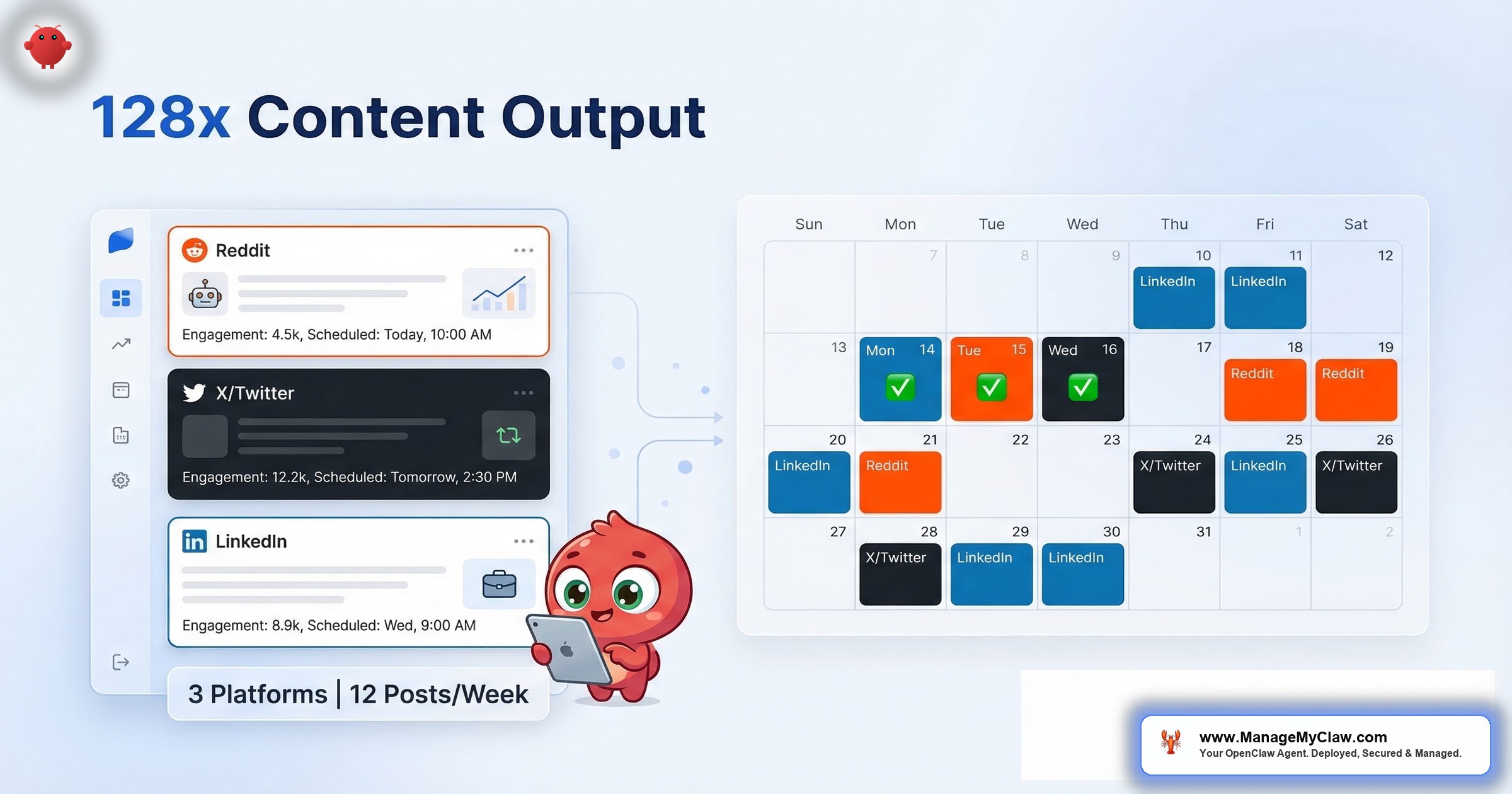
OpenClaw’s social media workflow (WF-04) turns that sequence into a trigger: you publish a blog post, your RSS feed fires, and the agent generates genuinely different posts for X and LinkedIn — not copy-paste truncations, but platform-adapted content — and queues them for your approval or publishes directly. Total API cost: $10–$25/month. Here’s how every piece of it works, what can go wrong, and where the real time savings live.
The Distribution Problem Nobody Budgets Time For
Content distribution isn’t a niche problem anymore. 85% of businesses now use AI for some form of social media automation, up from 42% in 2023, according to Enrich Labs’ 2026 analysis. Hootsuite’s survey of social media professionals found 96% use AI as part of their workflow, with 72% using it daily. Yet here’s the gap: most of that AI usage is for ideation and caption writing — not end-to-end distribution. The bottleneck isn’t creating ideas. It’s translating a finished piece into 3 different platform formats without spending your entire afternoon doing it.
For a founder who’s also the marketing department, that’s a full working day gone every week — on a task that’s repetitive, high-frequency, and low-judgment once you know your voice.
“A lot of people are doing this now — it’s one of the highest ROI workflows.”
— Top-voted comment, r/content_marketing (126 upvotes, Feb 2026)On r/content_marketing, a thread titled “How many of you do content repurposing? And which AI tool do you use for it?” (126 upvotes, 31 comments, February 2026) surfaced the pattern clearly. But further down the thread, the nuance emerged: “AI helps shave hours but you still need editing for tone and context.”
That’s the right frame. Automation doesn’t mean abdication. It means removing the repetitive production work so the human judgment focuses where it actually matters — voice, timing, and brand alignment.
If you’re publishing 3–5 blog posts a week and manually adapting each one for 2 platforms, you’re spending 4–6 hours per week on distribution. At founder rates of $200–$500/hour, that’s $800–$3,000/week in time. The workflow that eliminates it costs $10–$25/month.
How the RSS-to-Social Pipeline Actually Works
Think of it like a newspaper’s wire service, except the wire runs from your blog to every platform you care about, and the “reporters” on each end rewrite the story for their audience automatically.
Step 1: RSS Feed Detection
Your blog’s RSS feed is the trigger. The agent polls it every 2 hours by default — configurable down to 30 minutes if you publish frequently. When it detects a new entry that wasn’t in the previous check, it fetches the full post content and begins parsing. No authentication required. RSS is a public endpoint.
If you use a content calendar in Notion or Google Sheets instead of RSS, the workflow supports that too: rows marked “ready to distribute” fire the same pipeline. This works well for batched content — write a week’s worth at once, mark them ready, the agent handles distribution on a schedule.
Step 2: Content Parsing and Intelligence Extraction
Parsing isn’t just extracting text. The agent identifies 4 things from your post: the core argument, the most quotable statistic, the practical takeaway, and the target audience signal. This parsed context is what drives the platform-specific generation — without it, you’d get a truncated excerpt, not adapted content.
Step 3: Platform-Adapted Generation
This is the step that separates WF-04 from scheduling tools. The agent generates each platform’s post independently — it doesn’t truncate the LinkedIn post to make the X post. They’re genuinely different outputs from the same input:
- For X: A single post under 280 characters or a short thread (up to 5 posts). Leads with the most specific or provocative claim — a number, a counterintuitive finding, a stated opinion. No preamble. 1 hashtag maximum. The tone is direct and confident, lower-energy than LinkedIn.
- For LinkedIn: A 150–300 word post in story format. Opens with a hook that survives the “see more” cutoff, uses white space throughout, and closes with a practical takeaway. A specific number appears in every post. Professional but not corporate — “we found” and “here’s what happened,” not “we are pleased to announce.”
An 800-impression LinkedIn post reads as overlong on X. A punchy X opinion reads as shallow on LinkedIn. The platforms don’t just want different lengths — they want different stories told in different ways.
Step 4: Review Queue or Auto-Publish
Generated posts land in a review queue by default. You approve, edit, or discard. After you’ve reviewed 30+ posts and refined the voice configuration, you can enable auto-publish for X (lower stakes, faster feedback loop) while keeping LinkedIn posts in the queue (professional reputation, higher scrutiny).
The practical approach most users land on after 2–3 weeks: auto-publish X, queue LinkedIn, always queue trend-based content regardless of platform. You do a 10-second approval on LinkedIn posts. The X posts go out automatically.
The generation step — creating genuinely different content per platform — is what separates an automation that compounds from one that flatlines. Existing tools like Repurpose.io, ContentStudio, and Blog2Social can pull from RSS feeds and cross-post. But they distribute the same content or truncated excerpts. They’re scheduling tools, not generation tools.
What Reddit Builders Are Learning the Hard Way
“Posting is usually the easy part — the harder part is keeping each channel native enough that it doesn’t feel like slop.”
— Top comment, r/n8n (81 upvotes, March 2026)On r/n8n, a thread titled “Building an AI Social Media Auto-Posting System (Launching Soon)” (81 upvotes, 35 comments, March 2026) attracted builders sharing their approaches. The top comment cut straight to the problem.
And on r/automation, a thread titled “How I automated posting across 4 social media platforms using AI agents” (26 comments, March 2026) had multiple commenters asking the same question: “Why are you doing it manually every day? How about you do 30 posts in one go and schedule them?” But others pushed back — the real challenge isn’t batch volume, it’s maintaining voice consistency across platforms while the agent runs unsupervised.
That’s the tension every founder building this workflow hits: speed vs. quality. And the answer isn’t one or the other — it’s getting the voice configuration right so the speed doesn’t compromise the quality.
The Voice Configuration Is the Whole Game
Here’s the thing: the quality of generated posts depends almost entirely on your voice configuration. Not the platform rules the agent follows (those are preset). Not the AI model (GPT-4 and Claude both produce solid output). The brand-specific examples and constraints you define during setup.
Vague instructions produce vague output. “Be professional and engaging” generates the LinkedIn equivalent of elevator music. Specific instructions produce specific output. “Lead with a number. Never open with a question. No emojis. One hashtag maximum. Write like these 5 examples, not like these 3.” That produces posts your audience recognizes as yours.
The difference between a generic system prompt and a specific one is the difference between content that gets scrolled past and content that gets engaged with. Budget the first week for voice iteration — review every draft, add constraints when you spot off-brand patterns (“Never reference competitors by name.” “Don’t use exclamation marks.” “Always include a number in the first sentence.”), and feed in examples of posts you’ve published that performed well.
“Show the agent what you sound like. Don’t describe it.”
If you skip the voice work and enable auto-publish on day one, you’ll post generically AI-sounding content to your professional audience before you see it. The errors aren’t usually catastrophic — they’re more commonly off-brand: too formal, a weird confident claim, a LinkedIn post that reads like a press release. Fixable, but only if you see them before they publish.
Trending Topic Monitoring: The Proactive Mode
Beyond reactive distribution — new blog post triggers social posts — WF-04 supports a proactive mode via optional Tavily web search integration. When enabled, the agent monitors trending discussions in your defined topic areas and surfaces content opportunities you didn’t plan for.
The output is a daily or weekly digest: “3 trending angles in your topic area that match your content library. Suggested X post: [draft]. Suggested LinkedIn post: [draft].” You approve or discard. This mode never auto-publishes. The judgment call about whether a trending topic fits your brand shouldn’t be delegated to automation.
Tavily adds $5–$10/month to your API costs. Without it, baseline is ~$15/month. With it, budget $20–$25/month total.
Permission Architecture: What Your Agent Can and Can’t Do
WF-04 requires 3 permission scopes to run:
- Your blog’s RSS feed: No authentication required. Public endpoint.
- X (Twitter) API: Write access via Composio OAuth. Can create posts. Cannot read DMs, access your inbox, delete existing posts, or modify your profile.
- LinkedIn API: Write access via Composio OAuth. Create posts only. No read access to your network, messages, or connections data.
All credentials go through Composio’s OAuth middleware — they’re never stored directly in the agent’s configuration. Think of it like keeping your house keys in a lockbox vs. taping them under the doormat. Both get you inside, but one of them doesn’t invite the whole neighborhood. You have a kill switch: revoke the Composio connection and the agent loses access immediately. The Composio OAuth credential guide covers the exact permission scopes to authorize during setup.
Your agent can post to X and LinkedIn. That’s it. It can’t read your DMs, scrape your network, or delete posts you published manually. If something goes wrong, you revoke one connection and it’s over. Read our full security guide for the complete permission model.
The Real Failure Modes (and How to Avoid Each One)
These aren’t theoretical. They’re what actually breaks:
- Off-brand tone without a review queue: The #1 failure mode. Posts that sound generically AI-generated, not like you. Prevention: enable queue mode for the first 30 posts minimum. Add specific voice constraints as you find the edges.
- RSS feed detection misfire: If your blog republishes or updates old posts, those can appear as new entries and trigger generation. Prevention: configure a deduplication check on post URLs, included in the standard setup.
- X API rate limits at volume: The Basic X Developer tier ($100/month) supports 1,500 posts/month. At 3–5 posts/week you’re well within limits. Above 20 posts/week, assess your tier.
- LinkedIn API restrictions: LinkedIn has been tightening developer API access since 2024. Carousels, PDFs, and multi-image posts aren’t available through the API. WF-04 posts text only to LinkedIn. Visual content still requires manual posting.
- LinkedIn rate-limit flags: Posting 8 times in a day from an API integration will get your account flagged. Default rate limit: 2 LinkedIn posts per day, with configurable minimum spacing (e.g., 4 hours between posts).
Default rate limit is 2 LinkedIn posts per day to avoid triggering platform flags. If your blog publishes a burst — a migration, a backfill, a content sprint — the queue processes at your configured rate, not all at once.
API Costs: What You’ll Actually Pay
Monthly cost scales with publishing volume:
| Publishing volume | Base API cost | With Tavily trending |
|---|---|---|
| 3–5 posts/week | ~$10–$15/month | ~$20–$25/month |
| 6–10 posts/week | ~$20–$30/month | ~$28–$40/month |
| 10+ posts/week | ~$35–$50/month | ~$45–$60/month |
These are AI model API costs for content generation. The X Developer API fee ($100/month for Basic tier) is separate and required for posting via the API. You pay these costs directly — they’re not wrapped into any service fee. For a detailed breakdown of all OpenClaw running costs, see our pricing page.
The ROI Math: Time vs. Cost
Sprout Social found social media managers spend 8–10 hours per week on posting tasks. For a founder doing their own distribution across 2 platforms, that compresses to 4–6 hours — fewer platforms, but no delegation. At $200–$500/hour, that’s $3,200–$10,000/month in time spent on content distribution alone.
WF-04 costs $20–$25/month with Tavily, or $10–$15/month without it.
Even at the conservative end — 4 hours recovered per week at $200/hour — that’s $3,200/month reclaimed against $25/month in API costs. A 128x return. The ROI math on content distribution automation is unusually lopsided compared to other AI workflows because the task is high-frequency, high-repetition, and low-judgment once your voice rules are dialed in.
“You spend more on your morning coffee habit in a month than it costs to automate your entire social media distribution pipeline. And the coffee doesn’t write LinkedIn posts while you sleep.”
Content distribution is the rare AI use case where the cost is almost negligible and the time savings are immediate. Unlike email triage or client onboarding automation, which require careful permission configuration, social posting has a naturally constrained permission scope and a fast feedback loop. It’s the easiest workflow to deploy and the hardest to justify doing manually.
Prerequisites Before You Deploy
Don’t configure this workflow without these in place first:
Deployment Checklist
- A working RSS feed — confirm it’s updating correctly before setup. Most WordPress and Ghost installs have one at /feed/ or /rss/ by default.
- Brand voice examples (not descriptions) — collect 5–10 examples of posts you’d publish on X and 5–10 on LinkedIn. Write explicit rules: what to avoid, how to handle technical topics, tone in different scenarios.
- X Developer API access — posting via API requires a developer account. Basic tier ($100/month) provides enough capacity for 3–5 posts/week. Confirm your X account is eligible before deployment.
- LinkedIn Company Page vs. Personal Profile decision — the workflow can post to either, but the OAuth connection is different for each. Decide before setup, not after.
How to Get This Running
Self-setup takes 60–90 minutes. The RSS connection and Composio OAuth for X and LinkedIn are the mechanical steps — straightforward if you’re comfortable with API dashboards. The voice configuration is where you should spend the most time. Five concrete examples outperform three paragraphs of style guidance every time.
WF-04 is available on Pro ($1,499) and Business ($2,999) deployments, or as a standalone add-on at $249 for existing OpenClaw installations. The full workflow library covers how this fits alongside email automation, morning briefings, and KPI reporting in a complete stack.
If you’d rather skip the setup entirely, ManageMyClaw configures everything — voice rules, approval queue, all integrations — deployed in under 60 minutes.
The Bottom Line
Content distribution is the bottleneck that kills most founder content strategies. You wrote the post. You know it’s good. And it sits on your blog collecting dust because adapting it for X and LinkedIn feels like homework. WF-04 eliminates the homework. Your RSS feed fires, the agent generates platform-specific posts that match your voice, and you either approve them in 10 seconds or let them publish directly. $10–$25/month in API costs against 4–6 hours of weekly time savings.
The best content strategy in the world is worthless if nobody sees it.
The founders who win at content in 2026 aren’t the ones who write the most. They’re the ones who distribute what they write — consistently, on every platform, without losing a working day to reformatting.
Frequently Asked Questions
How is this different from a scheduling tool like Buffer or Hootsuite?
Buffer schedules content you’ve already written. WF-04 generates the content from your source material and then queues it. If you’re happy writing your own social posts and just need scheduling, Buffer is simpler and cheaper. If the bottleneck is the writing and reformatting — spending 30+ minutes per platform per post — WF-04 removes that step entirely. The 2 tools solve different problems.
Won’t the posts sound like they were written by AI?
Depends entirely on your voice configuration. Generic instructions (“be professional and engaging”) produce generic output. Specific examples — “write X posts like these 5 examples, lead with a number, 1 hashtag max, no emojis” — produce output that reads as on-brand. Most users spend the first week reviewing drafts and refining the system prompt. By week 2, the output typically reaches a quality bar where you’d publish with minimal editing. Think of it like training a new team member: the first week is hands-on, the second week they’re mostly independent, and by week 3 you’re just spot-checking.
Which platforms does WF-04 post to?
X and LinkedIn in the standard configuration — both have stable Composio integrations. Threads and Bluesky are supported via Composio connectors but require additional configuration and aren’t part of the standard setup. TikTok’s API doesn’t support third-party text-based content posting, so it’s excluded. If you need Threads or Bluesky, flag it in the intake form before deployment.
What if I publish 10 posts in one day — will it flood my social accounts?
No. You configure rate limits during setup: maximum posts per day, minimum spacing between posts, and a queue cap. If your blog publishes a burst — a migration, a backfill, a content sprint — the queue processes at your configured rate, not all at once. Default rate limit is 2 LinkedIn posts per day to avoid triggering platform flags.
Does the agent learn from what performs well?
Not automatically. The agent generates based on your voice rules and source content — it doesn’t pull engagement data back to optimize. You can manually add high-performing post examples to the voice configuration to guide future output, and that’s actually the most effective feedback loop. Automated engagement-based optimization requires connecting platform analytics to the agent, which is a custom configuration beyond the standard WF-04 setup.
Can I run this for multiple brands?
Yes, but each brand requires a separate voice configuration and separate Composio OAuth connections. The Business plan ($2,999) supports multi-account configurations. The Pro plan is scoped to a single brand. If you’re managing more than one brand, mention it in the intake process so the deployment is scoped correctly. See the pricing page for plan details.
What’s my kill switch if something goes wrong?
All social media credentials run through Composio OAuth, so you have a single point of control: revoke the Composio connection for X or LinkedIn and the agent loses posting access immediately. No code changes, no configuration edits. You can also pause auto-approve and require manual approval on every post with one setting change. Know these options before you go live, not after something posts unexpectedly. The Composio OAuth guide covers the revocation process.


