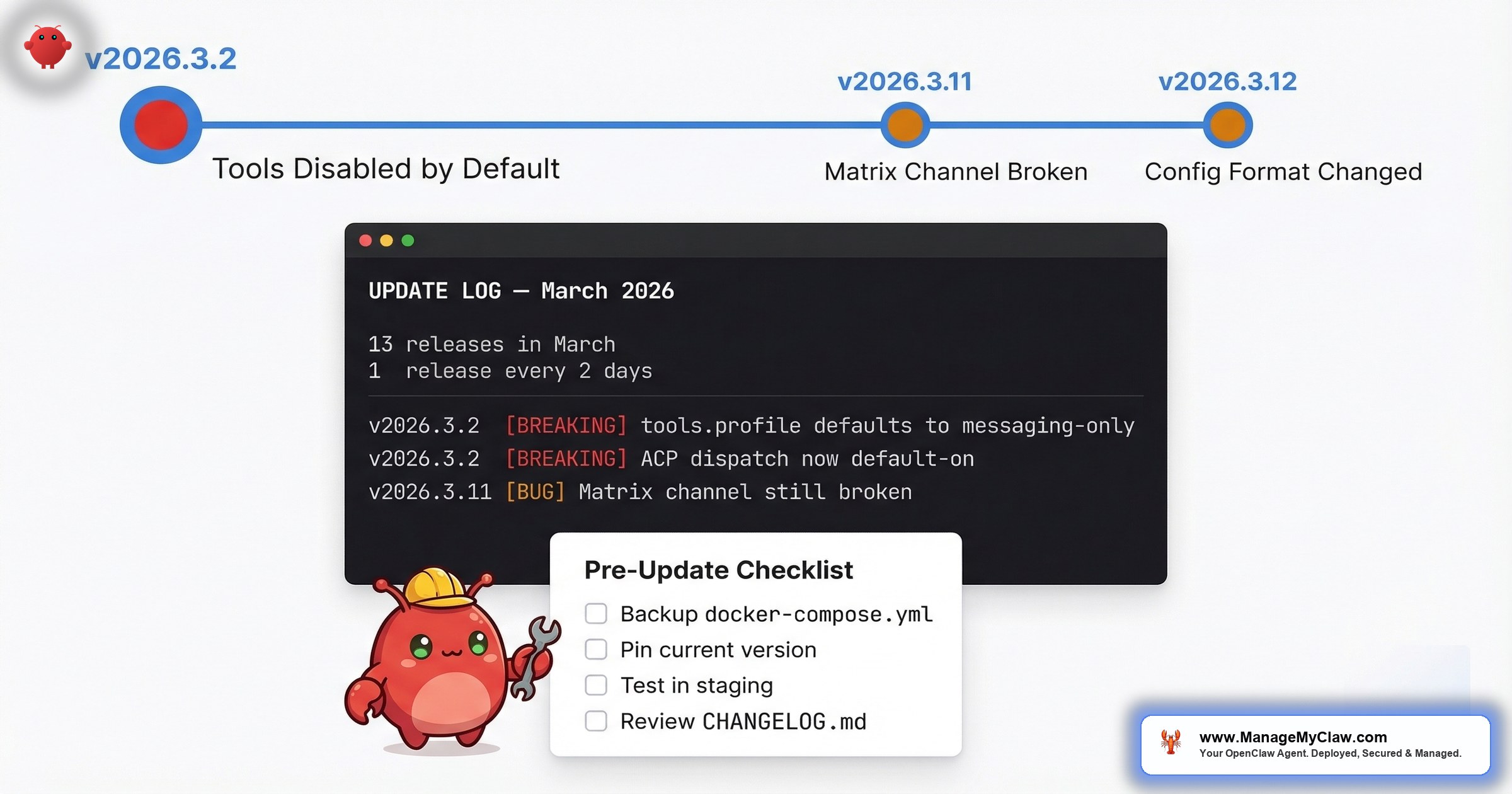
13 releases in March. One every 2 days. v2026.3.2 shipped 3 simultaneous breaking changes with no migration guide. Average self-reported recovery time: 48 hours per update.
13 point releases in March 2026. That’s roughly one every two days. v2026.3.1 through v2026.3.13 — each carrying legitimate improvements (security patches, new tool integrations, performance fixes) and each carrying the risk of breaking something that was working five minutes ago.
On r/openclaw, a thread titled “Openclaw v2026.3.12 just dropped… here’s what actually matters for most” (56 upvotes, 68 comments) captured the mood in its top comment, with 44 upvotes:
“And something breaking each update!”
— Top comment (44 upvotes), r/openclaw v2026.3.12 threadThat’s not a one-off complaint. It’s a pattern. When v2026.3.2 dropped, the thread “OpenClaw 2026.3.2 just dropped — here’s what actually changed for real workflows” (158 upvotes, 63 comments) drew this top comment with 25 upvotes:
“Nah everytime when I update something would go wrong with my claw and I’d spend next 48 hours to optimise him. Then there you go another update.”
— Top comment (25 upvotes), r/openclaw v2026.3.2 thread48 hours. That’s the self-reported recovery time for a single update. Multiply that by 13 releases in one month and you’re looking at a quarter of full-time firefighting — for software that’s supposed to save you time.
The frustration has spilled beyond r/openclaw. On GitHub, a discussion titled “Openclaw useless now after update” (Discussion #188842) captures the sentiment from users who updated and found their entire setup non-functional. When a project’s own community forum hosts a thread with “useless” in the title, the update process has a documentation problem.
It’s like changing the oil on your car and finding out the mechanic also rerouted your brake lines. The oil change was necessary. The surprise was not.
This post maps every documented breakage from the March 2026 update cycle, explains why each one happened, gives you a pre-update checklist to protect yourself, and covers recovery steps when something goes wrong anyway.
The March 2026 Update Timeline: What Broke and When
Here’s the documented breakage from the most consequential releases this month, sourced from r/openclaw threads, GitHub discussions, community reports, and the release notes themselves. As of mid-March, v2026.3.13 is the latest stable — meaning 13 point releases have shipped in a single month.
| Version | Date | What Broke | Impact | Community Signal |
|---|---|---|---|---|
| v2026.3.2 | Early March | 3 simultaneous breaking changes: tools.profile defaults to messaging-only; ACP dispatch now default-on; plugin HTTP registration moved to explicit route APIs. Plus Composio config format changed. | Agents appeared “dumb” — couldn’t execute any tool actions. ACP dispatch conflicts with existing routing. Plugin HTTP handlers silently fail. | 158pts + 67pts + 55pts across 3 threads, 162 comments total |
| v2026.3.11 | Mid-March | Matrix channel messaging still broken (carried over from post-v2026.2.17 releases) | Users unable to communicate with their agents via Matrix; some stuck on v2026.2.17 | 57pts, 30 comments |
| v2026.3.12 | Mid-March | Continued breakage pattern; Matrix still unresolved | Users reporting “something breaking each update” as a predictable pattern | 56pts, 68 comments; top comment (44pts) calls out recurring breakage |
3 releases. 4+ different breakage categories. And Matrix messaging — a core communication channel — broken across all of them. The v2026.3.2 release alone shipped 3 simultaneous breaking changes that can produce multiple failure modes depending on your configuration, as documented in GitHub Discussion #39150.
Breakage #1: Tools Disabled by Default (v2026.3.2)
This was the big one — and it was actually three breaking changes landing simultaneously. GitHub Discussion #39150 documents all three:
1. tools.profile defaulted to messaging-only. New installs now start with a tool profile that effectively disables most tools. Agents could still respond to messages, still reason through problems — but couldn’t do anything. No file operations. No shell commands. No API calls.
2. ACP dispatch switched to default-on. Unless you explicitly disabled it, ACP dispatch was now active — potentially conflicting with existing routing configurations and causing unexpected request handling behavior.
3. Plugin HTTP registration moved from registerHttpHandler(...) to explicit route APIs. Any plugin using the old HTTP handler registration pattern silently stopped serving HTTP routes.
These 3 changes together can produce multiple failure modes. Your agent might appear “dumb” (tools.profile), route requests incorrectly (ACP dispatch), and drop plugin HTTP endpoints (registration API change) — all at the same time, from a single update. Diagnosing which of the three (or which combination) is causing your specific symptom is the kind of debugging that eats 48 hours.
After v2026.3.2, agents respond to messages but cannot execute any tools — no file access, no shell commands, no API calls. The update changed tool permissions to opt-in rather than opt-out. If your configuration didn’t explicitly enable tools, they were silently disabled.
On r/openclaw, the thread “PSA: After updating to OpenClaw 2026.3.2, your agent seems ‘dumb’? It’s not the model — tools are disabled by default” (67 upvotes, 34 comments) explained the cause. One commenter wrote:
“I lost a couple hours of my life sorting this out, got it back with profile full instead of messaging.”
— r/openclaw, PSA thread on v2026.3.2 tools issueThe confusing part: this only affected some installations. Another commenter noted: “Doesn’t this only affect new installs? My config was missing this and everything is unaffected after update.” So whether your agent broke depended on which combination of config settings you had — information that wasn’t in the release notes.
A separate thread, “Fix for OpenClaw ‘exec’ tools not working after the latest update” (55 upvotes, 65 comments), piled on:
“OMG, lastest update makes Openclaw useless.”
— r/openclaw, exec tools fix thread (55 upvotes)Another flagged a platform-specific issue: “i added that json but my bot on mac/ventura says the exec tool isn’t found. anyone know a fix?”
Why this happened: OpenClaw tightened security defaults — a good decision from a security perspective. But they shipped three breaking changes in a single release with no migration path, no deprecation warning, and no per-version upgrade guide. If you weren’t reading the release notes line by line and cross-referencing GitHub discussions, you found out when your workflows stopped working.
How to fix it: You need to address all three changes:
- Tools: Add
tools.profile: "full"to your config (or grant only the specific tools each workflow needs for least-privilege). The Docker sandboxing guide covers this in detail. - ACP dispatch: If you weren’t using ACP dispatch before, explicitly disable it in your config to avoid routing conflicts.
- Plugin HTTP: Migrate any plugins using
registerHttpHandler(...)to the new explicit route APIs. Check your plugin logs for silent failures.
Breakage #2: Matrix Channel Messaging — Broken for 3+ Versions
Matrix is one of the primary ways people communicate with their OpenClaw agents — it’s the self-hosted messaging layer that lets you send instructions and receive responses without exposing a web interface. After v2026.2.17, it broke. And it stayed broken.
Matrix messaging broke after v2026.2.17 and remained unresolved through v2026.3.11 and v2026.3.12 — spanning 3+ versions and multiple weeks. Users relying on Matrix as their primary communication channel were stuck on v2026.2.17 or forced to switch to alternative methods.
On r/openclaw, the thread “I read the 2026.3.11 release notes so you don’t have to — here’s what actually matters for your workflows” (57 upvotes, 30 comments) surfaced this:
“I’m stuck on 2026.2.17… on the versions after that Matrix (channel, messaging app) broke and this is the only way I can communicate with my agent.”
— r/openclaw, v2026.3.11 release notes thread (57 upvotes)By the time v2026.3.12 landed, Matrix was still in question. A commenter on the 3.12 thread asked: “Anyone knows if Matrix (channel) is still broken on this version?”
Imagine the postal service losing the ability to deliver to your street — and the fix taking 4 releases and counting. You don’t stop needing mail. You start driving to the post office yourself.
Why this happened: Multi-version regressions are the hardest to fix because the root cause may span multiple commits across multiple releases. When the team is shipping 13 releases in a single month, each release builds on the previous one’s changes. If a regression gets introduced early in that cycle and isn’t caught immediately, it compounds through every subsequent release.
How to handle it: If Matrix is your primary agent communication channel and it’s broken on your current version, you have two options. First: pin to v2026.2.17 (the last known-good version for Matrix) and accept you’re running an older release with potential security gaps. Second: switch to an alternative communication method (API, web interface) while waiting for the fix. Neither option is great. That’s the tradeoff.
Breakage #3: Config Format Changes With No Migration Guide
When v2026.3.2 landed, it also changed how Composio connections are configured. No migration guide. No deprecation notice in previous versions. If you were using 1Password Connect as your secrets manager — as one r/openclaw commenter noted they’d just finished implementing — you discovered the format change when your secrets stopped resolving.
“Figures, I just finished implementing 1password connect as my secrets manager.”
— r/openclaw, v2026.3.2 thread (158 upvotes, 63 comments)Timing that captures the broader problem: you invest hours configuring something, and the next update invalidates your work without warning.
Docker-based deployments compound this issue. On r/openclaw, a thread titled “[Help] I’m losing my mind with OpenClaw Docker… it keeps resetting my config and I can’t fix it” surfaced a related problem: Docker container updates can overwrite configuration files if volumes aren’t mapped correctly. You fix a config issue, restart the container, and your fix disappears.
Why this happens: OpenClaw’s rapid release cadence prioritizes feature development and security patches over upgrade documentation. That’s a reasonable engineering tradeoff for internal releases — but when your user base is self-hosting production workflows, undocumented config changes create hours of debugging work downstream.
The Pre-Update Checklist: 8 Steps Before You Touch the Version Number
Every breakage above was preventable — not by avoiding updates, but by preparing for them. Here’s the checklist, derived from the patterns in the community threads.
| # | Step | Command / Action | Why It Matters |
|---|---|---|---|
| 1 | Snapshot your config | cp -r ./openclaw-config ./openclaw-config-backup-$(date +%Y%m%d) |
Compare against if format changes land |
| 2 | Export Docker volumes | docker run --rm -v openclaw_data:/data -v $(pwd):/backup alpine tar czf /backup/openclaw-data-$(date +%Y%m%d).tar.gz /data |
Persistent data lives in volumes; back them up |
| 3 | Record current version | openclaw --version |
Know exactly where to roll back to |
| 4 | Read all release notes | Check CHANGELOG + GitHub Discussions | Look for “default,” “deprecated,” “removed,” “changed” |
| 5 | Check community trackers | Search r/openclaw for version string; use PatchBot / Releasebot | Community surfaces breakage faster than official channels |
| 6 | Test in staging | Run update on non-production instance first | Catches 90% of breakages before they hit live |
| 7 | Verify tool permissions | Run a simple tool-dependent command post-update | Know in 30 seconds instead of discovering later |
| 8 | Document changes | Write down exactly what you changed and why | Next month’s update may require you to undo it |
Yes, this is a lot of work for a software update. That’s the point. OpenClaw updates aren’t like updating a mobile app. They’re closer to updating production infrastructure — because that’s exactly what they are.
The Recovery Playbook: When Something Breaks Anyway
You followed the checklist. Something still broke. Here’s the triage order.
Step 1: Identify what’s broken (5 minutes)
Most post-update failures fall into 3 categories: tools not executing (agent responds but can’t act), communication channel down (Matrix, API, web UI unreachable), or config rejected (agent won’t start or throws errors on launch). Check your agent’s logs first. On Docker: docker logs openclaw-gateway --tail 50.
Step 2: Compare configs (10 minutes)
Diff your current config against your pre-update backup: diff -r ./openclaw-config ./openclaw-config-backup-YYYYMMDD. If the update overwrote or modified any config files, you’ll see it immediately. Pay special attention to tool permission settings and integration connection blocks.
Step 3: Check the community (10 minutes)
Search r/openclaw for the version number. If your breakage is a known issue, someone has likely posted a fix. The “Fix for OpenClaw ‘exec’ tools not working after the latest update” thread (55 upvotes, 65 comments) is a good example — the community diagnosed and published a workaround faster than the official docs were updated.
Step 4: Roll back if necessary (15 minutes)
If you can’t fix the issue within 30 minutes, roll back. On Docker, this means pulling the previous image tag: docker pull openclaw/openclaw:v2026.3.X (replace with your backed-up version number), restoring your config backup, and restarting. Your workflows resume on the known-good version while you debug the new release on your own schedule.
If you’re still debugging 30 minutes after an update, roll back first, then debug. A broken production agent for 48 hours — as the r/openclaw commenter described — is worse than running a version behind while you figure things out.
How to Track OpenClaw Releases (Before They Surprise You)
One release every two days means you can’t rely on manually checking. Here are the tracking resources that surface changes before they hit your production instance:
- Official CHANGELOG.md — Primary source. Look for “default,” “breaking,” “removed,” “deprecated.”
- PatchBot.io — Push notifications when new versions drop. Great for delayed adoption strategy.
- Releasebot.io — Aggregates release metadata; spot cadence patterns.
- npm versions page — Every published version with timestamps.
- Official updating docs — Covers mechanics of updating but historically doesn’t flag per-version breaking changes.
For real-world production context, SitePoint’s “OpenClaw Production Guide: 4 Weeks of Lessons” documents the operational reality of running OpenClaw through a full update cycle. Worth reading if you’re considering self-hosting for business workflows.
Set up PatchBot or Releasebot notifications, subscribe to the CHANGELOG on GitHub, and check r/openclaw when a notification fires. That 5 minutes of proactive monitoring saves 5 hours of reactive debugging.
The Bigger Problem: Update Cadence vs. Stability
13 releases in one month — one every two days — is aggressive for any software. For software that runs unattended business workflows, it creates a structural problem: you can’t skip updates indefinitely because you’ll fall behind on security patches, but you can’t apply every update immediately because each one might break something. And with v2026.3.2 shipping 3 simultaneous breaking changes (tools.profile, ACP dispatch, plugin HTTP registration), a single update can require debugging multiple independent failure modes.
On r/openclaw, the v2026.3.12 thread drew a commenter who tried to call it out: “Haters complaining about things breaking or not as open as it used to be.” But the complaints aren’t about OpenClaw’s direction. They’re about the operational cost of keeping up with it. When another commenter on the v2026.3.2 thread (158 upvotes) joked “What changed for fake workflows ??” — the humor masked a real question: which of these changes actually affect my setup, and how do I know before it’s too late?
There’s also the CLI performance issue. A separate r/openclaw thread reported “openclaw-cli is painfully slow — takes several minutes” — meaning the very tool you’d use to diagnose update problems is itself a bottleneck.
The fundamental tension: OpenClaw’s development velocity is one of its strengths (active development, fast security patches, rapid feature iteration). But without staging environments, migration guides, or versioned upgrade paths, that velocity transfers directly to operational burden on the people running it.
3 Update Strategies (Pick One)
Not everyone needs to handle updates the same way. Your strategy depends on how much downtime your workflows can tolerate and how much time you want to spend on maintenance.
| Strategy | How It Works | Best For | Risk |
|---|---|---|---|
| Pin & Patch | Stay on a known-good version. Only update for security-critical CVEs. | Stable workflows that rarely change; low-risk tolerance | Fall behind on security fixes that aren’t CVE-classified |
| Delayed Adoption | Wait 3–5 days after each release. Check r/openclaw for community reports before updating. | Most users; balance of stability and staying current | 3–5 day lag on new features; still requires manual testing |
| Staged Rollout | Maintain staging instance mirroring production. Test there first. Promote if clean. | Business-critical deployments; teams running OpenClaw for operations | Most time/infrastructure-expensive; needs second instance + testing routine |
Strategy 1: Pin and patch. Stay on a known-good version. Only update for security-critical CVEs. This is what the user stuck on v2026.2.17 is doing — accepting older features in exchange for stability. Works if your current workflows are stable and you’re monitoring the CVE tracker for critical patches. Risk: you fall behind on security fixes that aren’t CVE-classified.
Strategy 2: Delayed adoption. Wait 3–5 days after each release before updating. Let the community surface breakage patterns. Check r/openclaw. If nobody’s reporting issues with your specific configuration (Docker, macOS, Matrix, Composio), update. If threads are lighting up, wait for the hotfix. This adds 3–5 days of latency on new features but catches most silent breaking changes.
Strategy 3: Staged rollout. Maintain a staging instance that mirrors your production config. Apply updates to staging first. Run your critical workflows. If everything passes, promote to production. This is the most reliable approach and the one used by any team running OpenClaw for business operations. It’s also the most expensive in time and infrastructure — you need a second instance, a testing routine, and the discipline to follow the process every time.
ManageMyClaw’s Managed Care ($299/month) runs Strategy 3 for you — every update is tested in staging before it touches your production instance. Critical CVE patches ship within 24 hours, but they’re tested first. You don’t read release notes, you don’t check r/openclaw, and you don’t spend 48 hours re-optimizing after each update. That operational burden is the entire reason the service exists.
Frequently Asked Questions
How do I check which OpenClaw version I’m running?
Run openclaw --version on your host, or for Docker deployments: docker inspect openclaw-gateway --format '{{.Config.Image}}'. Compare the output against the latest release on the OpenClaw GitHub repository. If you’re more than 2 versions behind, check the CVE tracker before deciding whether to update or hold.
Should I update immediately when a new version drops?
No — unless the release explicitly patches a critical CVE you’re exposed to. For routine updates, wait 3–5 days and check r/openclaw for community reports. The v2026.3.2 tools-disabled issue was identified by the community within hours, but users who updated on release day lost productive time before the fix was documented. Delayed adoption costs you nothing on features and saves you from being the first person to discover a breaking change.
My agent works but seems “dumb” after updating — what’s wrong?
This is almost certainly the tools-disabled issue introduced in v2026.3.2. Your agent can still process language and respond to messages, but it can’t execute any tools — no file access, no shell commands, no API calls. Check your config for a tools.profile setting. If it’s missing, add tools.profile: "full" (or a more restrictive profile if you’re following least-privilege). Restart the agent and test a tool-dependent action.
Can I roll back to a previous version if an update breaks something?
Yes, if you prepared correctly. For Docker deployments, pull the previous image tag and restore your config backup. For bare-metal installs, you’ll need to have saved the previous binary or installer. The key requirement is that you backed up your config before updating — without a config backup, rolling back the binary version doesn’t help if the update already modified your config files in place.
Why does OpenClaw ship so many updates so quickly?
Active development. v2026.3.13 is the latest stable as of mid-March 2026 — that’s 13 point releases in a single month, roughly one every two days. OpenClaw is iterating rapidly on security patches (9 CVEs disclosed and patched), new integrations, and performance improvements. That cadence is a sign of a healthy project — stale software with no updates is far more dangerous from a security perspective. The issue isn’t the update frequency. It’s the absence of migration guides, deprecation warnings, and staged rollout support that would make the frequency manageable for self-hosters running production workflows. You can track the cadence yourself via the official CHANGELOG, PatchBot.io, or Releasebot.io.
Is it safe to skip multiple versions and jump to the latest?
It depends on how many config format changes happened between your current version and the target. Jumping from v2026.2.17 to v2026.3.13, for example, crosses the 3 breaking changes in v2026.3.2 (tools.profile, ACP dispatch, plugin HTTP registration), the Composio config format change, and potentially others. Each one requires a manual config update. Read the CHANGELOG for every version in between, not just the target version. If you see more than 2 config-level changes, update incrementally rather than jumping.
Where can I track OpenClaw releases and breaking changes?
Five sources: the official CHANGELOG.md on GitHub, PatchBot.io for patch note notifications, Releasebot.io for release tracking, the npm versions page for published version timestamps, and r/openclaw for community-reported breakage. For breaking changes specifically, also check GitHub Discussions — Discussion #39150 documented the v2026.3.2 triple-breaking-change before the CHANGELOG was fully updated.
What does ManageMyClaw do differently with updates?
Every update is applied to a staging environment first, where critical workflows are tested before anything touches your production instance. Config format changes are handled during staging — you don’t see them. Critical CVE patches are applied within 24 hours, but tested first. The 13-releases-in-one-month cadence that creates 48-hour debugging sessions for self-hosters becomes a background process you never interact with. Details are on the Managed Care page.


