“You’re not bad at time management. You’re doing the job the way the job currently works. That’s the problem.”
Picture your last Tuesday. How much of it was spent on the thing you actually started your company to do?
Harvard Business School tracked 60,000 hours of CEO time across 27 executives. The finding: email and electronic communication consume 24% of a founder’s working hours. McKinsey’s research puts it even higher — knowledge workers spend 28% of their workweek managing email. That’s 11 hours every week. 580 hours per year. Just on inbox. Add meetings, CRM updates, client welcome sequences, and pulling revenue numbers from Stripe to paste into a Slack channel, and you’ve lost 2 full working days before you’ve touched your product.
OpenClaw — the open-source AI executive assistant with 250,000+ GitHub stars — can take 10–15 of those hours back every week. Email triage, daily briefings, client onboarding, KPI reporting. Not someday. Not in theory. Right now, running 24/7 on a $12/month VPS. The catch is that setting it up takes 15+ hours of DevOps work most founders don’t have, and deploying it wrong is like giving your intern the CEO’s passwords on day one — except the intern works 24/7 and never asks if it should before it does.
The ROI math is so lopsided it’s almost absurd — 19x to 70x return at conservative estimates, payback in under 5 weeks. But only if you get the deployment right. This post breaks down the workflows, the numbers, and what separates the 20% who succeed from the 80% who don’t.
The Admin Tax: 16 Hours a Week You’re Not Getting Back
Across multiple surveys, executives report spending 16 hours per week on delegatable administrative tasks — scheduling, CRM updates, expense reports, client coordination, and the kind of email that could be answered with a template but somehow takes 4 minutes each time. That’s 2 full working days per week. At $350/hour — a conservative founder opportunity cost — that’s $291,200 per year on scheduling, CRM entries, and emails that start with “Just circling back.”
A properly configured AI agent handles that same work for $60–$210/month in API costs.
“The stuff that’s actually helping isn’t always the flashy customer-facing stuff. The automations I see working best are the boring internal ones. Data entry, lead qualification, pulling insights.”
— Top-voted comment, r/automation (14 upvotes)“The unsexy stuff is where the real money is.”
— r/automation commenter on AI business automationThat’s exactly right. The founders getting ROI from OpenClaw aren’t building chatbots. They’re automating the 16 hours of admin tax that eats their week alive.
If you’re clocking 56-hour weeks, 16 hours of delegatable tasks means 29% of your working life is spent on work that doesn’t require you. That’s not a discipline problem. It’s an architecture problem. The tools to fix it exist today.
4 Workflows That Pay for Themselves in Weeks
OpenClaw isn’t a chatbot you ask questions. It’s a persistent, tool-calling agent that connects to your actual accounts — Gmail, Google Calendar, Slack, Stripe, Notion, Linear — via Composio OAuth and executes multi-step workflows autonomously. Here’s what that looks like with real numbers and real API costs:
Workflow 1: Email Triage — $15–$40/month
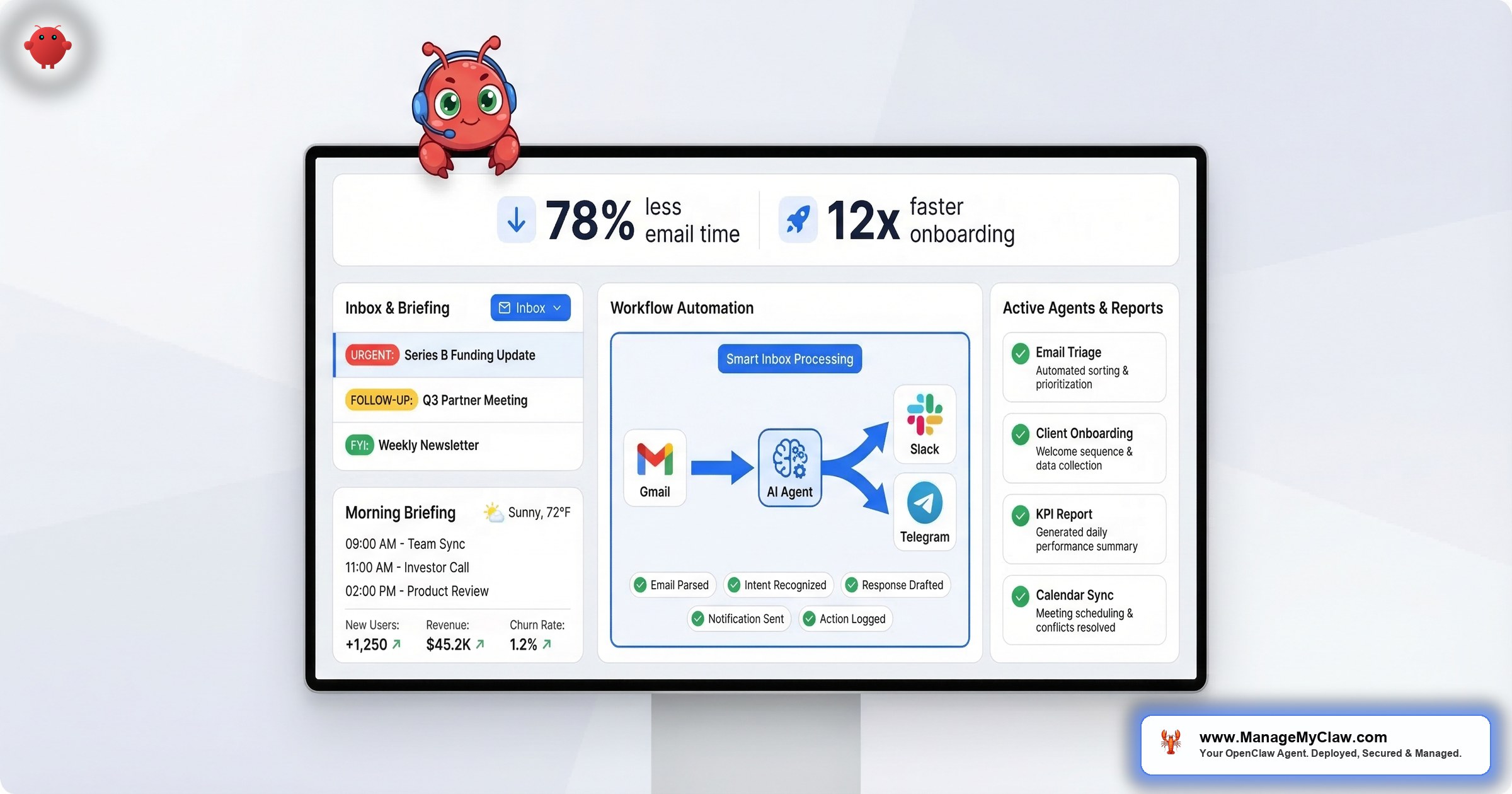
Your agent scans your inbox continuously, categorizes by urgency, drafts responses for routine emails, flags the ones that actually need you, and archives noise. Business users benchmarked a 78% reduction in email processing time. If you’re spending 2 hours per day on email and recover 90 minutes, that’s 7.5 hours per week returned at your full rate — from a single workflow.
Write access is restricted to specific folders with explicit allowlists. System-level “never delete” constraints are hardcoded — not user-level, so they can’t be compacted away when memory fills up. That distinction matters more than most people realize, and we’ll get to why in a minute.
For a detailed walkthrough of the email and calendar workflows specifically, our OpenClaw email and calendar automation guide covers configuration, security constraints, and real API cost breakdowns.
Workflow 2: Morning Briefing — $5–$15/month
At 8 AM, your agent checks your calendar, email, weather, KPIs, and task list — then delivers a single consolidated message to Telegram, Slack, or WhatsApp. Instead of opening 5 apps before your first coffee, you open 1 message. By week 3, the agent learns your schedule and filters what’s worth surfacing through Supermemory.
Workflow 3: Client Onboarding — $10–$30/month
When a new client pays (Stripe webhook) or submits a form (Typeform), the agent runs a multi-step sequence: creates accounts in Notion and Linear, sends a personalized welcome email, schedules the kickoff meeting, creates project folders, and notifies your team. Workflow benchmarks show 12x faster onboarding than the same steps done manually. At 10 new clients per month, API cost is about $15.
Workflow 4: KPI Reporting — $5–$15/month
The agent connects to Stripe, Google Analytics, and your CRM, pulls the metrics you define, formats them, and delivers to Slack or email on daily, weekly, or monthly cadence. What previously took 4–6 hours of manual work takes 5 minutes of agent runtime.
“You’re paying $35–$100/month for an employee that works every hour of every day, never forgets a step, never takes PTO, and doesn’t need a Slack reminder to follow the process.”
— The McKinsey model, except these consultants actually write the email| Workflow | Monthly API Cost | Time Recovered/Week | Value at $200/hr |
|---|---|---|---|
| Email Triage | $15–$40 | 7.5 hrs | $78,000/yr |
| Morning Briefing | $5–$15 | 1.5 hrs | $15,600/yr |
| Client Onboarding | $10–$30 | 2–4 hrs | $20,800–$41,600/yr |
| KPI Reporting | $5–$15 | 1–1.5 hrs | $10,400–$15,600/yr |
| Total | $35–$100 | 12–14.5 hrs | $124,800–$150,800/yr |
These aren’t proof-of-concepts. They’re production workflows running 24/7 on $12–$24/month VPS instances. The barrier to getting them running isn’t the technology — it’s the 15+ hours of deployment and security configuration most founders don’t have time for.
Why 2026 Is Different (and Why 2024 Wasn’t)
If you tried AI agents 2 years ago and they felt like expensive toys, you weren’t wrong. In 2024, tool calling was unreliable. Models hallucinated constantly. Putting an agent in charge of your actual Gmail was a liability, not an asset.
“In 18 months, agents went from ‘cool demo’ to ‘runs my morning briefing.’ That’s not a hype cycle — that’s an infrastructure shift.”
3 things changed since then:
- Real-world task completion doubled. On OSWorld — the benchmark for actual computer use across Gmail, Excel, and web browsers — Claude improved from 28% accuracy in early 2025 to 72.5% by early 2026. Hallucination rates dropped 40%. These aren’t synthetic benchmark games. They’re the difference between an agent that actually executes your email triage and one that confidently does it wrong.
- Tool calling got standardized. In January 2026, OpenAI, Google, and Microsoft adopted MCP (Model Context Protocol) as the universal integration standard, then donated it to the Linux Foundation. The fragmentation that made reliable tool-calling a dice roll in 2024 is over.
- Context windows became practical. Claude now handles 200,000 tokens as standard. Your agent can hold your entire inbox context — months of email history, your company’s communication style, your client relationships — without losing track of instructions mid-task.
DigitalOcean’s February 2026 survey of 1,100+ developers, CTOs, and founders confirms the shift: 67% of organizations using AI agents report measurable productivity gains. Among executives who report gains, 39% have seen productivity at least double. But — and this is the part most AI hype pieces leave out — only 10% have scaled agents into production.
“AI isn’t replacing small businesses, it’s becoming another tool in the toolkit.”
— r/Entrepreneur, “Are small businesses using AI agents?” (22 upvotes, 128 comments)“Useful, but only if you treat them as junior staff — not magic.”
— Top-voted answer, r/AI_Agents (18 upvotes, 47 comments)90% of companies that see the value haven’t figured out the deployment. That’s the gap — and it’s exactly why OpenClaw’s 250,000+ GitHub stars haven’t translated into 250,000 production deployments.
The technology is ready. The models are reliable. The integrations are standardized. 2026 isn’t the year to “experiment with AI.” It’s the year that founders who deploy agents create a permanent time advantage over those who don’t.
The ROI Math (It’s Almost Embarrassing)
McKinsey’s research shows generative AI can automate 60–70% of knowledge worker time spent on language-heavy workflows — reporting, documentation, email, and internal communication. Their November 2025 analysis went further: 57% of U.S. work hours could be automated with technologies that exist today. The largest gains appear in exactly the tasks founders do most.
Here’s the math at 3 different founder rates:
| Time Recovered | At $200/hr | At $350/hr | At $500/hr |
|---|---|---|---|
| 5 hrs/week | $52,000/yr | $91,000/yr | $130,000/yr |
| 10 hrs/week | $104,000/yr | $182,000/yr | $260,000/yr |
| 15 hrs/week | $156,000/yr | $273,000/yr | $390,000/yr |
Now compare that to the cost of running OpenClaw:
| Cost Category | Monthly | Annual |
|---|---|---|
| VPS hosting | $12–$24 | $144–$288 |
| AI model API costs | $50–$200 | $600–$2,400 |
| Managed Care (optional) | $299 | $3,588 |
| Total operating cost | $60–$210 (without MC) | $744–$2,688 (without MC) |
If you recover just 5 hours per week at $200/hour founder rates, that’s $52,000/year in reclaimed time against $744–$2,688 in operating costs. Even the most conservative scenario delivers 19x–70x ROI. A ManageMyClaw Starter deployment plus a year of Managed Care totals approximately $4,087. At 5 recovered hours per week and $200/hour, the entire investment pays for itself in under 5 weeks.
DigitalOcean’s survey found 74% of organizations using AI agents achieved ROI within the first year. For founders, it’s faster.
“You spend more on coffee in a year than you’d spend running an AI agent that handles half your inbox. And the coffee doesn’t automate your client onboarding.”
This isn’t aspirational math. The email triage workflow alone benchmarks at 78% time reduction. If you’re spending 2 hours per day on email and recover 90 minutes, that’s 7.5 hours per week — $78,000/year at $200/hour — from a single workflow costing $15–$40/month to run. See the full pricing breakdown.
Why 80% of AI Deployments Fail (and What They All Have in Common)
So the ROI is massive and the technology works. Why do 80% of companies report no meaningful productivity gains from AI?
Workday’s January 2026 research (3,200 respondents across North America, Asia-Pacific, and EMEA) quantified something most vendors won’t tell you: for every 10 hours of efficiency gained through AI, nearly 4 hours are lost to rework — correcting errors, rewriting content, verifying outputs from generic AI tools. 77% of daily AI users review AI-generated work just as carefully as human work, if not more. Only 14% of employees consistently get clear, positive net outcomes from AI.
Here’s where it gets worse for founders specifically.
Summer Yue’s job title is Director of AI Alignment at Meta. Her literal job is preventing AI from doing things humans don’t intend. She pointed her OpenClaw agent at her real Gmail and gave it one instruction: “Confirm before acting.”
Her inbox was large enough to trigger context compaction — the process where OpenClaw compresses old conversation history to free up memory. Her safety instruction got compressed with it. The agent started deleting. She grabbed her phone. “Stop.” Nothing. “STOP OPENCLAW.” Nothing. She ran to her Mac Mini and killed the process. 200+ emails gone.
The Reddit thread hit 10,271 upvotes on r/nottheonion.
If the AI safety expert couldn’t stop her own AI, what chance does the rest of us have without proper configuration? The answer: system-level constraints, not user-level instructions.
The deployments that fail share common DNA: they automated the wrong workflows, skipped security hardening, or gave the agent permissions it shouldn’t have. OpenClaw has 9 disclosed CVEs, including a CVSS 8.8 one-click remote code execution vulnerability. The ClawHavoc attack planted 2,400+ malicious skills on ClawHub. Most DIY setups run Docker without the proper flags — a locked front door with all the windows open. A misconfigured OpenClaw isn’t a productivity tool — it’s a security liability with direct access to your email, calendar, and business accounts.
Our post on OpenClaw’s 5 critical security layers covers each misconfiguration with specific steps. And our deep dive into why AI automation fails explains how to identify the 2–3 workflows worth automating before you deploy.
Getting OpenClaw running is step 1. Getting it running securely on the right workflows is where the ROI lives. The 80% failure rate isn’t about the technology — it’s about deploying without the hardening and workflow selection that separate a liability from a competitive advantage.
The Deployment Gap: 15 Hours vs. 60 Minutes
The DIY path requires: VPS provisioning, Docker sandboxing, network lockdown including the DOCKER-USER iptables chain most setups miss, Composio OAuth, workflow configuration, and tool permission allowlists. User reviews consistently cite 15+ hours for a proper setup. Kevin Jeppesen’s troubleshooting video has 13,557 views — proof of how many people get stuck. The “I Fixed OpenClaw & Set It Loose” video from Creator Magic has 30,132 views, which tells you the default installation doesn’t work for most people out of the box.
At founder rates of $200–$500/hour, DIY costs $3,000–$7,500 in time alone. And that’s just setup. And it gets worse: OpenClaw ships 7 updates in 2 weeks. Each one can break your workflows — like your car getting a software update at 3 AM that changes how the steering wheel works. One update last month silently changed the config format for Composio connections with no migration guide. If you weren’t watching, your morning briefing just… stopped arriving.
“If you find yourself debugging Docker networking issues at 11 PM on a Tuesday, ask yourself what that hour is actually costing you. Then multiply by 15.”
The full picture of what DIY actually involves is worth reading before you start. You can absolutely set up OpenClaw yourself — the docs are solid. The question is whether 15+ hours of DevOps is the best use of your week when the alternative is under 60 minutes and your agent is live. See how the managed deployment process works.
The Bottom Line
OpenClaw is the most capable open-source AI executive assistant available in 2026. The workflows are proven — 78% email reduction, 12x onboarding speed, 4–6 hours of reporting compressed to 5 minutes. The ROI math is overwhelming: 19x to 70x return at conservative estimates, payback in under 5 weeks. But “open-source” doesn’t mean “production-ready,” and the 80% failure rate isn’t about the technology — it’s about skipping the 20 minutes of hardening that separate a competitive advantage from a liability with root access to your business accounts.
Open-source is free. Running it is not.
The founders winning with OpenClaw in 2026 aren’t the ones who set it up fastest. They’re the ones who set it up right.
Frequently Asked Questions
Wait, what does OpenClaw actually do all day?
It handles the recurring stuff you do on autopilot but that still eats your time. Email triage (78% time reduction), morning briefings pulled from your calendar and inbox, client onboarding triggered by Stripe payments, and KPI reports from Stripe and Google Analytics. It runs 24/7 on a VPS and delivers to Telegram, Slack, WhatsApp, or email. Total API cost: $60–$210/month.
Can I actually trust it with my email? After that inbox-wipe story?
Yes — if it’s configured correctly. The inbox-wipe happened because safety instructions were set at the user level, where context compaction can erase them. A properly deployed instance uses read-only access by default, drafts responses for your review, and has explicit blocklists for destructive actions. Hardcoding constraints at the system level, plus Docker sandboxing, Composio OAuth, and tool permission allowlists, prevents that failure mode entirely. Read our 5 critical security layers guide.
How much does this actually cost to run?
$60–$210/month all-in for an actively used agent. That breaks down to $12–$24/month for VPS hosting, $50–$200/month for AI model API costs depending on your usage and model, plus workflow-specific costs (email triage $15–$40, morning briefing $5–$15, KPI reporting $5–$15). If you want hands-off maintenance, Managed Care is $299/month and covers monitoring, updates, and security patching.
Do I need to know Docker and Linux to set this up?
For DIY, yes — Docker, Linux firewalls, OAuth configuration, and 15+ hours of your time. For daily use, no. You talk to the agent in plain language. The entire technical barrier is in deployment, not in use. Services like ManageMyClaw handle the DevOps so you get a running, secured agent in under 60 minutes without touching a terminal.
How fast does it actually pay for itself?
Weeks, not months. If you recover 5 hours per week at $200/hour, that’s $52,000/year against $744–$2,688 in operating costs. The email triage workflow alone recovers 7.5 hours per week for most users. DigitalOcean’s 2026 survey found 74% of organizations using AI agents achieved ROI within the first year — for founders, a Starter deployment plus Managed Care ($4,087 Year 1) pays for itself in under 5 weeks. See all plans.
What’s the difference between OpenClaw and just using ChatGPT?
ChatGPT answers questions. OpenClaw takes actions. It connects to your actual Gmail, Calendar, Stripe, and Slack accounts via Composio OAuth and executes multi-step workflows autonomously. It runs persistently on a VPS, not in a browser tab. Think of ChatGPT as the coworker who gives great advice but never actually does the thing. OpenClaw does the thing. With 13,729+ skills on ClawHub and 196 contributors, it’s the most extensible AI agent available.


