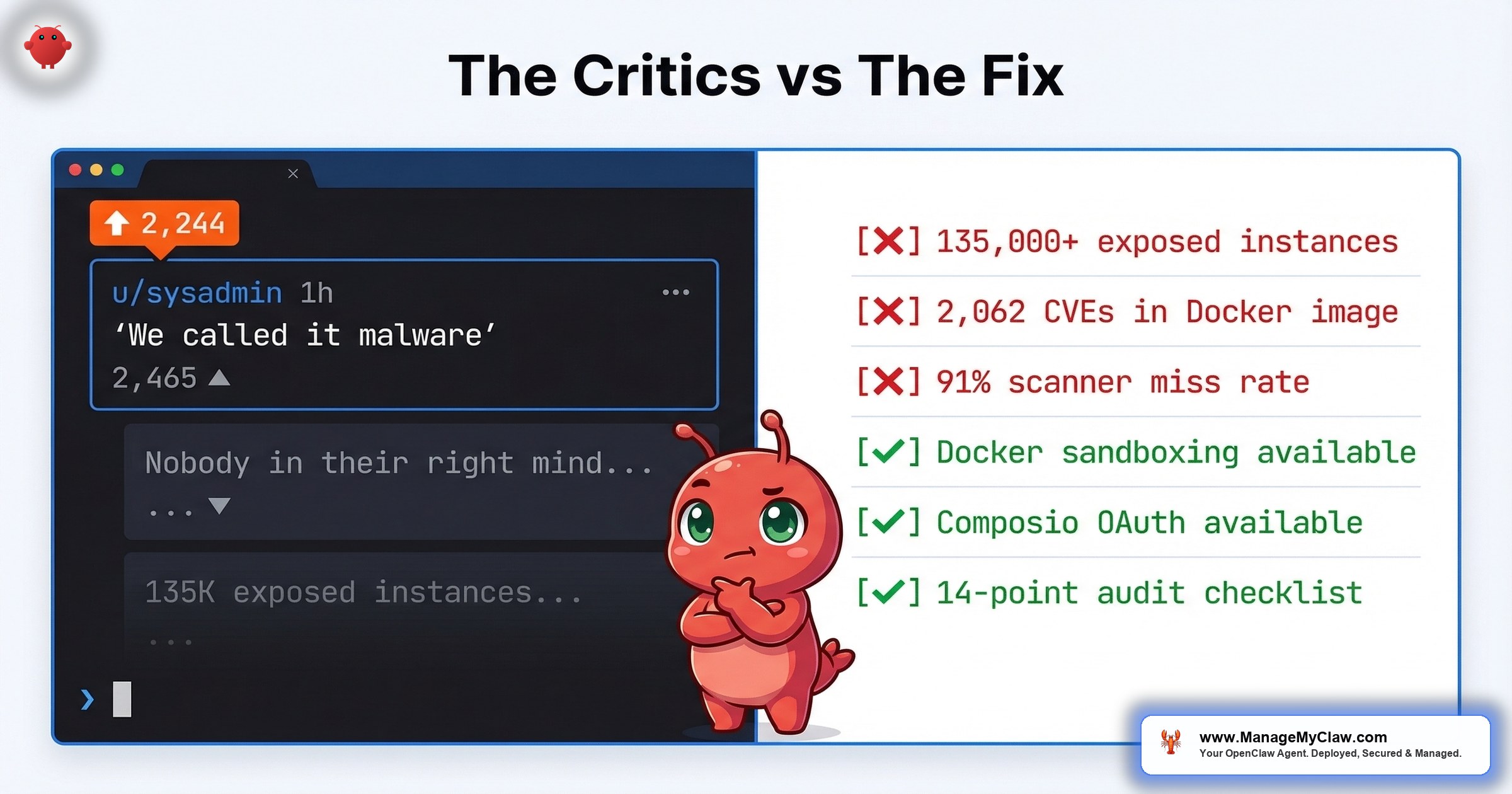
“Way back when, we also had software that could run autonomously on your system with full permissions. We called it ‘malware.'” — Top comment on r/sysadmin, 2,465 upvotes. The thread itself: 2,244 points, 318 comments. When the people whose job is to keep servers running tell you something is dangerous, you should probably listen.
2,244 upvotes. 318 comments. One sentence that captures the entire sysadmin community’s mood toward OpenClaw. On r/sysadmin, a thread titled OpenClaw is going viral as a self-hosted ChatGPT alternative and most people setting it up have no idea what’s inside the image (2,244 points, 318 comments) produced a top comment with 2,465 upvotes that needs no editorializing.
That comparison stings. It’s also not wrong.
18 disclosed CVEs. 2,062 CVEs in the official Docker image. 42,665 exposed instances — 93.4% exhibiting authentication bypass conditions. 1,184 malicious skills planted in one attack campaign. A safety scanner that labels 91% of confirmed threats “benign.” Some experts have already dubbed OpenClaw the biggest insider threat of 2026. These aren’t hypothetical risks being overblown by people who don’t understand AI. They’re documented incidents backed by CVE numbers, enterprise security analyses from Microsoft, Cisco, and Trend Micro, and breach reports — raised by the exact people who manage production infrastructure for a living.
When the people whose job is to keep servers running tell you something is dangerous, you should probably listen. Even if you don’t do everything they say.
This post is about what sysadmins are getting right, where the “just don’t use it” advice breaks down, and what a hardened deployment actually looks like when you take their warnings seriously instead of dismissing them.
Thread: “OpenClaw is going viral as a self-hosted ChatGPT alternative and most people setting it up have no idea what’s inside the image”
Top comment (2,465 upvotes): “Way back when, we also had software that could run autonomously on your system with full permissions. We called it ‘malware.'”
Community consensus: Near-unanimous agreement that default OpenClaw deployments violate every infrastructure security principle sysadmins are trained to enforce. The thread became the reference point for enterprise IT teams evaluating OpenClaw risk.
Key follow-up: “Wrong sub, nobody in their right mind on this sub would ever run openclaw.”
Warning 1: “Nobody in Their Right Mind Would Run This”
The r/sysadmin thread didn’t mince words. Beyond the top comment comparing OpenClaw to malware, another commenter put it bluntly: “Wrong sub, nobody in their right mind on this sub would ever run openclaw.” The sentiment was near-unanimous: if you understand what this software does at a system level, you don’t let it anywhere near production.
The default OpenClaw deployment is genuinely dangerous. SecurityScorecard’s STRIKE team confirmed 135,000+ exposed instances. Most are running with default configurations, exposed ports, and no firewall rules that actually work once Docker is in the picture.
“135K exposed instances means most people deployed these without even basic hardening. Npm typosquatting all over again now with root level access.”
— r/cybersecurity, “Complete breakdown of every OpenClaw vulnerability” (197 pts, 11 comments)“Back in my days we publicly shamed those malware distributors. Now big tech give em a place to distribute shit at scale.”
— r/cybersecurity, top comment (57 upvotes)“I kinda admire the timing of the sale to OpenAI. Now it’s Sam Altman’s mess to sort out. Bravo!”
— r/cybersecurity, comment on timing of acquisitionThe sysadmin position makes sense if you evaluate OpenClaw the way you’d evaluate any other piece of infrastructure software: look at the CVE count, look at the exposed surface area, look at what it asks for (full system access, arbitrary code execution, network privileges), and run. By every standard metric of infrastructure risk assessment, OpenClaw fails.
“Don’t use it” is solid advice for sysadmins who manage enterprise fleets and have compliance obligations. It’s less useful for the founder who’s already running it, getting value from it, and needs to know how to do it safely. The question isn’t whether OpenClaw is risky. It is. The question is whether the risk is inherent to the technology or a product of how people deploy it.
Warning 2: “It’s Just Bloated Scripts”
The second major criticism isn’t about security. It’s about value. On r/LocalLLaMA, a thread titled “I think openclaw is OVERHYPED. Just use skills” (373 points, 143 comments) had a top comment with 156 upvotes that laid out the case:
“I’m pretty sure you can vibecode a mini openclaw without all the bloats (and only a few tools you need) in 30-45 minutes or so including API calling time, with a bit of SKILLS writing skill.”
— r/LocalLLaMA, “I think openclaw is OVERHYPED” (373 pts, 156 upvotes on comment)The thread escalated from there. One commenter: “It seems to me that OpenClaw and all its clones are almost useless tools for those who know what they’re doing.” Another: “OpenClaw seems to me an astroturfed project. It’s really just a bloated bundle of tools that have already existed.”
“I can sign under every statement. Also a mystery for me how such garbage that anyone can vibe-code much better at this point got so much traction. I think that it was maybe some intentional PR campaign.”
— r/AI_Agents, “Why would anyone use OpenClaw over just writing their own scripts?” (39 pts, 19 upvotes on comment)For technical users who can write Python, set up API calls, and manage their own cron jobs, OpenClaw adds overhead without proportional value. It’s a wrapper around capabilities that already exist — and the wrapper introduces the security surface area those capabilities didn’t have on their own. A bash script that calls the OpenAI API doesn’t have 2,062 CVEs in its Docker image.
“People please just use curl and APIs for automation, stop inviting this vampire into your house.”
— r/cybersecurity, “The #1 most downloaded skill on OpenClaw marketplace was MALWARE” (811 pts, 181 upvotes on comment)Inviting a vampire into your house is an apt analogy. You can’t uninvite a vampire — and you can’t unexecute a malicious skill that already had root access.
The “just write scripts” argument assumes everyone deploying OpenClaw can write scripts. Most can’t. The founder running a 12-person company doesn’t have a sysadmin on staff. They don’t have someone who can wire up OAuth flows, manage cron jobs, or write error handling for API rate limits. OpenClaw’s value isn’t in the individual capabilities — it’s in the orchestration layer that makes those capabilities accessible to non-technical users. The problem isn’t that the orchestration layer exists. It’s that the orchestration layer shipped without the security layer it needed.
Warning 3: “The Marketplace Is a Liability”
The ClawHavoc attack in January–February 2026 planted 1,184 malicious skills across the ClawHub marketplace. The #1 most downloaded skill was malware. 811 upvotes on that r/cybersecurity thread. And the safety scanner that was supposed to catch these threats? On r/netsec, researchers reported it labels 91% of confirmed threats “benign.”
“That’s what you get when you forget to add the ‘and make it secure’ bit in your prompt.”
— r/selfhosted, “If you’re self-hosting OpenClaw, here’s every documented security incident” (152 pts, 105 upvotes on comment)“how on earth anyone can look at the ‘fcks things up machine’ and go ‘what if I gave it the ability to execute code autonomously.'”
— r/selfhosted, same threadThe marketplace model is an unvetted supply chain with root-level access to your system. Skills can write to persistent memory files, execute arbitrary code, and modify agent behavior after installation. “You don’t have to use the marketplace” is the same logic as “you don’t have to click phishing links.” The marketplace exists, users are drawn to it, and the vetting infrastructure isn’t there yet.
Where it breaks down: It doesn’t. This one the sysadmins are fully correct about. The marketplace is a liability until the vetting infrastructure catches up. Every skill should be reviewed before installation — source code, permissions requested, network calls made. If you can’t review it, don’t install it.
Warning 4: “Updates Break Everything”
OpenClaw pushed 7 updates in 2 weeks. Each one potentially broke existing workflows. 9 CVEs in the original batch. 9 more in March 2026. That’s an update cadence that makes sense for a project under active security scrutiny — and a maintenance burden that makes no sense for a founder who isn’t a full-time DevOps engineer.
The sysadmin objection here isn’t “updates are bad.” It’s that the update velocity, combined with the breaking-change risk, creates a maintenance tax that most users can’t afford. You need to track CVE advisories, test each update against your existing workflows, audit your configuration after patching (because allowlist bypasses can persist through updates), and do all of this on a timeline measured in hours, not weeks.
It’s like owning a car that needs a recall every 2 days. The manufacturer is responsive — they fix every problem fast. But at some point you need to drive the car, not spend every morning at the dealership.
The operational burden is real. 2,062 CVEs in the Docker image alone (documented on r/devsecops with 101 upvotes) means you’re not just patching OpenClaw — you’re managing the entire dependency tree underneath it. Most self-hosted users don’t have the tooling or the time to do this.
“Don’t run it because updates are hard” is a valid objection for unmanaged deployments. It’s not an argument against the technology — it’s an argument against self-managing infrastructure you don’t have the capacity to maintain.
Warning 5: Enterprise Security Teams Agree
It’s not just Reddit sysadmins sounding the alarm anymore. In February and March 2026, enterprise security teams from some of the largest cybersecurity companies on the planet published formal analyses — and the conclusions are unanimous.
Microsoft Security Blog (Feb 19, 2026) published “Running OpenClaw safely: identity, isolation, and runtime risk” — a title that acknowledges the value proposition while cataloging everything that can go wrong. Cisco Blogs went further: “Personal AI Agents like OpenClaw Are a Security Nightmare.” Trend Micro targeted the executive suite directly with “CISOs in a Pinch: A Security Analysis of OpenClaw.” Kaspersky published an enterprise risk management analysis of “Key OpenClaw risks.” DigitalOcean listed “7 OpenClaw Security Challenges to Watch for in 2026.” And Immersive Labs dispensed with nuance entirely: “Why You Should Uninstall OpenClaw AI Immediately: A Security Warning.”
Even institutions are taking positions. SMU IT Connect (March 4, 2026) published “OpenClaw: Security Risks and Institutional Position” — a university IT department laying out why they won’t allow it on institutional networks. SecurityWeek reported on the ongoing fallout: “OpenClaw Security Issues Continue as SecureClaw Open Source Tool Debuts,” documenting how the security gaps are spawning an entire ecosystem of remediation tools.
When Microsoft, Cisco, Trend Micro, Kaspersky, and your university’s IT department all independently publish warnings about the same software in the same month — that’s not alarmism. That’s consensus.
The numbers behind the consensus are damning. Security researcher Maor Dayan identified 42,665 exposed OpenClaw instances. Of those, 5,194 were actively verified as vulnerable. And here’s the statistic that should stop you cold: 93.4% of verified instances exhibited authentication bypass conditions. That means nearly every exposed instance that researchers actually tested could be accessed without credentials. The earlier SecurityScorecard estimate of 135,000+ exposed instances covered the broad scan. Dayan’s verified subset shows that exposure almost always means compromise-ready.
The marketplace threat is worse than previously understood too. While the ClawHavoc campaign planted 1,184 malicious skills, independent analyses paint an even broader picture. Bitdefender found that 20% of ClawHub skills are malicious. Koi Security audited 2,857 skills on ClawHub and found 341 malicious — 335 of which traced back to a single “ClawHavoc” operation. And a Snyk ToxicSkills study found prompt injection vulnerabilities in 36% of skills studied, identifying 1,467 malicious payloads across the ecosystem.
The attack vectors are specific and documented. CVE-2026-25253 revealed that OpenClaw’s Control UI accepted a gatewayUrl parameter from the query string and auto-established a WebSocket connection that transmitted the user’s authentication token — without confirmation, without a prompt, without any indication that credentials were being sent to an attacker-controlled server. That’s not a theoretical vulnerability. That’s a mechanism for credential theft that was shipping in production.
Everything the Reddit sysadmins said, validated by enterprise security teams with research budgets and dedicated threat analysis units. The difference is scale: individual sysadmins could say “this feels dangerous.” Microsoft, Cisco, and Trend Micro can show you exactly why, with CVE numbers, verified instance counts, and attack chain reconstructions.
Where it breaks down: It doesn’t. This is Warning 3 again but with Fortune 500 security teams backing it up. The enterprise analyses confirm the threat is real. The only actionable response is hardening — and the hardening has to be comprehensive enough to satisfy the same organizations publishing these warnings.
What the Other 20% Look Like
“Solid framework. The ‘boring setup’ principle is real — but I’d push back slightly on the ceiling. The key isn’t doing less, it’s building incrementally.”
— r/openclaw, “The best OpenClaw setups I’ve seen all have one thing in common: they do less” (106 pts, 13 upvotes on comment)That thread is the other side of the conversation — the one that doesn’t get 2,244 upvotes because “I hardened my deployment and it works fine” isn’t a compelling headline. But it describes what responsible OpenClaw usage actually looks like, and it maps directly to the hardening steps that address every sysadmin concern listed above.
The boring setup has 5 properties:
- Docker sandboxing with network isolation. The agent runs in a container with no host network access, restricted filesystem mounts, and explicit egress rules. This addresses the “full permissions” concern — the agent doesn’t get full permissions. It gets the minimum set required for its specific workflow. Full guide: OpenClaw Docker sandboxing.
- No marketplace skills. Zero. Every tool the agent uses is written or reviewed in-house, with explicit permission scopes. This eliminates the 1,184-malicious-skill problem entirely. You don’t need a safety scanner that catches 91% of threats if you’re not installing unvetted skills.
- Composio OAuth for credential management. The agent never holds raw tokens. All credential access is brokered, revocable from any device, and logged. The kill switch works from your phone, not from your Mac Mini.
- One agent, one job. No monolithic agents with access to email, calendar, file systems, and code execution simultaneously. Each workflow gets its own agent with its own permission boundary. A compromised email agent can’t touch your file system.
- Managed patching. Someone — you or a service — tracks every CVE advisory, tests patches against your workflows, and audits configuration after each update. The 7-updates-in-2-weeks cadence is sustainable when it’s someone’s actual job.
None of this is revolutionary. It’s standard infrastructure security practice applied to a new category of software. The sysadmins warning about OpenClaw already know this — their objection is that most users deploying OpenClaw don’t, and they’re right about that too.
The Honest Assessment
Here’s what the sysadmin community is right about, without qualification:
- The default deployment is dangerous. 42,665 exposed instances identified, 93.4% with authentication bypass conditions. Microsoft, Cisco, Trend Micro, and Kaspersky all independently confirmed this isn’t theoretical.
- The marketplace is an unvetted supply chain. 1,184 malicious skills from ClawHavoc alone. Bitdefender found 20% of ClawHub skills are malicious. Snyk found prompt injection in 36% of skills studied, with 1,467 malicious payloads identified. The safety scanner misses 91% of threats.
- The CVE count is high and accelerating. 18 CVEs in under 60 days. CVE-2026-25253 shipped a credential-theft mechanism in production. The second wave bypasses the fixes from the first wave.
- The Docker image is bloated. 2,062 CVEs in the base image. Every one is an entry point.
- Enterprise security teams call it the biggest insider threat of 2026. When your university IT department, your CISO’s threat briefing, and your security vendor’s blog all warn about the same software in the same month, the “don’t use it” position isn’t overreaction — it’s institutional policy.
- Most users aren’t qualified to harden it. That’s not an insult — it’s an observation about the gap between OpenClaw’s target audience and the expertise required to run it safely.
Here’s what’s missing from the “don’t use it” position:
- The risks are configurable, not inherent. Docker sandboxing, network isolation, credential brokering, and skill vetting address every documented attack vector. The technology isn’t the problem. The default configuration is.
- “Just write scripts” assumes technical capacity that doesn’t exist for most of the people getting value from OpenClaw. A founder running a 12-person company doesn’t have 30–45 minutes to vibe-code a custom agent framework — and even if they did, they’d still need to manage OAuth, error handling, monitoring, and security for their custom solution.
- Managed infrastructure is the standard solution for software that’s valuable but operationally demanding. You don’t self-host your email server. You don’t run your own DNS. The “don’t run it” position treats OpenClaw as uniquely unmanageable, when the real issue is that most people are trying to self-manage infrastructure that should be professionally managed.
The full 14-point security audit checklist covers every hardening step in detail. The OpenClaw security pillar covers the threat landscape those steps address. Read both before you deploy — or before you decide not to.
The Bottom Line
The sysadmins are right about 80% of it — and now Microsoft, Cisco, Trend Micro, and Kaspersky are backing them up with formal security analyses. The default OpenClaw deployment is a security problem: 42,665 exposed instances, 93.4% with authentication bypass. The marketplace is a supply-chain liability: 20% malicious skills, 36% vulnerable to prompt injection. The CVE count is alarming and accelerating. The Docker image is bloated. Most users don’t have the expertise to harden it properly. Some experts are already calling it the biggest insider threat of 2026.
The other 20% is about what you do with that information. “Don’t use it” is one valid answer. “Use it, but do the hardening work” is another. Docker sandboxing, firewall configuration, Composio OAuth, skill vetting — these are the same controls ManageMyClaw applies at every tier, from the $499 Starter deployment to $299/month Managed Care. Not because the sysadmins are wrong, but because they’re right — and someone has to do the hardening they’re describing.
The best response to a warning isn’t to ignore it or to panic. It’s to take the specific actions the warning implies.
Frequently Asked Questions
Why are sysadmins specifically concerned about OpenClaw?
Sysadmins evaluate software by its security surface area, and OpenClaw’s is unusually large. It requests full system permissions, executes arbitrary code, has 18 disclosed CVEs in under 60 days, and its official Docker image carries 2,062 CVEs in the base dependencies. On r/sysadmin, the top comment on a 2,244-point thread compared it directly to malware: software that runs autonomously with full permissions. For professionals who manage production infrastructure, that risk profile triggers every alarm they’re trained to watch for.
Is OpenClaw actually comparable to malware?
In its default configuration, the comparison has technical merit: both run autonomously, both request broad system permissions, and both execute code without per-action user approval. The difference is intent and configurability. Malware is designed to be harmful. OpenClaw is designed to be useful but ships with defaults that create the same risk profile. Docker sandboxing, network isolation, and minimal permission scopes transform that risk profile — but only if someone applies them. The 135,000+ exposed instances suggest most deployments haven’t.
Can I just write my own scripts instead of using OpenClaw?
If you can write Python, manage OAuth flows, set up cron jobs, and handle API error states, yes — custom scripts will have a smaller attack surface than OpenClaw. The r/LocalLLaMA community estimated 30–45 minutes to build a minimal version. But custom scripts still need security, monitoring, and maintenance. The “just write scripts” argument works for technical users. It doesn’t work for the non-technical founders who make up most of OpenClaw’s user base and who need the orchestration layer OpenClaw provides.
What are the most critical security steps if I am already running OpenClaw?
Five immediate priorities: (1) Run your instance inside a Docker container with network isolation and restricted filesystem mounts. (2) Remove all marketplace skills you haven’t personally reviewed at the source-code level. (3) Set up Composio OAuth so your agent never holds raw API tokens and you have a kill switch that works from your phone. (4) Verify your firewall rules actually work with Docker — standard UFW rules don’t. (5) Update to the latest version and audit your allowlist configuration, since some CVE exploits persist through updates. The full walkthrough is in the 14-point security audit checklist.
How do I know if my OpenClaw instance is one of the 42,665 exposed ones?
If your OpenClaw instance is accessible on a public IP without authentication, it’s exposed. Security researcher Maor Dayan identified 42,665 exposed instances, with 5,194 actively verified as vulnerable and 93.4% exhibiting authentication bypass conditions. Check whether your instance responds to requests from outside your network. Verify that the DOCKER-USER iptables chain is configured — Docker bypasses standard UFW firewall rules, so your instance can be publicly accessible even if your firewall appears correctly configured. The Docker sandboxing guide walks through the specific checks.
Is the OpenClaw marketplace safe to use now?
Not without manual vetting. The ClawHavoc attack planted 1,184 malicious skills on the marketplace, and the safety scanner labels 91% of confirmed threats as benign. Until the vetting infrastructure improves substantially, every skill should be reviewed at the source-code level before installation — checking permissions requested, network calls made, and whether it writes to persistent memory files. If you can’t review it, don’t install it.
Which enterprise security companies have published warnings about OpenClaw?
As of March 2026, Microsoft Security Blog, Cisco Blogs, Trend Micro, Kaspersky, DigitalOcean, Immersive Labs, and SecurityWeek have all published formal security analyses of OpenClaw. Institutional organizations like SMU IT Connect have published official positions prohibiting it on their networks. The analyses converge on the same findings: default deployments are vulnerable, the marketplace is an unvetted supply chain, and the authentication model has documented credential-theft mechanisms like CVE-2026-25253.
What percentage of OpenClaw skills contain security vulnerabilities?
Multiple independent analyses paint a grim picture. Bitdefender found 20% of ClawHub skills are outright malicious. Snyk’s ToxicSkills study found prompt injection vulnerabilities in 36% of skills studied, identifying 1,467 malicious payloads. Koi Security audited 2,857 skills and found 341 malicious, with 335 traced to a single “ClawHavoc” operation. The bottom line: between one in five and one in three skills on the marketplace pose a security risk, depending on the analysis methodology.
What does a safe OpenClaw deployment actually look like?
A safe deployment follows the “boring setup” principle: Docker sandboxing with network isolation, zero marketplace skills (only reviewed tools), Composio OAuth for credential brokering and kill-switch access, single-purpose agents with minimal permissions, and active CVE tracking with patch testing. It’s standard infrastructure security practice applied to a new software category. The sysadmins warning about OpenClaw already know these steps — the gap is between their expertise and what most OpenClaw users actually do.


