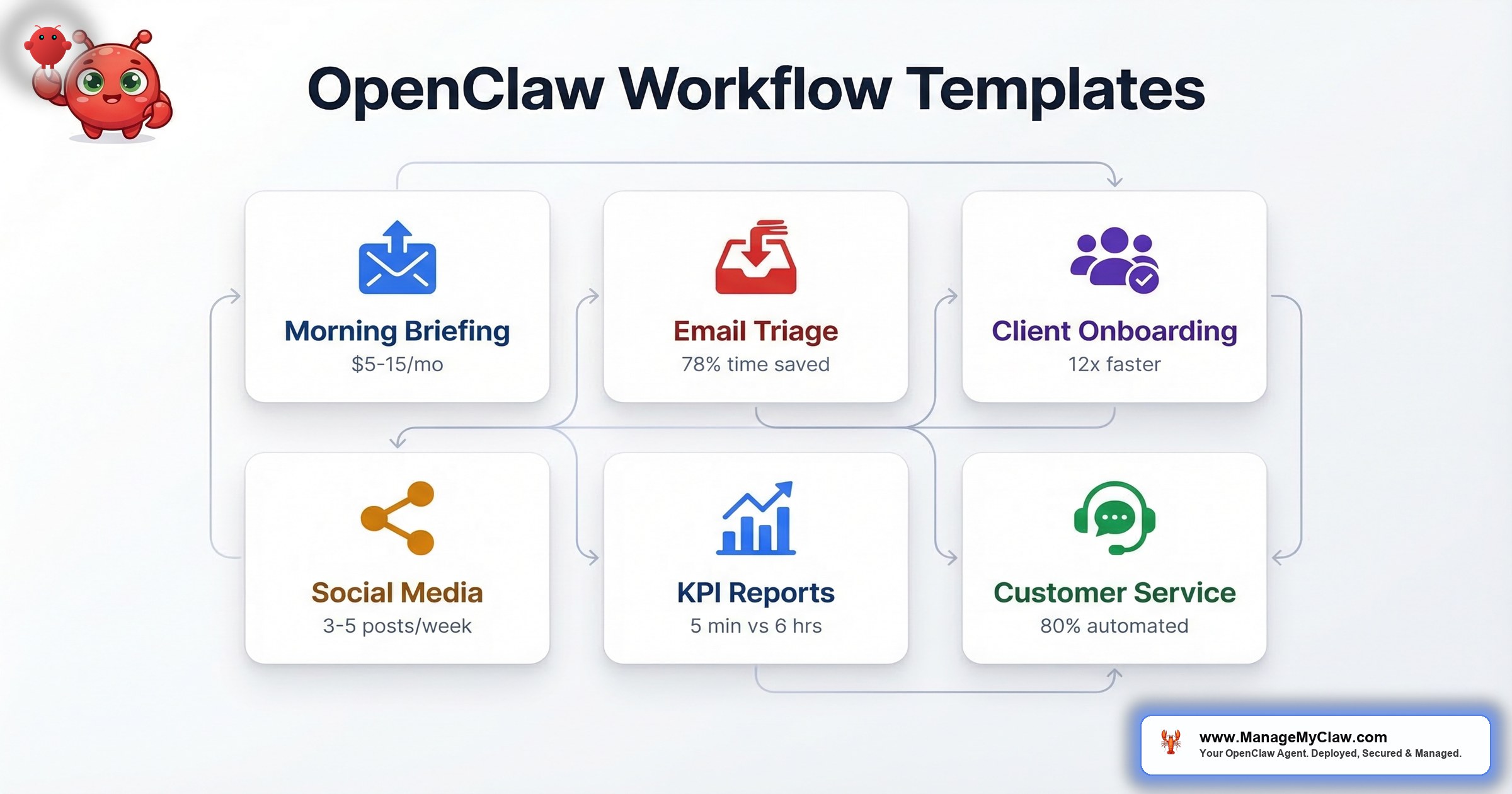
OpenClaw Workflow Templates
“HBR and Deloitte put 41% of executive time on tasks that could be delegated. For a founder working 50-hour weeks, that’s 20 hours every week going to things software could handle. The question isn’t whether to automate — it’s which workflows to start with, and in what order.”
Every workflow below is battle-tested, security-hardened, and optimized for the tools you already use. We deploy these as part of every ManageMyClaw setup — fully configured, tested, and documented so your OpenClaw agent is productive from day one.
Starter includes 1 workflow, Pro includes 3, Business includes 5. Additional workflows can be added to any tier as standalone add-ons. See all plans.
The Deployment Order That Actually Works
Start with WF-01 or WF-02. WF-01 costs $5–15/month and uses purely read-only access — nothing can go wrong in a way that damages data. WF-02 reduces email processing time by 78% and most founders feel it within the first week.
Once those are stable — meaning they’ve run without intervention for 30 days — add WF-03 or WF-05 depending on whether client onboarding or reporting is your bigger bottleneck. WF-06 comes last, always.
Every failed multi-workflow deployment we’ve seen tried to run three or four simultaneously before any were properly calibrated. The community consensus backs this up — a post on r/openclaw titled “The best OpenClaw setups I’ve seen all have one thing in common: they do less” articulated what experienced deployers already know.
Morning Briefing — Your Day in One Message
You open five apps every morning to piece together what matters today: Gmail for overnight priorities, Calendar for the day’s schedule, your task manager for what’s urgent, a dashboard for yesterday’s numbers. That’s 20 minutes of context-gathering before you’ve done any actual work. WF-01 collapses those five checks into a single message, delivered to your phone before you start.
| Attribute | Details |
|---|---|
| Trigger | Cron job (default 8 AM, configurable) |
| Tools connected | Google Calendar, Gmail, weather API, task manager (optional) |
| Delivery channel | Telegram, Slack, or WhatsApp |
| Key stat | ~20 min/day saved; Supermemory calibrated by week 3 |
| Monthly API cost | $5–15 |
| Available in | Starter, Pro, Business | Standalone: $199 |
| What breaks it | Composio OAuth token expiry — set a calendar reminder to verify token health every 60 days |
Email Triage & Management — 78% Less Time in Your Inbox
The average knowledge worker spends 2.5 hours per day on email. Most of that inbox volume isn’t high-stakes communication — it’s vendor follow-ups, scheduling requests, status checks, and newsletters. WF-02 handles those automatically: categorize by urgency, draft responses for routine messages, flag what needs you, archive the noise.
| Attribute | Details |
|---|---|
| Trigger | Cron job or continuous inbox monitor |
| Tools connected | Gmail via Composio OAuth |
| Key stat | 78% email processing time reduction |
| Monthly API cost | $15–40 (50 emails/day ≈ $20/mo) |
| Available in | Starter, Pro, Business | Standalone: $249 |
| What breaks it | Undefined urgency categories — specify what “urgent” means before enabling write access |
Gmail write access is scoped to draft-only with an explicit folder allowlist. The “never delete” constraint lives in system-level AGENTS.md — not in a conversation message where context compaction can drop it. That’s the same failure that caused the inbox-wipe incident — and it’s prevented here by design.
Client Onboarding Automation — 12x Faster
Manual onboarding is a coordination tax: create Notion project, send welcome email, book kickoff call, notify the team, set up Slack channel. At 10 clients per month, that’s 20 hours of admin that scales directly with your growth. WF-03 fires the moment a Stripe payment clears and runs the full sequence automatically.
| Attribute | Details |
|---|---|
| Trigger | Webhook (Stripe payment, Typeform, or CRM event) |
| Tools connected | Stripe, Notion or Linear, Gmail, Google Calendar, Slack |
| Key stat | 12x faster onboarding (2 hours → 10 minutes per client) |
| Monthly API cost | $10–30 (10 new clients/mo ≈ $15/mo) |
| Available in | Pro, Business | Standalone: $349 |
| What breaks it | Webhook misconfiguration — validate payload schema before going live |
Social Media Content Pipeline — Publish Once, Distribute Everywhere
Publishing a blog post and then manually adapting it for X, LinkedIn, and your newsletter is three separate writing tasks per piece of content. WF-04 detects new content via RSS feed, generates platform-specific versions — not copy-paste, but tone and format adapted per platform — and queues them for review before publishing.
| Attribute | Details |
|---|---|
| Trigger | RSS feed monitor or content calendar cron |
| Tools connected | RSS feed, X API, LinkedIn API, Tavily (optional for trends) |
| Key stat | 3–5 posts/week automated with platform-adapted formatting |
| Monthly API cost | $10–25 (3–5 posts/week ≈ $15/mo) |
| Available in | Pro, Business | Standalone: $249 |
| What breaks it | Undocumented brand voice — write tone/style rules before enabling |
“I automated my entire content process with OpenClaw: Research → Writing → Scheduling. All running 24/7.”
— @PrajwalTomar_ on XKPI Reporting & Business Monitoring — 4–6 Hours to 5 Minutes
Someone is spending 4–6 hours per week pulling metrics from Stripe, Google Analytics, and your CRM, copying them into a spreadsheet. That’s not analysis — it’s data retrieval with a formatting step. WF-05 has no write permissions anywhere — it reads, formats, and delivers. The worst outcome of a misconfiguration is a malformed report, not a destructive action.
| Attribute | Details |
|---|---|
| Trigger | Cron job (daily, weekly, or monthly) |
| Tools connected | Stripe, Google Analytics, CRM (HubSpot/Pipedrive/Salesforce), Slack or email |
| Key stat | 4–6 hours/week → 5 minutes of agent runtime |
| Monthly API cost | $5–15 |
| Available in | Pro, Business | Standalone: $249 |
| What breaks it | Ambiguous KPI definitions — specify exact field names and calculation methods |
WF-05 is read-only across all data sources. Zero write permissions means zero risk of data modification. This makes it ideal for building trust with OpenClaw before enabling workflows with write access.
Customer Service & Lead Response Bot — Business Tier Only
AI-powered customer support that handles routine inquiries automatically via email, chat widget, WhatsApp, or social media DMs. Escalates complex issues to humans with full context. Can qualify leads and book meetings. This workflow comes last in the deployment order — always — because it requires a full knowledge base, multi-channel integration, and escalation routing before it touches a real customer.
| Attribute | Details |
|---|---|
| Trigger | Incoming message (email, chat, WhatsApp, social DMs) |
| Tools connected | Email, WhatsApp/Telegram, CRM, knowledge base, Calendar (for lead booking) |
| Key stat | 80% of routine inquiries handled automatically |
| Monthly API cost | $30–80 (50 conversations/day ≈ $50/mo) |
| Available in | Business only | Standalone: $449 |
| What breaks it | Incomplete knowledge base — the agent gives wrong answers at scale if FAQs aren’t defined |
This workflow requires 5–8 hours of setup including building a knowledge base, configuring escalation rules, and testing edge cases. Skipping that setup doesn’t produce a broken workflow — it produces a workflow that gives wrong answers to your customers at scale. That’s why we only offer it at the Business tier with full hypercare support.
Workflow Availability by Tier
| Workflow | Starter | Pro | Business | Standalone | API Cost/mo |
|---|---|---|---|---|---|
| WF-01: Morning Briefing | ✓ | ✓ | ✓ | $199 | $5–15 |
| WF-02: Email Triage | ✓ | ✓ | ✓ | $249 | $15–40 |
| WF-03: Client Onboarding | — | ✓ | ✓ | $349 | $10–30 |
| WF-04: Social Media Pipeline | — | ✓ | ✓ | $249 | $10–25 |
| WF-05: KPI Reporting | — | ✓ | ✓ | $249 | $5–15 |
| WF-06: Customer Service Bot | — | — | ✓ | $449 | $30–80 |
Starter includes 1 workflow, Pro includes 3, Business includes 5. Additional workflows at standalone prices above. All workflows include security hardening. API costs paid directly to your model provider. See the full cost breakdown.
“McKinsey estimates 60% of employees could save 30% of their time with workflow automation — but only when the implementation is scoped correctly. The difference between zero ROI and 10+ hours/week recovered almost always comes down to deployment order.”
— McKinsey Global InstituteFrequently Asked Questions About OpenClaw Workflows
How many workflows can I get with each tier?
Starter includes 1 workflow, Pro includes 3, and Business includes 5. You can add more workflows to any tier as add-ons starting at $149 per workflow. All tiers include the same security hardening framework.
Can I add more workflows after my initial setup?
Yes. Additional workflows can be added at any time for $149–$449 per workflow depending on complexity. Morning Briefing and Bill Tracking are $199 each, Email Triage and Social Media Pipeline are $249 each, Client Onboarding is $349, and Customer Service Bot is $449.
What’s the cheapest workflow to start with?
WF-01 Morning Briefing at $5–15/month in API costs. It uses purely read-only access — no write permissions to any account — making it the safest and cheapest way to prove the value of OpenClaw before investing in more complex automations. See plans.
Do I need all 6 workflows?
No. Start with one — either Morning Briefing or Email Triage — and run it for 30 days before adding more. Every failed multi-workflow deployment we’ve seen tried to run three or four simultaneously before any were properly calibrated.
How long does each workflow take to set up?
Morning Briefing takes 2–3 hours, Email Triage takes 3–4 hours, Client Onboarding takes 4–6 hours, Social Media Pipeline takes 3–4 hours, KPI Reporting takes 3–5 hours, and Customer Service Bot takes 5–8 hours. ManageMyClaw handles all setup — you just fill out the intake form. Learn how the process works.
What happens if a workflow breaks after setup?
If you have Managed Care ($299/month), we monitor 24/7 and fix issues before you notice them. Without Managed Care, you get 3–14 days of post-launch support depending on your tier. After that, troubleshooting is your responsibility — which is why most customers add Managed Care after their first OpenClaw update breaks something.