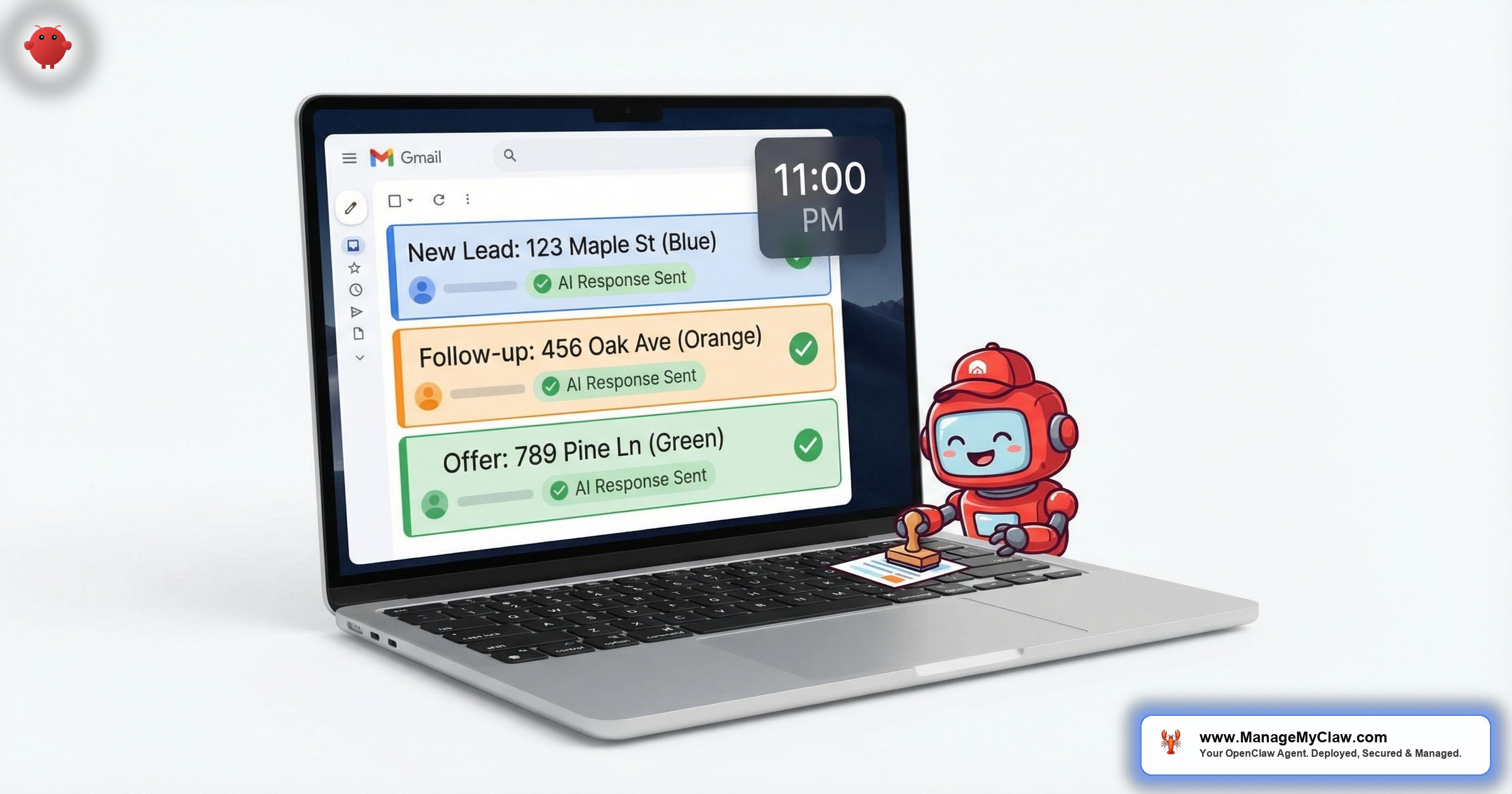
“It’s 11:14 PM. A pre-approved buyer just emailed about your $1.2M listing. You’re asleep. Your competitor’s AI agent isn’t.”
That scenario plays out across every MLS market, every night. A lead lands in your inbox at the worst possible time — and by the time you see it at 7 AM, someone else has already booked the showing. The National Association of Realtors puts the number at 78% of buyers going with the first agent who responds. Not the best agent. Not the most experienced. The first one.
OpenClaw is an open-source AI agent framework — 250,000+ GitHub stars, bare-metal deployment on your own server — that connects to your Gmail, calendar, and CRM to handle email triage, lead qualification, and follow-up sequences autonomously. For real estate, that means ai email agents real estate workflows that respond to property inquiries in seconds, qualify leads by budget and timeline, book showings without your involvement, and nurture cold leads through 30-day sequences — all while you sleep, show properties, or sit in closings.
It’s not a chatbot slapped onto your website. It’s an operations layer reading your actual inbox, making triage decisions you’d make yourself, and drafting responses you’d approve. Except it doesn’t take lunch breaks.
This post walks through exactly how OpenClaw handles real estate email workflows — from the 4-label triage system to the 30-day nurture sequence, from lead qualification logic to CRM integration via email notifications. If you’ve read the pillar guide on OpenClaw for real estate, this is the deep dive into the email layer specifically.
How Email Triage Works for Property Inquiries
OpenClaw’s email triage system (WF-02) uses a 4-label classification that maps directly to how real estate agents already think about their inbox. Every inbound email gets sorted into 1 of 4 buckets:
| Label | Real Estate Context | Agent Action |
|---|---|---|
| URGENT | Pre-approved buyer asking about a listing. Offer deadline expiring. Inspection report received with deal-blocking issues. | Immediate notification to your phone + draft response queued |
| ACTION | Showing request. Price inquiry. Contract amendment needing your signature. Lender document request. | Draft response prepared, waiting for your review or auto-sent if template-approved |
| FYI | MLS status change on a watched listing. Market report from your brokerage. Closing confirmation from title company. | Logged, summarized in morning briefing, no response needed |
| NOISE | Vendor pitches. Newsletter from that conference you attended 2 years ago. “Your Zillow Premier Agent billing statement is ready.” | Archived, never surfaces unless you search for it |
The classification isn’t keyword matching. OpenClaw reads the full email body, identifies the sender (known contact vs. new lead vs. vendor), evaluates urgency signals (dollar amounts, deadlines, pre-approval mentions), and assigns the label based on your system prompt configuration. A “$1.2M” in the subject line from an unknown sender gets treated differently than “$1.2M” in a Zillow billing notification.
Think of the 4 labels as 4 lanes on a highway. URGENT is the fast lane — everything in it gets to you immediately. NOISE is the shoulder — parked, out of the way, not blocking traffic. Most agents’ inboxes have all 4 lanes merged into 1.
The triage runs through Gog OAuth — OpenClaw authenticates with your Gmail using Google’s OAuth flow, scoped to read and draft permissions only. The agent never stores your password. It holds a revocable token that you can kill from your Google account settings in 3 clicks. For a deeper look at the triage mechanics across all verticals, see the email and calendar automation guide.
Lead Qualification: Budget, Pre-Approval, Neighborhoods, Timeline
When a new inquiry hits your inbox and OpenClaw classifies it as ACTION or URGENT, the qualification flow kicks in. The agent extracts whatever information the lead provided and maps it against 4 qualification criteria:
-
1
Budget range. Did the lead mention a price range, a maximum, or reference a specific listing price? OpenClaw parses dollar amounts and ranges from the email body. “Looking for something under $600K” and “interested in the property at 742 Evergreen, listed at $589,000” both produce a budget signal.
-
2
Pre-approval status. The agent checks for mentions of pre-approval, lender names, or financing language. A lead who says “I’m pre-approved with First National” gets a higher priority score than “just browsing.” The agent doesn’t ask for pre-approval letters — it flags the status for your review.
-
3
Neighborhood or area preference. ZIP codes, neighborhood names, school districts, commute-to-work mentions. The agent maps these to your active listing inventory and flags matches. “Need to be within 20 minutes of downtown” is a geographic constraint that narrows the search.
-
4
Timeline. “Moving in 3 months” vs. “just starting to look” vs. “lease ends August 1st.” Timeline determines follow-up urgency. A lead with a 30-day timeline gets same-day response priority. A 6-month timeline goes into the nurture sequence.
The qualification data gets compiled into a lead summary that you see in your morning briefing or as a real-time notification for URGENT leads. The summary looks like this:
You didn’t read the email. You didn’t parse the budget. You didn’t cross-reference your listings. The agent did all of that before you poured your coffee. Your job is to review the draft, approve it, and show up to the showing.
What the agent doesn’t do: It doesn’t call the lead. It doesn’t promise anything on your behalf. It doesn’t share your personal number or financial details. Every outbound communication is either a draft waiting for your approval or a template you’ve previously tested and marked as auto-send. The progressive trust model — read-only first, then draft, then auto-send for tested templates — is the same safety architecture described in the email automation deep dive.
Auto-Response Templates: Showings, Price Inquiries, Listing Questions
OpenClaw doesn’t generate responses from scratch every time. For real estate, the agent uses a template library — pre-written response frameworks that get personalized with the lead’s name, the specific property, and the relevant details extracted from their inquiry. 3 templates handle 80% of inbound real estate email:
Template 1: Showing Request
Lead asks to see a property. The agent checks your Google Calendar for availability in the next 48 hours, identifies 2–3 open slots, and drafts a response with those options. If the lead mentioned a preferred day or time, the agent prioritizes slots that match.
“Hi Sarah — thanks for your interest in 742 Evergreen Terrace. I have availability this Thursday at 2 PM, Friday at 10 AM, or Saturday at 1 PM. Which works best for you? I’ll have the lockbox code ready and can walk you through the recent updates to the kitchen and primary suite.”
The agent pulls property details from the original listing email or MLS notification you’ve forwarded. It doesn’t fabricate square footage or features. If it can’t find property details, it drafts the response without them and flags the gap for you.
Template 2: Price Inquiry
Lead asks about pricing, recent sales, or market conditions in an area. The agent acknowledges the question, references the listed price if applicable, and offers to schedule a call to discuss comps and market context — because pricing conversations convert better by phone than by email.
Template 3: Listing Questions
Lead asks about HOA fees, school districts, lot size, or renovation history. The agent drafts a response with whatever information is available from prior emails and listing data, marks unknown answers as “I’ll confirm and get back to you within 24 hours,” and creates a follow-up reminder to ensure you actually do.
Templates aren’t lazy. Templates are how you stop rewriting the same showing-availability email 15 times a week. The agent personalizes them. You verify them. The lead gets a response in 90 seconds instead of 9 hours.
Follow-Up Sequences: Day 3, 7, 14, 30
80% of real estate sales require 5 or more follow-ups. 44% of agents give up after 1. That gap is where deals go to die — and where OpenClaw creates the most measurable value.
When a lead goes quiet after the initial response, OpenClaw activates a 4-stage nurture sequence:
| Day | Trigger | Action | Mode |
|---|---|---|---|
| Day 3 | No reply to initial response | Personalized check-in referencing their original inquiry + 1 new listing that matches their criteria | Draft for review |
| Day 7 | Still no reply | Market update for their target area — recent sales, price trends, days on market | Auto-send (tested) |
| Day 14 | Still no reply | Price drop alert or new listing notification for their budget range and neighborhoods | Auto-send (tested) |
| Day 30 | Long-term nurture | Monthly market digest for their area — brief, informative, positions you as the local expert | Auto-send (tested) |
Notice the mode column. Day 3 defaults to draft-for-review because it’s the first follow-up and you want to verify the tone. Days 7, 14, and 30 are marked auto-send — but only after you’ve reviewed and approved those templates during your initial configuration. The agent never auto-sends a template you haven’t explicitly tested.
The sequence is like a drip irrigation system. You don’t stand in the yard with a hose every day. You set the timers, check the sprinkler heads once, and let the system run. The plants don’t care who turned the valve.
What happens when the lead replies? The sequence stops immediately. Any reply — even “not interested right now” — pauses the nurture flow and reclassifies the lead. A positive reply (“actually, can I see that new listing?”) triggers the showing request template. A negative reply (“bought somewhere else”) closes the lead and logs the outcome. The agent doesn’t keep emailing someone who said no.
For the data on why this cadence works and how speed-to-lead affects your conversion rate, the numbers are stark: agents who respond within 5 minutes are 21x more likely to qualify a lead than agents who respond after 30 minutes.
The Morning Briefing: New Leads, Showings, Follow-Ups Sent
Every morning at 8 AM (configurable), OpenClaw compiles a briefing delivered to your Telegram, Slack, or email. For a real estate agent, the briefing includes:
- New leads overnight. How many inquiries came in, qualification summaries for each, draft responses waiting for review.
- Showings scheduled. Today’s calendar — property addresses, lead names, confirmation status. If a lead hasn’t confirmed, the agent flags it.
- Follow-ups sent. Which nurture emails went out yesterday, who they went to, and whether any triggered a reply.
- Deals at risk. Active transactions with upcoming deadlines — inspection period closing in 3 days, appraisal contingency expiring this week, financing deadline tomorrow.
- Leads gone cold. Anyone in the nurture sequence who hasn’t replied after day 14. These might warrant a phone call instead of another email.
The briefing replaces the 20-minute morning ritual of checking your inbox, opening your CRM, reviewing your calendar, and mentally assembling a to-do list. OpenClaw does that assembly overnight and hands you the summary before your first cup of coffee.
It’s a daily operations report, the kind a well-paid executive assistant would type up for you. Except this one runs on a $12/month VPS and never calls in sick.
Integration with Follow Up Boss, kvCORE, and Other CRMs
OpenClaw doesn’t replace your CRM. It sits between your inbox and your CRM, handling the data entry that connects them. The integration works through email notifications — most real estate CRMs send email alerts for new leads, deal stage changes, and task reminders. OpenClaw reads those notification emails, extracts the relevant data, and acts on it.
Here’s what that looks like for the 2 most common real estate CRMs:
Follow Up Boss
Follow Up Boss sends email notifications for new leads from Zillow, Realtor.com, your website, and manual entry. OpenClaw reads those notifications, extracts the lead’s contact info and inquiry details, runs the qualification flow (budget, pre-approval, area, timeline), drafts the initial response, and starts the follow-up sequence. When you log an interaction in Follow Up Boss, the notification email tells OpenClaw to update the lead’s status in its tracking.
kvCORE
kvCORE’s “Smart Campaigns” already include automated follow-ups, but they’re template-based with no contextual awareness. OpenClaw reads kvCORE’s notification emails and supplements them — adding the qualification data, personalizing the follow-up language based on the lead’s actual inquiry, and alerting you when kvCORE’s automated sequence isn’t getting traction and a manual touchpoint might help.
OpenClaw doesn’t use the CRM’s API directly. It reads the CRM’s email notifications and acts on the information they contain. This means you don’t need API keys, webhook configurations, or developer access to your CRM. If your CRM sends you email alerts, OpenClaw can work with it. This works for Follow Up Boss, kvCORE, LionDesk, Wise Agent, BoomTown, and any CRM that sends notification emails.
It’s not a deep integration. It’s a practical one. Like reading the morning paper instead of hacking into the printing press. You get the information you need without touching the machinery.
Security: Your Server, Gog OAuth, 9/9 Score
Real estate email contains pre-approval letters, Social Security numbers, bank statements, and property addresses. If your AI email agent runs on someone else’s cloud with unclear data handling policies, you’re not automating — you’re outsourcing your liability.
OpenClaw’s security model for real estate email deployments:
- Your server, your data. OpenClaw runs bare-metal with systemd on a VPS you control. No data leaves your server except through authenticated API calls you’ve explicitly configured. Client emails, lead data, and qualification summaries stay on your hardware.
- Gog OAuth for Gmail. The agent authenticates with Google using Gog — a lightweight OAuth wrapper that handles token refresh and scoped permissions. The agent gets read + draft access to your inbox. It can’t delete emails, can’t forward to external addresses, and can’t modify your account settings.
- 9/9 security hardening score. A properly managed deployment ships with the full 9-point security configuration: UFW firewall, fail2ban, non-root process, tool permission allowlists, kill switch, Tailscale VPN for remote access, system prompt safety constraints, and rate limiting on outbound API calls.
- Revocable at any time. You can revoke OpenClaw’s Gmail access from your Google account settings in 3 clicks. The agent stops immediately. No data retention, no cached copies, no “please allow 30 days for deletion.”
OpenClaw has 9 disclosed CVEs, including a CVSS 8.8 remote code execution vulnerability. The ClawHavoc attack compromised thousands of instances. Default-configured deployments are targets. Every real estate email deployment needs the security hardening — not as an upgrade, but as a baseline. If you’re handling client financial documents through an unsecured agent, you have a compliance gap waiting to become a headline.
The Setup Process: What ManageMyClaw Configures for You
You could configure all of this yourself. OpenClaw is open-source. The documentation exists. The community forums have tutorials. But configuring email triage + lead qualification + follow-up sequences + CRM notification parsing + morning briefings + 9-point security hardening typically takes 15–25 hours of technical work — and 1 misconfiguration in the Gog OAuth scoping or the tool permission allowlist can expose client data.
Here’s what a managed deployment includes for the real estate email workflow:
-
1
VPS provisioned and hardened. Bare-metal server with systemd, UFW firewall, fail2ban, non-root user. The 9-point security score is configured before any email access is granted.
-
2
Gog OAuth connected to your Gmail. Scoped permissions: read inbox, create drafts. No delete, no send (until you explicitly enable auto-send for tested templates).
-
3
Email triage rules configured. URGENT/ACTION/FYI/NOISE labels tuned for real estate context — property inquiries, showing requests, contract deadlines, vendor noise.
-
4
Lead qualification flow activated. Budget, pre-approval, neighborhood, and timeline extraction from inbound emails. Lead summaries delivered to your morning briefing.
-
5
Response templates loaded. Showing requests, price inquiries, listing questions — personalized with your name, your brokerage, and your listing inventory.
-
6
Follow-up sequences configured. Day 3, 7, 14, 30 cadence. Day 3 defaults to draft-for-review. Days 7+ default to auto-send after you test and approve each template.
-
7
Morning briefing scheduled. 8 AM daily delivery to your Telegram, Slack, or email. New leads, showings, follow-ups sent, deals at risk.
-
8
Kill switch tested. Before any client data enters the system, you verify that revoking Gog OAuth access stops the agent immediately. Every deployment.
Total setup time: 3–5 business days. Total ongoing cost: $12/month VPS + $25–$40/month API fees. For the full pricing breakdown, see the pricing page.
Frequently Asked Questions
Can OpenClaw send emails on my behalf without asking first?
Only if you configure it to. The default mode is draft-for-review — the agent writes the response, you approve it before it sends. Auto-send is available for templates you’ve explicitly tested and marked as trusted. You control which templates auto-send and which require your review.
What happens if a lead replies to an auto-sent follow-up?
The nurture sequence pauses immediately. The reply gets classified through the normal triage flow — if it’s a showing request, the showing template activates. If it’s a “not interested,” the lead is closed. The agent never keeps emailing someone who has responded.
Does this work with my CRM?
If your CRM sends email notifications for new leads and deal updates, yes. OpenClaw reads those notification emails — no API integration required. This covers Follow Up Boss, kvCORE, LionDesk, Wise Agent, BoomTown, and most modern real estate CRMs. For the broader OpenClaw-for-real-estate picture, see the pillar post.
Is my client data safe?
OpenClaw runs on your server. Client emails and lead data never leave your hardware except through API calls you’ve configured. Gog OAuth is scoped to read + draft only. The 9-point security hardening includes firewall, fail2ban, non-root process, tool permission allowlists, and a tested kill switch. You can revoke all access from your Google settings at any time.
How is this different from the AI features built into Follow Up Boss or kvCORE?
Built-in CRM AI features run on the vendor’s cloud, use your data for their models, and charge $200–$800/month. OpenClaw runs on your server, your data stays on your hardware, and ongoing costs are $37–$52/month total. The tradeoff: OpenClaw requires technical setup (which a managed service handles for you). The CRM vendor’s AI is push-button but proprietary.
See how ManageMyClaw works — from initial setup to your first automated response.


