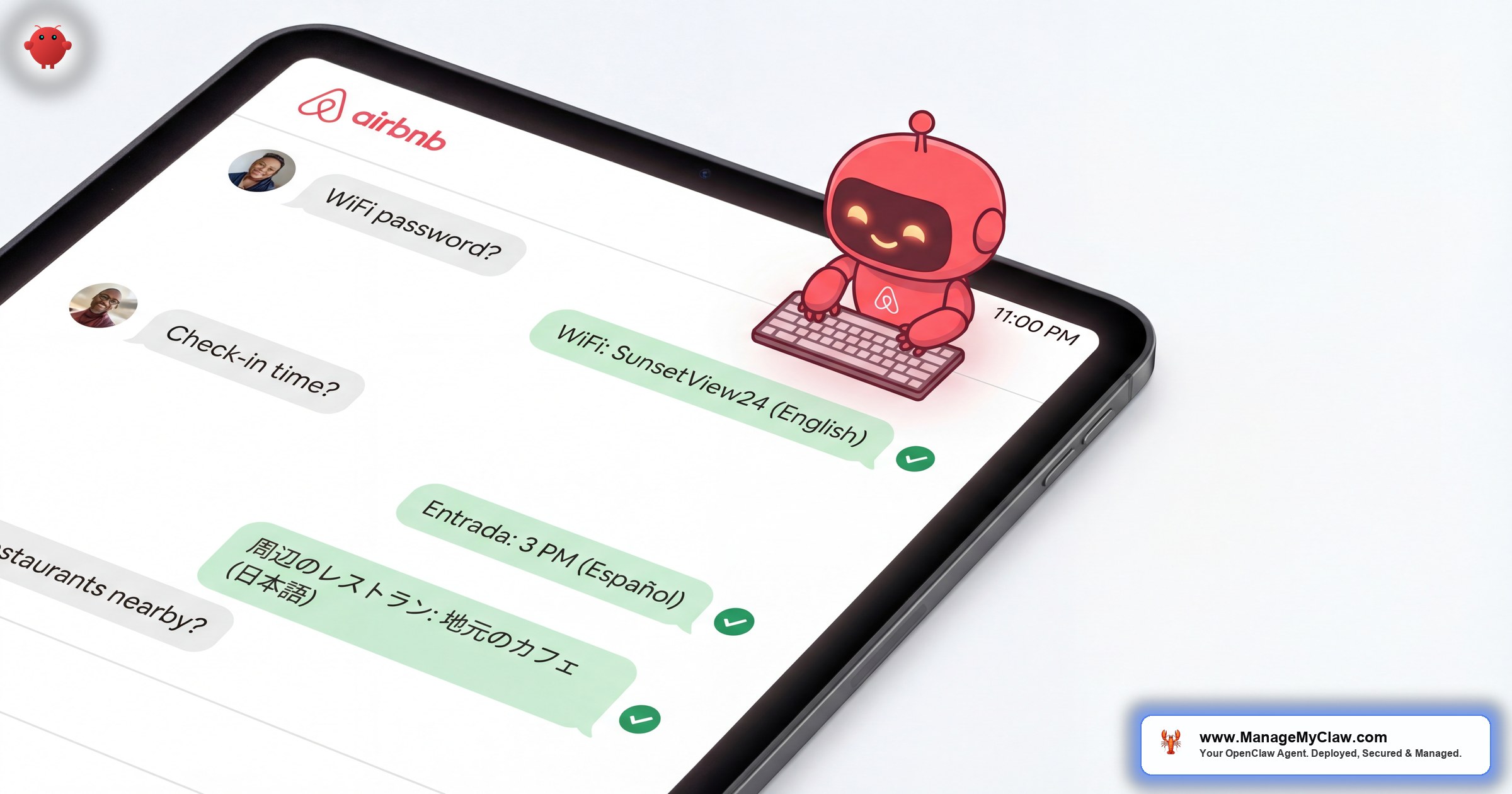
“15–25 guest messages per booking. Multiply that by your listing count. Now multiply by the bookings per month. That’s the inbox volume nobody warned you about when you published your first Airbnb listing.”
AI guest messaging for Airbnb is the use of autonomous agents or AI-powered bots to read, understand, and respond to guest messages across short-term rental platforms — automatically, in real time, 24 hours a day. OpenClaw is an open-source AI agent framework with 250,000+ GitHub stars, deployed on bare-metal servers via systemd, that connects to your inbox through Gog OAuth and handles the full spectrum of guest communication: check-in questions, local recommendations, appliance instructions, schedule requests, and issue escalations. It doesn’t use templates. It reads what the guest actually wrote and composes a contextual reply from your property knowledge base.
This guide breaks down the volume problem (it’s worse than you think), the 10 most common message types (8 of them are fully automatable), how multi-language support actually works, and why response time is now a direct input to your Airbnb search ranking. If you’re managing more than 2 listings, you’re already behind on response time — and that gap is costing you bookings.
You didn’t get into short-term rentals to become a 24/7 concierge answering “What’s the WiFi password?” at 2 AM in 3 languages. But here you are. The question is whether you keep doing it yourself or hand it to software that doesn’t sleep, doesn’t get frustrated, and doesn’t miss messages during dinner.
The Volume Problem: Why Your Inbox Is Destroying Your Business
The math is simple and brutal. Each booking generates 15–25 guest messages across the lifecycle: pre-booking inquiries, check-in questions, mid-stay requests, checkout instructions, and post-stay review exchanges. See our automated check-in instructions for more. If you have 5 listings averaging 4 bookings per month each, that’s 300–500 guest messages every single month. At an average of 3 minutes per response (including reading, context-switching, and typing), you’re spending 15–25 hours per month just answering guest messages.
That’s a part-time job. And it’s the part-time job that happens at midnight, during family dinners, on vacation, and at 6 AM on Sundays when a German tourist can’t figure out the smart lock.
| Portfolio Size | Bookings/Month | Messages/Month | Hours Spent (Manual) |
|---|---|---|---|
| 2 listings | 8–12 | 120–300 | 6–15 hrs |
| 5 listings | 20–30 | 300–750 | 15–38 hrs |
| 10 listings | 40–60 | 600–1,500 | 30–75 hrs |
| 20 listings | 80–120 | 1,200–3,000 | 60–150 hrs |
Look at the 10-listing row. That’s 30–75 hours per month of guest messaging alone. At that volume, you’re not a property investor anymore — you’re a customer support agent who happens to own real estate.
The problem compounds because message volume doesn’t scale linearly with your attention. You can reply to 10 messages between meetings. You can’t reply to 50. At some point between listing 3 and listing 7, most hosts hit a wall where response quality drops, response time increases, and their Airbnb search ranking starts sliding — because the algorithm notices before the host does.
Airbnb’s search algorithm weighs response time and response rate as direct ranking inputs. Hosts who reply in under 5 minutes get maximum algorithm boost. Hosts who reply in 1–4 hours see ranking penalties. A host who responds in under 90 seconds — consistently, at 3 PM and at 3 AM — outranks a host with identical listings, pricing, and reviews who replies in 2 hours. That’s not speculation. It’s how the platform works.
The 10 Guest Messages You Answer Every Single Week
After analyzing thousands of guest interactions across STR portfolios, the same 10 question types account for roughly 90% of all guest messaging volume. Here they are, ranked by frequency, with the automation potential for each.
| # | Message Type | Frequency | Automatable? |
|---|---|---|---|
| 1 | WiFi password | Nearly every booking | 100% — direct lookup |
| 2 | Check-in instructions / door code | Nearly every booking | 100% — direct lookup |
| 3 | Parking information | 70–80% of bookings | 100% — direct lookup |
| 4 | Restaurant / local recommendations | 60–70% of bookings | 100% — filtered from KB |
| 5 | Early check-in request | 40–50% of bookings | 95% — calendar-aware rules |
| 6 | Late checkout request | 30–40% of bookings | 95% — calendar-aware rules |
| 7 | “How does [appliance] work?” | 40–50% of bookings | 100% — appliance docs in KB |
| 8 | Checkout instructions | Nearly every booking | 100% — proactive send |
| 9 | Noise / neighbor complaint | 5–10% of bookings | Partial — acknowledge + escalate |
| 10 | Maintenance issue report | 10–15% of bookings | Partial — acknowledge + escalate |
Categories 1–8 are fully automatable — the answers are static per property, already exist in your house manual, and don’t require judgment calls. Categories 9 and 10 require human judgment — but even there, the agent handles the initial acknowledgment and information gathering before escalating to you with full context.
That means roughly 80–85% of your guest messages can be answered instantly, accurately, and without your involvement. The remaining 15–20% arrive on your phone pre-packaged with the guest’s issue, booking details, and property information — so you make a decision in 30 seconds instead of spending 10 minutes piecing together context.
Template Matching vs Context Understanding: The Difference That Matters
The difference between a rule-based auto-responder and an autonomous agent becomes obvious the moment a guest asks more than 1 thing in a single message. Here’s a real-world example of what that looks like.
A guest sends this message at 9:47 PM through Airbnb:
That’s 3 separate questions in 1 message. A keyword-matching tool fires 1 template at best — probably the parking 1, since “parking” is the first keyword it detects. The check-in time and restaurant questions go unanswered until you manually reply.
OpenClaw parses the message, identifies all 3 intents, and pulls the answer for each from your property knowledge base:
Every piece of information in that response came from the property knowledge base — the parking spot number, the check-in time, the lockbox location, the restaurant names with distances and ratings. OpenClaw doesn’t fabricate answers. It reads what you’ve documented and assembles a response that addresses exactly what the guest asked.
Think of it as the difference between a call center script and a concierge who actually knows the property. The script handles 1 question at a time. The concierge handles the conversation.
When a guest mentions they love Italian food, OpenClaw doesn’t dump your entire restaurant list. It filters by cuisine type. If they mention traveling with kids, it surfaces family-friendly spots. If they ask about late-night options, it shows places open past 10 PM. The knowledge base is structured so the agent can slice and serve relevant subsets — not recite a 40-restaurant spreadsheet.
Multi-Language Guest Messaging: The Feature You Didn’t Know You Needed
If you host in any tourist destination, you already know: international guests message in their native language. French guests write in French. Japanese guests write in Japanese. Google Translate gets you partway there, but a poorly translated lockbox instruction at 11 PM isn’t the guest experience that earns 5-star reviews.
OpenClaw detects the language of the incoming message and responds in that same language — fluently, not robot-translated. Your property knowledge base stays in English. The agent translates on the fly, maintaining context and cultural tone. When a German guest asks about checkout, the response includes precise times (not “around 11”) because that’s what German communication norms expect. When a Japanese guest asks for restaurants, the formatting adjusts to match expectations.
This sounds minor until you’re managing a beachfront property in Miami where 40% of your guests are from Latin America. Responding in fluent Spanish within 90 seconds at 2 AM isn’t a luxury. It’s the response time that keeps your listing on page 1.
Why Response Speed Is Now a Direct Ranking Signal
Airbnb’s algorithm weighs response time and response rate as direct ranking inputs. Superhost requires 90%+ response rate. Faster responses correlate with higher booking conversion and better search placement. Here’s the visibility math:
| Response Time | Impact on Your Listing |
|---|---|
| Under 5 minutes | Maximum algorithm boost. Guest feels prioritized. Highest conversion rate. |
| 5–30 minutes | Still strong. Guest is likely still browsing and comparing options. |
| 30–60 minutes | Neutral. You keep Superhost status but lose conversions to faster hosts. |
| 1–4 hours | Ranking penalty begins. Guest has likely messaged 2–3 other hosts by now. |
| 4+ hours | Significant ranking damage. Response rate drops. Superhost at risk. |
OpenClaw responds in under 90 seconds. Every time. At 3 PM and at 3 AM. Weekdays, weekends, holidays. That consistent sub-2-minute response time actively improves your search ranking because you’re outperforming every host who replies manually. VRBO and Booking.com apply similar logic — the same OpenClaw agent handles all 3 platforms from a single inbox.
The hosts who’ll dominate Airbnb search in 2026 aren’t the ones who type fastest. They’re the ones whose agents respond before the guest finishes checking the next listing.
What OpenClaw Handles Alone vs What It Sends to You
The escalation boundary is the most important configuration decision you’ll make. Set it too tight, and the agent pings you for every question — defeating the purpose. Set it too loose, and the agent tries to handle situations that need human judgment. Here’s the default configuration that works for most STR hosts:
| Handles Alone (Auto-Send) | Escalates to You (With Full Context) |
|---|---|
| WiFi, parking, check-in/checkout info | Maintenance issues (plumbing, electrical, HVAC) |
| Restaurant & local recommendations | Noise complaints & neighbor disputes |
| Appliance instructions | Safety or security concerns |
| Early check-in / late checkout (if calendar rules met) | Refund or cancellation requests |
| Proactive checkout reminders | Damage reports |
| Directions & transportation guidance | Guest locked out (after sending code) |
| House rules clarification | Anything the agent can’t answer from the KB |
The key principle: OpenClaw handles information delivery. You handle judgment calls. Every escalation arrives with the full conversation thread, booking details, and property information — so you make a decision in 30 seconds instead of spending 10 minutes gathering context.
Most hosts start in draft-for-review mode for the first 2 weeks. Once you’ve verified quality on 30–40 messages, you graduate routine categories to auto-send. The escalation rules stay tight. The auto-send categories expand as trust builds.
Guest Data on Your Server, Not Someone Else’s Cloud
Guest messaging involves personal data — names, phone numbers, travel dates, sometimes passport details. Every cloud-based tool processes that data on their servers. OpenClaw runs on your VPS — bare-metal, systemd-managed, Gog OAuth for integrations. The 9-point security hardening from a managed deployment includes non-root process isolation, tool permission allowlists, and encrypted credential storage.
If you’re hosting EU guests, GDPR data residency matters. “My server in Frankfurt” is a better answer than “Somewhere in AWS, I think.” That’s a compliance advantage and a trust advantage.
What AI Guest Messaging Actually Costs: Honest Numbers
Here’s the real cost breakdown for a 5-listing portfolio across the leading ai guest messaging airbnb solutions:
| Solution | Setup Cost | Monthly (5 Listings) | Year 1 Total |
|---|---|---|---|
| Hospitable | None | $100–250 | $1,200–3,000 |
| Aeve AI | None | $145–495 | $1,740–5,940 |
| HostBuddy | None | $50–150 | $600–1,800 |
| OpenClaw (self-deploy) | 15+ hours of your time | $42–72 | $504–864 + your time |
| OpenClaw + ManageMyClaw | $499 one-time | $42–72 | $1,003–1,363 |
OpenClaw’s monthly cost: $12–24 VPS + $30–48 API costs. Even at 500 messages/month, you’re under $80/month total. Hospitable charges $40–100 per listing per month — that’s $200–500/month for 5 listings. The ManageMyClaw deployment is a 1-time $499 fee. By month 4, you’ve broken even. By month 12, you’ve saved $500–4,500.
Getting Up and Running: What the Setup Looks Like
A managed deployment for ai guest messaging airbnb follows this sequence:
Technical deployment takes under 60 minutes. Knowledge base build: 15 minutes per property with existing house manuals, 30–45 minutes from scratch. Most hosts are fully up and running within 1 business day. For what OpenClaw automates beyond messaging, see our complete OpenClaw for Airbnb hosts guide. For the full STR AI landscape, check our best AI tools roundup.
The Bottom Line on AI Guest Messaging for Airbnb
Guest messaging is the highest-volume, most repetitive, most time-sensitive task in short-term rental operations. It’s also the task where response quality directly impacts your search ranking, your reviews, and your revenue. That combination — high volume, high repetition, high stakes — is exactly where an autonomous agent creates the most value.
OpenClaw handles the 80–85% of messages that have known answers. It escalates the 15–20% that need your judgment — with full context already gathered. It responds in under 90 seconds, in any language, 24/7. And it runs on your server, with your data, at a fraction of the cost of cloud-based alternatives.
The hosts who’ll dominate Airbnb search results in 2026 aren’t the ones who type the fastest. They’re the ones whose agents respond before the guest finishes checking the next listing.
Frequently Asked Questions
Will guests know they’re talking to an AI?
The responses match your tone and style — you configure the personality during setup. Most guests won’t notice because the answers are accurate, specific to the property, and conversational. If you prefer transparency, you can add a disclosure. Most hosts find that guests care about speed and accuracy, not who (or what) typed the response.
What happens when a guest asks something not in my knowledge base?
The agent escalates to you. It won’t guess or fabricate answers. You get the question with full context, respond, and the agent adds the answer to the knowledge base so it handles the same question automatically next time. Over time, the KB fills in naturally based on real guest questions.
Can I use this across Airbnb, VRBO, and Booking.com at the same time?
Yes. OpenClaw connects to all 3 platforms from a single instance. 1 property knowledge base serves all channels. The agent adapts its response format to each platform’s messaging norms, but the information stays consistent. You manage everything from 1 dashboard.
How many languages does it support?
90+ languages through the underlying language models. Your knowledge base stays in your primary language. The agent detects the guest’s language automatically and responds fluently. The most common for STR messaging: English, Spanish, French, German, Italian, Portuguese, Japanese, Korean, and Mandarin.
What’s the actual response time?
Under 90 seconds for knowledge-base answers. Under 60 seconds for common questions (WiFi, check-in, parking) where the answer is a direct lookup. Escalated messages reach you within 2 minutes with full context attached. See the full response time breakdown.
Do I need technical skills to manage this after setup?
No. After the managed deployment, you interact with the system through messaging — the same way you’d message a virtual assistant. Updating the knowledge base is as simple as telling the agent “Add the new coffee machine instructions” or editing a text document. Technical infrastructure is handled by the deployment, not by you.


