“You’ve got 47 listings. Each one needs a Zillow description, a Realtor.com version, MLS remarks, and 3 social media captions. That’s 282 pieces of copy. You’re either writing them at midnight or you’re pasting the same paragraph 47 times and hoping nobody notices.”
AI listing descriptions real estate isn’t a trend — it’s already the norm. RPR’s February 2026 survey found that 78% of real estate agents now use AI for writing listing copy, making it the single most popular AI use case in the industry. OpenClaw is an open-source AI agent framework (250,000+ GitHub stars, bare-metal deployment under systemd) that connects to your email via Gog OAuth and generates portal-optimized property descriptions from raw MLS data — in your voice, tuned for each platform’s character limits and SEO requirements.
The shift happened fast. In 2024, agents were debating whether AI-generated copy was “ethical.” By early 2026, the debate is over. The agents who aren’t using AI for listing descriptions are spending 20–45 minutes per listing on copy that their AI-using competitors produce in 30 seconds. And the AI-generated versions often score higher on readability, keyword density, and portal-specific optimization.
It’s like arguing about whether calculators should be allowed on math tests while everyone else has already moved on to spreadsheets. You can be principled about it, but your competitor just published 12 listings before lunch.
This post walks through how OpenClaw turns raw property data — address, beds, baths, square footage, features, photos — into polished ai listing descriptions optimized for Zillow, Realtor.com, and your local MLS. You’ll see the exact workflow, learn how to customize the writing style, understand the SEO layer for each portal, and avoid the fair housing compliance traps that catch agents who paste AI output without review. If you’ve read the pillar guide on OpenClaw for real estate, this is the deep dive into the listing copy workflow.
Why Writing Listing Descriptions by Hand Doesn’t Scale
A typical residential agent handles 15–40 active listings at any given time. Each listing needs a minimum of 3 description versions: MLS public remarks (250–1,000 characters depending on your board), Zillow description (up to 5,000 characters, keyword-sensitive), and Realtor.com syndication text (which pulls from MLS but benefits from optimization). Add social media captions for Instagram, Facebook, and the brokerage page, and you’re looking at 5–6 pieces of copy per property.
NAR’s 2025 technology survey reports that agents spend an average of 34 minutes writing each listing description from scratch. For 20 active listings, that’s over 11 hours per month on copy alone — not including revisions after seller feedback, price changes, or status updates. That’s 11 hours you’re not spending on showings, negotiations, or prospecting.
It’s like being a pilot who hand-writes the pre-flight checklist every single time instead of printing the one that already exists. The checklist doesn’t change that much. The plane still needs to take off on schedule.
The most common workaround? Agents copy their last listing description and swap out the details. “Stunning 3-bed” becomes “Stunning 4-bed.” “Updated kitchen” stays even when the kitchen hasn’t been updated since 2004. Portal algorithms detect duplicate content, and Zillow’s search ranking specifically penalizes listings with boilerplate descriptions. Copy-paste doesn’t save time — it costs you visibility.
The real cost isn’t the writing time. It’s the opportunity cost of inconsistent quality. Your 8 PM listing descriptions are worse than your 10 AM ones. Your 47th listing of the quarter reads like a form letter. Buyers scroll past generic copy. The agents dominating portal search results are the ones whose every listing reads like it was written by a copywriter who actually visited the property — because their AI did the heavy lifting and they spent 2 minutes editing instead of 34 minutes writing.
How OpenClaw Generates AI Listing Descriptions from Your MLS Data
The workflow is email-native. You don’t log into a separate platform or learn a new interface. You email OpenClaw the property details, and it emails you back the finished descriptions. Here’s the step-by-step pipeline.
-
1
You email the property details. Forward the MLS sheet, or type out the basics: address, beds, baths, square footage, lot size, year built, key features, recent upgrades. Attach photos if you want the agent to reference visual details (pool, view, kitchen finishes). OpenClaw reads incoming messages via Gog OAuth on your Gmail.
-
2
OpenClaw parses the data. Extracts structured fields from your email: property type, location, features, condition, price range context. Deduplicates against previous listings so it doesn’t repeat the same phrasing across your portfolio.
-
3
Generates portal-specific versions. Produces 3 outputs simultaneously: MLS remarks (within your board’s character limit), Zillow-optimized long description (keyword-dense, 800–2,000 characters), and a short-form version for Realtor.com syndication. Each version is tuned for the portal’s search algorithm preferences.
-
4
Fair housing compliance scan. Before sending, OpenClaw runs the output through a compliance filter that flags language violating the Fair Housing Act — descriptors like “family-friendly,” “walking distance to church,” “perfect for young professionals,” and demographic-specific terms. Flagged phrases get replaced with compliant alternatives automatically.
-
5
You receive the drafts. An email reply arrives within minutes with all 3 versions formatted and ready to paste into your MLS system. You review, edit if needed, and publish. Total active time: 2–3 minutes of review per listing.
This isn’t “AI writes it and you hope for the best.” It’s “AI writes the first draft based on structured data, and you spend 2 minutes refining it instead of 34 minutes starting from a blank page.” The difference between a zero-draft and a first-draft workflow is the difference between 11 hours a month and 40 minutes.
“The biggest time-saver isn’t the generation itself — it’s not having to context-switch. I stay in my inbox, forward the MLS sheet, and get descriptions back without opening another tab.”
— Pattern observed in r/realtors agent automation threads, Feb 2026From Raw MLS Data to Polished Listing: A Side-by-Side
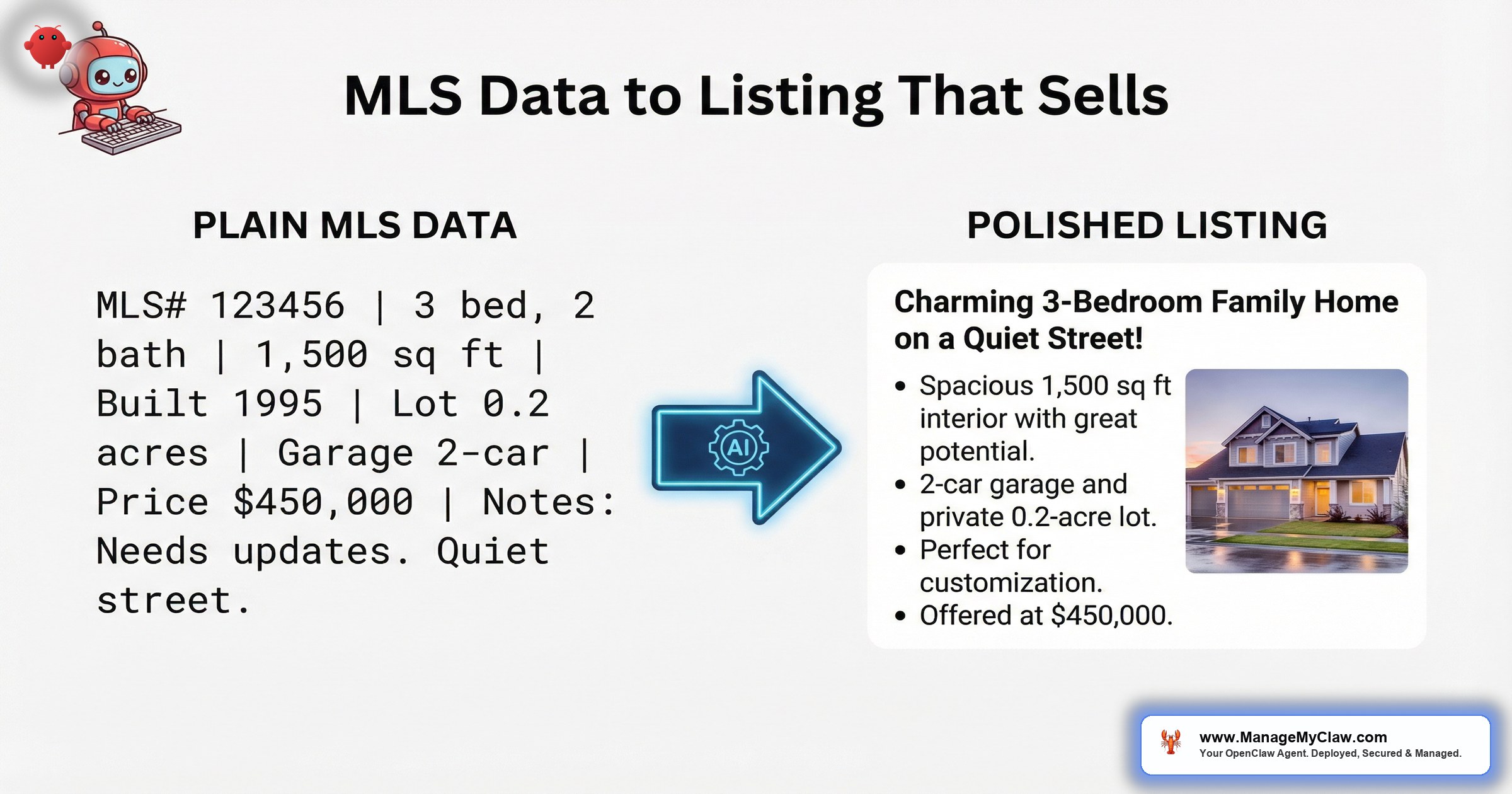
The best way to understand what OpenClaw produces is to see the transformation. Here’s what goes in and what comes out.
What You Email OpenClaw
What OpenClaw Sends Back: Zillow Version
What OpenClaw Sends Back: MLS Remarks
Notice what changed between versions. The Zillow description uses full sentences, location keywords (“South Austin,” “78745”), and buyer-facing language because Zillow’s search algorithm rewards natural prose with geographic terms. The MLS remarks are compressed to fit a 500-character limit while preserving every material fact. Same property. Same data. Different output for different platforms.
Writing Style Customization: How to Make AI Listing Descriptions Sound Like You
Generic AI copy is easy to spot. “This stunning home features…” “Don’t miss this opportunity…” “A must-see property…” If every agent is using the same default prompts, every listing sounds identical. The differentiation comes from training OpenClaw on your voice.
You configure this through OpenClaw’s system prompt — a set of instructions that define your writing style, banned phrases, and formatting preferences. Here’s what goes into it:
- Tone samples. Paste 3–5 of your best past listing descriptions into the system prompt as reference examples. OpenClaw patterns its output on the vocabulary, sentence structure, and rhythm of your samples.
- Banned phrases. List the overused clichés you never want to see: “stunning,” “must-see,” “dream home,” “move-in ready” (unless it literally is), “nestled,” “boasts.” The agent avoids these terms entirely.
- Feature priority order. Define what matters most in your market. In Austin, solar panels and EV charging are selling points. In Miami, hurricane-rated windows and flood zone status lead. The system prompt controls what gets mentioned first.
- Formatting rules. Square footage with commas or without? Abbreviate “bedroom” to “BR” in MLS but spell it out on Zillow? Include the list price in the description or not? All configurable.
- Neighborhood context. Feed OpenClaw neighborhood data — walkability scores, school ratings, proximity to highways, dining districts — and it weaves location context into descriptions without you re-typing it for every listing in the same area.
Every time you edit an OpenClaw draft before publishing, email the final version back with “APPROVED VERSION” in the subject line. OpenClaw logs the delta between its draft and your edit, and adjusts future output to match your corrections. After 10–15 listings, the drafts need almost no editing. The system prompt page on the OpenClaw system prompt guide covers this in detail.
The result? After 2 weeks of corrections, your ai listing descriptions read like you wrote them on your best day — every time, for every listing, at 3 AM on a Tuesday when you’d normally be too tired to write coherent copy.
SEO Keywords for Every Portal: Why One Description Doesn’t Fit All
Zillow, Realtor.com, and your local MLS don’t rank listings the same way. Using a single description across all 3 is like submitting the same resume to 3 different job postings — technically possible, strategically wrong.
| Portal | What the Algorithm Rewards | What OpenClaw Does |
|---|---|---|
| Zillow | Long-form prose, geographic keywords (city + ZIP + neighborhood), natural language, feature-rich descriptions. Penalizes duplicate content and keyword stuffing. | Generates 800–2,000 character descriptions with location terms woven naturally. Includes neighborhood context and buyer-facing benefit language. |
| Realtor.com | Structured data compliance, accurate room counts, material facts first. Syndicates from MLS but rewards supplemental descriptions. | Produces a clean mid-length version (400–800 chars) with facts front-loaded and features in descending priority. |
| MLS | Character limits (250–1,000 depending on board), agent-to-agent language, material facts required, no marketing fluff. Compliance-sensitive. | Compresses to your board’s exact character limit. Uses standard abbreviations (BR, BA, sqft). Strips superlatives and opinion-based language. |
| Social Media | Scroll-stopping first line, emoji-friendly formatting, hashtags, short punchy sentences. Instagram captions under 300 chars perform best. | Generates 3 social captions: Instagram (short + hashtags), Facebook (mid-length + link prompt), LinkedIn (professional tone for agent network). |
You get all 4 versions from a single email. Same property data in, 4 optimized outputs back. No logging into 4 platforms, no re-typing, no guessing what works where.
Fair Housing Compliance: The Trap That Catches AI-Assisted Agents
Here’s where AI listing descriptions get risky. The Fair Housing Act prohibits advertising that indicates a preference based on race, color, religion, sex, disability, familial status, or national origin. AI models don’t inherently understand these legal boundaries — and without guardrails, they’ll happily generate descriptions that violate federal law.
HUD’s advertising guidelines are specific. The Department of Justice has published enforcement examples covering language that indicates discriminatory preference. These aren’t edge cases — they’re phrases that appear in listing descriptions every day.
- “Family-friendly neighborhood” — implies preference for familial status
- “Walking distance to [church/synagogue/mosque]” — indicates religious preference
- “Perfect for young professionals” — age-based preference (familial status)
- “Master bedroom” — increasingly flagged; use “primary bedroom” instead
- “Exclusive community” — can imply racial/ethnic exclusion
- “No children” or “adults only” — explicit familial status violation
OpenClaw’s compliance filter catches these automatically. The system prompt includes the full list of HUD-flagged terms and their compliant replacements. “Family-friendly” becomes “quiet residential area.” “Walking distance to St. Mary’s” becomes “walking distance to local amenities.” “Perfect for young professionals” becomes “ideal for commuters” (if proximity to transit is the actual feature).
The scary part isn’t that AI generates non-compliant language. It’s that agents who paste AI output without review are publishing violations faster than they ever could by hand. At least when you wrote it yourself, you had a chance to catch the problem. With AI, you can publish 20 non-compliant descriptions in 20 minutes if you’re not checking.
“Fair Housing violations in listing descriptions carry fines up to $21,039 for a first offense and $52,596 for subsequent offenses. The AI doesn’t pay those fines. You do.”
— HUD Fair Housing Guidelines, 2025 fine scheduleThis is one of the highest-value features of running your own OpenClaw instance instead of a generic AI tool. You control the compliance filter. You define the banned terms. You add state-specific requirements (California’s additional protections, New York City’s source-of-income rules, Oregon’s familial status expansions). A generic ChatGPT prompt doesn’t know your state’s fair housing additions. Your OpenClaw system prompt does.
Social Media Captions from the Same Data: 1 Email, 3 Platforms
You already sent the property data for the listing description. OpenClaw generates social media captions from the same email — no second request needed. Here’s what comes back alongside your portal descriptions.
Each caption is formatted for the platform. Instagram gets hashtags and short punchy lines. Facebook gets a narrative with a call to action. LinkedIn gets a professional tone aimed at agent-to-agent referral opportunities. All 3 reference the same property data but frame it for different audiences.
Most agents treat social media as an afterthought — “I’ll post something later.” Later becomes never. Getting captions in the same email as your listing descriptions means “later” is “right now, already done, just paste it.”
Getting Your Listing Description Pipeline Up and Running
The setup has 3 parts: configuring the email trigger, building the system prompt, and testing with your first 5 listings. Here’s what each involves.
1. Email Trigger Configuration
OpenClaw monitors a specific email label or address for incoming listing data. You can either forward MLS sheets to a dedicated address (like listings@yourdomain.com) or set up a Gmail filter that labels incoming emails with “Listing-Data” and lets OpenClaw process that label via Gog OAuth. The how OpenClaw works guide covers the email monitoring setup in detail.
2. System Prompt for Listing Copy
Your system prompt defines everything: tone, banned phrases, portal-specific formatting rules, character limits, and compliance filters. Here’s a simplified version of the core instructions:
3. Testing with Your First 5 Listings
Don’t deploy to all 30 listings on day 1. Pick 5 — ideally a range of property types (condo, single-family, luxury, fixer-upper, new construction). Email the data, review the output, send corrections back. After 5 rounds of feedback, OpenClaw has enough pattern data to match your voice consistently. Then scale to your full inventory.
- An OpenClaw instance running on bare-metal with systemd (a $12/month VPS handles listing descriptions easily)
- Gog OAuth connected to your Gmail for email monitoring and sending
- 3–5 past listing descriptions that represent your best writing (for the system prompt)
- Your MLS board’s character limits for public remarks (varies by board)
- Your state’s fair housing additions beyond federal requirements
If you want help with the initial configuration — system prompt tuning, compliance filter setup, and portal optimization — that’s exactly what the deployment packages include. ManageMyClaw handles the setup so you can start generating descriptions from day 1 without spending a weekend learning prompt engineering.
The Math: What AI Listing Descriptions Save You Per Month
Let’s run the numbers for a typical agent with 20 active listings and an average of 4 new listings per month.
| Cost Factor | Manual Writing | OpenClaw |
|---|---|---|
| Time per listing (description + social) | 45–60 minutes | 2–3 minutes (review only) |
| Monthly time (4 new + 3 revisions) | 5.25–7 hours | 14–21 minutes |
| Annual time | 63–84 hours | 2.8–4.2 hours |
| Cost at $150/hr effective rate | $9,450–$12,600/year | $420–$630/year |
| Monthly API cost | $0 | ~$8–$15 (model tokens) |
| Infrastructure cost | $0 | $12/month VPS (shared with other OpenClaw tasks) |
| Net annual savings | — | $8,700–$12,000+ |
The $150/hour effective rate is conservative. NAR’s 2025 member profile puts the median gross income for agents with 16+ years of experience at $86,500, but top producers in competitive markets earn significantly more per effective hour when you account for commission rates on $500K+ properties. The real question isn’t whether ai listing descriptions save money. It’s whether you can afford 63 hours a year of manual copywriting when your competitors are spending those hours on showings and negotiations instead.
Put it this way: 63 hours is 8 full workdays. That’s 8 days a year you’re spending as a copywriter instead of a real estate agent. And unlike copywriting, closing deals doesn’t have a character limit.
Frequently Asked Questions
Can Zillow detect AI-generated listing descriptions?
Zillow hasn’t publicly stated that it penalizes AI-generated content, and their algorithm rewards the same things good AI copy produces: keyword-rich, unique, location-specific prose. The risk isn’t detection — it’s using generic templates that produce duplicate content across listings. OpenClaw’s deduplication logic ensures every listing gets unique phrasing.
Does OpenClaw handle listing updates when the price changes?
Yes. Forward the updated MLS data or just email “price reduced to $659,000 on 1847 Oakridge” — OpenClaw regenerates all 4 versions with the new price and adjusts the narrative (e.g., “recently reduced” language for Zillow, updated figure for MLS remarks). Takes under a minute.
What about luxury listings that need a different tone?
Add a “luxury” flag to the email subject or body. OpenClaw switches to a separate tone profile — longer sentences, more lifestyle language, higher-end vocabulary. You can configure as many tone profiles as you need: luxury, investment, fixer-upper, new construction. Each profile pulls from different reference examples in your system prompt.
Is the fair housing filter 100% accurate?
No automated filter is 100% accurate. OpenClaw catches the documented HUD-flagged terms and common state-specific additions, but new enforcement interpretations emerge regularly. Always review the output before publishing. The filter reduces your risk — it doesn’t eliminate the need for human review. The 2026 AI tools guide covers compliance considerations across platforms.
How does this compare to tools like ListingAI or Epique?
Dedicated listing description tools like ListingAI charge $29–$99/month for a single function. OpenClaw handles listing descriptions as one workflow among many — email triage, lead follow-up, CRM sync, social media captions — all on the same $12/month VPS. You’re not paying separately for each function. You’re configuring one system prompt on one agent.
See how ManageMyClaw works — from initial setup to your first automated response.


