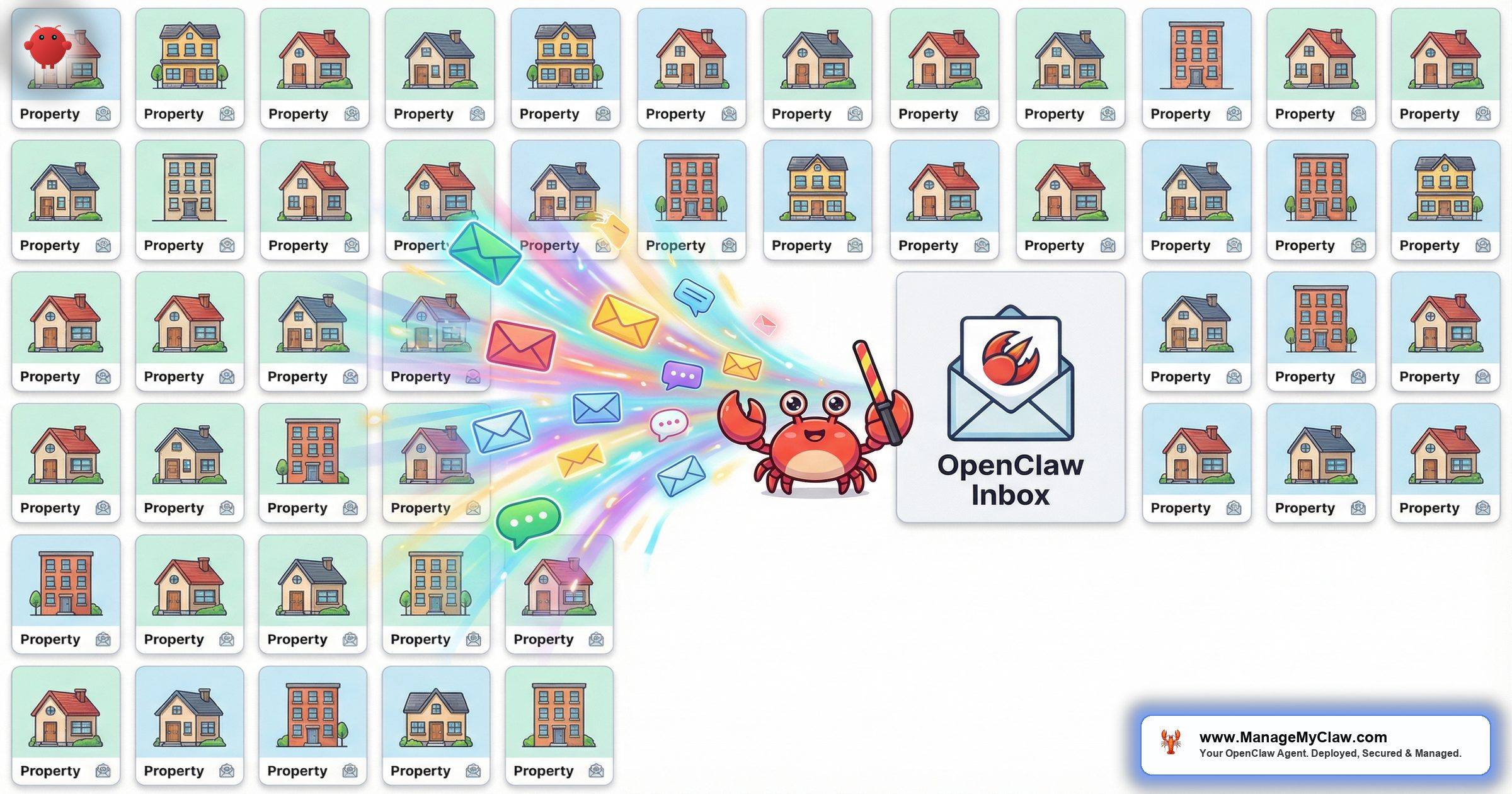
“At 5 properties I was busy. At 15 I was overwhelmed. At 30 I realized I wasn’t managing a portfolio — I was managing an inbox. A different inbox for every property, every platform, every cleaning crew.”
AI multi-property Airbnb management is the practice of deploying a single AI agent to handle guest communication, turnover coordination, and operational workflows across dozens of short-term rental listings simultaneously. OpenClaw is an open-source AI agent framework with 250,000+ GitHub stars that runs on your own server — bare-metal, managed by systemd, authenticated through Gog OAuth — and processes messages for every property in your portfolio from 1 inbox, 1 server, and 1 set of per-property knowledge bases. It’s not a SaaS dashboard with a per-listing fee. It’s an agent that scales with your portfolio without scaling your costs.
This guide walks through the scale math that makes manual multi-property management unsustainable, how OpenClaw handles per-property knowledge (different WiFi codes, different check-in procedures, different house rules for every single listing), and the architecture that lets 1 agent manage 50 properties as easily as 5. If you’re running more than 10 listings and spending more time on messages than on growth, this is the system that changes the ratio.
There’s a version of this where you hire 3 VAs and build a small call center. There’s another version where 1 agent handles the same volume for $30/month. The listings don’t care who answers. They care how fast and how accurately.
The Scale Math: Why Manual Multi-Property Management Breaks
Every additional listing you add doesn’t just add revenue. It adds messages, turnovers, owner calls, and platform-specific admin. The relationship isn’t linear — it’s multiplicative, because each new property interacts with every existing operational process. Here’s what the numbers actually look like:
| Listings | Bookings/Week | Messages/Week | Turnovers/Week | Hours/Week (Manual) |
|---|---|---|---|---|
| 5 | 3–5 | 45–75 | 3–5 | 8–12 |
| 15 | 10–15 | 150–225 | 10–15 | 25–35 |
| 30 | 20–30 | 300–450 | 20–30 | 50–70 |
| 50 | 35–50 | 525–750 | 35–50 | 85–120 |
At 50 listings, you’re looking at 750+ messages per week and up to 120 hours of manual work. That’s 3 full-time employees doing nothing but answering guest messages and coordinating turnovers. And those employees need to know the specifics of every single property — the parking situation at the downtown condo is different from the cabin’s, the smart lock at property #23 works differently than the keypad at property #41.
The scale math is the reason most STR businesses plateau. Not because the market ran out of properties — because the operator ran out of bandwidth. And hiring your way out of it works until the VAs get confused about which property has the hot tub rules and which one has the bear-proof garbage cans.
Sending the WiFi password for property #7 to a guest staying at property #12 is embarrassing. Sending the door code for property #7 to a stranger is a security incident. At 50 listings, the probability of a cross-property mix-up approaches certainty — unless every piece of property knowledge is isolated in its own file and the system can’t cross-contaminate.
Per-Property Knowledge: How OpenClaw Keeps 50 Properties Separate
The core architectural decision that makes multi-property management work in OpenClaw is property-specific SOUL.md files. Each listing gets its own knowledge base — a plain-text file that contains everything the agent needs to know about that property. When a guest message arrives, OpenClaw identifies which property it’s about (from the booking confirmation email or guest thread), loads that property’s SOUL.md, and responds using only that property’s information.
There’s no shared database where a query for “WiFi password” could accidentally pull from the wrong row. Each property is a self-contained knowledge island. Here’s what a SOUL.md file looks like for a typical listing:
# Property: Lakewood Cabin — 742 Pine Ridge Road

## Check-In
- Door code: 4829# (changes monthly, next change: April 1)
- Check-in time: 3:00 PM (early check-in available after 1 PM if no same-day turnover)
- Parking: Driveway fits 2 vehicles. Street parking prohibited Nov–Mar (snow plowing)

## WiFi
- Network: LakewoodGuest
- Password: PineRidge2026!

## House Rules
- No smoking (inside or on deck)
- Quiet hours: 10 PM – 8 AM
- Max occupancy: 8 guests
- Pets allowed ($75 fee, must notify host)
- Hot tub: cover must be replaced after each use

## Local Recommendations
- Groceries: Lakewood Market (0.4 mi, closes 9 PM)
- Restaurant: Timber Creek Grill (1.2 mi, reservations recommended weekends)
- Emergency: Lakewood Urgent Care (3.1 mi), 911 for emergencies

## Appliances
- Thermostat: Nest, set to 68°F, guest can adjust via wall panel
- TV: Roku, Netflix and Disney+ pre-logged
- Hot tub: controls on left side panel, max temp 104°F
Now compare that to the SOUL.md for a downtown studio apartment in the same portfolio:
# Property: Metro Studio — Unit 4B, 220 Main Street

## Check-In
- Lockbox code: 7741 (building entrance buzzer: #4B)
- Check-in time: 4:00 PM (no early check-in, previous guest departs at 11 AM)
- Parking: street metered until 6 PM, free evenings/weekends. Garage: $18/day at 200 Main

## WiFi
- Network: Metro220-Guest
- Password: MainStreet4B!

## House Rules
- No smoking (building policy)
- Quiet hours: 10 PM – 7 AM (shared walls, strictly enforced)
- Max occupancy: 2 guests
- No pets (building policy)
- No parties or gatherings

## Local Recommendations
- Groceries: Corner Market (0.1 mi, 24-hour)
- Coffee: Blue Door Cafe (next door, opens 6 AM)
- Transit: Bus stop at Main & 2nd (Route 14 downtown, Route 7 to airport)
When a guest at the Lakewood Cabin asks about parking, they get directions about the driveway and the winter street parking ban. When a guest at Metro Studio asks the same question, they get metered street rates and the garage price. Same agent, same inbox, completely different answers — because the knowledge base is different.
This is the difference between an agent and a chatbot. A chatbot gives the same answer to everyone. An agent loads the right context before it speaks. At 50 properties, that distinction is the difference between a business and a liability.
Message Routing: How OpenClaw Knows Which Property a Guest Is Asking About
The routing mechanism is straightforward. OpenClaw uses 3 identification layers to match every incoming message to the correct property:
-
1
Booking confirmation parsing. When a new booking arrives (from Airbnb, VRBO, Booking.com, or your channel manager), OpenClaw extracts the property name/ID, guest email, check-in/checkout dates, and guest count. This creates a “reservation context” that’s linked to the correct SOUL.md file.
-
2
Guest email matching. When a follow-up message arrives from a guest, OpenClaw matches the sender’s email address against active reservations. Guest
john@email.comhas an active booking at Lakewood Cabin, so his message loads the Lakewood SOUL.md automatically. -
3
Fallback: subject-line and content parsing. If the email match is ambiguous (e.g., the guest used a different email), OpenClaw scans the subject line and message body for property identifiers — reservation codes, property names, addresses. If it still can’t determine the property, it escalates to you rather than guessing.
This 3-layer approach means the agent virtually never sends the wrong property’s information to a guest. And when it can’t make a confident match, it asks you instead of guessing — because sending the wrong door code is worse than a 5-minute delay.
For the full messaging setup, including multi-language support and escalation rules, read our AI guest messaging guide.
One Agent Across Airbnb, VRBO, and Booking.com
If you’re running 50 listings, you’re probably on at least 2 platforms. Many operators list on all 3 major channels. That means 3 separate notification streams, 3 different email formats, and 3 different guest messaging conventions. OpenClaw normalizes all of them.
Booking confirmations from Airbnb, VRBO, and Booking.com all arrive in your Gmail or Google Workspace inbox (connected via Gog OAuth). OpenClaw parses each platform’s email format differently — Airbnb confirmations look different from VRBO confirmations — but extracts the same core data: property, guest, dates, guest count. From that point forward, the workflow is identical regardless of which platform the booking came from.
| Platform | Notification Format | OpenClaw Extraction | Response Channel |
|---|---|---|---|
| Airbnb | Email + in-app notification | Property, guest name/email, dates, guest count | Email + SMS (via Twilio) |
| VRBO | Email notification | Property, guest name/email, dates, payment status | Email + SMS (via Twilio) |
| Booking.com | Email + Extranet notification | Property, guest name/email, dates, special requests | Email + SMS (via Twilio) |
The practical impact: you don’t need to check 3 dashboards. You don’t need to remember whether a guest booked through VRBO or Airbnb before answering their question. The agent knows, and it routes the response through the appropriate channel. Read our full OpenClaw for Airbnb hosts guide for the platform-specific connection details.
Most multi-platform operators I’ve talked to spend 30–45 minutes per day just switching between tabs and remembering where each conversation is happening. That’s 3–5 hours per week of pure friction. Not communication. Not problem-solving. Just navigating between inboxes.
Turnover Coordination at 50 Properties: The Hidden Complexity
Guest messages get all the attention, but turnovers are where multi-property management actually implodes. At 50 listings with an average of 3 turnovers per property per month, you’re coordinating 150 turnovers per month — roughly 5 per day. Each one involves:
- Confirming guest checkout (or following up if they’re late)
- Notifying the assigned cleaning crew with property-specific instructions
- Tracking cleaning completion within the time window
- Triggering the pre-arrival guide for the incoming guest
- Alerting you if the window is too tight or a cleaner is running behind
At 5 per day, you can track this in your head. At 10+ per day (busy season), you can’t. Spreadsheets help until they don’t — because the problem isn’t tracking, it’s real-time monitoring. You need to know at 1:45 PM that the 2 PM cleaner hasn’t confirmed for the property with a 3 PM check-in. That requires an agent watching the clock, not a human refreshing a spreadsheet.
OpenClaw handles this by monitoring checkout confirmation emails, triggering cleaner notifications automatically, and watching for the “cleaning complete” confirmation within the expected window. If the confirmation doesn’t arrive, you get an escalation with the property address, the cleaner’s contact info, and the check-in time for the next guest. Not a notification that something might be wrong. A specific alert that tells you exactly what to do.
The property manager who loses a 5-star review because a guest arrived to an uncleaned unit didn’t fail at hospitality. They failed at turnover logistics. And at 50 properties, the logistics are the business.
For a deeper breakdown of how property managers use OpenClaw to automate the full operational stack, see our STR property management guide.
What It Costs to Run OpenClaw Across 50 Listings
OpenClaw is free, open-source software. The costs are infrastructure and API usage, both of which scale slowly relative to listing count:
| Cost Component | 10 Listings | 25 Listings | 50 Listings |
|---|---|---|---|
| VPS hosting | $12–$24/mo | $12–$24/mo | $24–$48/mo |
| LLM API usage | $10–$20/mo | $20–$40/mo | $35–$70/mo |
| Twilio SMS (optional) | $5–$10/mo | $10–$25/mo | $20–$50/mo |
| Total monthly | $27–$54 | $42–$89 | $79–$168 |
Compare that to the staffing cost of managing 50 listings manually: 2–3 full-time VAs at $2,000–$2,500/month each, plus a coordinator to manage the VAs. You’re looking at $6,000–$10,000/month in labor vs $79–$168/month for OpenClaw infrastructure. The difference compounds every single month.
ManageMyClaw handles the full deployment — all 50 property SOUL.md files, turnover workflows, owner reporting, and security hardening — starting at $499 one-time. For portfolios above 25 units, we offer bulk SOUL.md creation and onboarding packages. The agent is up and running within a day.
The question isn’t whether AI multi-property management is cheaper. That math is obvious. The question is whether you trust an open-source agent running on your own hardware to handle guest communication as well as a trained human. At 50 listings, the trained human is making errors from fatigue by 2 PM. The agent isn’t.
Frequently Asked Questions
How long does it take to set up 50 SOUL.md property files?
Each SOUL.md takes 30–60 minutes to write from scratch, depending on property complexity. For 50 properties, that’s 25–50 hours of initial setup. ManageMyClaw offers bulk onboarding where we create all the SOUL.md files from your existing property documentation (listing descriptions, house manuals, channel manager data). Most 50-unit portfolios are fully configured within 3–5 business days.
What happens when I add a new property to my portfolio?
You write a new SOUL.md file, add a routing entry to the config, and restart the agent. The new property is up and running within minutes. No retraining, no new software installation, no additional licenses. The marginal cost of adding listing #51 is zero beyond the 30 minutes it takes to write the knowledge base.
Can OpenClaw handle properties in different time zones?
Yes. Each SOUL.md file includes the property’s time zone, and the agent uses it when scheduling check-in guides, checkout reminders, and turnover notifications. A property in Pacific time and a property in Eastern time get their 3 PM check-in guides at 3 PM local time, not server time.
Does OpenClaw work with property management software like Guesty or Hostaway?
OpenClaw connects to your inbox via Gog OAuth and processes the notification emails your PMS sends. It doesn’t require a direct API integration with Guesty or Hostaway. As long as your PMS sends booking notifications to your email, OpenClaw can parse and act on them. This makes it compatible with any PMS on the market.
What’s the maximum number of properties a single OpenClaw instance can handle?
There’s no hard architectural limit. The bottleneck is message throughput, not listing count. A standard VPS ($24/month) handles 50–75 listings comfortably. For portfolios above 100 listings, you’d upgrade the VPS or run 2 instances partitioned by region. But at 100+ listings, you’re saving so much on staffing that the infrastructure cost is negligible.


