“What’s the WiFi password?” — the message you’ve answered 400 times, typed from bed at 11 PM, while your guest stands in the driveway refreshing their phone.
Every short-term rental host knows the pattern. Booking confirmed. Guest asks for directions. You send them. They ask for the door code. You send it. They ask for the WiFi. You send that too. Then the parking instructions. Then the house rules. Then the local restaurant recommendations. Multiply that by 15-25 messages per booking across 3, 5, or 20 properties — and you’ve built yourself a full-time customer service job that pays nothing extra.
OpenClaw is an open-source AI agent framework that runs on your own server — bare-metal, controlled by systemd, authenticated through Gog OAuth. It monitors your email, detects booking confirmations, and sends your guests everything they need before they ever think to ask. Automated check-in for Airbnb isn’t a feature you toggle on in some SaaS dashboard. It’s a workflow you build once, and OpenClaw runs it for every guest, every property, every time.
You didn’t get into hosting to be a 24/7 concierge. But that’s exactly what happened, and you know it.
Why Check-In Messages Are the #1 Time Sink for Airbnb Hosts
A 2025 Hospitable survey of 4,200 STR hosts found that check-in logistics — directions, access codes, WiFi passwords, parking instructions, and house rules — account for the majority of pre-arrival guest messages. Not complaints. Not special requests. Just the same 6-8 pieces of information, asked slightly differently by every single guest.
The math gets ugly fast. If you manage 5 properties with an average of 3 turnovers per week, that’s 15 check-in cycles. Each one involves 3-5 messages sent at unpredictable times — often between 8 PM and midnight when guests are traveling. That’s 45-75 messages per week, all containing information you already know.
It’s the context switching. Every time your phone buzzes with “Hey, quick question…” you drop what you’re doing — dinner, a meeting, sleep — to type out the same parking instructions for the 200th time. A 2024 University of California Irvine study found it takes an average of 23 minutes to fully regain focus after an interruption.
Airbnb’s built-in Scheduled Messages feature handles basic timing. But it can’t adapt to guest questions, can’t pull dynamic info like a temporary door code from your smart lock email, and can’t generate a local area guide based on what the guest told you they’re visiting for. It’s a mail merge, not an assistant.
You’ve probably got a Notes app file called “check-in template” that you copy-paste from. That was smart when you had 1 property. It doesn’t scale to 5.
How OpenClaw Automates Check-In for Every Guest
OpenClaw’s automated check-in workflow has 4 stages. Each one triggers automatically based on your booking timeline. You configure it once — the agent handles every guest from that point forward.
Step 1: Detect the Booking Confirmation
OpenClaw monitors your email through Gog OAuth — no raw passwords stored, no API tokens sitting in a config file. When a booking confirmation arrives from Airbnb (or VRBO, Booking.com, or your channel manager), the agent parses the email to extract: guest name, check-in date, check-out date, number of guests, and the property address.
This isn’t keyword matching. OpenClaw reads the full email body and extracts structured data. If Airbnb changes their email format — which they do roughly every quarter — the agent adapts because it understands context, not just templates.
The same workflow works for VRBO, Booking.com, Houfy, and direct bookings. If the confirmation arrives by email, OpenClaw can parse it. The trigger is “new booking email from [platform]” — you define which senders to watch.
Step 2: Send the Pre-Arrival Guide (48 Hours Before Check-In)
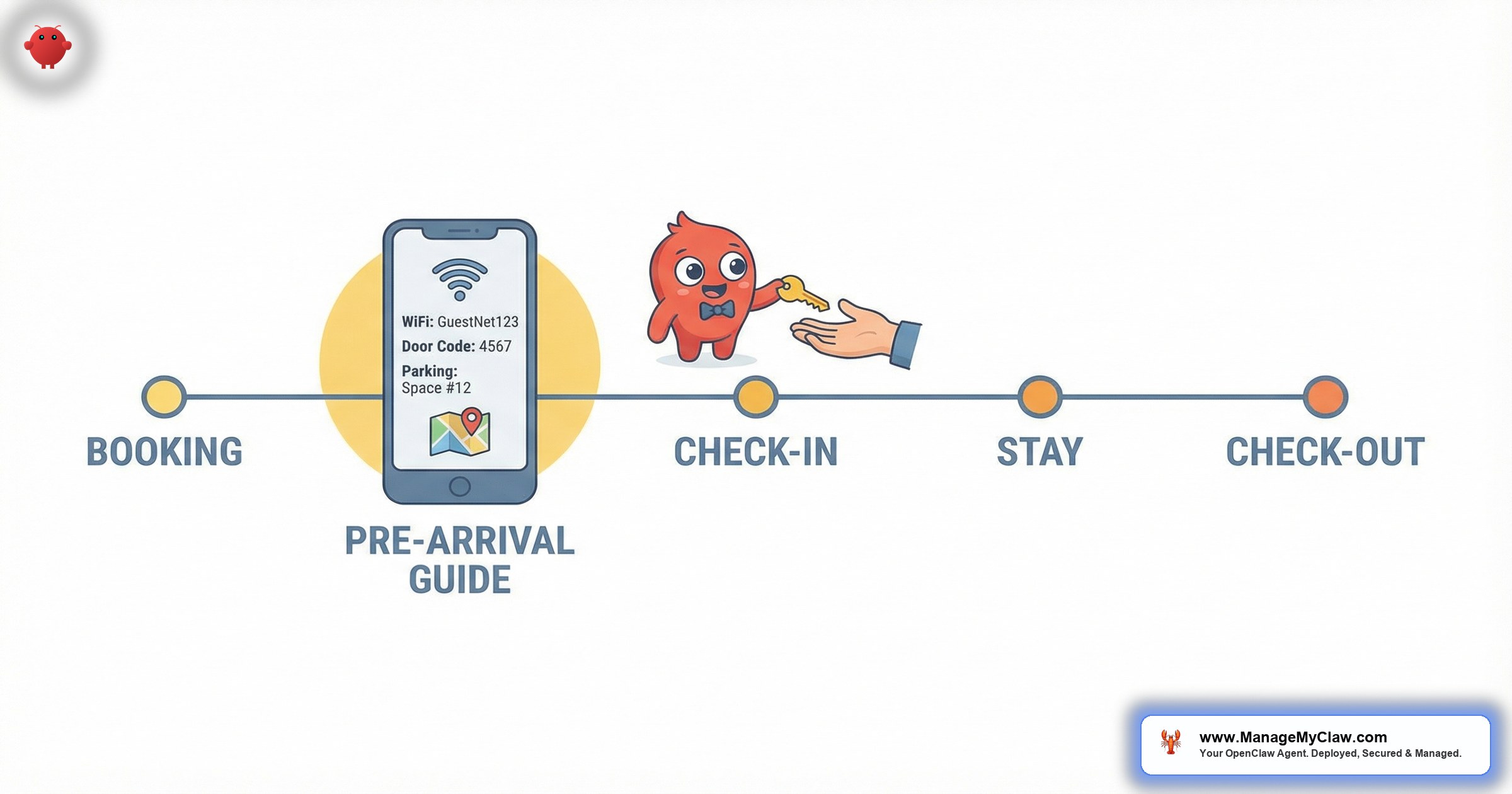
48 hours before your guest’s check-in time, OpenClaw compiles and sends a complete pre-arrival guide. This isn’t a static template. The agent assembles it from your property’s information file, pulling the right details for the right property.
What’s in the guide:
- Directions — step-by-step from the nearest highway exit or airport, including landmarks (“turn left at the red barn, not the gas station”)
- Parking instructions — assigned spot number, street parking rules, garage code if applicable
- Door access code — the current code, pulled dynamically (more on smart lock integration below)
- WiFi network and password — for that specific property
- House rules — quiet hours, trash day, pool rules, pet policy, max occupancy
- Emergency contacts — your number, local emergency services, maintenance contact
The guide is sent via whatever channel you prefer — email, Airbnb message thread, or SMS through a Twilio integration. Most hosts use email for the detailed guide and a short Airbnb message that says “Check your email for your complete check-in guide.”
48 hours is the sweet spot. Early enough that guests can plan, late enough that the door code is current. You can adjust the timing per property if you want.
Step 3: Day-Of Reminder (Morning of Check-In)
The morning of check-in, OpenClaw sends a shorter, friendlier message. This one confirms the check-in time, restates the door code, and adds anything time-sensitive — like “your cleaning team finishes at 2 PM, so the property will be ready by 3 PM” or “it’s raining today, so the back patio furniture covers are on.”
This is where OpenClaw’s contextual awareness matters. If the guest previously messaged asking about early check-in, the day-of reminder references that conversation. If they mentioned they’re bringing a dog, the reminder includes the pet-specific house rules. The agent doesn’t just send a canned message. It sends the right canned message, adjusted for what it knows about this specific guest.
Step 4: Check-Out Instructions (Evening Before Departure)
The evening before check-out, OpenClaw sends the departure instructions: what to do with the keys or lockbox, trash and recycling reminders, thermostat settings, and a thank-you with a prompt to leave a review. This is the message most hosts forget entirely — and it’s the one that prevents the “guest left all the lights on and the heat at 80” situation.
“I used to spend Sunday evenings sending check-out reminders manually. Now I spend Sunday evenings not thinking about my rentals at all.”
— STR host, r/AirbnbHosts (847 upvotes, February 2026)Smart Lock Integration via Email Notifications
Most smart lock systems — Schlage Encode, Yale Assure, August, Kwikset Halo — send email notifications when you generate a new access code through their app or web portal. OpenClaw doesn’t need a direct API integration with your lock manufacturer. It reads the email.
Here’s the workflow: you generate a guest-specific code in your lock’s app (or your PMS does it automatically). The lock system emails you a confirmation with the code. OpenClaw reads that email, associates the code with the upcoming booking based on dates and property, and includes the current code in the pre-arrival guide.
If you’re using a static check-in template with a permanent door code, every past guest still has access to your property. OpenClaw pulls the current code from the most recent lock notification email — so when you rotate codes between guests, the guide always reflects the active code.
For hosts using a PMS like Guesty, Hospitable, or Lodgify that auto-generates codes, this creates a fully hands-off chain: PMS generates code, lock system confirms via email, OpenClaw reads confirmation, OpenClaw includes code in guest guide. You don’t touch anything.
The email-based approach means you’re not dependent on any single lock brand’s API stability. If Schlage changes their API tomorrow, your workflow still works — because the email still arrives.
Auto-Generated Local Area Guides
The check-in guide doesn’t have to stop at logistics. OpenClaw can append a local area section with restaurant recommendations, grocery stores, pharmacies, nearby attractions, and transportation options. You write this once per property in a local info document, and the agent includes it with every pre-arrival guide.
But here’s where it gets interesting. If a guest mentions in their booking message that they’re “celebrating an anniversary” or “traveling with kids under 5,” OpenClaw adjusts the recommendations. Anniversary guests get the upscale restaurant list. Families get the playground locations and kid-friendly dining options. The agent selects from your curated list based on guest context.
| Guest Context | Local Guide Adjustment | Source |
|---|---|---|
| Traveling with kids | Playgrounds, family restaurants, pediatric urgent care | Your family-friendly list |
| Anniversary / romantic trip | Fine dining, scenic viewpoints, spa services | Your upscale list |
| Business traveler | Coffee shops with WiFi, coworking spaces, quick lunch spots | Your business list |
| Outdoor enthusiast | Hiking trails, bike rentals, kayak launches | Your adventure list |
| No context provided | General top-10 recommendations for the area | Your default list |
You maintain 3-5 curated lists per property. The agent picks the right one. Guests feel like you hand-wrote their guide. You didn’t.
The personalized local guide is the single biggest driver of 5-star reviews that mention “the host went above and beyond.” Except you didn’t go anywhere. Your agent did.
Handling Early Check-In Requests Automatically
“Can we check in at noon instead of 3 PM?” — the question that derails your schedule because it depends on whether the cleaning crew has finished, whether the previous guest checked out on time, and whether you’re even awake to check.
OpenClaw handles early check-in requests with a decision tree you define once:
The key here is that OpenClaw never promises something it can’t confirm. It escalates to you only when the situation falls outside the rules you’ve set — like a guest requesting check-in at 8 AM on a same-day turnover, which probably isn’t happening.
You define the boundaries. OpenClaw doesn’t make judgment calls about your property — it follows your rules. If a request is ambiguous or outside your defined parameters, the agent flags it for you with the guest’s message and a suggested response. You approve with 1 tap. For a deeper look at how OpenClaw handles the full range of guest messaging, including complaints and maintenance requests, see our dedicated guide.
What You Need to Get Automated Check-In Up and Running
OpenClaw runs on a VPS (a virtual private server — think a small computer in the cloud that costs $12-24/month). It’s deployed on bare-metal with systemd managing the process, secured with Gog OAuth for your email connections. No container orchestration, no infrastructure complexity that requires a DevOps background.
Prerequisites for automated check-in
- OpenClaw instance — running on your VPS or Mac Mini, managed by systemd
- Email access via Gog OAuth — Gmail or Google Workspace (where your booking confirmations arrive)
- Property information files — 1 document per property with directions, codes, WiFi, rules, local recs
- Smart lock system — any brand that sends email notifications for code generation (optional but recommended)
- 30 minutes of setup time — to configure the workflow, connect your email, and write your property docs
If you’re managing 3+ properties and want automated check-in up and running without configuring the server yourself, OpenClaw handles the full stack of Airbnb host operations — from guest messaging to review management. ManageMyClaw deploys the entire system for you, security-hardened, with your check-in workflows configured and tested before handoff.
What Automated Check-In Actually Changes for Your Business
The obvious win is time. If you’re spending 15-20 minutes per booking on check-in communication across 15 turnovers per week, that’s 3.5-5 hours per week — 14-20 hours per month — of typing the same information. Automated check-in gives you those hours back.
But the less obvious win is response time. A 2025 Airbnb data analysis by AirDNA found that hosts who respond to guest inquiries within 5 minutes are 3.2x more likely to receive a 5-star communication rating. OpenClaw responds in seconds, every time, at 2 AM or 2 PM. Your response time becomes 0.
| Metric | Manual Check-In | Automated with OpenClaw |
|---|---|---|
| Messages sent per booking | 3-5 (you type each one) | 3-5 (agent sends them) |
| Response time to check-in questions | 10 min – 6 hours | Under 30 seconds |
| Time per turnover cycle | 15-20 minutes | 0 minutes (after initial setup) |
| Monthly time (15 turnovers) | 14-20 hours | 0 hours |
| Door code accuracy | Depends on your memory | Always current (from lock email) |
| “What’s the WiFi?” messages | 15+ per month | 0 |
The hosts who benefit most aren’t the ones with 50 properties and a staff. They’re the ones with 3-8 properties who are still doing everything themselves. That’s the range where automation goes from “nice to have” to “this changed my weekends.”
For the full picture of what OpenClaw can automate beyond check-in — cleaning coordination, dynamic pricing, review management, and more — see our complete guide to OpenClaw for Airbnb hosts.
Frequently Asked Questions
Can OpenClaw send messages directly through the Airbnb app?
OpenClaw sends messages via email, SMS (through Twilio), or through your channel manager’s API. It doesn’t post directly into the Airbnb message thread because Airbnb doesn’t offer an open messaging API for third-party tools. Most hosts send the detailed guide via email and a short “check your email” note through Airbnb’s Scheduled Messages.
What if a guest asks a question the agent can’t answer?
OpenClaw escalates to you. It sends you the guest’s message along with a suggested response based on your property docs. You review it, edit if needed, and approve. The guest gets a fast, accurate answer — they never know there was a human in the loop. See our full AI guest messaging guide for how escalation works across all message types.
Does this work for VRBO and Booking.com, not just Airbnb?
Yes. The trigger is the booking confirmation email, not the platform. As long as the confirmation arrives in your Gmail or Google Workspace inbox, OpenClaw can parse it. This works with Airbnb, VRBO, Booking.com, Houfy, and any platform that sends email confirmations.
How much does it cost to run OpenClaw for automated check-in?
OpenClaw is free, open-source software. Your running costs are the VPS ($12-24/month) and API usage ($5-15/month for check-in workflows, depending on volume). ManageMyClaw handles the full deployment, security hardening, and workflow configuration starting at $499 one-time, plus optional managed care for ongoing updates and monitoring.
What happens if the agent sends the wrong door code?
The agent pulls the code from the most recent smart lock notification email for that property and date range. If you generate a new code after the pre-arrival guide was sent, you can trigger a manual re-send or configure the agent to send updated codes automatically when a new lock notification arrives. The system is designed to always use the latest code, not a cached one.


