“Your seller wants a listing price by Thursday. You’ve got 47 MLS alerts sitting unread in your inbox, 3 hours of comp research ahead of you, and a showing at 2 PM. By the time you finish pulling comps, the agent across town already presented theirs — with a bow on it.”
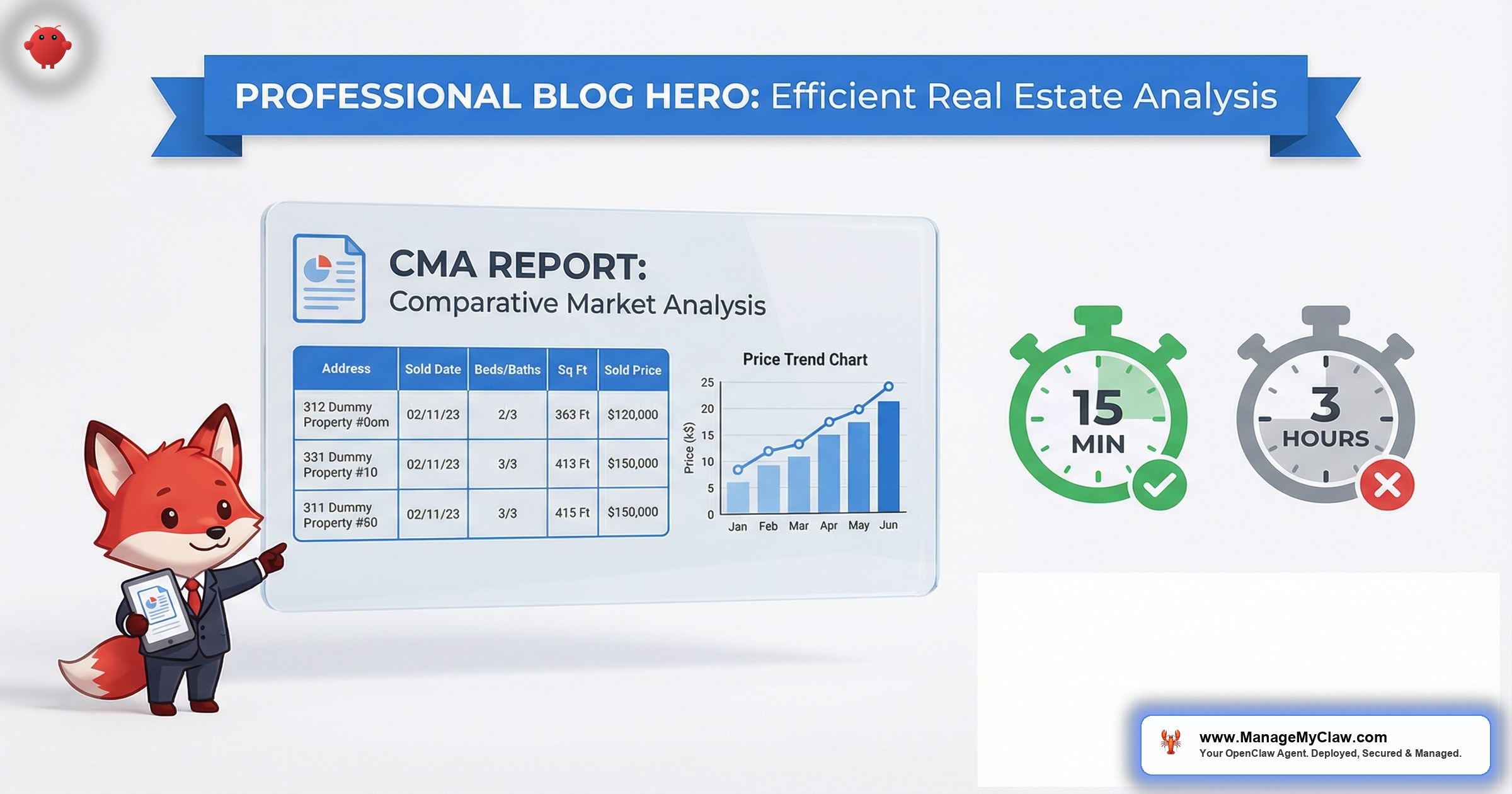
A Comparative Market Analysis is the document that wins or loses listing appointments. It’s also the document that eats 2–3 hours of your day every time a seller asks, “So what’s my home worth?” Automated CMA reports with AI change that equation entirely — from hours of manual research to a finished analysis in under 15 minutes.
OpenClaw is an open-source AI agent framework that runs on bare-metal infrastructure under systemd — your server, your data, no vendor lock-in. When configured for real estate workflows, it monitors your MLS email alerts, extracts sold comparable data, calculates price-per-square-foot trends, and generates a formatted CMA summary ready for your listing presentation. You own the entire pipeline. Nothing touches a third-party cloud unless you explicitly configure it to.
That last part matters more than you’d think. Your CMA data includes seller addresses, asking prices, and neighborhood valuation trends. You probably don’t want that sitting on somebody else’s server.
This guide walks through exactly how OpenClaw automates the CMA workflow — where the data comes from, how the comparables get filtered and ranked, what the output looks like, and the time difference between doing this manually and letting the agent handle it. If you’ve been losing listing appointments because somebody else showed up with market data faster, this is how you fix that.
2–3 Hours Per CMA: Where Your Time Actually Goes
You know the drill. A seller calls, and now you’re doing this:
- Search MLS for sold comps — filter by beds, baths, square footage, lot size, year built, and neighborhood. Adjust radius when you don’t find enough. 30–45 minutes.
- Evaluate each comp — check condition, upgrades, days on market, concessions, and whether the sale was arms-length. Toss out the flips, the foreclosures, the off-market deals that skew the numbers. 20–30 minutes.
- Calculate adjustments — the comp has a pool and the subject doesn’t. The comp is 200 sqft larger. The comp sold 5 months ago in a rising market. Each adjustment is a judgment call backed by data. 20–30 minutes.
- Format the presentation — pull photos, organize the data into a readable layout, add your branding, write the summary narrative. 30–45 minutes.
- Review and adjust — double-check numbers, make sure you didn’t miss a closer comp, refine the recommended list price range. 15–20 minutes.
Total: 2–3 hours. And that’s if you’re experienced enough to know which comps to skip. A newer agent can spend 4+ hours on the same report.
Here’s what makes it worse: the agent who shows up with a CMA first usually wins the listing. NAR survey data consistently shows that sellers choose the agent who demonstrates market expertise and preparedness. A CMA delivered 24 hours before the competition isn’t just faster — it signals competence. You’re the agent who knows the market cold.
The bottleneck isn’t your market knowledge. It’s the mechanical work: searching, filtering, calculating, formatting. That’s exactly the kind of work an AI agent was built to handle.
From MLS Alert to Finished CMA in 4 Steps
OpenClaw doesn’t scrape MLS databases. It doesn’t need to. Your MLS already sends you email alerts with sold data, active listings, and market updates. The agent reads those emails through Gog OAuth — the same authenticated connection it uses for all Google Workspace integrations — and extracts the structured data from every alert.
Here’s the 4-step pipeline:
openclaw cma 123 Main St), the agent queries your local database for the subject property’s characteristics. It filters by: ±20% sqft, ±1 bed, ±1 bath, within 0.5 miles, sold in the last 6 months. Then it ranks by similarity score — closest match on sqft, age, and proximity gets rank 1.Think of it as having a research assistant who’s already read every MLS alert you’ve received in the last 6 months and can recall any of them in 3 seconds. Except this one doesn’t take lunch breaks and it never misfiles a comp.
The entire pipeline runs as a lightweight systemd service. A systemctl status openclaw-cma shows the service health, and journalctl logs every email ingestion, database write, and CMA generation in real time. For more on how OpenClaw connects to MLS data sources, see the MLS and IDX integration guide.
Sample CMA: 742 Evergreen Terrace, Oakridge
Here’s what a generated CMA looks like when OpenClaw compiles the data. This is the formatted output the agent emails to you — ready to print, ready to present.
Comparative Market Analysis
Subject: 742 Evergreen Terrace, Oakridge • 4 bed / 2.5 bath • 2,180 sqft • Built 2004
Report generated: March 26, 2026 • Data period: Oct 2025 – Mar 2026
Comparable Sales (ranked by similarity)
| # | Address | Bed/Bath | SqFt | Sale Price | $/SqFt | DOM | Closed |
|---|---|---|---|---|---|---|---|
| 1 | 718 Evergreen Terrace | 4/2.5 | 2,210 | $485,000 | $219 | 12 | Feb 2026 |
| 2 | 803 Maple Drive | 4/2 | 2,050 | $462,000 | $225 | 8 | Jan 2026 |
| 3 | 291 Oak Boulevard | 4/3 | 2,340 | $510,000 | $218 | 15 | Mar 2026 |
| 4 | 156 Birch Lane | 3/2.5 | 2,100 | $455,000 | $217 | 22 | Dec 2025 |
| 5 | 1024 Cedar Court | 4/2.5 | 2,290 | $498,000 | $217 | 11 | Feb 2026 |
Market Summary
Recommended list price range: $475,000 – $495,000. The subject property at 2,180 sqft falls within the comp range of 2,050–2,340 sqft. At the area average of $219/sqft, the raw calculation yields $477,420. The rising price trend (+3.2% over 6 months) and tightening inventory support pricing at the upper end of the range. Average DOM of 14 days indicates strong buyer demand in this micro-market.
That’s the output. No embellishment, no fluff — just the data your seller needs to see and the analysis that supports your recommended price. You can customize the template to include your branding, headshot, brokerage logo, and any narrative sections you want to add before presenting.
15 Minutes vs. 2–3 Hours: Step-by-Step Breakdown
Here’s the same CMA workflow, side by side. Every step you’d do manually mapped against what OpenClaw handles automatically.
| Step | Manual CMA | OpenClaw CMA |
|---|---|---|
| Search for comps | Log into MLS, set filters, run search, review 15–30 results. 30–45 min | Agent queries local database of pre-ingested sold data. 3 seconds |
| Evaluate comps | Open each listing, check photos, read agent remarks, assess condition and adjustments. 20–30 min | Agent filters by similarity score (sqft, bed/bath, proximity, recency) and ranks top 5–7. 2 seconds |
| Calculate price/sqft | Spreadsheet or calculator. Divide sale price by sqft for each comp. Average them. 10 min | Calculated automatically for each comp and as aggregate. instant |
| Analyze trends | Pull 6-month price history, eyeball the direction, estimate rate of change. 15–20 min | Agent calculates rolling price/sqft trend from full database. instant |
| Format the report | Build presentation in your CMA tool, add photos, write narrative, brand it. 30–45 min | Agent renders HTML email or PDF from your branded template. 5 seconds |
| Review & send | Proofread, double-check comps, email to seller. 15–20 min | You review the generated output, adjust if needed, forward to seller. 10–15 min |
| Total | 2–3 hours | ~15 minutes |
The 15-minute figure isn’t aspirational. The automated steps (search, calculate, format) genuinely take seconds because the data is already in your local database. The only human time is your review pass — checking that the comps make sense, adjusting the narrative if needed, and hitting send.
Multiply that by the number of CMAs you produce per month. An active listing agent preparing 4–6 CMAs per month recovers 8–15 hours — more than a full business day, every month — on a single workflow.
And honestly, the time savings aren’t even the biggest win. It’s the fact that you can produce a CMA while you’re still on the phone with the seller. “I’ll have market data in your inbox before we hang up” is a sentence that wins listing appointments.
Where AI Helps and Where You Still Need Judgment
Let’s be direct about what OpenClaw handles well and where you still need to apply your expertise. This isn’t a “the AI does everything” pitch. That would be dishonest.
- Data extraction from MLS email alerts (address, beds, baths, sqft, price, DOM, close date)
- Deduplication — same property won’t appear twice in your database
- Similarity filtering — sqft range, bedroom/bathroom match, proximity, recency
- Price-per-sqft calculations — individual comps, averages, and 6-month trends
- Report formatting — branded HTML or PDF from your template
- Delivery — emailed to you or directly to the seller via your Gmail
Condition adjustments. The agent knows the comp is 200 sqft larger, but it doesn’t know about the unpermitted addition, the dated kitchen, or the power lines behind the house. You still need to review the comps and apply condition-based adjustments before presenting. Outlier detection. A comp that sold at $180/sqft in a $220/sqft market might be a distressed sale, a relocation, or an off-market deal. The agent flags statistical outliers, but you decide whether to include or exclude them. Narrative framing. The generated summary gives you the data. How you present it to the seller — whether you lead with the rising trend or the tightening inventory — is your call.
The agent handles the 80% that’s mechanical. You handle the 20% that requires local knowledge. That’s the correct division of labor — and it’s why the output still needs your review before it goes to the seller.
For more on how OpenClaw handles email-based workflows for real estate, see the AI email agents guide for real estate.
What This Looks Like on Your Server
OpenClaw runs on bare-metal infrastructure under systemd. The CMA pipeline uses 3 components that are part of the standard OpenClaw deployment:
- Gog OAuth integration — authenticates with your Google Workspace for Gmail access. The agent reads MLS email alerts through authenticated API calls, not by storing your password. Revocable in 3 clicks from your Google security dashboard.
- SQLite database — local storage for parsed comparable data. No external database server. The file lives on your VPS, encrypted at rest. A 6-month dataset for a typical farm area runs under 5 MB.
- Cron-based polling — a systemd timer checks for new MLS alerts every 15 minutes. New alerts trigger parsing and database ingestion. No Zapier, no middleware, no third-party webhooks.
The entire CMA service runs under 100 MB of memory. It shares your VPS with the rest of your OpenClaw deployment — email triage, follow-ups, lead qualification — without competing for resources. A $12/month VPS handles all of it comfortably.
The best part? Your comparable database gets richer every day. The agent’s been ingesting sold data from your MLS alerts since the day it was deployed. By month 3, you’ve got a dataset that most agents couldn’t assemble manually in a week.
5 Ways Agents Use Automated CMAs
The listing appointment CMA is the obvious one. But once you’ve got a rolling database of sold comps and an agent that can generate a report in seconds, the use cases multiply:
- Pre-listing research. Before you even meet the seller, you’ve already got the CMA. Walk into the appointment with printed data instead of promises to “send something over later.”
- Buyer offer strategy. Your buyer wants to make an offer on a property. Instead of guessing, you pull a CMA for the subject property in 15 minutes. Now your offer is backed by recent comps, not vibes.
- Expired listing outreach. A listing expired in your farm area. You generate a CMA that shows where the previous agent priced it versus where the market actually is. That CMA is your prospecting tool — data-driven, not pushy.
- Quarterly market updates. Automate a monthly or quarterly market digest for your sphere of influence. OpenClaw generates area-wide stats from your database: median price/sqft, DOM trends, inventory changes. You brand it and send it. Instant authority positioning.
- FSBO conversion. A For Sale By Owner pops up in your farm. You generate a CMA showing recent comps, mail it to the homeowner with a note. No cold call. Just data. The data does the selling.
For the complete picture of how OpenClaw handles real estate workflows — from lead capture to closing — see the OpenClaw for real estate pillar guide.
What Faster CMAs Are Actually Worth
The value isn’t just the hours saved. It’s the listings won because you showed up first with data.
| Metric | Manual CMA | OpenClaw CMA |
|---|---|---|
| Time per CMA | 2–3 hours | 15 minutes (review only) |
| CMAs per month (active agent) | 4–6 | 4–6 (same volume, less time) |
| Hours recovered per month | — | 8–15 hours |
| Speed to deliver | 24–48 hours after request | Same day (often same hour) |
| Listing conversion advantage | Baseline | First-mover on market data |
| Annual hours recovered | — | 96–180 hours/year |
At the median agent effective hourly rate, 96–180 recovered hours translates to $9,600–$27,000 in recaptured productivity per year — and that’s before counting the additional listings you win by being the fastest CMA in the room.
If faster CMAs help you win just 1 additional listing per quarter at the median commission, that’s $24,000–$36,000 in incremental GCI per year. On a workflow that costs you 15 minutes of review time per report.
For the full cost breakdown of running OpenClaw on your infrastructure, see our pricing page.
This Doesn’t Replace Your Pricing Expertise
A CMA is not an appraisal. It’s a market positioning tool. The agent assembles data — it doesn’t make valuation judgments. You still need to walk the property (no AI can smell the mildew in the basement), know the micro-market (the comp 2 blocks north might be in a different school zone), and read the seller (same data, framed 2 different ways depending on who you’re presenting to).
OpenClaw gives you a 15-minute head start on the data. What you do with that data in front of the seller — that’s where market experience beats any algorithm. The tool makes you faster. It doesn’t make you unnecessary.
The agent handles the spreadsheet work so you can focus on the relationship work. The part of the job that actually requires a human in the room.
Automated CMA Reports: Your Questions Answered
Does OpenClaw connect directly to my MLS?
Not directly. It reads your MLS email alerts through Gog OAuth. You set up saved searches in your MLS portal (sold properties, your farm area, last 6 months), and the alerts flow into Gmail. OpenClaw parses those alerts automatically. No MLS API keys or RETS feeds required.
How accurate is the price-per-sqft calculation?
It’s mathematically exact — sale price divided by square footage for each comp. The accuracy depends on your MLS data quality. The agent calculates correctly; you evaluate whether the comps are truly comparable. That’s the human review step.
Can I adjust the comp filtering criteria?
Yes. The default filters (±20% sqft, ±1 bed/bath, 0.5 miles, 6 months) are configurable. Tighten or loosen any parameter. In rural areas, you might expand to 2 miles. In dense urban markets, you might narrow to 0.25 miles. It’s a config file edit.
What if my MLS alerts don’t include all the data fields?
Different MLS systems include different fields in their email alerts. The agent extracts what’s available. If your MLS doesn’t include lot size in email alerts, that field will be blank in the CMA. Core fields (address, beds, baths, sqft, sale price, DOM) are included by most major MLS platforms.
How long does it take to get this up and running?
ManageMyClaw deploys the CMA pipeline as part of the standard real estate deployment package. Infrastructure takes 48 hours, MLS alert configuration another 24. The database starts building from day 1. After 2–4 weeks of ingesting alerts, you’ve got enough data for reliable CMAs.
See how ManageMyClaw works — from initial setup to your first automated response.
Explore our complete AI for real estate agents solution.


