“Your MLS just sent 14 new listing alerts. Your buyer database has 23 active prospects. Matching them by hand takes 45 minutes. Your AI agent does it in 8 seconds.”
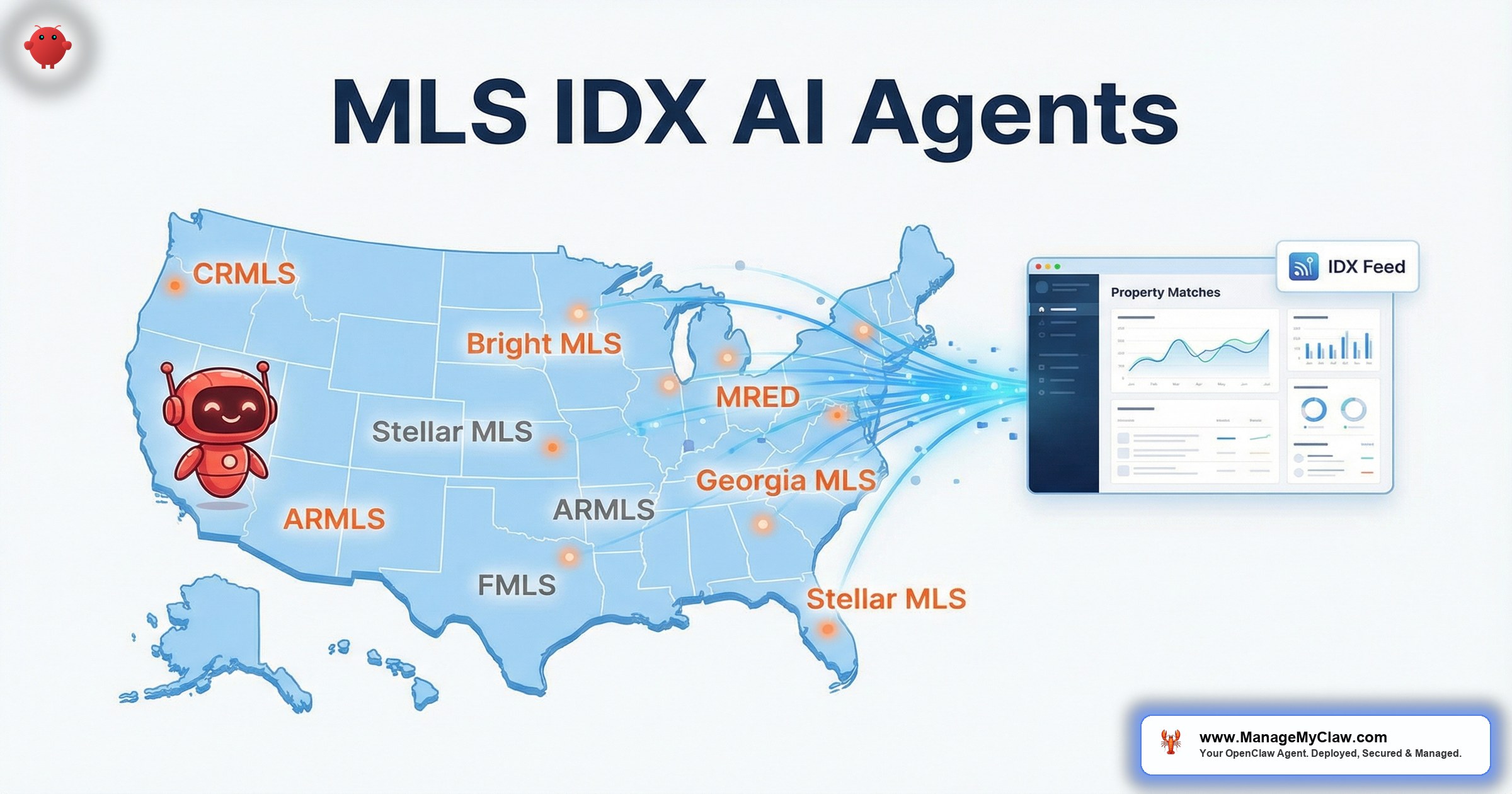
Every agent in North America sits on the same data pipeline — the Multiple Listing Service. Over 800 regional MLS systems feed property data to 1.5 million+ agents across the US and Canada. MLS and IDX (Internet Data Exchange) are the backbone of how listings get distributed, searched, and matched to buyers. MLS idx ai agents — AI systems that read MLS data and act on it autonomously — represent the next layer on top of that backbone: instead of you manually scanning alerts and cross-referencing buyer criteria, the agent does the matching, drafts the outreach, and schedules the showing.
OpenClaw is an open-source AI agent framework — 250,000+ GitHub stars, bare-metal deployment on your own server via systemd — that connects to your Gmail through Gog OAuth. It reads the MLS alert emails your systems already send, parses the property data (address, price, beds, baths, square footage), matches against your buyer pipeline, and fires off personalized property notifications before you’ve finished your first coffee. No API keys to the MLS itself. No scraping. Just reading the emails you’re already getting.
It’s like having a transaction coordinator who memorizes every buyer’s wish list and reads every MLS alert the instant it arrives — except this one doesn’t call in sick on the day 3 hot listings drop in your farm area.
This post maps out the major MLS systems across the US and Canada, how their alert emails work, how OpenClaw integrates with IDX providers, and the complete flow from listing alert to buyer notification to showing booked. If you’ve read the pillar guide on OpenClaw for real estate, this is the MLS/IDX deep dive.
Major US MLS Systems and How They Send Alerts
You don’t need to understand the internal architecture of every MLS. What you need to know is this: every MLS sends email alerts. New listings, price changes, status updates, back-on-market notifications — they all arrive as structured emails in your inbox. That’s the integration point. OpenClaw reads those emails. Here are the systems that cover the majority of US agents:
| MLS System | Region | Agents | Alert Types |
|---|---|---|---|
| CRMLS | California (Southern + Central) | 110,000+ | New listings, price changes, status updates, open house notifications |
| Bright MLS | Mid-Atlantic (DC, MD, VA, PA, NJ, DE, WV) | 100,000+ | New listings, price reductions, back-on-market, DOM alerts, showing requests |
| Stellar MLS | Florida (Central + SW) | 70,000+ | New listings, price changes, status changes, virtual tour additions |
| MRED | Chicago / Illinois | 50,000+ | New listings, price adjustments, contract pending notifications |
| HAR | Houston / SE Texas | 50,000+ | New listings, price changes, sold alerts, market stats |
| ARMLS | Arizona (Phoenix metro) | 50,000+ | New listings, price changes, status updates, HOA data flags |
| NWMLS | Pacific Northwest (WA state) | 32,000+ | New listings, price reductions, contingency status, broker remarks |
| REcolorado | Colorado (Denver metro + statewide) | 28,000+ | New listings, price changes, under-contract alerts, showing time integration |
The pattern is consistent across all 8 systems. You set up saved searches in your MLS portal — by zip code, price range, property type, bed/bath count — and the MLS sends you email alerts when new listings match. OpenClaw doesn’t need access to the MLS itself. It reads the emails. The data extraction works because MLS alert emails follow predictable formats: address in the subject line or first line, price in bold, beds/baths/sqft in a summary row, and a link back to the full listing.
Think of your MLS alerts as a fire hose aimed at your inbox. Right now, you’re drinking from it manually. OpenClaw turns that fire hose into a distribution system that routes each drop to the right buyer.
Canadian MLS Systems: CREA DDF, TRREB, and Regional Boards
Canada’s MLS structure runs through the Canadian Real Estate Association (CREA) and its Data Distribution Facility (DDF), plus regional real estate boards that operate their own systems. The alert email patterns are nearly identical to US systems — same structured data, same inbox delivery, same OpenClaw integration approach.
| System | Coverage | Members | Notes |
|---|---|---|---|
| CREA DDF | National (all Canadian MLS data) | 160,000+ | Feeds REALTOR.ca; national listing distribution. Alert emails come from individual board portals. |
| TRREB | Toronto & Greater Toronto Area | 70,000+ | Largest board in Canada. TRREB’s MLS system sends alerts for new listings, sold data, and market stats. |
| REBGV | Greater Vancouver | 15,000+ | Vancouver mainland. Sends new listing, price change, and sold notifications. |
| FVREB | Fraser Valley (BC) | 4,500+ | Covers Surrey, Langley, Abbotsford. Separate alert system from REBGV. |
| CREB | Calgary & region | 6,000+ | Alberta’s largest board. Alert emails include price, DOM, and neighborhood stats. |
For Canadian agents, the integration works the same way. TRREB sends you an email saying “3 new listings match your search in Mississauga, $800K–$950K, 3+ beds.” OpenClaw reads that email, extracts the property details, and matches them against your buyer pipeline. The currency is CAD instead of USD. The postal codes use a different format. Everything else is identical.
If you’re working across both TRREB and REBGV (agents relocating clients from Toronto to Vancouver, for example), OpenClaw handles both alert streams in the same inbox without confusion. It tags the source board on each parsed listing so your buyer notifications include the correct regional context.
IDX Providers: Where Website Search Meets Your AI Agent
IDX (Internet Data Exchange) is the framework that lets you display MLS listings on your own website. When a visitor searches properties on your site, they’re querying MLS data through an IDX provider. Here’s where it gets interesting for mls idx ai agents: most IDX providers send you email notifications when prospects search, save properties, or sign up on your site. Those emails are another data stream OpenClaw reads.
| IDX Provider | Alert Emails Sent | OpenClaw Integration |
|---|---|---|
| IDX Broker | New lead registration, saved search activity, property saves, showing requests | OpenClaw reads lead registration emails, extracts search criteria + contact info, adds to buyer pipeline |
| iHomeFinder | New lead alerts, listing match notifications, property view activity | OpenClaw parses lead details from notification emails, triggers qualification follow-up |
| Showcase IDX | Lead capture notifications, saved listing alerts, search behavior summaries | OpenClaw extracts prospect search patterns (price range, neighborhoods) for personalized outreach |
| Diverse Solutions | New account alerts, property inquiry emails, search activity digests | OpenClaw reads digests, identifies high-intent prospects (3+ property saves), prioritizes follow-up |
The 2-stream advantage is what makes this powerful. Stream 1: your MLS sends you new listing alerts for your farm area. Stream 2: your IDX provider sends you lead activity from your website. OpenClaw reads both streams, cross-references them, and connects the dots. A prospect on your website saved 3 properties in Scottsdale between $500K and $650K. ARMLS just sent you a new listing in Scottsdale at $589K, 4 beds, pool. OpenClaw matches the listing to the prospect and drafts a personalized email: “I saw a new listing that fits what you’ve been looking at — 4-bed in Scottsdale, $589K, pool. Want to see it this weekend?”
It’s like having a photographic memory for every prospect’s wish list — except this memory also reads your MLS alerts at 3 AM and doesn’t need a reminder to follow up.
From MLS Alert to Showing Booked: The 6-Step Flow
Here’s the end-to-end process. A new listing hits the MLS. You get an alert email. OpenClaw takes it from there.
Let’s walk through each step in detail.
Step 1 — MLS Alert Arrives
You’ve set up saved searches in your MLS portal for your farm area. CRMLS, Bright MLS, Stellar, HAR — they all send email alerts to your Gmail when listings match your criteria. These emails arrive in a predictable format: subject line contains the address or “X new listings match your search,” body contains property details, price, photos, and a link to the full listing on the MLS portal.
Step 2 — OpenClaw Detects the Alert
OpenClaw monitors your Gmail through Gog OAuth — Google’s standard authentication flow, scoped to read and draft permissions. The agent recognizes MLS alert emails by sender domain (@brightmls.com, @crmls.com, @stellarmls.com) and email template patterns. It classifies these as FYI in the 4-label triage system (they don’t need your reply) but triggers the property-matching workflow automatically.
Step 3 — Parse the Property Data
The agent extracts structured data from the alert email:
- Address: Street, city, state/province, zip/postal code
- Price: List price (USD or CAD), price per sqft
- Beds / Baths: Bedroom and bathroom count
- Square footage: Living area, lot size where available
- Property type: Single-family, condo, townhouse, multi-family
- Status: Active, price reduced, back on market
- Key features: Pool, garage, updated kitchen, waterfront — pulled from remarks
This parsing doesn’t require a direct MLS API connection. The data is right there in the email. OpenClaw’s system prompt includes parsing templates for the major MLS systems — you configure which MLS you use, and the agent knows how to read that MLS’s email format.
Step 4 — Match Against Buyer Pipeline
Here’s where the value compounds. Your system prompt includes a buyer criteria database — a structured section where each active buyer has their requirements listed:
### Sarah & Mike T.
– Budget: $450K–$525K
– Area: Scottsdale 85254, 85255, Paradise Valley
– Beds: 3+, Baths: 2+
– Must-have: pool, 2-car garage
– Pre-approved: Yes ($550K max)
– Timeline: 60 days
– Email: sarah.t@email.com
### James R.
– Budget: $280K–$340K
– Area: Tempe, Mesa 85201-85210
– Beds: 2+, Baths: 1+
– Must-have: updated kitchen
– Pre-approved: Yes ($360K max)
– Timeline: 90 days
– Email: jamesr@email.com
When ARMLS sends an alert for a 3-bed, 2-bath in Scottsdale 85254 at $489K with a pool and 2-car garage, OpenClaw matches it to Sarah & Mike T. instantly. It checks every criteria field: price within range, zip code matches, bed/bath count meets minimum, pool and garage present. Match score: 100%. The agent moves to step 5.
Step 5 — Send Personalized Buyer Alert
OpenClaw drafts a personalized email to the matched buyer. Not a generic “new listing alert” blast — a message that references their specific criteria:
“Hi Sarah — a new listing just hit the market that checks every box: 3-bed/2-bath in Scottsdale 85254, $489K, pool + 2-car garage. It’s within your pre-approval and under your $525K ceiling. Want to schedule a showing this weekend? Here’s the full listing: [MLS link]”
Depending on your configuration, that email either sits in your drafts for review or sends automatically. For buyers you’ve been working with for weeks and whose criteria are dialed in, auto-send makes sense — speed is the advantage. For newer prospects, draft-for-review gives you the chance to add personal context before it goes out.
Step 6 — Book the Showing
When Sarah replies “Yes, Saturday afternoon works” — OpenClaw detects the reply, classifies it as ACTION in the triage system, and proposes showing times based on your Google Calendar availability. If you use a showing service like ShowingTime (integrated with REcolorado, Bright MLS, and others), the agent can draft a showing request email to the listing agent. Your involvement: confirming the time.
The whole sequence — from MLS alert landing in your inbox to a buyer getting a personalized notification — takes under 60 seconds. Doing it manually takes 15–45 minutes per batch of alerts, depending on how many buyers you’re tracking. Multiply that by 3–4 alert batches per day and you’re looking at 1–3 hours of matching work that the agent handles in aggregate seconds.
Comparative Market Analysis: From MLS Sold Data to Presentation-Ready CMAs
The buyer-matching flow handles the buy side. On the listing side, the CMA workflow is where OpenClaw saves you hours of comp research. When you’re preparing for a listing presentation, you need recent sold data for comparable properties — same neighborhood, similar size, similar condition, sold within the last 3–6 months.
Your MLS sends sold notifications for properties in your farm area. OpenClaw has been reading and storing those data points for months. When you tell the agent “I need a CMA for 1247 Oak Street, Scottsdale — pull comps from the last 6 months, 3–4 beds, 1800–2400 sqft, within 1 mile,” it compiles the data from parsed sold alerts into a structured summary:
| Address | Sold Price | Beds/Baths | Sqft | $/Sqft | DOM | Sold Date |
|---|---|---|---|---|---|---|
| 1310 Maple Dr | $498,000 | 3/2 | 2,100 | $237 | 18 | Feb 2026 |
| 1189 Elm Ave | $512,000 | 4/2 | 2,350 | $218 | 24 | Jan 2026 |
| 1422 Pine St | $475,000 | 3/2 | 1,950 | $244 | 11 | Mar 2026 |
| 1055 Cedar Ln | $505,000 | 3/2.5 | 2,200 | $230 | 21 | Dec 2025 |
| Average | $497,500 | — | 2,150 | $232 | 18.5 | — |
The agent formats this into a CMA summary you can paste into your listing presentation or email directly to the homeowner. It calculates the average price per square foot, median days on market, and a suggested list price range based on the comp data. You review the numbers, adjust for condition differences the agent can’t see from email data alone (that renovated kitchen, the dated bathrooms), and you’ve got a presentation-ready CMA in 2 minutes instead of 45.
OpenClaw doesn’t query the MLS database. It accumulates data from the sold-alert emails your MLS sends over time. The longer you’ve been running the agent, the deeper your comp database gets. After 6 months of operation, you’ll have a comprehensive sold-data archive for every property that triggered an alert in your saved searches. This is data you already received — the agent just remembers it.
Price Change and Back-on-Market Monitoring
New listings aren’t the only opportunity. Price reductions and back-on-market notifications are high-conversion events — a property your buyer dismissed at $550K might be exactly right at $499K after 30 days on market with a $51K price cut.
Every major MLS system — CRMLS, Bright MLS, Stellar, MRED, HAR, ARMLS, NWMLS, REcolorado — sends price-change alert emails. OpenClaw reads these and runs a second matching pass against your buyer pipeline. The logic is straightforward:
- Price reduction detected. ARMLS sends an alert: “1247 Oak Street reduced from $550K to $499K.” OpenClaw parses the new price.
- Re-match against buyer criteria. At $550K, this property was above Sarah & Mike’s $525K ceiling. At $499K, it’s within range. The agent flags the match.
- Context-aware outreach. The draft doesn’t say “new listing.” It says: “That 3-bed on Oak Street just dropped $51K to $499K — now within your budget. It’s been on market 30 days, which gives you negotiating room. Want to take another look?”
Price reductions are the real estate equivalent of a flash sale — except the sale happens quietly in an MLS alert email that’s buried under 40 other messages. Your agent doesn’t bury anything.
Back-on-market alerts work the same way. A deal falls through, the property re-enters active status, and the MLS sends an alert. OpenClaw detects the status change, re-matches to buyers, and drafts outreach that acknowledges the context: “That property on Cedar Lane is back on the market — previous deal fell through. This could be your opportunity to move on it.”
Setting Up MLS Integration in Your System Prompt
The configuration lives in your OpenClaw system prompt. You don’t install plugins or connect APIs. You tell the agent what to look for and how to act on it. Here’s what the MLS section of a properly configured system prompt includes:
System Prompt MLS Configuration Checklist
- MLS source(s): Which MLS systems you use (CRMLS, Bright MLS, ARMLS, etc.) and their alert email sender addresses
- IDX provider: Which IDX platform powers your website (IDX Broker, iHomeFinder, etc.) and its notification email format
- Saved search criteria: What your MLS saved searches cover (farm areas, price ranges, property types)
- Buyer pipeline: Active buyers with criteria, pre-approval status, contact info, and timeline
- Matching thresholds: How close a listing must match criteria before triggering outreach (exact match only vs. 90%+ match)
- Outreach mode: Draft-for-review or auto-send, configured per buyer
- CMA parameters: Default comp radius, time range, property type filters for CMA compilation
A ManageMyClaw deployment includes this configuration as part of the setup. You provide your MLS details, buyer pipeline, and preferences — the deployment team builds the system prompt, tests it against your actual MLS alert emails, and verifies the parsing is accurate before the agent goes up and running. For the full deployment process and pricing details, see our plans.
Working Across Multiple MLS Systems
If you’re licensed in multiple states or work across MLS boundaries, OpenClaw handles multiple alert streams without conflict. A team in the DC metro area might receive alerts from Bright MLS (Maryland/Virginia listings) and MRED (if they have Chicago referral clients). A California agent might get CRMLS alerts for Southern California and a separate feed from Bay East MLS for Northern California clients.
The agent tags each parsed listing with its source MLS, so buyer notifications include the correct regional context. A buyer looking in both Scottsdale (ARMLS) and Denver (REcolorado) gets separate notifications for each market, with the appropriate pricing context. No manual sorting. No accidentally sending a Scottsdale listing to a Denver-only buyer.
For Canadian agents working cross-border (TRREB agents with clients moving to Florida, for example), the agent handles both TRREB and Stellar MLS alerts, converts between CAD and USD where configured, and maintains separate buyer pipelines by market.
What OpenClaw Doesn’t Do with MLS Data
Transparency matters. Here’s what the agent can’t do and shouldn’t be expected to do:
- No direct MLS database access. OpenClaw reads your alert emails. It doesn’t query the MLS database, doesn’t have MLS credentials, and doesn’t access the RETS/RESO Web API. Your MLS agreement is between you and your board — the agent doesn’t change that relationship.
- No photo analysis. The agent parses text data from emails. It doesn’t evaluate listing photos for quality, staging, or condition. Your expertise in assessing property condition from photos remains irreplaceable.
- No automated offer writing. The agent matches and notifies. It doesn’t draft purchase agreements, calculate escalation clauses, or submit offers. Those actions require your licensed judgment.
- No price prediction. CMA compilation uses actual sold data from your MLS alerts. The agent doesn’t run predictive pricing models or “Zestimates.” It calculates averages and medians from real transactions.
The agent handles the data plumbing. You handle the relationships, the negotiations, and the judgment calls that require a license. That division of labor is the whole point.
- OpenClaw for Real Estate — the pillar guide covering CRM sync, follow-ups, and deal tracking
- AI Agents for Zillow & Realtor.com Leads — handling portal lead emails specifically
- Real Estate CRM + AI Integration — connecting Follow Up Boss, kvCORE, and other CRMs
- AI Email Agents for Real Estate — the deep dive on email triage, lead qualification, and 30-day nurture sequences
Frequently Asked Questions
Does OpenClaw need my MLS login credentials?
No. OpenClaw reads the alert emails your MLS sends to your Gmail. It authenticates with your email through Gog OAuth — scoped to read and draft permissions. It never touches your MLS portal directly. Your MLS credentials stay between you and your board.
Which MLS systems does this work with?
Any MLS that sends email alerts — which is all of them. The agent has parsing templates for CRMLS, Bright MLS, Stellar MLS, MRED, HAR, ARMLS, NWMLS, REcolorado, TRREB, REBGV, FVREB, CREB, and others. If your MLS sends structured email alerts (they do), OpenClaw can read them.
Can the agent handle 50+ alerts per day without missing matches?
Yes. OpenClaw runs on bare-metal via systemd — it processes emails as they arrive, not in batches. 50 alerts, 200 alerts, 500 alerts — each one gets parsed and matched in seconds. The bottleneck in manual matching (your time and attention) doesn’t exist for the agent.
How do I update buyer criteria when a client changes their search?
You update the buyer pipeline section of your system prompt. Change the price range, add a zip code, remove the pool requirement — whatever shifted. The agent uses the updated criteria for all future MLS alert matching. A ManageMyClaw managed plan includes system prompt updates as part of ongoing support.
Does the CMA feature replace professional appraisals?
No. The CMA compilation gives you a starting point for listing presentations — recent sold data organized and calculated. It’s not a substitute for a licensed appraisal, and it doesn’t account for property condition, upgrades, or unique features that require physical inspection. You add that context with your expertise.
What about IDX compliance and MLS rules on data sharing?
OpenClaw sends personalized emails from your account to your clients — the same way you’d manually email a listing link to a buyer. It doesn’t republish MLS data publicly, scrape listings, or redistribute data outside the agent-client relationship. Your IDX agreement and MLS rules about data sharing are respected because the data flows the same way it always has: from you to your client.
See how ManageMyClaw works — from initial setup to your first automated response.
Explore our complete AI for real estate agents solution.


