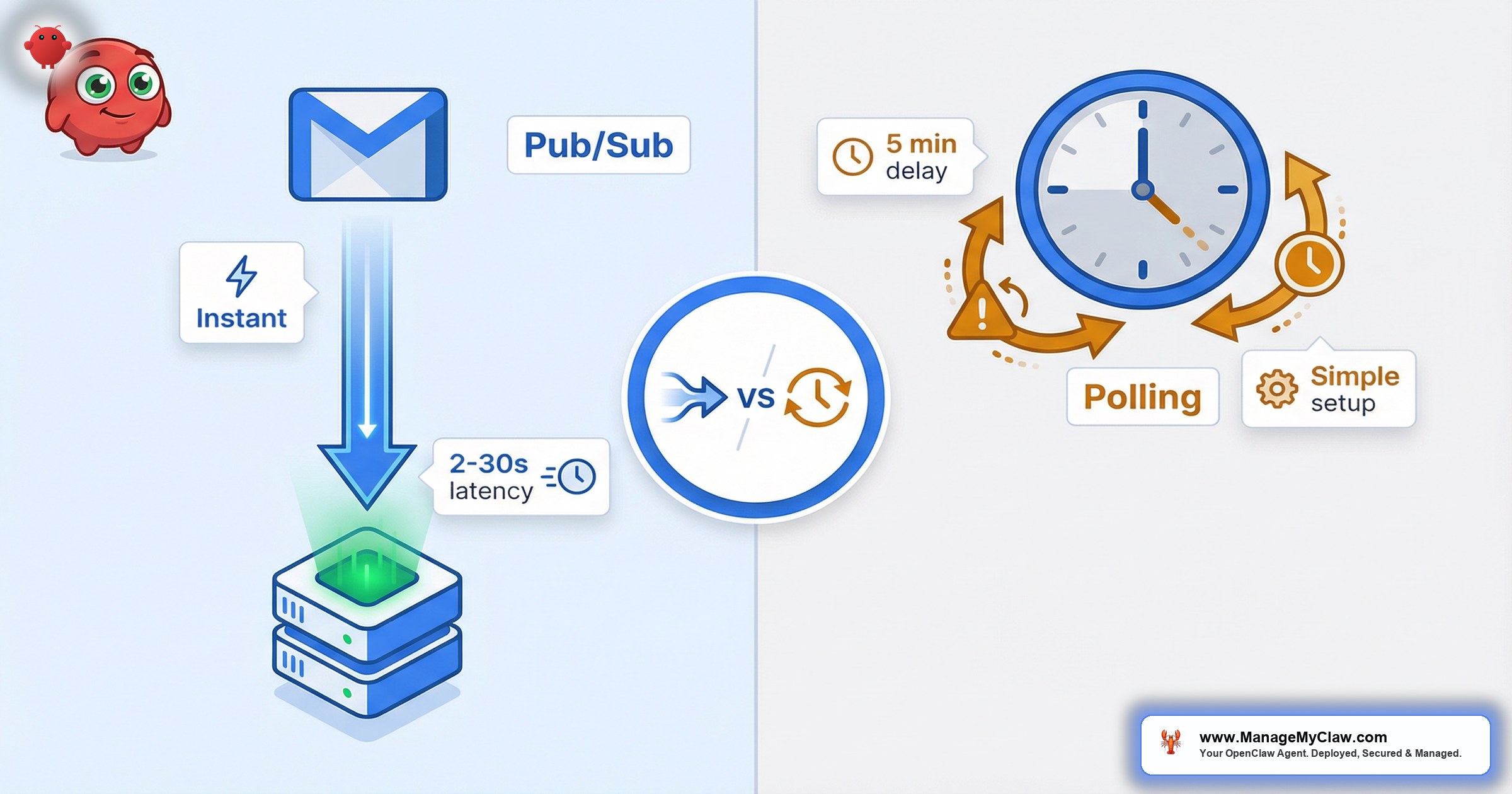
Google’s Gmail Pub/Sub is the industry standard for real-time email processing. See our org policy fix for VPS. It’s also the most fragile part of every OpenClaw deployment we’ve done.
The promise is simple: email arrives, Gmail pushes a notification to your server, your agent processes it in seconds. No polling. No wasted API calls. No 15-minute delay on urgent messages.
In theory, Pub/Sub is the obvious choice. In practice, it involves a Google Cloud project, a Pub/Sub topic, a push subscription, an nginx reverse proxy, SSL certificates, a webhook handler, and a watch renewal cron job that must run every 7 days or the whole thing silently stops working.
We’ve deployed both approaches across multiple OpenClaw installations. This post breaks down both architectures, walks through the Pub/Sub setup step by step, documents the 3 nginx mistakes that cost us 45 minutes of debugging, and explains why we now recommend a hybrid approach. If you’re setting up OpenClaw Google Workspace automation, this decision shapes everything downstream.
Two Approaches to Email Monitoring
There are exactly 2 ways your OpenClaw agent can watch for new emails.
Approach A: Heartbeat Polling
The agent wakes on a schedule (configured in HEARTBEAT.md or via openclaw cron), checks for unread emails using the Gog CLI, processes whatever it finds, and goes back to sleep. Simple. Boring. Reliable.
Every 5 minutes: Agent wakes, runs gog gmail search 'is:unread', processes new emails, sleeps. Zero infrastructure beyond the OpenClaw agent itself.
Approach B: Gmail Pub/Sub (Push Notifications)
Gmail detects a new email, publishes a notification to your Google Cloud Pub/Sub topic, Pub/Sub pushes it to your server’s webhook endpoint, gog serve receives it, fetches the email content via Gmail API, and fires an OpenClaw hook. The agent only wakes when there’s actually a new email.
The difference is obvious. The trade-off is not.
Head-to-Head Comparison
| Factor | Polling (Heartbeat) | Pub/Sub (Push) | Winner |
|---|---|---|---|
| Latency | 0-5 min delay | 2-30 seconds | Pub/Sub |
| API quota usage | Calls Gmail API every cycle | Zero calls when no new email | Pub/Sub |
| LLM token cost | Every heartbeat costs tokens | Agent only wakes on actual emails | Pub/Sub |
| Urgent email handling | Could sit unprocessed for 5 min | Processed within seconds | Pub/Sub |
| Reliability when offline | Misses emails if agent is down | Pub/Sub queues messages, retries | Pub/Sub |
| Scaling | Linear cost increase | Event-driven, native fan-out | Pub/Sub |
| Setup complexity | 1 line in HEARTBEAT.md | GCP + topic + subscription + nginx + SSL + webhook + cron | Polling |
| Maintenance | Nothing — heartbeat is built in | Must renew Gmail watch every 7 days | Polling |
| Debugging | Check heartbeat logs, done | Pub/Sub logs + nginx logs + gog serve logs + hook logs | Polling |
On paper, Pub/Sub is the better architecture. In the field, those 3 losses — setup complexity, maintenance, and debugging — account for most of the deployment time.
Pub/Sub Setup Deep-Dive
Before you can receive Gmail push notifications, you need OAuth configured through Gog — that’s the prerequisite that unlocks everything else.
-
1
Create the Pub/Sub topic in Google Cloud. Enable the Pub/Sub API, then create the topic:
$ gcloud services enable pubsub.googleapis.com✓ Pub/Sub API enabled$ gcloud pubsub topics create gog-gmail-watch✓ Topic created
-
2
Grant Gmail permission to publish to the topic. Add
gmail-api-push@system.gserviceaccount.comas a Pub/Sub Publisher on your topic. This is the step most tutorials bury. -
3
Create a push subscription pointed at your webhook:
$ gcloud pubsub subscriptions create gog-gmail-watch-push–topic=gog-gmail-watch–push-endpoint=”https://pubsub.yourdomain.com/gmail-pubsub”–ack-deadline=60✓ Subscription created
-
4
Start the Gmail watch. Returns a historyId and an expiration timestamp (7 days from now):
$ gog gmail watch start –label INBOX –topic projects/your-gcp-project-id/topics/gog-gmail-watchhistoryId: 12345expiration: 2026-04-02T14:30:00Z
- 5 Set up the watch renewal cron. Gmail watches expire every 7 days. No notification when they expire. No grace period. Run renewal daily at 3 AM UTC.
Without the IAM binding in Step 2, Gmail watch activates successfully but never publishes a single notification. No error message. No warning. It just silently does nothing.
“5 steps, 3 different Google Cloud APIs, and a cron job you can never forget about. This is the ‘simple’ path.”
ManageMyClaw deployment logThe 3 Nginx Mistakes That Break Everything
Every OpenClaw Pub/Sub deployment runs through nginx as a reverse proxy. SSL termination, domain routing, upstream proxying — standard stuff. Except these 3 mistakes turn standard into broken.
Mistake 1: Path Mismatch — Silent 404s
You configure your Pub/Sub push subscription to hit /gmail-pubsub. Google Cloud Pub/Sub doesn’t always push to the exact path you configured. In some deployments, the push arrives at /webhooks/google/pubsub instead. Your nginx config only handles one path. Every push notification returns a 404. Silently.
The fix: Proxy both paths to http://127.0.0.1:8788. Add location blocks for both /gmail-pubsub and /webhooks/google/pubsub.
Mistake 2: Path Rewriting Instead of Proxy Passthrough
You realize Google is pushing to /webhooks/google/pubsub, so you add a rewrite rule to map it to /gmail-pubsub before proxying. The notification is received (200 OK from nginx) but gog serve can’t parse it properly and drops it.
Proxy both paths directly to the same upstream, and let gog serve handle path matching natively. Or start gog serve with --path="/webhooks/google/pubsub" to match what Google actually sends.
Mistake 3: Port Mismatch — Wrong Upstream
nginx is configured to proxy to localhost:8090. Gog serve’s default port is 8788. You started gog serve without the --port flag. nginx returns 502 Bad Gateway. Pub/Sub retries, then marks the subscription as unhealthy.
The fix: Match the port. Either change nginx to proxy to 127.0.0.1:8788, or start gog serve with --port 8090.
Our deployment scripts now generate the correct nginx config automatically, handling both paths and matching the port to gog serve’s actual listen address.
The Gateway Watcher Conflict (Port 8788)
Here’s a problem that doesn’t show up in any documentation. When OpenClaw starts its gateway, it automatically spawns gog gmail settings watch serve on port 8788. This is the gateway’s built-in Gmail watcher. It can’t be disabled.
If you’ve set up your own systemd service running gog gmail watch serve on the same port (8788, the default), you get a port conflict. One process binds, the other fails. Which one wins depends on startup order.
The options:
- Embrace the built-in watcher. Stop fighting the gateway. Remove your systemd service. Configure nginx to proxy to
127.0.0.1:8788and let the gateway’s built-in watcher handle everything. - Move your service to a different port. Run your custom gog serve on port 8789. Update nginx to proxy to 8789. Both processes coexist. This is what we ended up doing.
- Kill the built-in watcher after gateway startup. Add a post-start script that runs
fuser -k 8788/tcpafter a delay, then starts your own service. Fragile. Not recommended.
“You’ll spend 30 minutes diagnosing why your Pub/Sub notifications aren’t reaching OpenClaw, only to discover there are 2 processes competing for the same port. The gateway’s built-in watcher was added in a recent update with no migration documentation.”
ManageMyClaw deployment teamWhy Heartbeat Polling Wins for MVP
After all of this — the Google Cloud setup, the nginx config, the port conflicts, the watch renewal cron — here’s the uncomfortable conclusion.
For your first deployment, heartbeat polling is the better choice. A 5-minute delay is acceptable for 90% of email triage use cases.
Pub/Sub has a higher ceiling but a lower reliability floor. When it works, you get 2-30 second latency. When it breaks — watch expiration, nginx misconfiguration, port conflict, subscription drift — your agent silently stops processing email with no error and no notification.
Your agent categorizes emails as URGENT, ACTION, FYI, or NOISE. The urgent ones get flagged immediately on the next cycle. Nobody notices the difference between “processed in 3 seconds” and “processed in 4 minutes” for a newsletter categorized as FYI.
| Requirement | Polling | Pub/Sub |
|---|---|---|
| Google Cloud project | No | Yes |
| Pub/Sub topic + subscription | No | Yes |
| nginx reverse proxy | No | Yes |
| SSL certificate | No | Yes |
| Public webhook endpoint | No | Yes |
| Watch renewal cron | No | Yes |
| Systemd service for gog serve | No | Yes |
Polling needs exactly 1 thing: a line in HEARTBEAT.md or a cron entry. Start with polling. Get the agent working. Prove the value. Then upgrade to Pub/Sub when sub-minute latency actually matters.
Our Hybrid Architecture
| Component | Approach | Why |
|---|---|---|
| Email monitoring | Pub/Sub (primary) | Real-time is critical for urgent email triage |
| Calendar | Cron (scheduled) | Calendar doesn’t need real-time — inherently scheduled |
| Email fallback | Heartbeat (backup) | If Pub/Sub breaks, heartbeat catches it in 5 min |
The fallback is the key insight. Pub/Sub fails silently. Without heartbeat polling as a safety net, a broken Pub/Sub pipeline means your agent stops processing email and nobody knows until someone asks “why didn’t the agent catch that urgent email from 3 hours ago?”
With the hybrid approach, the worst-case scenario is a 5-minute delay instead of a total outage.
Monthly Cost Comparison
Polling Only
| Item | Calculation | Monthly Cost |
|---|---|---|
| Gmail API calls | 12 calls/hour x 24h x 30 days = 8,640 | Free (within quota) |
| LLM tokens | 288 cycles/day x ~500 tokens x 30 days = ~4.3M | $8-15 |
| Wasted tokens (empty checks) | ~60% of cycles find nothing new | ~$5-9 wasted |
Pub/Sub Only
| Item | Calculation | Monthly Cost |
|---|---|---|
| Google Cloud Pub/Sub | Free tier covers 10GB/month (we use <1MB) | $0 |
| Gmail API calls | Only on actual new emails: ~50-100/day | Free (within quota) |
| LLM tokens | 50-100 triggers/day x ~500 tokens x 30 days | $3-6 |
Hybrid (Our Recommendation)
| Item | Calculation | Monthly Cost |
|---|---|---|
| Pub/Sub infrastructure | Free tier | $0 |
| LLM tokens (Pub/Sub events) | ~50-100/day | $3-6 |
| Heartbeat fallback | Once every 30 min instead of every 5 min | $1-2 |
| Total | $4-8/month |
DIY vs ManageMyClaw
| Factor | DIY | ManageMyClaw |
|---|---|---|
| Pub/Sub setup time | 2-4 hours (first time) | Included in deployment |
| Nginx debugging | Trial and error — 45+ min per mistake | Automated config generation |
| Port conflict diagnosis | Undocumented — you discover it live | Known issue, scripted workaround |
| Watch renewal | You set up the cron and hope | Monitored — alerted if renewal fails |
| Hybrid architecture | You design and implement yourself | Standard configuration, deployed automatically |
| Monitoring | You check logs when something breaks | Agent health checked every 5 min on Managed Care |
| Cost | Free (your time) | Starting at $499 (one-time) |
| Ongoing maintenance | Watch renewal, nginx, SSL, gog updates | Included in Managed Care ($299/month) |
Frequently Asked Questions
Does Gmail Pub/Sub cost anything?
No. Google Cloud Pub/Sub has a free tier of 10GB per month. Gmail push notifications are tiny JSON payloads — a busy inbox (100+ emails/day) uses less than 1MB per month. The Gmail Watch API is free as part of the standard Gmail API quota. The only cost is the LLM tokens your agent uses to process the emails.
What happens if the Gmail watch expires and the cron fails?
Your agent silently stops receiving real-time email notifications. There’s no error message, no alert, no degradation signal. If you’re running our hybrid architecture, the heartbeat fallback catches everything with a 5-minute delay. If you’re running Pub/Sub only, you won’t notice until someone asks why the agent missed an urgent email. This is the #1 reason we always deploy heartbeat as a fallback.
Can I use Pub/Sub for Google Calendar too?
Technically yes, but it’s not worth it. Google Calendar push notifications only tell you “something changed in the calendar” — they don’t include event details. You still need to call the Calendar API to find out what changed. Since calendar automations (morning briefings, meeting reminders, conflict checks) are inherently scheduled, cron is simpler and equally effective.
Do I need nginx for Pub/Sub, or can I use Tailscale Funnel?
Tailscale Funnel works and is actually simpler — it gives you a public HTTPS endpoint without nginx, without SSL certificates, and without opening firewall ports. The trade-off: Tailscale Funnel URLs are on the *.ts.net domain, which you can’t customize. If you want your webhook on your own domain, you need nginx + Let’s Encrypt. Both approaches work. Our scripts support both.
How do I know if Pub/Sub is actually delivering notifications?
Check 3 places. First, the Google Cloud Console — Pub/Sub subscription monitoring shows delivery success/failure rates. Second, your nginx access log — look for POST requests to your webhook path from Google’s IP ranges. Third, gog serve logs — they show incoming notifications and whether they were forwarded to the OpenClaw hook. If the subscription shows “healthy” but nginx shows 404s, you have the path mismatch problem described above.
The Bottom Line
Pub/Sub is the technically superior architecture for Gmail monitoring. It’s also the one that requires a Google Cloud project, an nginx reverse proxy, SSL certificates, a securely configured webhook endpoint, and a cron job you can never forget about. Heartbeat polling requires a single line in a config file.
The smart move is the hybrid approach: Pub/Sub for real-time email when it’s working, heartbeat as the fallback that catches everything else. Your agent gets sub-minute latency on most emails and guaranteed delivery on all of them.
Not affiliated with or endorsed by the OpenClaw open-source project.


