“I don’t need another CRM. I need the one I already have to stop requiring 45 minutes of data entry every morning.”
That’s the sentence you hear from every agent who’s been through the CRM migration cycle — spreadsheet to Contactually, Contactually to Follow Up Boss, Follow Up Boss to kvCORE, and now someone’s pitching an “AI-native” platform that costs $600/month. Again.
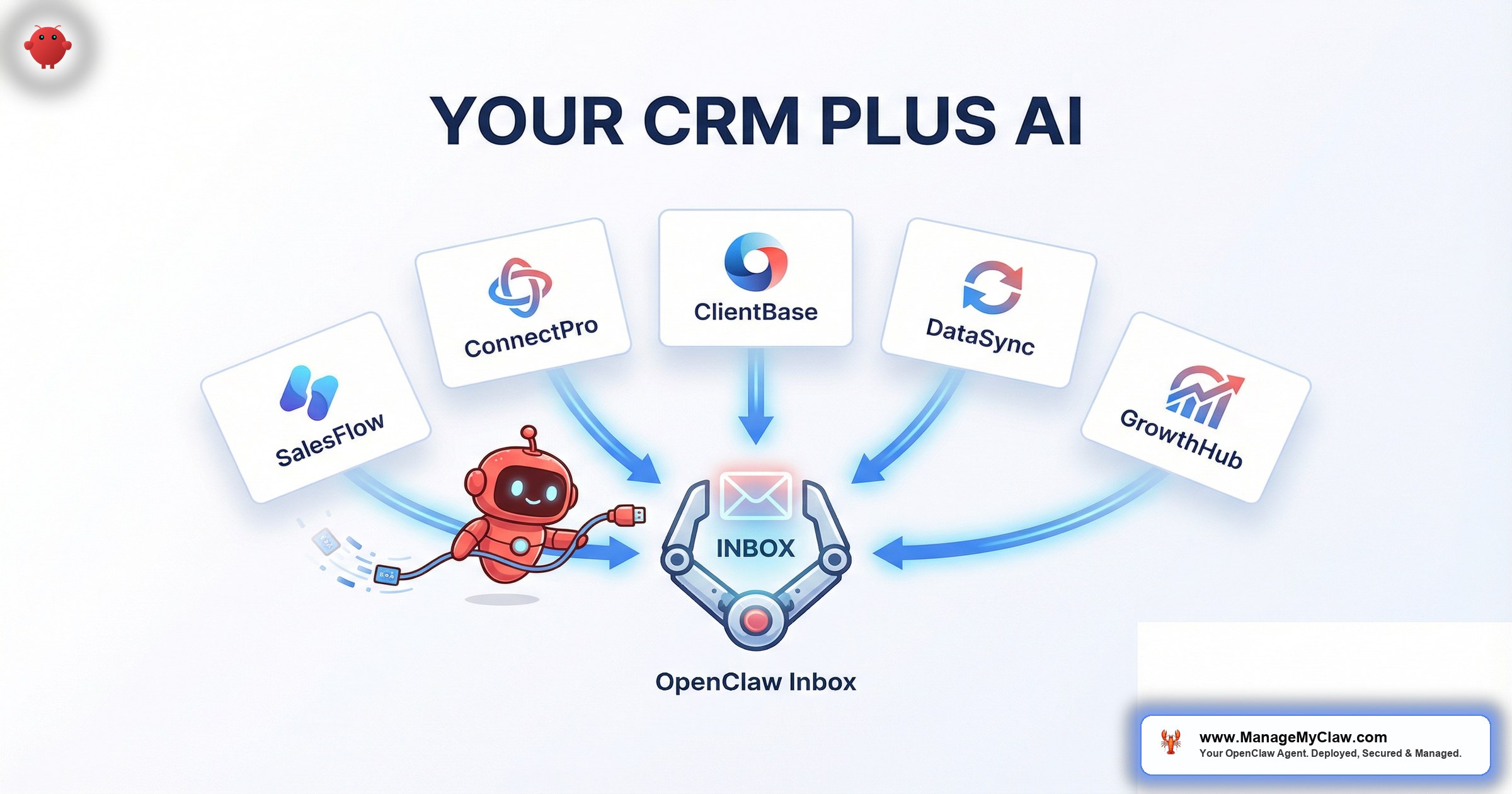
OpenClaw is an open-source AI agent framework — 250,000+ GitHub stars, deployed on bare-metal servers via systemd — that connects to your Gmail, calendar, and existing tools through Gog OAuth. Real estate CRM AI integration with OpenClaw doesn’t replace your CRM or require API keys from your vendor. It reads the email notifications your CRM already sends you — new lead alerts, showing confirmations, deal stage updates — and acts on them.
It’s the difference between rewiring your house and plugging in a lamp. Your CRM keeps doing what it does. OpenClaw reads the emails your CRM sends and handles the follow-up work you were going to do manually anyway.
This post covers the exact integration pattern for 5 CRMs — Follow Up Boss, kvCORE, LionDesk, Reapit (UK market), and Salesforce — and explains why email-based integration is more reliable, more secure, and easier to maintain than direct API connections. If you’ve read the pillar guide on OpenClaw for real estate, consider this the integration deep dive.
Why Email-Based Integration Beats Direct API
Every real estate CRM sends email notifications. Follow Up Boss emails you when a new lead comes in from Zillow. kvCORE emails you when a showing is requested. LionDesk emails you when a drip sequence gets a reply. These notification emails are structured, consistent, and predictable — which makes them a reliable data source for an AI agent.
The integration pattern works in 3 steps:
-
1
Your CRM fires a notification email. New lead from Realtor.com, showing request confirmed, deal stage changed to “Under Contract” — whatever event you’ve configured notifications for. This email lands in your Gmail inbox.
-
2
OpenClaw reads the notification via Gog OAuth. The agent has read-and-draft access to your Gmail, scoped through Google’s OAuth flow. It identifies the email as a CRM notification (by sender address, subject line pattern, and body structure) and extracts the relevant data — lead name, phone number, property of interest, showing time, deal stage.
-
3
OpenClaw acts on the extracted data. Depending on the notification type: drafts a lead response, checks your calendar for showing availability, sends a follow-up reminder, or updates your morning briefing with the new information.
Think of it like having an assistant who reads your mail every morning and sorts it into action piles. Except this assistant reads it in 2 seconds, works at 3 AM, and never puts the urgent letter in the “read later” stack.
Why not direct API integration? 3 reasons: CRM API access is often gated (Follow Up Boss charges extra, kvCORE locks it behind enterprise plans, LionDesk’s API docs are sparse). API integrations break when vendors update — email formats change far less often. And email integration requires zero vendor cooperation — no API keys, no developer agreements, no approval queue.
The integration is read-only on the CRM side. OpenClaw reads notifications and acts within your email, calendar, and messaging channels. Your CRM remains your system of record.
Follow Up Boss: Lead Notifications to Instant Response
Follow Up Boss is the default CRM for high-volume residential teams in the US and Canada. When a new lead enters FUB — from Zillow, Realtor.com, your website IDX, or a manual import — it fires an email notification to the assigned agent. That notification contains the lead’s name, email, phone number, the source, and the property they inquired about.
Here’s what OpenClaw does with a Follow Up Boss notification:
If you’ve configured auto-send for first-touch templates, that response goes out within 90 seconds of the lead submitting their inquiry. The MIT lead response study found conversion drops 80% after 5 minutes. You’re responding at the 90-second mark while showing a different property across town.
Other FUB notifications OpenClaw processes: lead reassignments, deal stage changes, task reminders, missed call alerts, and text message notifications. Each maps to a different agent action — draft response, calendar check, follow-up adjustment, or morning briefing entry.
kvCORE: Showing Requests to Calendar Confirmation
kvCORE (Inside Real Estate) is popular with brokerages that want an all-in-one platform — CRM, IDX website, lead gen, and marketing automation. When a buyer requests a showing through your kvCORE-powered website, the platform sends you a notification email with the lead’s details and the property address.
OpenClaw’s response to a kvCORE showing request follows a tighter workflow than a general lead notification:
-
1
Read the kvCORE showing notification. Extract lead name, property address, and any preferred dates or times mentioned.
-
2
Check your Google Calendar via Gog OAuth. Find 2–3 open slots within the next 48 hours that don’t conflict with existing showings, closings, or blocked time.
-
3
Draft a confirmation email. Include the property address, available time slots, and any preparation notes (gate codes, parking instructions, shoes-off policy).
-
4
Queue a calendar hold. Once the lead confirms a slot (by replying to the email), the agent creates the calendar event with the property address, lead contact info, and a 30-minute buffer before and after.
Nobody’s going to create a kvCORE account to book a showing. They’ll reply to the email. That’s what humans do. The agent should meet them where they are, not where the software wants them to be.
LionDesk: Drip Campaign Replies to Re-Engagement
LionDesk is the budget-friendly CRM popular with solo agents. Its built-in drip campaigns send automated emails on a schedule. When a lead replies to a drip email, LionDesk notifies you. That reply is a re-engagement signal — the lead was cold, now they’re warm — and the window for converting it is measured in hours.
OpenClaw catches those reply notifications and: classifies the reply as URGENT or ACTION based on content (“I’m ready to start looking again” = URGENT, “remove me” = ACTION), drafts a re-engagement response referencing their original inquiry and offering a next step, and flags the lead in your morning briefing so you can pause the drip sequence in LionDesk to avoid overlapping messages.
The integration is read-only — you’ll need to manually pause drip campaigns inside LionDesk when a lead re-engages. OpenClaw flags this with the lead name and drip sequence. Takes 30 seconds.
Reapit: UK Estate Agent Workflows
Reapit dominates the UK estate agency market — Savills, Knight Frank, Foxtons, and thousands of independents. UK workflows differ from US: estate agents represent sellers, viewings are booked through the agency, and chain management (your sale depends on your buyer’s sale depends on their buyer’s sale) is a uniquely British headache.
Reapit notifications OpenClaw processes: new applicant registrations (buyer criteria matched against your active listings), viewing confirmations and cancellations (schedule management + conflict flagging), offer notifications (summary drafted for the vendor with offer amount and chain position), and chain updates (all parties notified when a link changes status).
Chain management alone is worth the setup cost for UK agents. A 4-link chain means 4 solicitors, 4 mortgage brokers, 4 survey firms, and 4 sets of buyers and sellers. Tracking that manually is why estate agents age in dog years.
OpenClaw also handles Reapit-specific compliance reminders — AML checks, EPC expiry, and Material Information disclosure requirements. These carry fines if missed.
Salesforce: Enterprise Brokerage Integration
Salesforce is the CRM for large brokerages and commercial firms — Compass, Keller Williams teams, CBRE, JLL. The challenge: Salesforce notifications are highly configurable, so every brokerage’s email format is different. OpenClaw handles this variability by using AI comprehension rather than rigid pattern matching — it reads the full email body and extracts structured data regardless of your custom notification template.
| Notification Type | What OpenClaw Extracts | Agent Action |
|---|---|---|
| New lead assignment | Lead name, contact info, source, property of interest | Draft first-touch response, activate follow-up sequence |
| Opportunity stage change | Deal name, new stage, key dates | Update morning briefing, send congratulations or next-step reminders |
| Task due | Task description, due date, associated contact | Reminder notification to your phone or Telegram |
| Case escalation | Client complaint or issue details | URGENT classification, immediate notification, draft acknowledgment |
Because Salesforce notifications tend to be verbose (record links, field history, assignment details), OpenClaw extracts more context from them than from most other CRMs — which means better draft responses and more accurate lead qualification.
The Full Integration Flow: CRM Notification to Agent Action
Regardless of which CRM you use, the end-to-end flow follows the same architecture. Here’s what it looks like from a Zillow lead hitting your CRM to a response landing in the buyer’s inbox:
| Step | What Happens | Time |
|---|---|---|
| 1 | Buyer inquires on Zillow/Realtor.com about your listing | T+0s |
| 2 | Portal sends lead to your CRM (Follow Up Boss, kvCORE, etc.) | T+5–30s |
| 3 | CRM sends notification email to your Gmail | T+10–60s |
| 4 | OpenClaw detects the notification via Gog OAuth polling | T+15–90s |
| 5 | Agent extracts lead data, classifies as URGENT, drafts response | T+20–95s |
| 6 | Response sent (auto-send) or queued (draft-for-review) | T+25–100s |
| 7 | Follow-up sequence (Day 3/7/14/30) activated in background | T+25–100s |
Under 2 minutes from buyer inquiry to personalized response. That’s faster than most agents can find their phone, open the CRM app, and start typing. The agent isn’t faster because it types faster. It’s faster because it doesn’t context-switch.
For the full breakdown of email triage and auto-response templates, see the AI email agents for real estate deep dive. For how Zillow and Realtor.com leads flow into this system, see AI agents for Zillow and Realtor.com leads.
What You Need to Get This Up and Running
The integration doesn’t require any changes to your CRM. You don’t need admin access, API keys, or your broker’s permission. You need 4 things:
Prerequisites
- CRM email notifications enabled. Most CRMs have this on by default — check your notification settings to confirm.
- Gmail account receiving CRM notifications. The account OpenClaw connects to via Gog OAuth. Brokerage email forwarding to Gmail works too.
- OpenClaw deployed on a bare-metal VPS. $12/month Ubuntu server. The What is OpenClaw guide covers fundamentals.
- System prompt configured for your CRM’s notification format. Sender address, subject patterns, data locations. 1-time setup.
Total setup time for the CRM integration layer: 1–2 hours DIY, or included in a managed deployment. Ongoing cost on the CRM side: $0 — you’re using notifications your CRM already sends. For the full pricing breakdown, see the pricing page.
Frequently Asked Questions
Does OpenClaw write data back into my CRM?
No. The integration is read-only on the CRM side. OpenClaw acts within your email, calendar, and messaging channels. Your CRM stays your system of record.
What if my CRM changes its notification format?
Minor format changes (layout, fonts) don’t break it — OpenClaw uses AI comprehension, not rigid pattern matching. If a CRM restructures the data fundamentally, the system prompt needs a 1-time update.
Can I use this with a CRM not listed here?
If your CRM sends email notifications with lead details, yes. BoomTown, Wise Agent, Chime, Real Geeks, Sierra Interactive, Propertybase — they all work. System prompt configuration takes about 20 minutes.
Is my lead data safe?
OpenClaw runs on your server. Lead data never leaves your hardware. Gog OAuth is scoped to read and draft only, revocable in 3 clicks. The 9-point security hardening includes firewall, fail2ban, non-root process, and a tested kill switch. Details in the real estate pillar guide.
How is this different from my CRM’s built-in AI?
Built-in AI runs on the vendor’s cloud, trains on your data alongside every other customer’s, and costs $200–$800/month. OpenClaw runs on your server for $37–$52/month total. The tradeoff: it requires initial configuration, which a managed service handles for you.
See how ManageMyClaw works — from initial setup to your first automated response.


